The current version, 3.6.1, brings a few practical fixes and one notable addition. PitchShaper’s Formant Link, Density, and Grain Size are now automation parameters, which means you can modulate them in real time without touching the UI. There’s also a fix for an audio artifact that appeared when a MIDI note or Audio Trigger landed while the input was silent — that one matters if you trigger effects from a live feed.
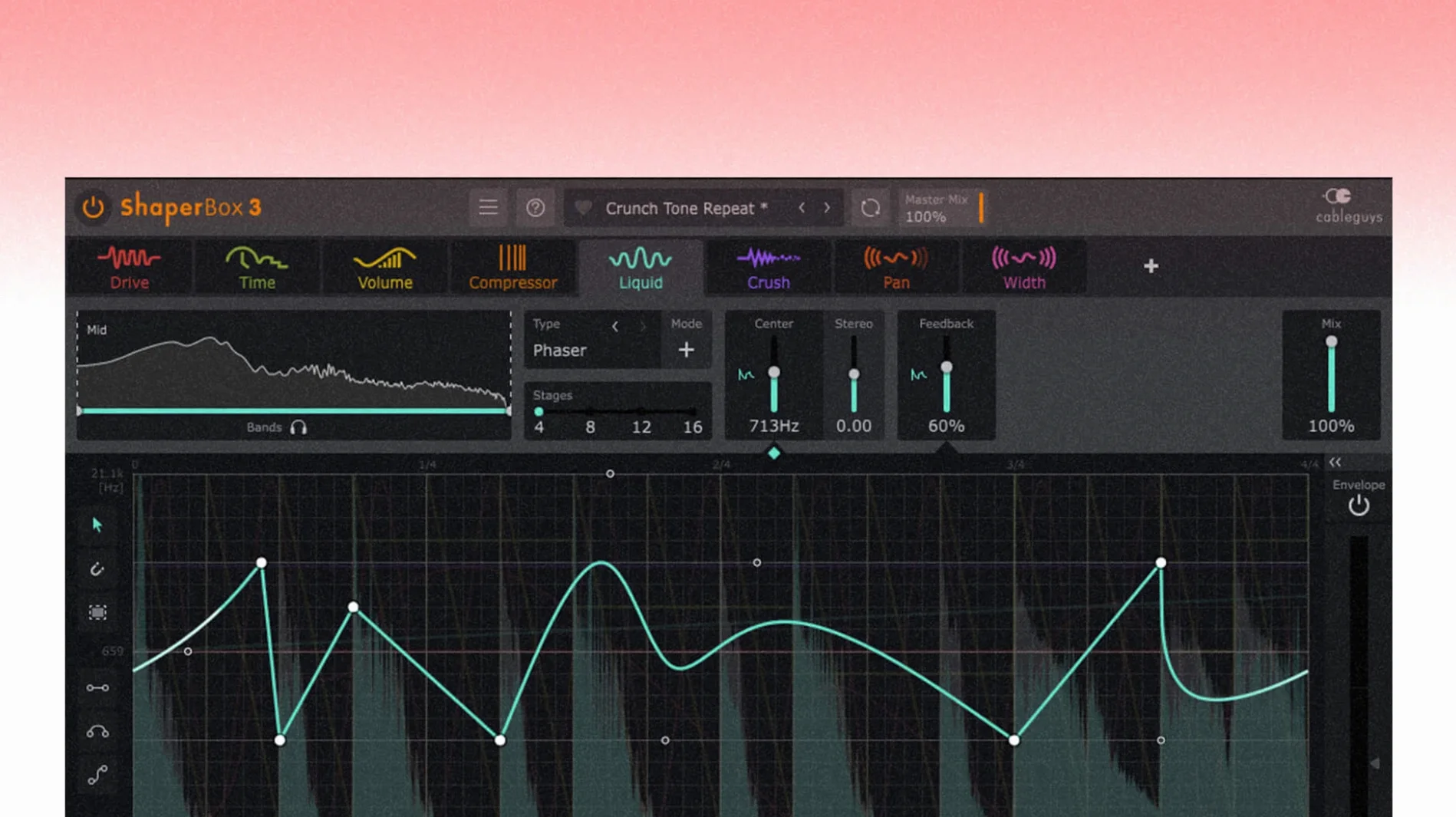
ShaperBox is a rhythmic multi-effect plugin built around modular Shaper modules. You stack effects like VolumeShaper, FilterShaper, and TimeShaper, each with its own LFO-style curve. The controls are straightforward: draw a shape, adjust the rate and depth, and it reshapes the audio accordingly. Audio Trigger can run on any sound, and you can enable multiple triggers at once, which makes the plugin respond to transients instead of just a fixed tempo.
Multiband processing splits low, mid, and high frequencies, so you can treat them separately — useful when you want the kick to pump while the hats stay clean. A browser holds 600 presets, which covers a lot of ground before you start drawing your own curves.
Who this plugin fits best
A producer working on electronic music with a tight deadline is a natural fit. You have a loop that needs rhythmic movement — maybe a synth pad that should breathe in time with the kick, or a vocal hook that needs a chopped, stutter effect. Instead of reaching for multiple compressors and automation lanes, you load ShaperBox, pick a preset like "Pumping Pad" or "Gate Groove," and adjust the speed to match your project tempo. The modular setup means you can layer a volume curve with a filter sweep in the same instance, which saves routing time and keeps the session tidy.
Switch to beat-synced timing for predictable results
ShaperBox doesn't show up in the plugin list
This usually means the installer placed the component or VST3 file in the wrong folder. Mac systems expect Audio Units in /Library/Audio/Plug-Ins/Components/ and VST3 in /Library/Audio/Plug-Ins/vst3/. If you see the files there, rescan your DAW's plugin manager. A restart of the DAW may be necessary.
Audio drops or crackles when using multiple Shaper modules
Each module adds processing, and multiband mode multiplies that further. If your session already has several instances, try disabling modules you are not actively tweaking. The interface lets you bypass individual shapers without removing them. Also, check your buffer size — raising it to 512 or 1024 samples reduces CPU strain, though it adds latency.
The trigger seems to miss hits or fire late
The Audio Trigger function responds to transient peaks. If the source material has a low dynamic range or heavy compression, the trigger may not catch every event. You can adjust the threshold in the trigger settings, or switch to MIDI trigger mode for tighter control. MIDI notes give you exact timing, which helps when you need a consistent rhythm regardless of the input signal.
Modular rhythmic effects with a unified interface
A few adjustments right after installation make the plugin easier to work with:
- Switch to beat-synced timing — The default free mode is flexible, but most music producers benefit from triplet, straight, or dotted division options. Setting this early keeps your curves locked to the grid.
- Enable multiband for frequency-specific shaping — Even if you don't split frequencies right away, turning on multiband mode lets you solo each band later without reloading the plugin.
- Browse presets by category — The 600 presets are sorted by module and style. Click the browser button and filter by "Drums" or "Atmosphere" to find a starting point faster than scrolling the full list.
Starting with one module prevents muddy sound
ShaperBox occupies a specific spot: modular rhythmic effects with a unified interface. Here is how it stacks up against two alternatives:
Xfer Records LFO Tool is a simpler volume shaper with sidechain-style curves. It does one thing well — ducking and pumping — but lacks filter, time, or pitch shifting modules. If you only need volume automation, LFO Tool is leaner and uses less CPU. If you need layered effects in one instance, ShaperBox covers more ground.
Output Movement offers eight effects in one plugin, including a compressor, filter, and distortion, plus a multi-band split. Its strength is mangling a single sound into something unrecognizable. Movement has a different workflow — it uses macros and randomized snapshots rather than drawing your own curves. ShaperBox gives you more direct control per module, while Movement is better for chaos and exploration.
Soundtoys Tremolator is a dedicated tremolo and pattern shaper. It sounds great and has rhythm patterns built in, but it does not support frequency splitting or pitch shifting. For a single-effect approach, Tremolator is a lighter choice. For a full rhythmic toolbox, ShaperBox wins on flexibility.
Avoid stacking all four modules at once
- Adding too many modules at once — It is tempting to stack VolumeShaper, FilterShaper, TimeShaper, and LiquidShaper on the first go. The result is often a muddy or chaotic sound. Start with one module, dial it in, then add a second. Each module multiplies the effect, not just the processing.
- Ignoring the multiband crossover points — The default split may place the crossover at frequencies that work for one loop but not another. Moving the low/mid and mid/high crossover points by even 100 Hz changes how the pumping or filtering affects the elements in your mix.
- Overlooking the sidechain visual display — The display shows how the shape lines up with the waveform. Beginners sometimes set a curve by ear and never check the visual alignment, resulting in a rhythm that sounds slightly off. A quick glance at the display confirms whether the peak of the curve matches the transient.
- Using Audio Trigger on already tight material — If your source is a sequenced synth or a programmed beat, MIDI trigger delivers cleaner results. Audio Trigger works best on live recordings or acoustic sounds where transients vary naturally. Using it on rigid electronic parts can cause timing drift.
- PitchShaper’s Formant Link, Density, and Grain Size are now automation parameters.
- Fixed an audio artifact that could occur when a MIDI note or Audio Trigger was received while the input was silent.
- Fixed a Logic Pro cursor disappearance issue after dragging a control.
- macOS 10.15 or later
- Intel or Apple Silicon
- Interface language: English
Questions from the notes
Does ShaperBox work on both Intel and Apple Silicon Macs?
Yes, ShaperBox 3.6.1 supports both architectures and requires macOS 10.15 or later.
Can I automate PitchShaper parameters in the current version?
Yes, PitchShaper’s Formant Link, Density, and Grain Size are now automation parameters in version 3.6.1.
Install procedure
- Open the downloaded disk image.
- Run the standard installation procedure.
- Open the included VR.nfo instruction file.
Reports from players
Sign in or create a tester account to file a report.
No reports filed yet.