Disk Drill has a reputation as the first tool you reach for after an accidental delete. Version 6.3.2326 keeps that front-line role, but the deeper tools are where it earns its keep. If you already know the basics—scan, preview, recover—this version gives you more to work with when the drive in question is in worse shape.
What the deeper tools cover
- Lost BitLocker partitions — detection and recovery for partitions that have gone missing, not just files.
- Encrypted APFS handling — improved support for recovering data from encrypted volumes, which often trip up simpler tools.
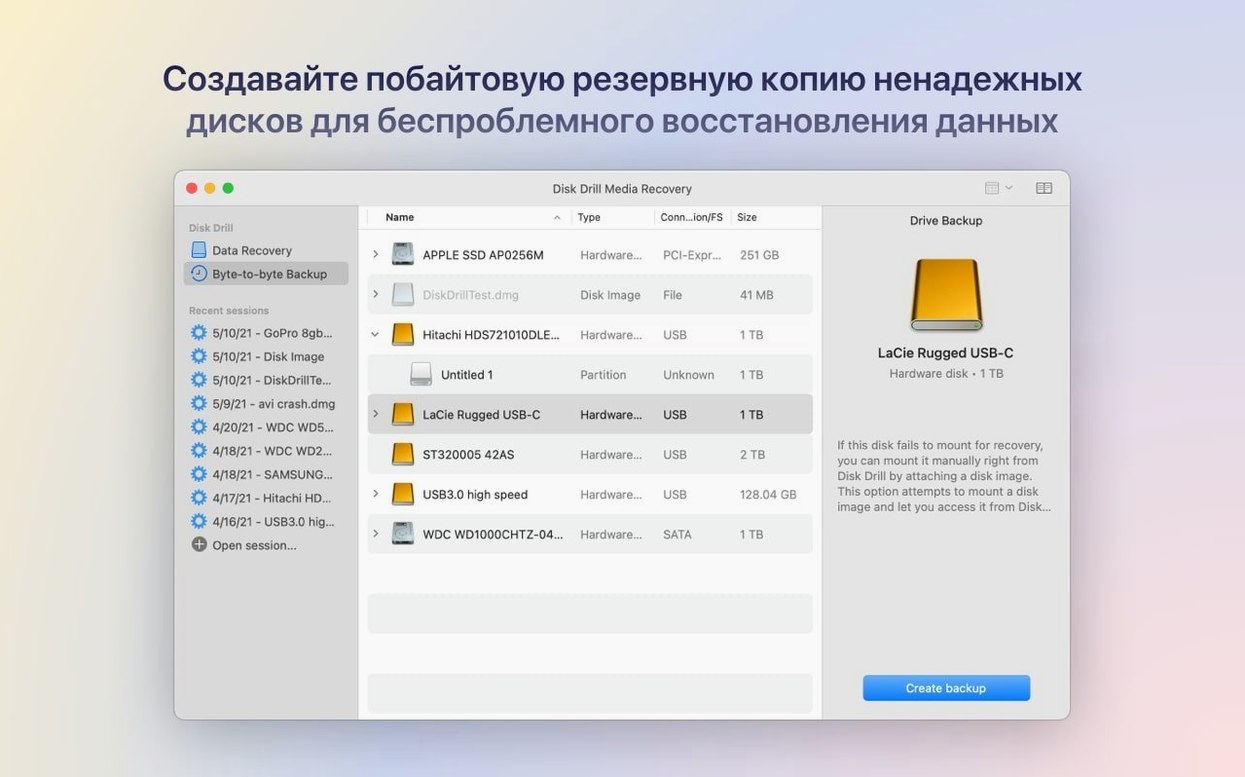
- Byte-to-byte DMG scanning — fixed so image-level scans run as expected, useful for forensic-style recovery.
- ReFS sparse files — better detection of partitions using sparse files, a niche but critical case for some Windows-formatted drives.
- Mobile device recovery — call history, contacts, and messages from iPhone and iPad, plus photo and video grouping fixes in the ACR module.
Working with formatted and damaged drives
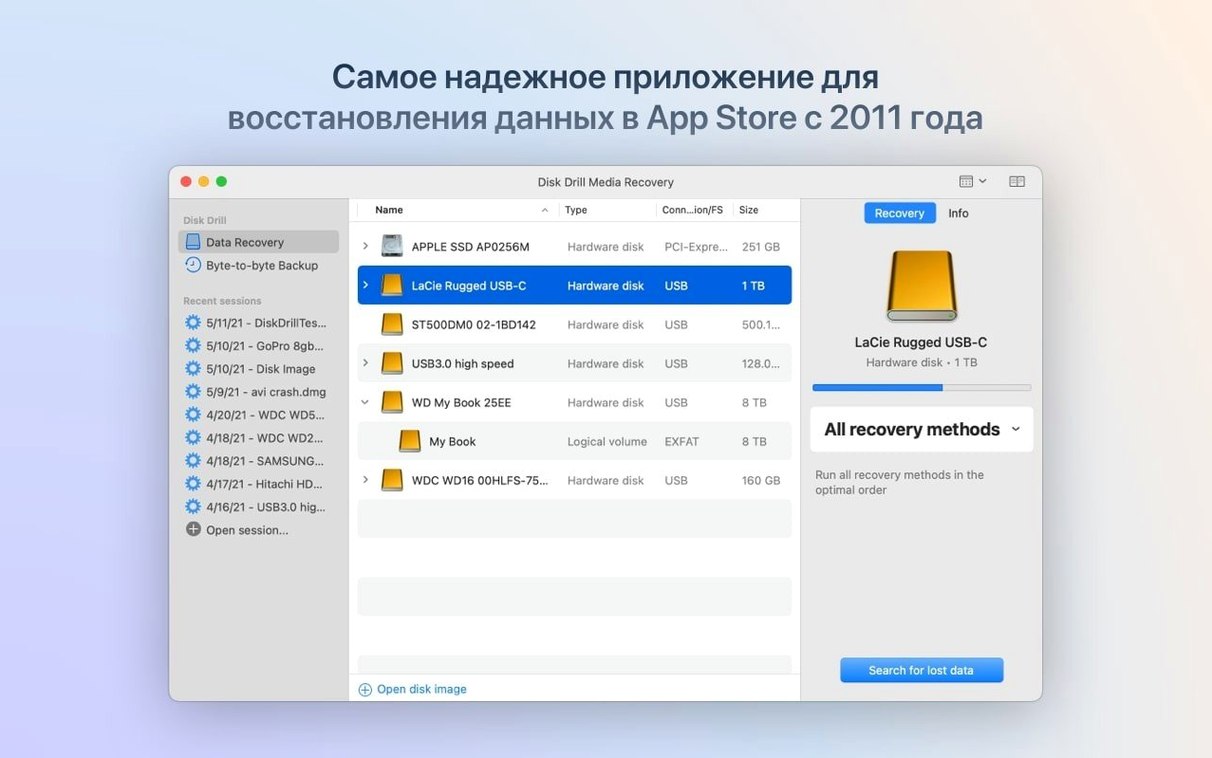
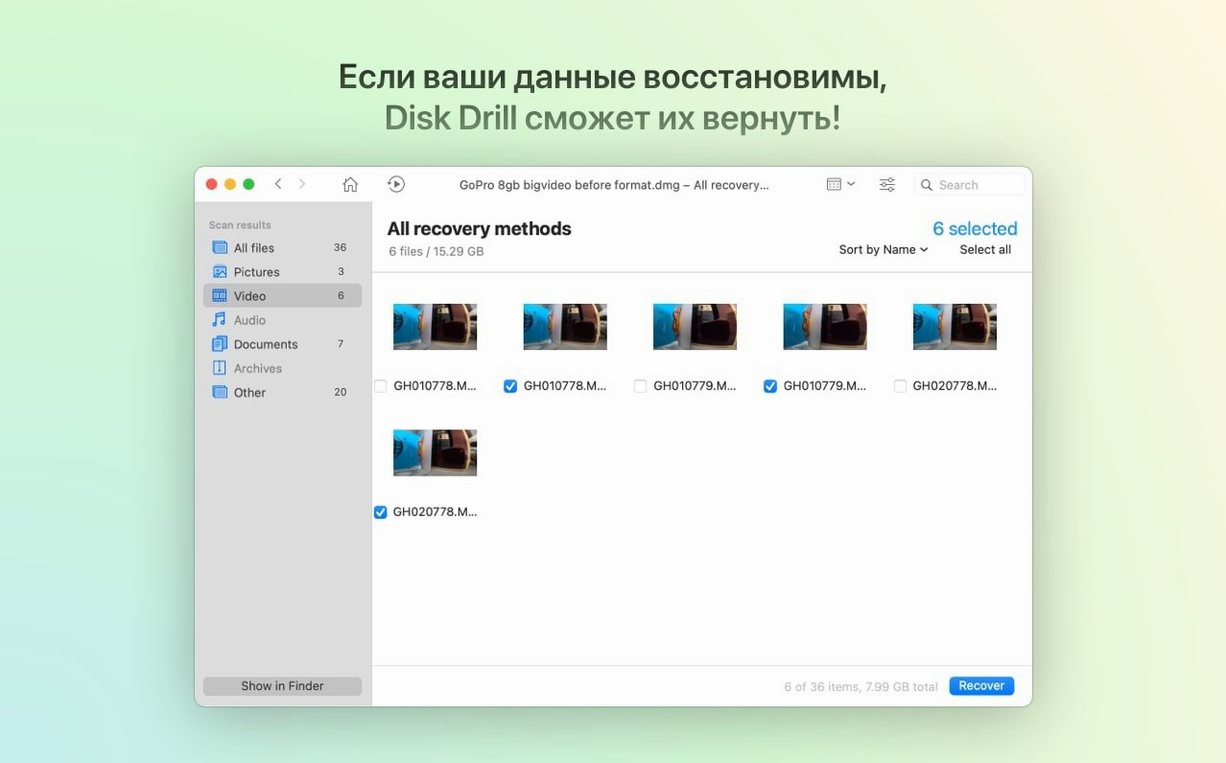
You can restore data from formatted devices, which is the scenario most recovery tools claim but few handle well. The scanning engine also covers internal and external drives, cameras, Android devices, USB flash drives, Kindle devices, and memory cards. For a utility often used once or twice a year, the breadth matters—when you need it, you need it on whatever hardware is at hand.
IT admins gain BitLocker support for mixed-platform recovery
Disk Drill is a utility almost every Mac owner will want at some point, but a few groups benefit more than others from what version 6.3.2326 offers.
IT support and sysadmins managing mixed-platform environments will find the BitLocker partition support and ReFS sparse-file detection immediately useful. When a Windows-formatted external drive comes in with a missing partition, those features turn what would be a long troubleshooting session into a straightforward scan and recovery. The same goes for encrypted APFS volumes — useful when someone in the office has a Mac with FileVault-encrypted storage that stops mounting.
Photographers and media editors are another core audience. The fixes to DNG file detection and the improved grouping of iPhone photos and videos in the ACR module mean less manual sorting after a recovery. The added .m4a support in the ACR module also helps audio editors pulling files off memory cards or portable recorders.
Home users who mostly work with external drives and mobile devices will find the breadth of device support saves them from keeping separate tools for each gadget. Android recovery, iPhone and iPad call logs and contacts, Kindle data — all handled from the same interface.
Recovering 200 RAW files after an accidental format
A photographer finishes a wedding shoot, inserts the SD card into the Mac, and accidentally formats it in the camera before importing. Two hundred RAW files, gone. Standard undelete tools see nothing because the card was overwritten with a new file system — not just files deleted, but the structure itself replaced.
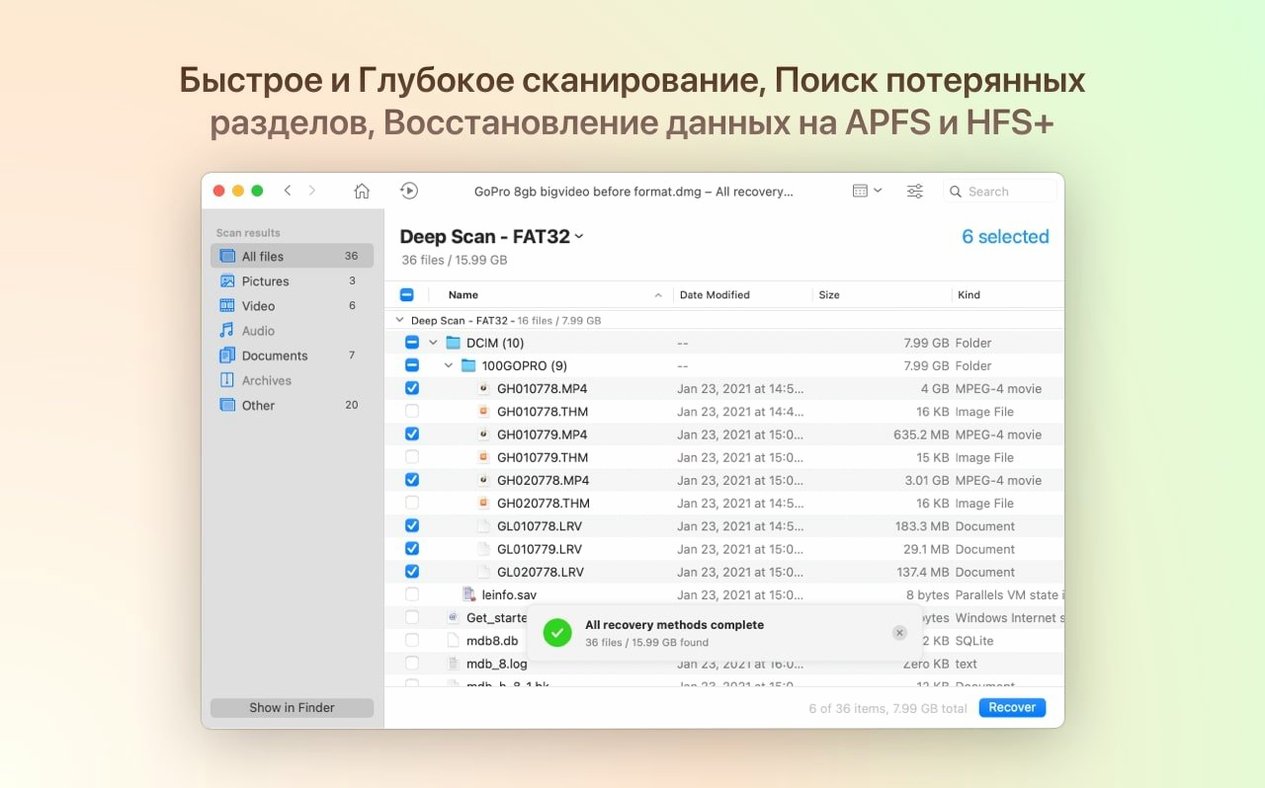
Disk Drill scans the formatted card. The recovery engine reads past the new empty file system and finds the original directory structure. The DNG fix in 6.3.2326 means those .dng files from the camera show up in the preview pane instead of being missed. The photographer selects the keepers, recovers them to an external drive, and the job continues. No second shoot, no frantic email to the client.
How Disk Drill works with macOS and other tools
Disk Drill integrates with the operating system through standard file system calls — it does not replace macOS utilities like Disk Utility or Time Machine. In practice, that means you can run a Disk Drill scan on a failing drive while still using Finder to browse its contents. The app sits alongside the existing backup and disk tools rather than competing with them.
For example, if Time Machine reports a corrupt backup image, Disk Drill can scan the backup drive for recoverable files. If Disk Utility cannot repair a partition, Disk Drill can still extract data from it. The two tools cover different failure modes: one tries to fix the structure, the other pulls the data out even if the structure is gone.
The duplicate-file finder and disk cleanup tools are useful for maintenance, not just emergencies. Running them quarterly on an external media drive can surface duplicate RAW files or forgotten installers before the drive fills up. The disk health monitor reads SMART data that macOS does not surface on its own, giving advance warning before mechanical failure becomes a recovery scenario.
Settings worth adjusting first
Disk Drill defaults are sensible for a first scan, but two settings make the difference between a quick check and a thorough recovery.
- Scan mode — The default quick scan is fast and catches recently deleted files. For formatted drives or damaged partitions, switch to deep scan before starting. It takes longer but finds data the quick pass misses.
- Preview before recovery — Always enabled, but worth knowing: you can preview file content before committing to a recovery. This is especially useful for large media files where you want to confirm the file is intact before writing it to another drive.
If you are recovering data from a failing drive, recover to a different physical drive than the source. This prevents overwriting data during the recovery process itself.
DNG detection fixed for everyday file recovery
Most users will not encounter BitLocker partitions or ReFS sparse files daily, but the fixes in this release clean up common hiccups.
- Fixed DNG detection — A previous version failed to recognize .dng files from many cameras. That is now resolved, so photographers scanning cards for RAW files will see everything they expect.
- Fixed DMG byte-to-byte scanning — Users who rely on disk-image scans for forensic or archival purposes will find those scans complete without errors.
- Fixed iPhone photo and video grouping — The ACR module previously grouped media poorly, mixing thumbnails and full files. That grouping now works as intended.
- Added .m4a and .rwl support in the ACR module — Audio and RAW video workflows that use these formats now get proper recognition during scans.
- Improved encrypted APFS processing — Encrypted volumes mount and scan more reliably, reducing the chance of a failed recovery mid-process.
The BitLocker partition detection is the headline feature, but the practical improvements to common file formats and scan reliability change daily use more noticeably.
- Fixes: byte-to-byte DMG scanning, poor grouping performance for iPhone photos and videos in ACR.
- Changes: improved encrypted APFS partition handling, better ReFS sparse file detection.
- Adds: lost BitLocker partition recovery, .p8 and .pfx file support, .m4a support in ACR.
- macOS 10.15.7 or later
- ARM or 64-bit Intel Mac
Install procedure
- Mount the disk image and run Open Gatekeeper friendly.
- Press Enter in Terminal to bypass Gatekeeper.
- Drag the app into the Applications folder.
- Launch the app when installation is complete.
Reports from players
Sign in or create a tester account to file a report.
No reports filed yet.