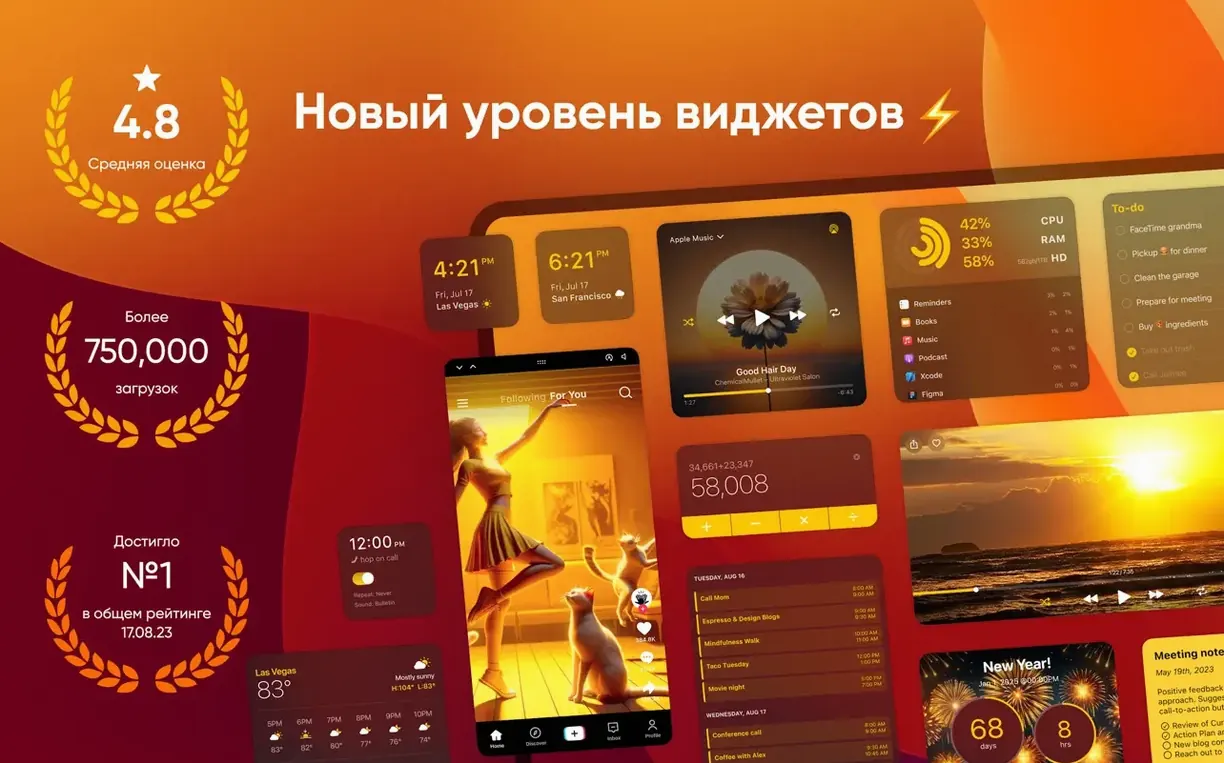
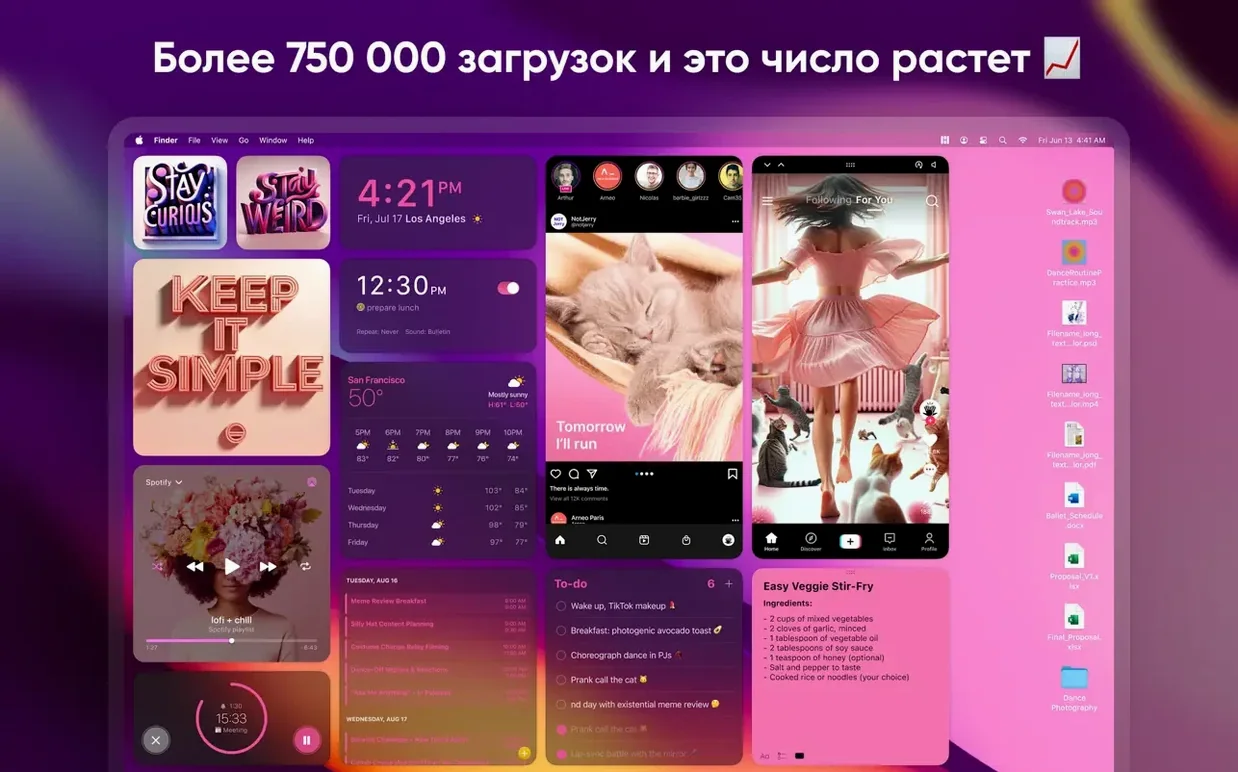
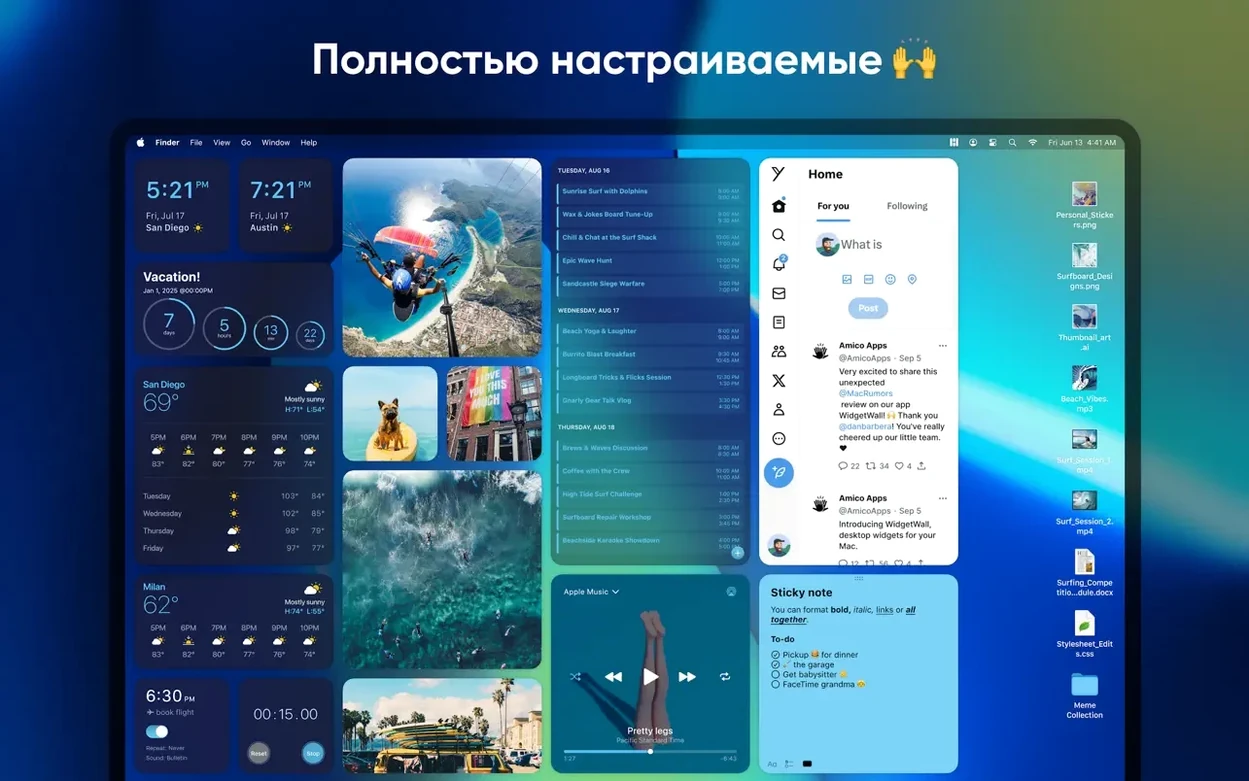
If you've used the macOS Dashboard or the newer Notification Center widgets, WidgetWall takes that idea and puts it on the desktop itself. It's a utility for adding customizable widgets and stickers directly to your Mac's desktop, so they're always visible without opening a panel.
Offers quick access to Calculator, Clock, and Timer
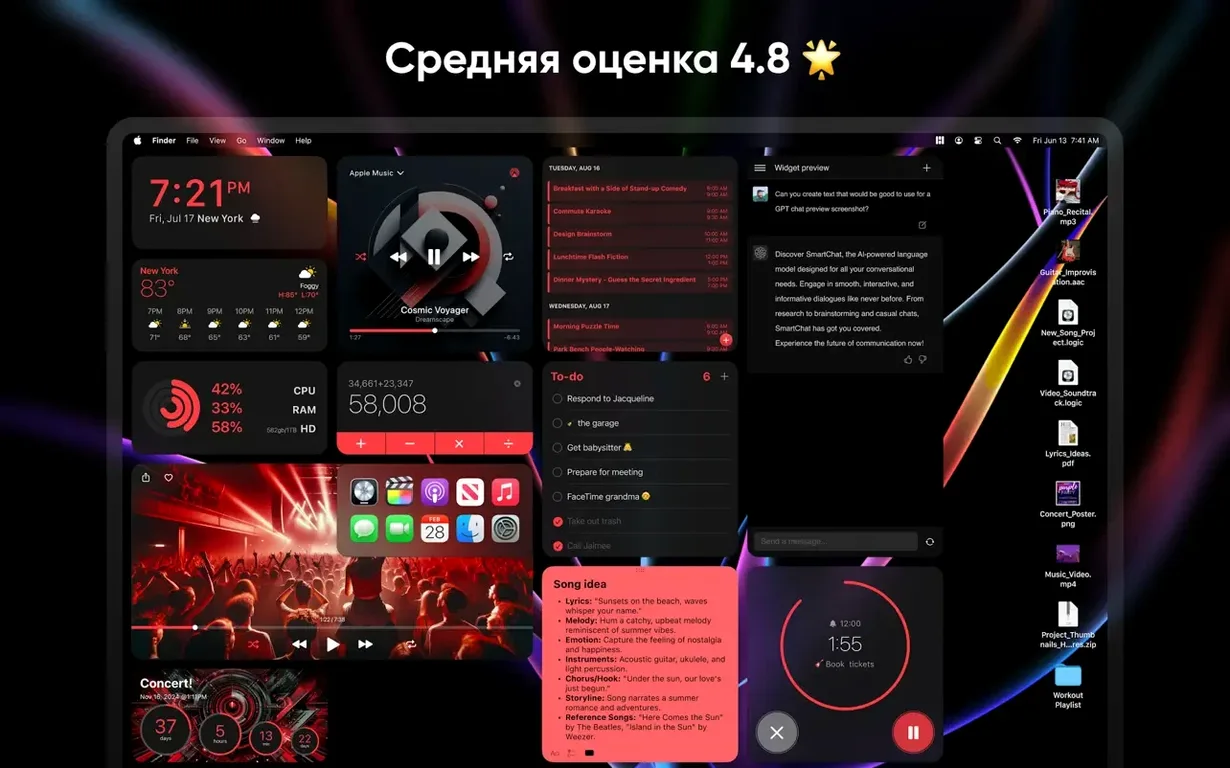
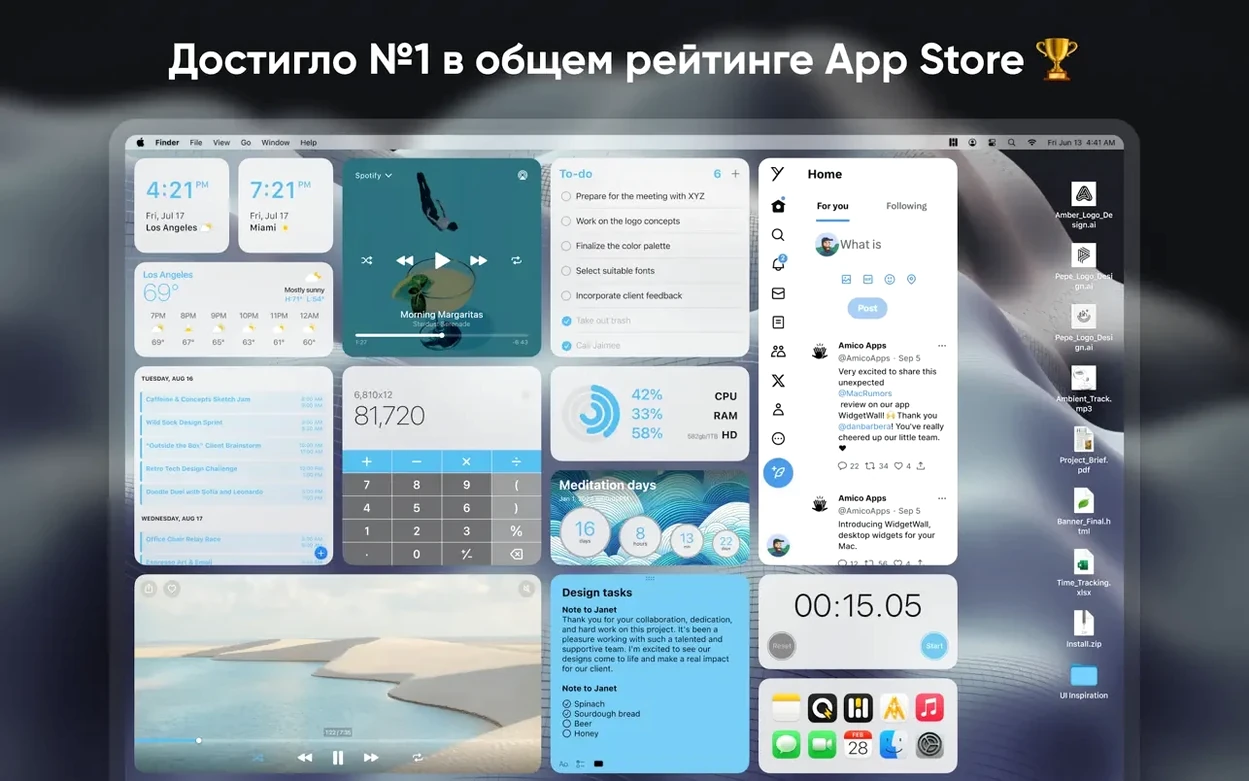
WidgetWall suits anyone who wants quick access to tools like a Calculator, Clock, Timer, Weather, or Music controls without clicking around. It also includes fun options like Confetti and Emoji Browser, plus practical ones like Notes, Reminders, and App Shortcuts.
How it works
- Mount the downloaded disk image.
- Drag the app to the Applications folder alias.
- After copying finishes, open the app from Launchpad.
WidgetWall runs on macOS 12 or later, supports both Apple Silicon and Intel 64-bit Macs, and is available in English, French, Spanish, Russian, Traditional Chinese, and more.
Requires macOS 12 or later and supports both Apple Silicon and Intel
WidgetWall is designed for macOS 12 or later, so it will run on any Mac that meets that requirement. The app supports both Apple Silicon and Intel 64-bit architectures, meaning it works on M-series Macs and Intel-based models alike. No Rosetta workarounds or special versions are needed.
After launch, the app places several widgets on the desktop automatically. Each widget comes in small, medium, and large sizes, so you can adjust the layout to fit your screen without overlapping icons or opening a settings panel for every resize. The app itself stays running in the background, and the widgets remain on the desktop even when other windows are open, depending on your Mac's window management behavior.
Since it uses macOS 12 as a baseline, older systems won't work. If your Mac is running Monterey or later, you're set. The app's language options include English, French, Spanish, Russian, Traditional Chinese — useful if you share the machine or prefer a non-English interface.
Includes hidden gems like Confetti, Emoji Browser, and Notes
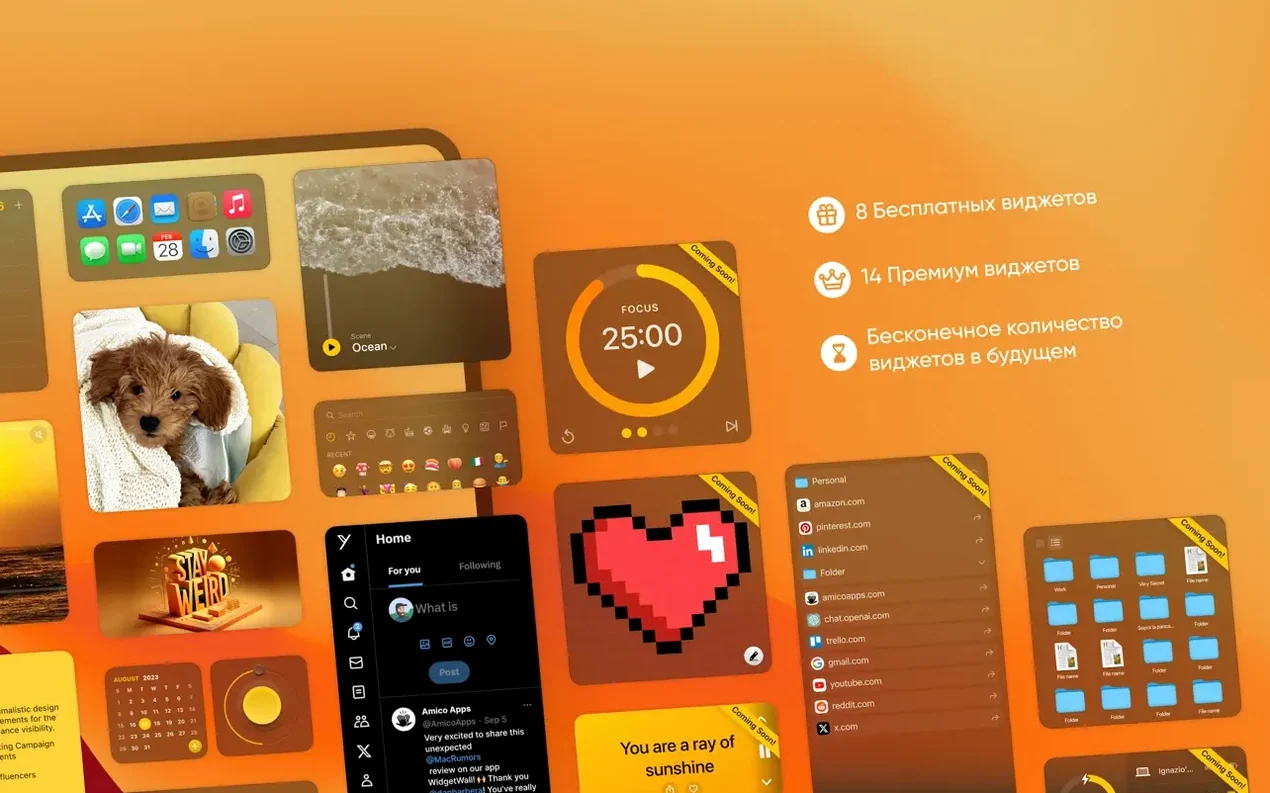
WidgetWall includes more than twenty widget types out of the box. Some are obvious tools like the Clock, Calculator, and Timer. Others are worth noticing because they aren't common in similar desktop widget apps:
- Confetti — a purely decorative widget that drops animated confetti on the desktop. No practical use, but it's there if you want it.
- White Noise — plays ambient sound through the widget. It's not a full audio player, just background noise for focus.
- Emoji Browser — gives you a grid of emoji to click and copy. Saves digging through the system emoji picker.
- TikTok — embeds a TikTok feed into the widget. It's a browser-based view, not a separate app.
- App Shortcuts — puts app launchers on the desktop so you can open frequently used programs without the Dock or Spotlight.
- Stats — shows system information like CPU or memory usage. The exact metrics aren't specified, but it's meant for a quick glance.
Each widget can be resized independently, so you can have a large Calendar next to a small Clock without affecting each other's dimensions. The activation status is included with the package, so there is no separate license step to worry about after installation.
Best for users who rely on timers and alarms during work
WidgetWall fits best for users who keep a relatively clean desktop and want glanceable information without opening apps. People who rely on timers and alarms during work — like the Pomodoro Timer, Countdown Timer, or Alarm widgets — will get regular use from it. The Weather and Stats widgets are useful for anyone who checks those things throughout the day.
Users who customize their desktop appearance often will appreciate the variety. The app includes decorative widgets like Confetti alongside practical ones, so it works for both aesthetic and productivity setups. Since it runs on both Apple Silicon and Intel Macs, it's not restricted to newer hardware.
The app is in English, French, Spanish, Russian, and Traditional Chinese, so it's accessible to a multilingual audience. If you share your Mac with someone who speaks a different language, the interface can be switched without affecting system-wide settings.
Uses a different approach than Übersicht's custom HTML widgets
WidgetWall isn't the only desktop widget app for Mac, but it has a different approach than most. Here is how it compares to two common alternatives.
Übersicht lets users create custom widgets using HTML, CSS, and JavaScript. It is more flexible for people who can code, but it requires manual setup and offers no pre-built widgets. WidgetWall comes with over twenty ready-to-use widgets, so you don't need to write any configuration files. The trade-off is that you cannot build your own widgets from scratch.
Dashboard Plus brings back the old macOS Dashboard as a separate space. It recreates the OS X Dashboard experience, but it is limited to widgets inside that space rather than on the desktop itself. WidgetWall places widgets directly on the desktop, so they are always visible alongside your files and folders. Dashboard Plus is more of a nostalgia tool; WidgetWall is a current-day utility.
Both alternatives have their audience, but WidgetWall is the simpler option if you want a set of functional and decorative widgets without scripting or switching to a separate view. Widgetwall free download lets you see a live preview of the app before installing it.
- macOS 12 or later
- Apple Silicon or Intel 64-bit
Questions from the notes
What macOS versions does WidgetWall support?
WidgetWall requires macOS 12 or later and supports both Apple Silicon and Intel 64-bit Macs.
Install procedure
- Mount the downloaded disk image.
- Drag the app to the Applications folder alias.
- After copying finishes, open the app from Launchpad.
Reports from players
Sign in or create a tester account to file a report.
No reports filed yet.