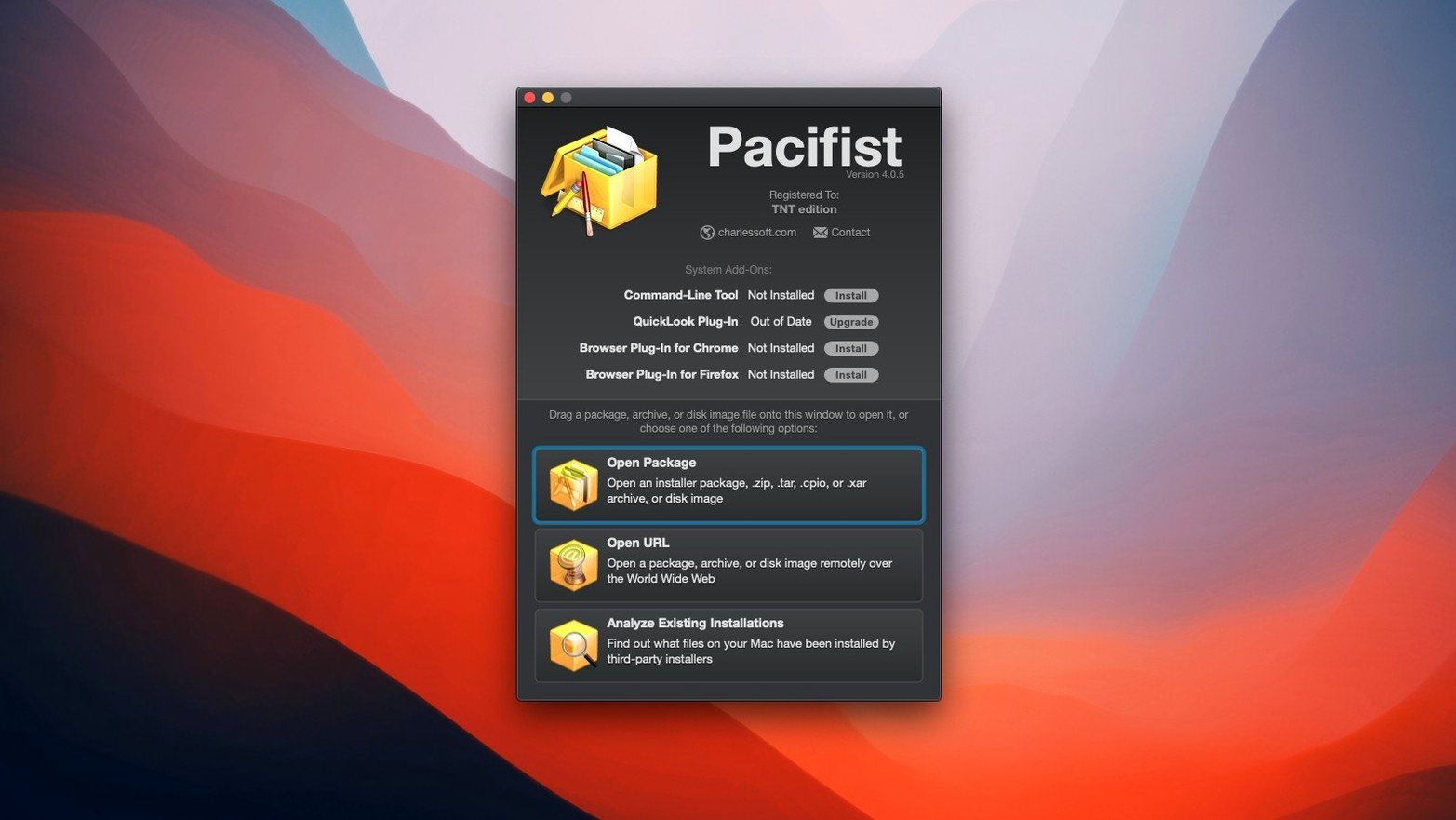
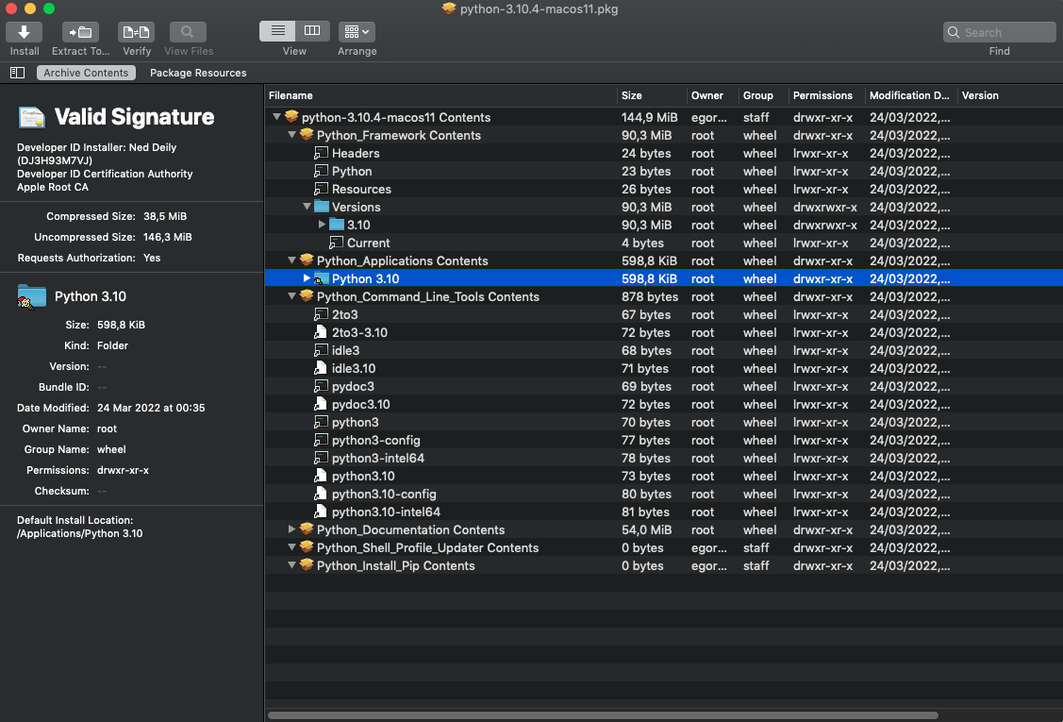
Pacifist is a macOS utility that opens package, disk image, and archive files and extracts their contents. It fits alongside the tools you already use: when you need to pull a single file out of an installer without running it, or inspect what a package actually contains, Pacifist gives you that access directly.
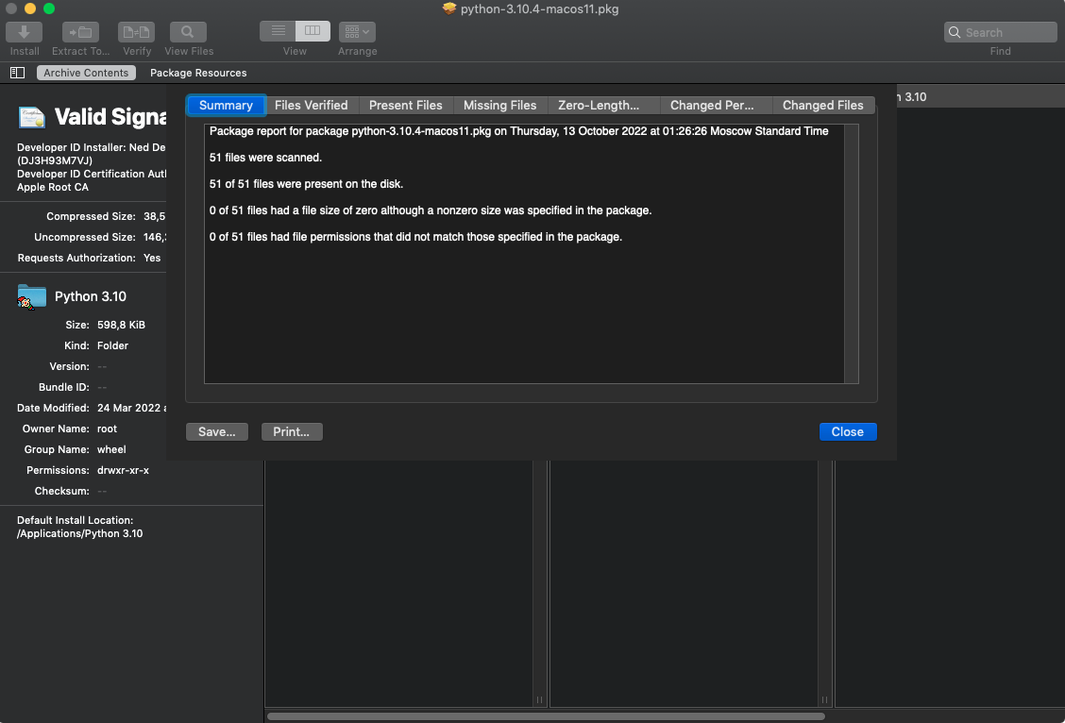
Version 4.1.4 is listed on CharlesSoft's site for Macs running macOS 10.15 through 11.x. It works with .pkg installer packages, .dmg disk images, and .zip, .tar, .tar.gz, .tar.bz2, and .xar archives. The app can also check installed applications for missing or outdated files, and it identifies which installer was used for kernel extensions, showing whether they belong to Apple or a third-party developer.
That last part is useful if you manage a machine with older extensions or want to verify the source of a kernel module. For everyday extraction tasks, Pacifist behaves like a more precise version of Archive Utility, letting you decide exactly what gets unpacked and where it goes.
Saves extracting by opening DMGs before mounting
Pacifist works alongside the Finder and Terminal without replacing either. When you mount a .dmg image in macOS, Pacifist can open the same file and extract individual items before the disk image is even mounted. That saves the step of mounting just to grab one driver or resource file.
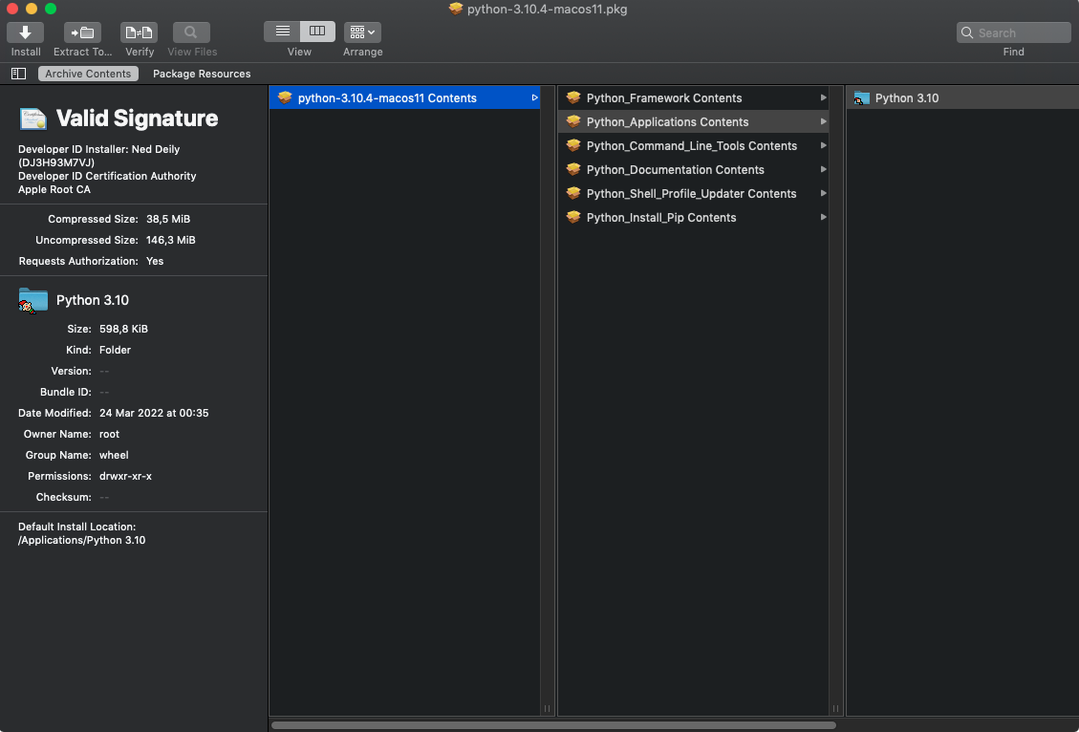
The app's .pkg handling overlaps with what the macOS installer does, but Pacifist doesn't install anything unless you tell it to. You can inspect a package's contents before committing to installation. That is useful when you have a .pkg from an unknown source or want to confirm which version of a file a package contains.
For archive formats like .tar.gz and .zip, Pacifist behaves similarly to the command-line tools, but with a graphical interface. You see the file tree before extraction, which makes it easier to pick specific items. Some archive types also support downloading a single file over HTTP without pulling the full archive first. That is a feature you won't find in the default macOS archiver.
Disable SIP on macOS 10.14.6 and later before installing
- Disable SIP before installing. On macOS 10.14.6 and later, this is required for the activation method used in this release. You can re-enable SIP after the app is in place and working.
- Mount the disk image included with the download and run Open Gatekeeper friendly from the Terminal. Press Enter when prompted to bypass Gatekeeper. This is a one-time step for this particular version.
- Drag the application to your Applications folder after the Gatekeeper step. The app launches from there normally.
- Use the License.pacifist-license file from the Extra folder for activation. The file is inside the disk image you mounted earlier.
- Start with a .dmg or .pkg file you already know. Open it in Pacifist and browse the contents to confirm the app reads the file structure correctly. Then try extracting a single file — something small, like a readme or icon — to a test folder.
- Check an installed application for missing files. Open Pacifist and point it at a program's installation directory. The app will report files that are missing or outdated compared to the original package.
- If you work with kernel extensions, use Pacifist to inspect them. It will show which installer was used and whether the extension is from Apple or a third party. This is one of the features you won't find in file archivers or disk utilities.
Requires macOS 10.14.6 or later with Intel 64-bit and English interface
Pacifist 4.1.4 requires macOS 10.14.6 or later and runs on Intel 64-bit hardware. The interface is in English. The version from TNT has the QuickLook plugin disabled, so that integration is not available here. Everything else — opening packages, inspecting contents, extracting files, checking applications — works as described on CharlesSoft's site.
Since the app targets Intel architecture, it runs natively on Intel Macs. On Apple Silicon Macs, it would run through Rosetta 2, but the system requirements list Intel only, so compatibility with newer ARM-native workflows is not guaranteed.
Disk images and package files open in a window that shows the internal file tree. You select items and extract them to a location of your choice. The app does not modify the original files, so you can open and inspect the same package multiple times without side effects.
Opens .xar archives not supported by every archive utility
- The app can open .xar archives, which are less common than .zip or .tar but appear in some macOS installer packages. Not every archive utility on macOS supports .xar directly.
- You can use Pacifist to inspect the contents of a package before installation without mounting or running anything. That saves time when you need to verify what a package contains.
- The ability to download a single file from an archive over HTTP is available for some archive types. This avoids downloading the entire archive just for one file.
- Identifying kernel extension sources is a niche feature, but if you manage system extensions, it saves digging through Terminal output.
- Updated for macOS Tahoe.
- Improved accuracy when parsing and extracting images from asset catalogs.
- Miscellaneous bug fixes.
- macOS 10.14.6 or later
- Intel architecture
- English interface
Questions from the notes
Does Pacifist work on Apple Silicon Macs?
Pacifist 4.1.4 is listed as an Intel app, so it runs on Apple Silicon only via Rosetta 2. The brief specifies Intel architecture for this version.
Install procedure
- Mount the disk image and run Open Gatekeeper friendly.
- Press Enter in Terminal to bypass Gatekeeper.
- Drag the app to the Applications folder.
- Launch the app and use the License.pacifist-license file from the Extra folder for activation.
- Disable SIP before installing.
Reports from players
Sign in or create a tester account to file a report.
No reports filed yet.