App Cleaner & Uninstaller 10.0 — Mac build
Utilities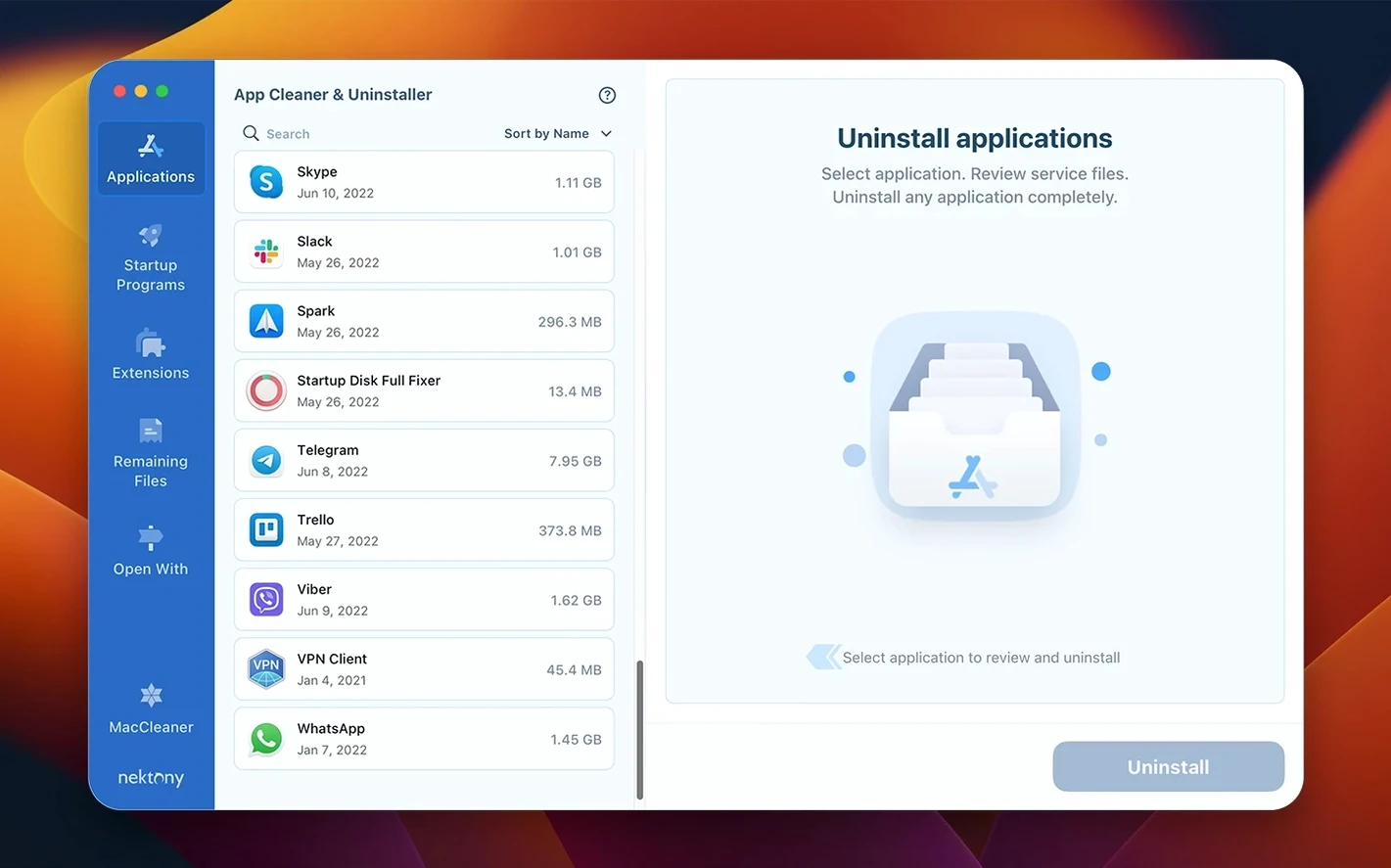
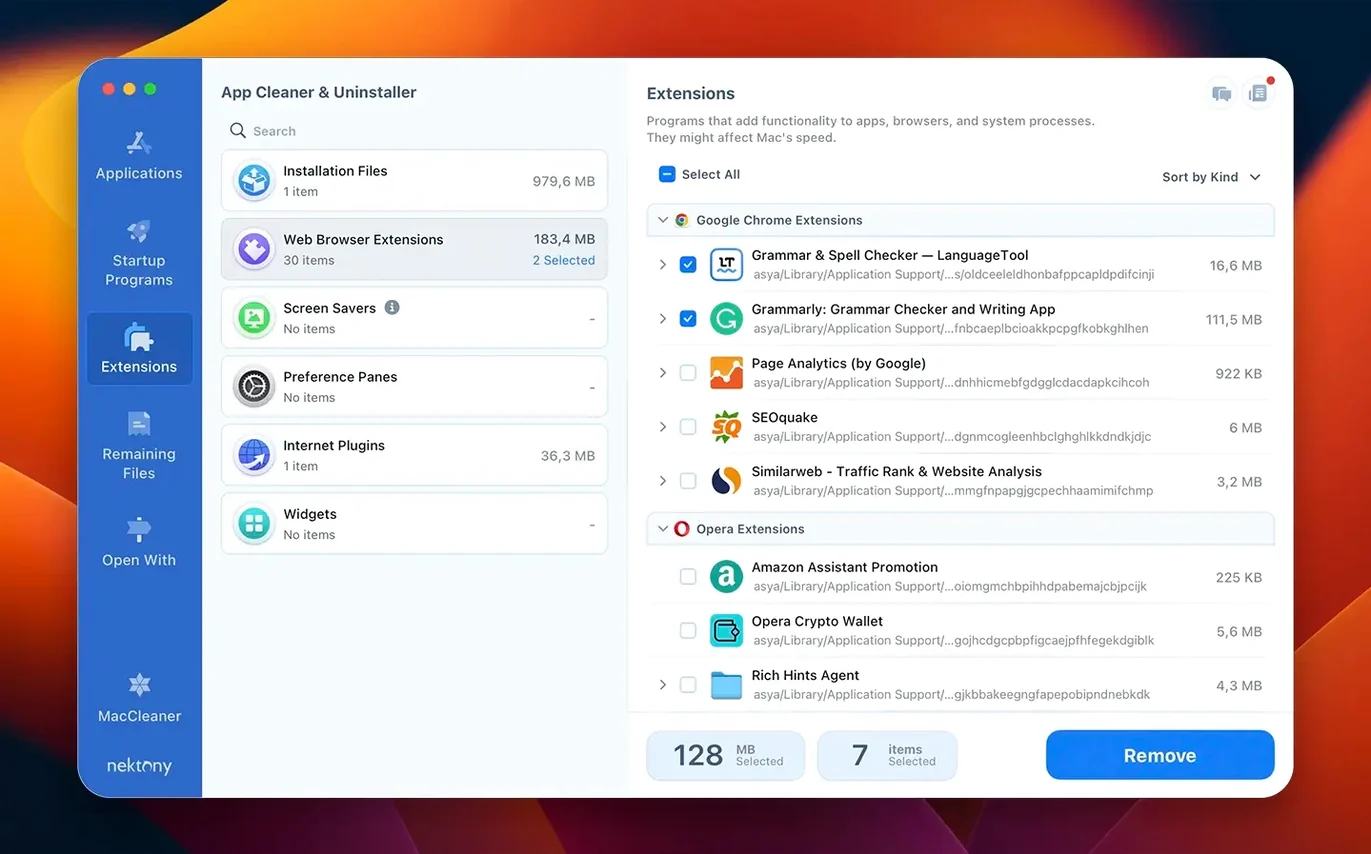
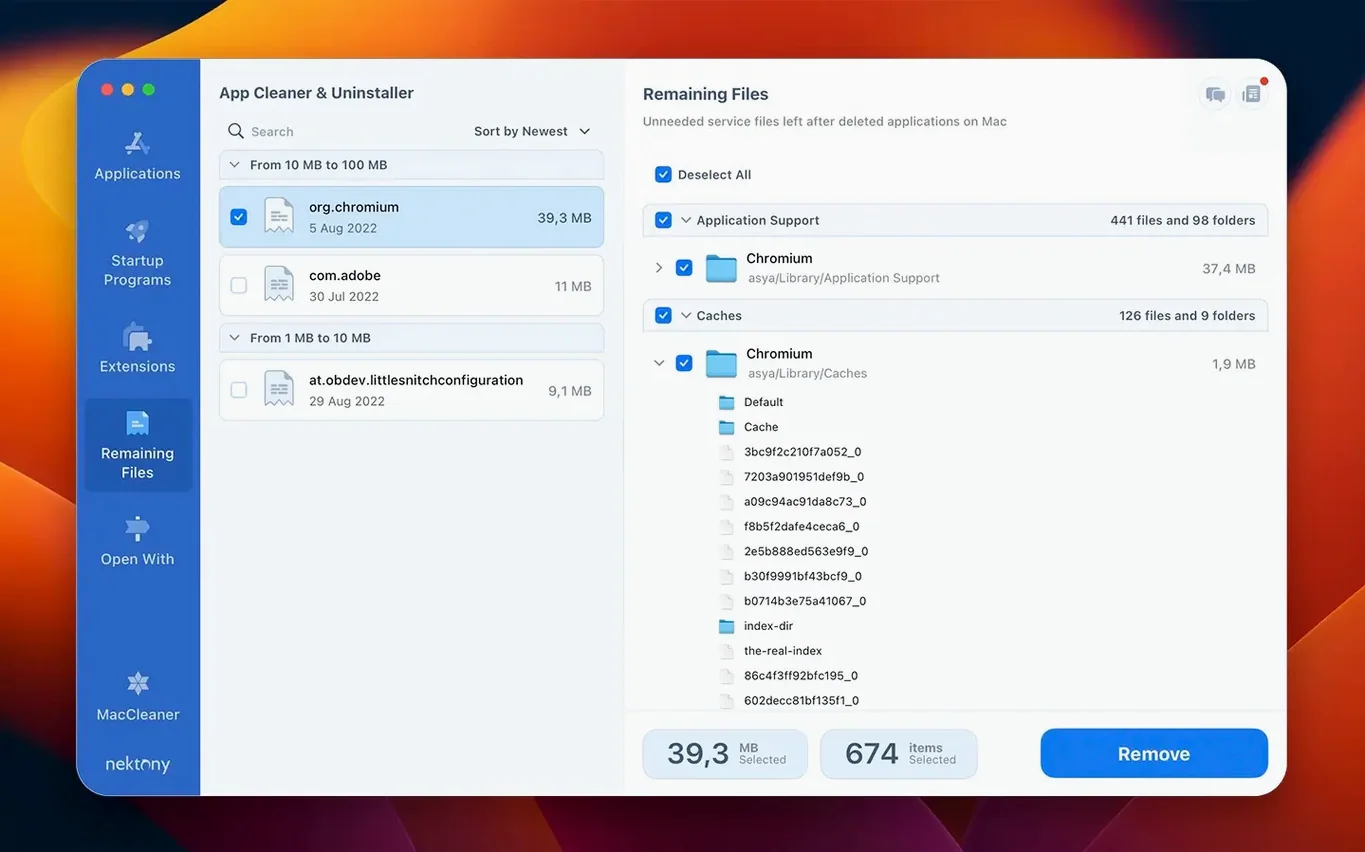
You install a Mac app, use it once, and later find its service files scattered across Library folders. App Cleaner & Uninstaller 10.0 is a utility that removes those leftovers and manages what launches at startup.
Runs on macOS 11 through 27, on both Apple Silicon and Intel
It runs on both Apple Silicon and Intel Macs, so it covers most machines still in use.
Removes apps, service files, startup items, and extensions in one place
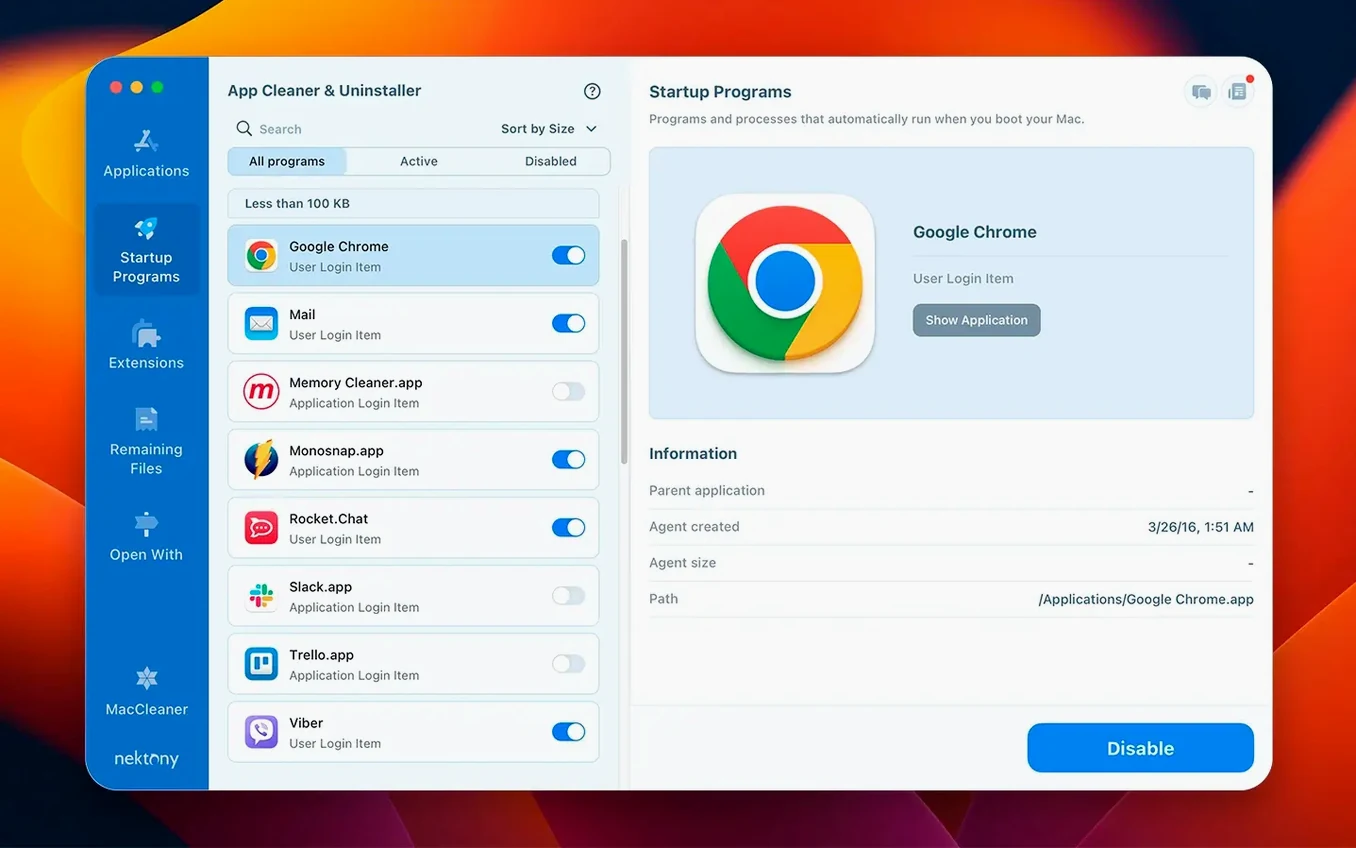
It works as a Mac uninstaller and app manager. It removes applications along with their service files, and lets you manage startup items and extensions from one place.
What extra tools are included?
Version 10.0 adds an AI Summary, Privacy Audit, and Security Check. The menu bar app now includes network traffic control, and a new network access tab shows which apps are using your connection.
What about the latest update?
It expands the updates database to cover Safari extensions and Homebrew command-line tools, and adds a filter for incompatible applications.
Leaves no leftover preference files, caches, or hidden daemons
Does this replace the normal drag-to-trash method?
It can. App Cleaner & Uninstaller works alongside macOS's own uninstall routine. The difference is that after dragging an app to the Trash, macOS leaves behind preference files, caches, and sometimes hidden daemons. This utility finds those leftovers and offers to delete them in one pass. You don't have to stop using the standard method — but if you want a cleaner system afterward, this does the extra step for you.
Will it delete something I still need?
The app scans for service files tied to the application you are removing. It doesn't touch system files or apps you didn't select. The leftover scanner for previously trashed apps runs separately and shows you a list before removal. You choose what gets deleted.
Does it work with Homebrew or Safari extensions?
Yes, starting with version 10.0.1. The updates database now includes Homebrew command-line tools and Safari extensions, so the app can track new versions for those as well. It does not replace Homebrew's own management commands, but it gives you a single interface to see what needs updating.
Can I use it on an older macOS?
Version 10.0 requires macOS 12 or later. The developer lists support up to macOS 27, covering both Apple Silicon and Intel architectures. If you are on macOS 11, you would need an earlier version of this app.
Is it a one-time scan or does it run continuously?
It runs when you open it for scans and uninstalls. The redesigned menu bar app from version 10.0 stays in the background if you want network traffic monitoring, but the main cleanup tools are launched manually.
A scenario: the freelance designer who swaps test machines
A designer at a small agency works across two Macs — a desk setup and a laptop for client meetings. When the trials expire, she removes them. After six months, both machines feel slower and the disk space has shrunk noticeably.
She runs App Cleaner & Uninstaller on each Mac once a month. The leftover scanner catches orphan files from apps she deleted weeks ago. The startup manager lets her disable the font manager and cloud sync tools that she does not need on the laptop at all. The privacy audit and security check in version 10.0 give her a quick read of which apps have network access — useful when she connects to public Wi-Fi at cafés. She does not need to know where macOS keeps preference files; the utility finds them and presents a short list.
Frees several gigabytes by removing leftovers after app trials
Removing leftovers after each uninstall can free several gigabytes over time. This is the main audience for any app cleaner and uninstaller Mac utility.
App Cleaner & Uninstaller makes the cleanup step shorter and more thorough than hunting through ~/Library/Application Support by hand.
Users who manage extensions and startup items. Safari extensions, browser add-ons, and apps that set themselves to launch at login can slow a machine. The extension manager and startup items panel put those in one place. You do not need to open Terminal or dig through System Settings.
Users on Apple Silicon machines. The app runs natively on ARM and Intel. It does not require Rosetta, so there is no translation overhead.
Turn on these preferences after first launch
After the install steps (open the disk image, drag the app into the Applications folder, launch it from Launchpad), open the preferences panel. The app starts with sensible defaults, but a few adjustments match how most people work:
- Turn on the leftover scanner for previously trashed apps. This is not always active by default. Enable it if you have deleted apps by dragging to the Trash in the past. The scanner finds orphan files from those old removals.
- Review the startup items list. Go to the startup manager section and disable anything that does not need to run at login. Utility apps, updaters, and cloud sync clients are common candidates.
- Check the network access tab. Version 10.0 added this. It shows which installed apps have recently used a network connection. If you see something unexpected, the app can block or disable it.
- Set the language. The app ships with ten languages: Russian, English, German, Spanish, Italian, Chinese (Traditional and Simplified), Ukrainian, French, and Japanese. Switch it once so the menus read naturally.
Network access tab shows which apps connect to the internet
Version 10.0 and the subsequent 10.0.1 update added features that affect how you interact with the app day to day:
Network access tab. You can now see which apps are connecting to the internet without launching a separate firewall tool. The menu bar app was redesigned to include controls for this, so you can block or allow traffic from the menu bar instead of opening the full window.
Broader update tracking. The database of tracked applications now includes Safari extensions and Homebrew command-line tools. If you use either, the app will show available updates alongside traditional macOS apps. This reduces the need to check separate update tools for extensions or Homebrew packages.
Incompatible applications filter. A new filter marks apps that are not compatible with your current macOS version or architecture. This saves time when reviewing a long list of installed software — you see at a glance which ones will not run properly and can decide to remove them.
The daily workflow remains the same: open the app, pick an app to remove, let it scan, confirm. The additions make the process slightly faster and give you more visibility into what is running and connecting.
- Added a network access tab.
- Redesigned the menu bar app with network traffic control.
- Expanded the updates database to include Safari extensions and Homebrew command-line tools.
- Added an incompatible applications filter.
- macOS 12 or later
- Apple Silicon or Intel
Install procedure
- Open the downloaded disk image.
- Drag the app into the Applications folder.
- Launch the app from Launchpad after copying finishes.
Reports from players
Sign in or create a tester account to file a report.
No reports filed yet.