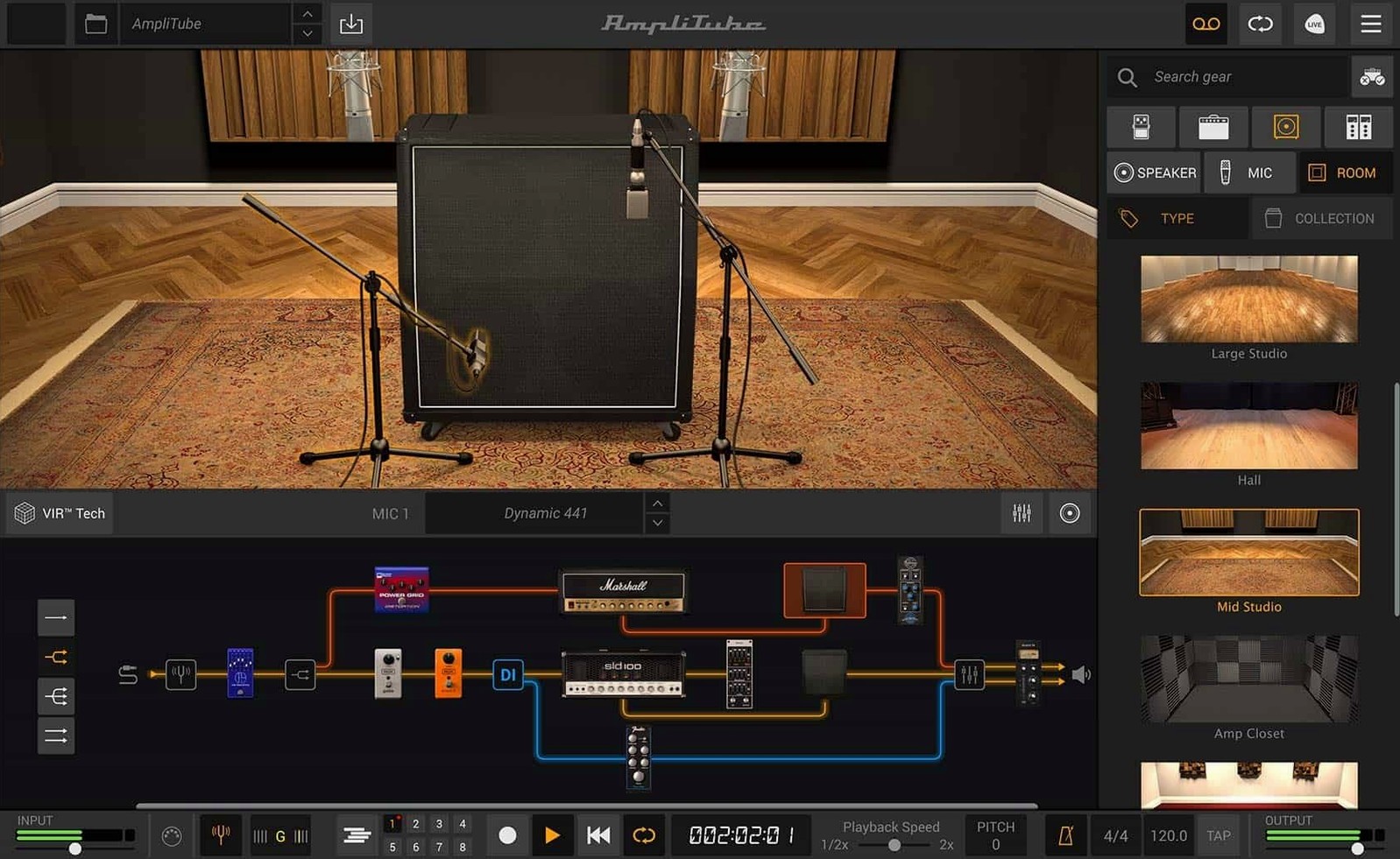
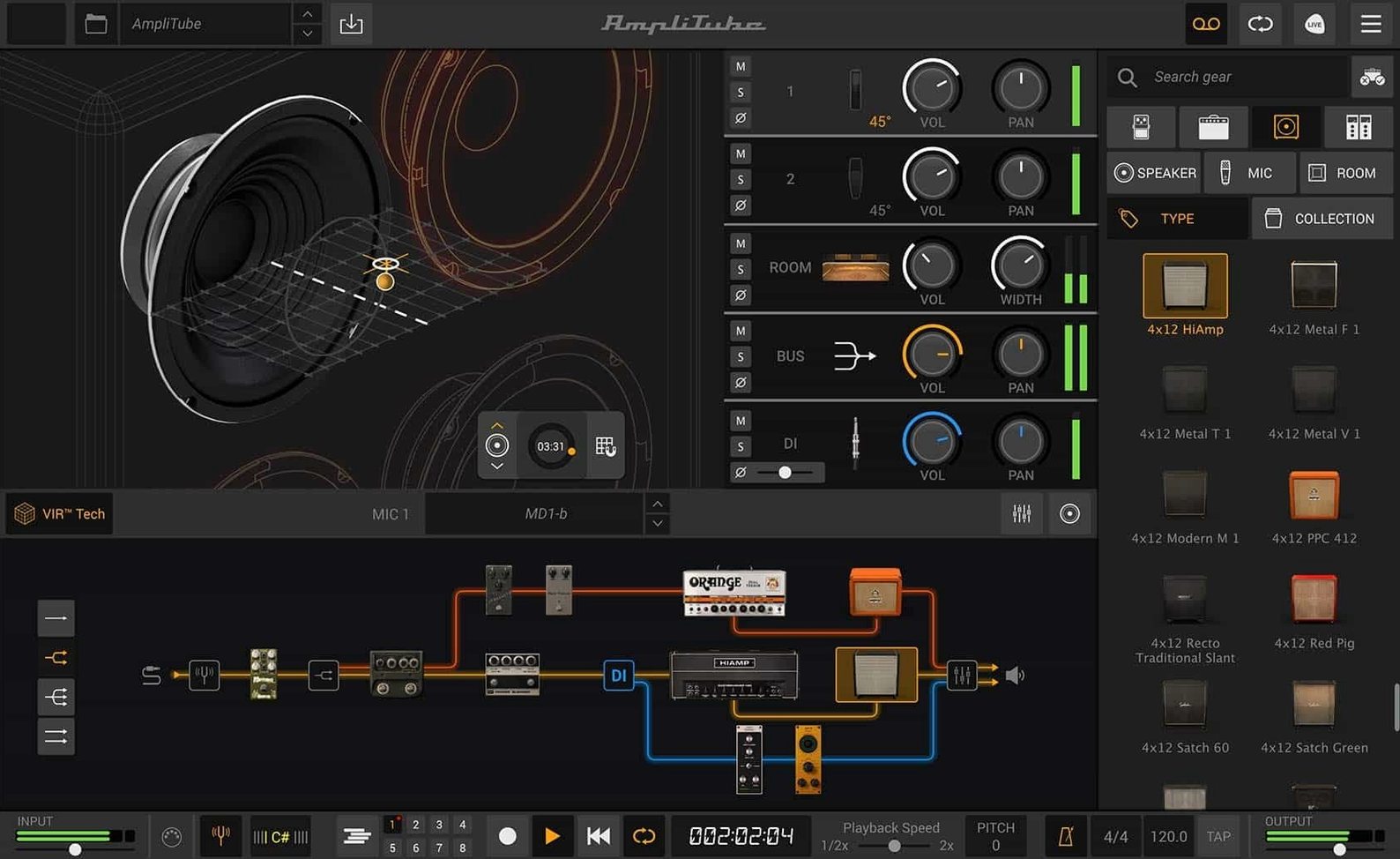
The new cabinet section with VIR technology is where AmpliTube 5.8.2 starts to feel different from earlier versions. Instead of a static impulse response, the cabinet responds to playing dynamics, and you can load custom IR files if you want your own captures. Drag-and-drop routing lets you build series or parallel chains without menu diving, and the mixer now includes built-in effects for final shaping.
| Detail | Value |
|---|---|
| Version | 5.8.2 |
| Developer | IK Multimedia |
| Category | Utilities |
| macOS | 10.15 or later |
| Architecture | Intel and Apple Silicon |
For a realistic session, you can load a single amp, a couple of rack effects, and a cab, then mix a direct DI signal alongside the processed path. AmpliTube 5 includes more than 130 new models across amps, effects, and cabinets, with support for up to 57 simultaneous models. It runs standalone or as a plug-in inside your DAW.
Don't load too many models at once
The first mistake is loading too many models at once. AmpliTube supports up to 57 simultaneous models, but beginners often drop a dozen pedals, two amps, and a rack of effects into the signal chain before they dial in a single sound. The result is a muddy, phasey mess that sounds worse than a single amp into a cabinet. Start with one amp, one cabinet, and one pedal. Build from there.
The second mistake is ignoring the mixer. The built-in effects in the mixer section are easy to overlook because the amp and cabinet sections grab attention first. But the mixer handles final EQ, compression, and stereo widening, and skipping it means the output often feels flat compared to a processed DI blend. Use it.
The third mistake is treating VIR like a standard IR loader. VIR responds to playing dynamics, so a hard strum sounds different from a light fingerpick. Beginners who load a custom IR and wonder why the sound stays static are missing the point: custom IR files work, but the VIR behavior is part of the chain, not a replacement for it. Try the factory cabinets first to understand how VIR shifts with your playing before swapping in your own captures.
Start with AmpliTube 5 CS for your first session
Spend your first session with only AmpliTube 5 CS. Once you understand how series and parallel routing behave, you can decide whether to expand to the larger collections. Jumping straight into MAX with 400 models is overwhelming and teaches you nothing about routing discipline.
Set up a single project with one clean amp model, one cabinet, and the mixer set to blend a dry DI signal with the processed path. Play through it for ten minutes, then change only one element — swap the cabinet, or add a reverb pedal. This isolates what each component does. AmpliTube 5 includes more than 130 new models, but the 42 free ones are enough for a week of learning.
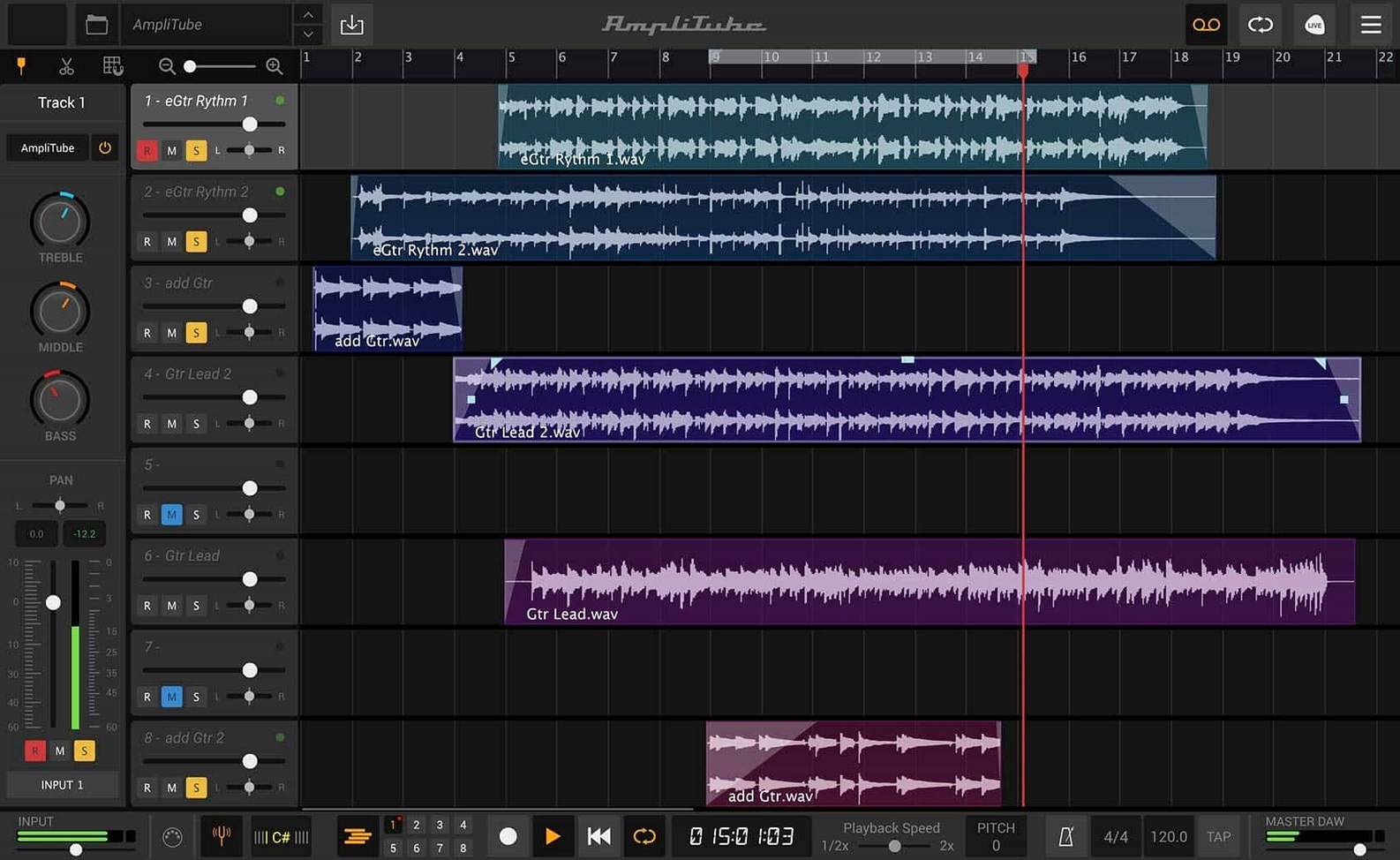
Keep the standalone app open while you adjust. The plug-in version inside a DAW works the same way, but the standalone app lets you hear changes without project overhead. Once you have a chain that sounds right, save it as a preset and load it in the DAW plug-in for recording.
Building a clean tone from scratch
I opened AmpliTube 5.8.2 and started with a clean slate. The signal chain was empty except for the input and output blocks. I dragged an amp model from the browser onto the chain — a Fender-style clean, nothing aggressive. Below it, I added a cabinet from the VIR section, chose a 1x12 open-back model, and left the mic position at center. The sound was dry, direct, unprocessed. That was the baseline.
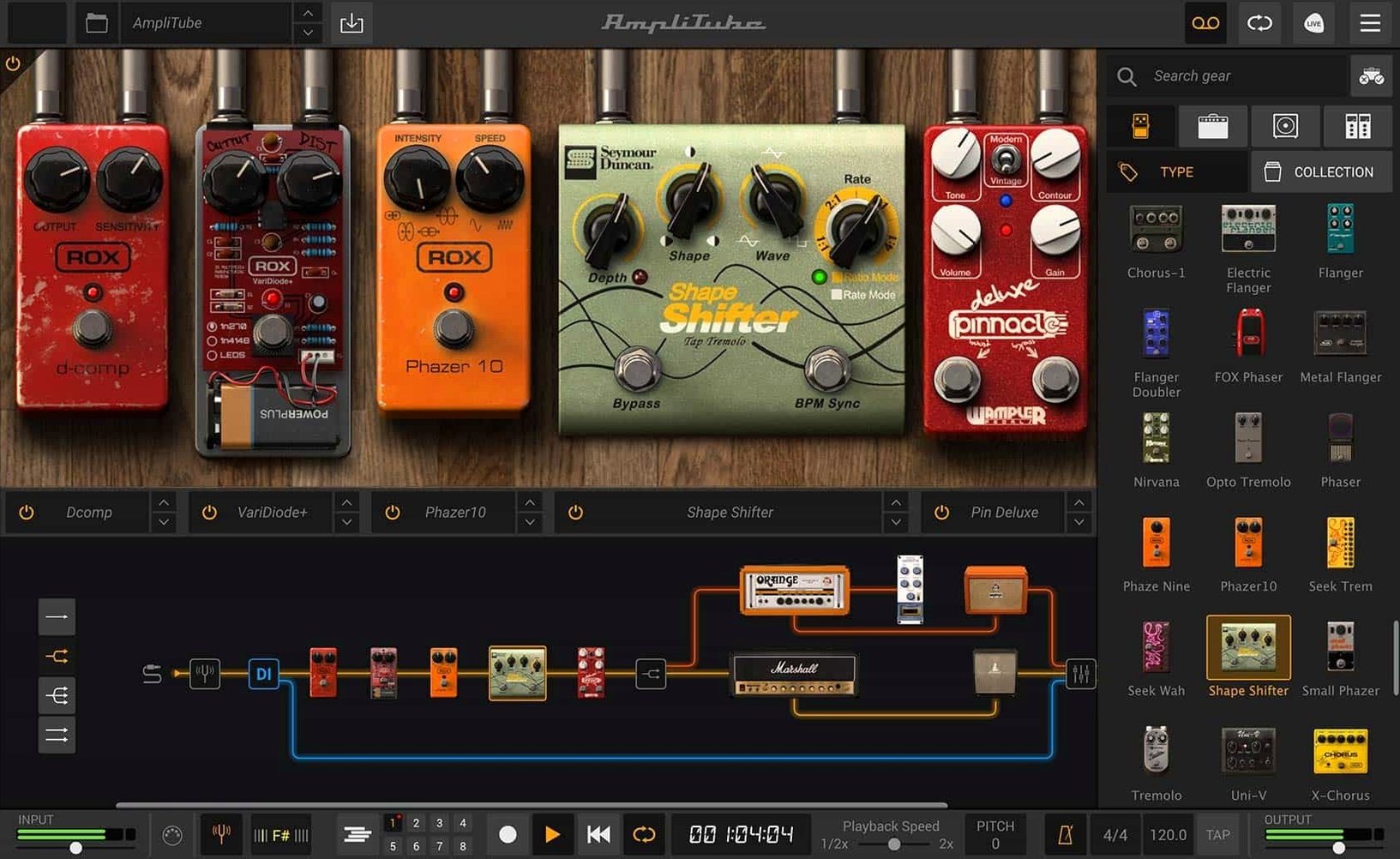
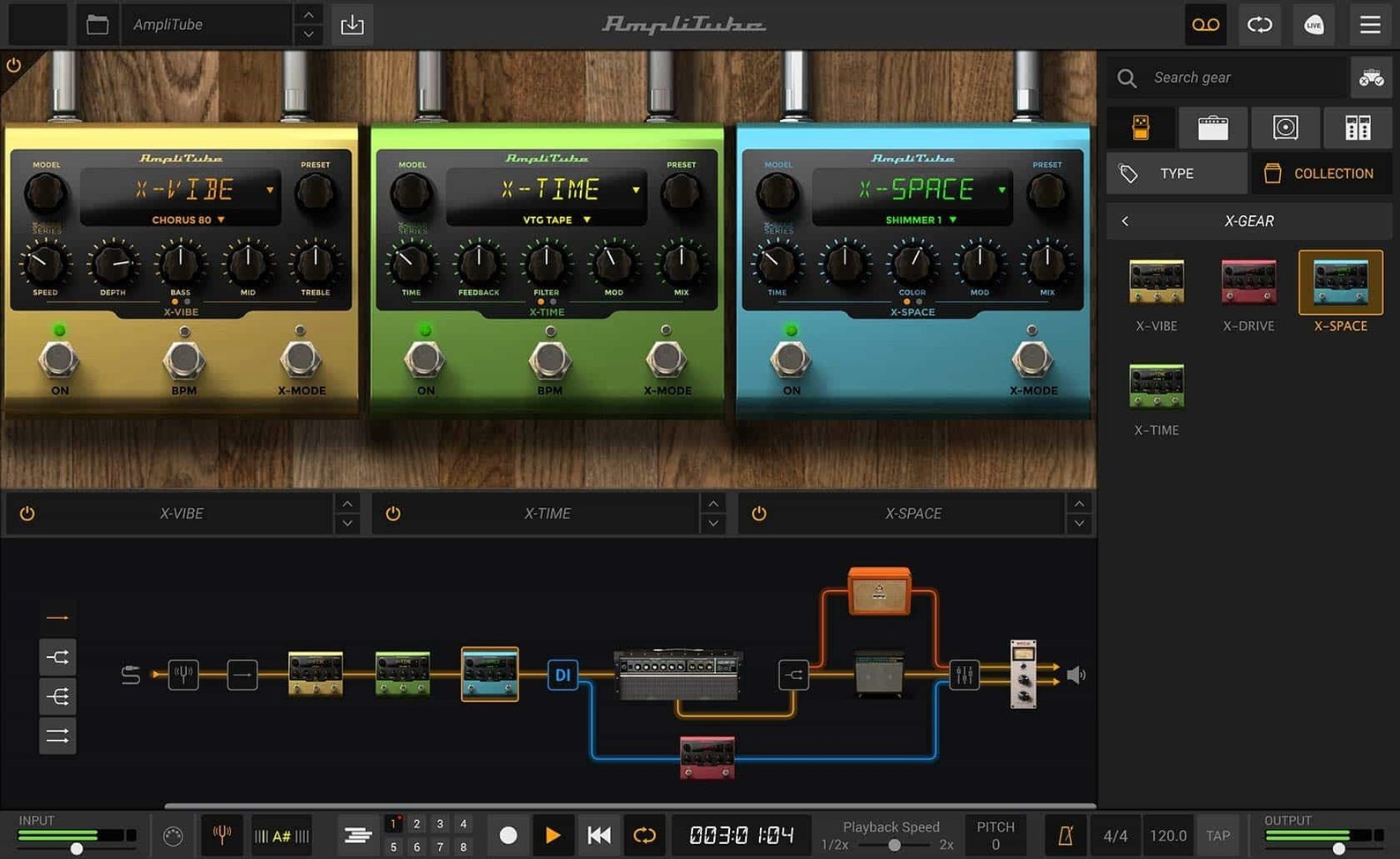
From the pedal section, I pulled a overdrive pedal and placed it before the amp. Drag-and-drop routing placed it in series by default. I played a few chords. The gain was too high, so I lowered it until the breakup was controlled. Then I added a delay pedal after the cabinet — parallel routing this time, with the mix knob at 30 percent. The DI blend in the mixer was set to 80 percent processed, 20 percent dry, which kept the attack clear without losing the ambience.
The mixer had a built-in EQ section. I cut a little low end at 120 Hz to reduce mud, and added a shelf at 8 kHz for presence. No compression yet — the playing was dynamic enough. I recorded a short phrase into the DAW via the AAX plug-in, using the same preset. The take needed no post-processing. The session took about fifteen minutes from empty chain to recorded track.
AmpliTube has more models than Neural DSP's Quad Cortex
Neural DSP's Quad Cortex software is the closest competitor in terms of amp and cab modeling quality. Both platforms handle high-gain and clean tones well, and both support custom IR loading. Neural DSP offers a smaller set of models per plugin, but they are aggressively optimized for low latency. AmpliTube wins on routing flexibility: drag-and-drop series and parallel chains are easier to build than Neural DSP's fixed signal flow, and the mixer section with built-in effects gives you final shaping without an extra plugin.
Guitar Rig 7 by Native Instruments takes a different approach. It focuses on modular effects rather than amp-and-cab emulation, and its amp models are fewer and older. Guitar Rig excels at experimental signal chains and glitch effects, but it does not have VIR technology or a dedicated cabinet section that responds to playing dynamics. For a player who wants a realistic amp experience first and effects second, AmpliTube is the better fit.
AmpliTube's free CS version sets it apart from both. Neural DSP offers no free tier, and Guitar Rig 7 Player is limited to a handful of effects. The 42 free models in CS let you learn the software and build usable tones without spending anything. The paid editions expand the library without changing the core workflow.
VIR cabinet technology responds to your playing dynamics
Only features named in the facts are listed here.
- The new cabinet section with VIR technology changes how the cabinet responds to your playing dynamics, not just the static sound of a sample. It works whether you use the factory cabinets or load your own custom IR files.
- Drag-and-drop routing works for both series and parallel chains. You do not need to toggle a mode or open a menu — just drop a model onto the chain and choose the routing type.
- The mixer section includes built-in effects, so you can apply final EQ or compression without adding another plugin to your DAW project. This is useful when you use AmpliTube as a plug-in and want to keep the track count low.
- The DI signal can be mixed alongside the processed path directly in the mixer, which lets you blend a clean dry signal with the amp sound without additional routing.
- New signal chain with drag-and-drop routing and mixed DI signal.
- New cabinet section using VIR technology.
- Redesigned mixer with built-in effects.
- macOS 10.15 or later
- 64-bit application
- Intel or Apple Silicon
Install procedure
- Mount the downloaded disk image.
- Run the installer and follow the prompts.
Reports from players
Sign in or create a tester account to file a report.
No reports filed yet.