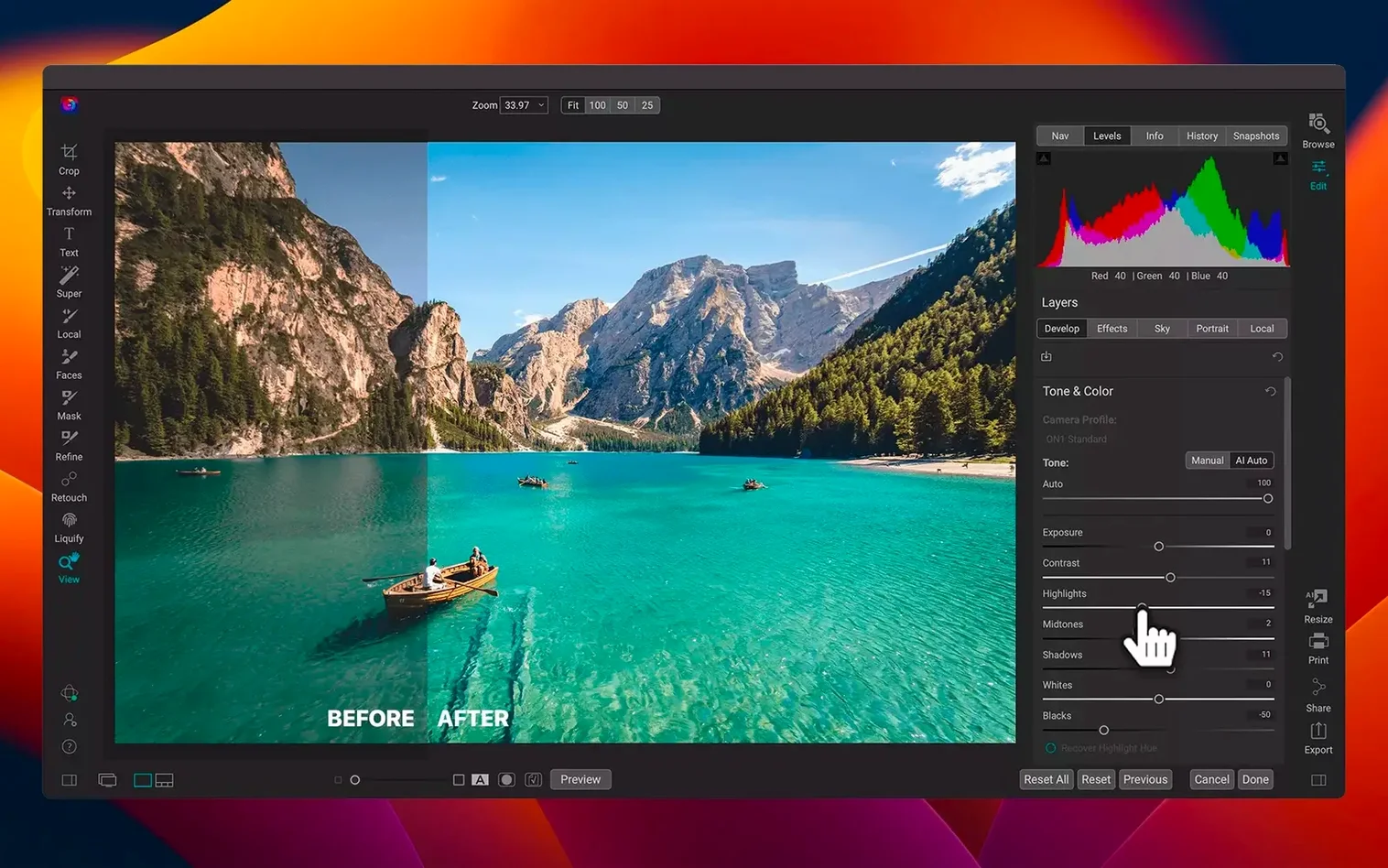
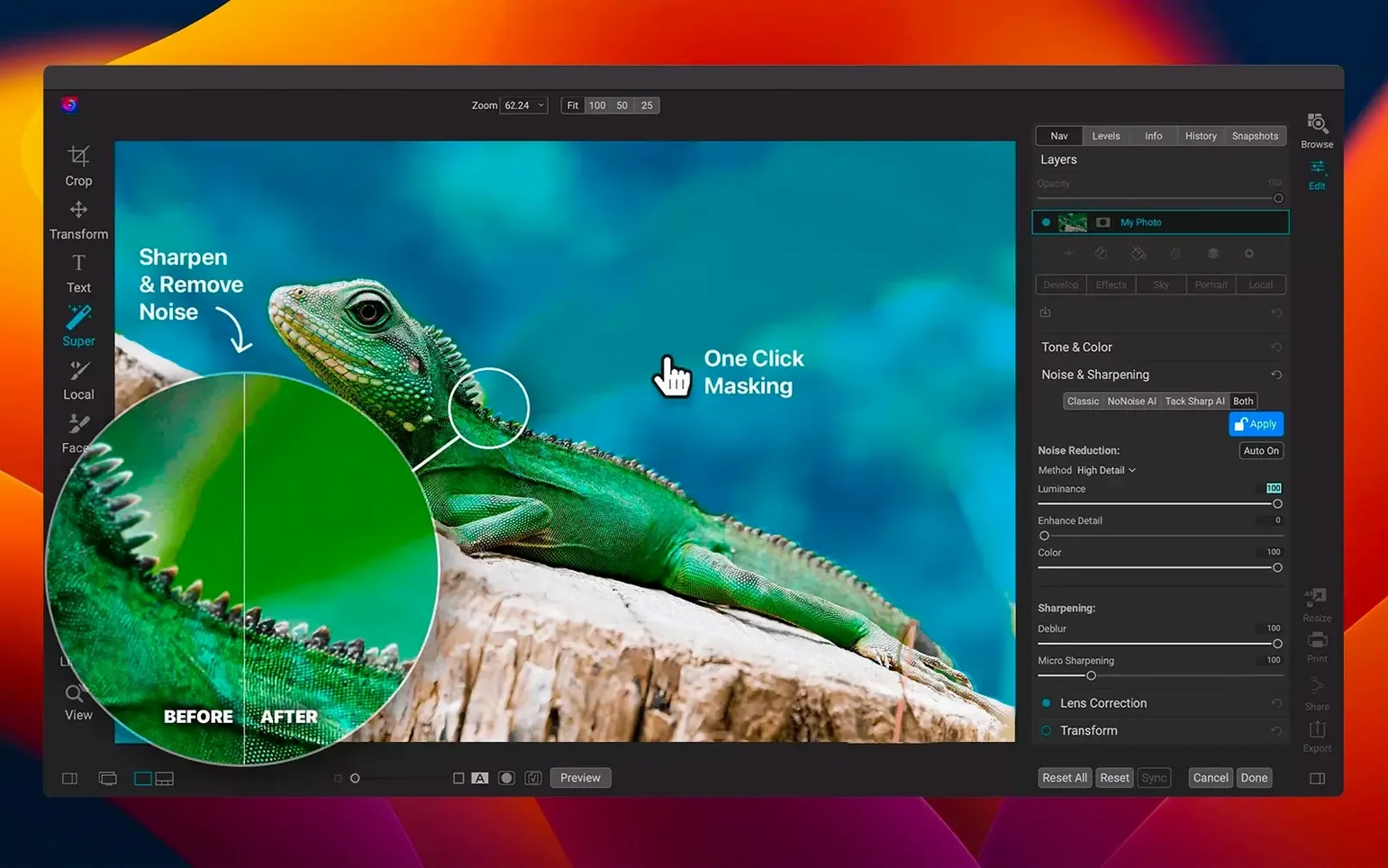
ON1 Photo RAW 2026 runs on any Mac with macOS 13 Ventura or later, whether it has Apple Silicon or an Intel 64-bit processor. It is a local application — no cloud dependency — for viewing, organizing, editing, and sharing photos across computers and mobile devices. For a Mac user who already keeps a photo library in Apple Photos or a folder-based system, ON1 sits alongside those tools rather than replacing them entirely. Here is how it fits:
- Works as a standalone editor or as a plug-in that opens files from Lightroom or Apple Photos.
- Layered editor supports complex composites without leaving the app.
- Effects app gives quick access to presets and adjustments without opening the full editor.
- Supports 11 interface languages, including English, French, German, and Japanese.
- Version 2026.5.2 adds faster filters and new lens profiles.
The app is positioned as an all-in-one editor and organizer for photographers, but it does not demand that you abandon your existing setup. It can process a single image or a batch, and its local focus suits users who prefer direct file access over synced libraries.
Point ON1 Photo RAW at a folder of recent shoots
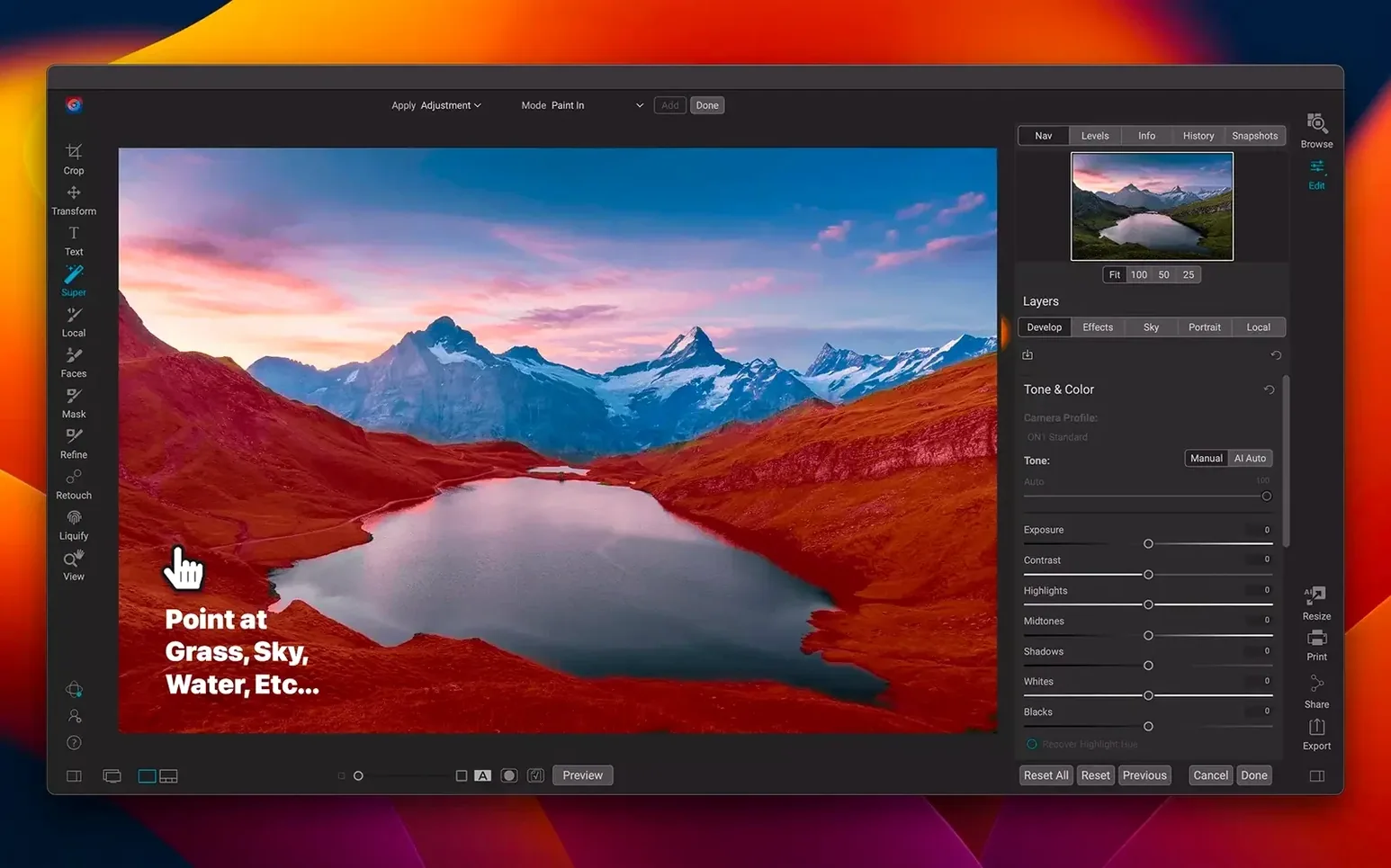
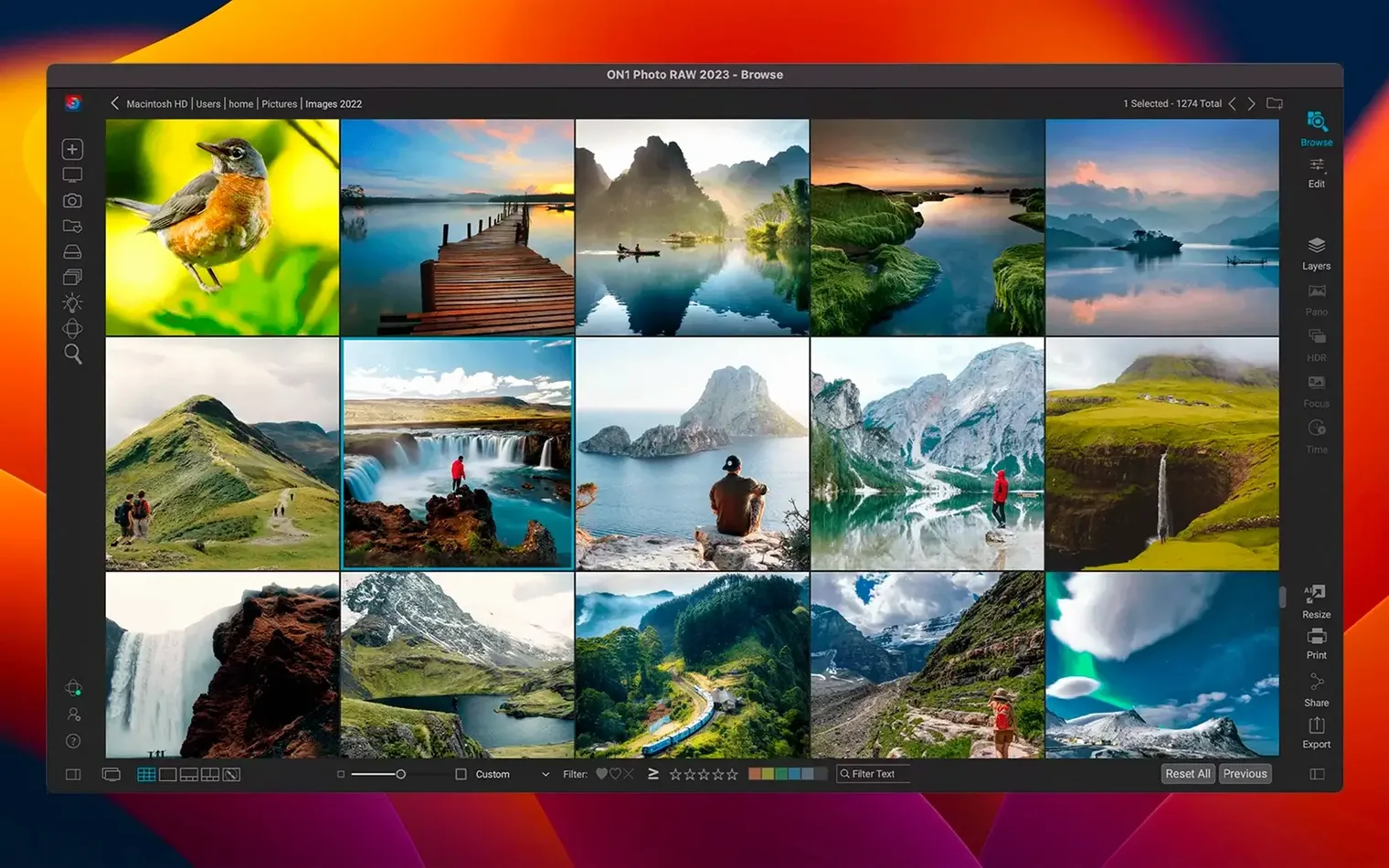
You start by pointing ON1 Photo RAW at a folder of recent shoots. The browse view shows thumbnails quickly enough to scan a day's work. Pick a RAW file — a landscape shot where the sky came out overexposed against a dark foreground. Open it in the develop module. The exposure slider brings the highlights down. A local adjustment brush paints exposure back into the foreground rocks. No layers needed yet.
Next you decide the image needs a warmer tone. The color wheel in the effects panel shifts the midtones toward amber. You toggle the effect on and off to see the difference. Satisfied, you apply a lens profile correction — the 2026.5.2 update includes new profiles, and the app picks the right one from the metadata automatically. Export to a 16-bit TIFF for printing.
Later in the session you work on a composite. Two portraits shot against a plain wall: one with good lighting on the subject's face, one where the background is cleaner but the subject is slightly out of focus. You load both into the layered editor as separate layers. A mask is painted on the top layer to reveal only the cleaner background from the layer below. The brush hardness is reduced so the transition looks natural. It takes three or four passes around the hairline. The result exports as a single PSD that opens later in Photoshop with layers intact.
For a set of event photos — about 200 JPEGs from a fundraiser — you use the batch export function. You set a preset: resize to 2048 pixels on the long side, apply a slight sharpening, and convert to sRGB. The app processes the batch in the background. You switch back to browsing and tagging while it runs. By the time you finish keywording, the exports are done.
ON1 Photo RAW replaces Lightroom if you work with local files
One common question is whether ON1 Photo RAW replaces Lightroom. It can, if your workflow is built around local files and you do not depend on Adobe's cloud sync or its catalog structure. The organizer in ON1 works by browsing folders directly rather than importing into a proprietary catalog, which some users prefer. It handles RAW processing and layered editing in one app, so you do not switch between two programs.
Another question is whether the app runs on older Macs. The requirement is macOS 13 Ventura or later, on either Apple Silicon or Intel 64-bit. If your Mac still runs macOS 12 Monterey or earlier, it will not launch. If you are on Ventura or newer, the 2026.5.2 version should install without issues. The Intel build is a 64-bit executable, so the last Intel Macs are covered. Apple Silicon runs the app natively — no translation layer needed.
People also ask about file formats. ON1 opens most camera RAW files, plus JPEG, TIFF, PNG, PSD, and DNG. Exports can go back to those formats as well as to layered TIFF and PSD. If you work with a mix of RAW and compressed formats, one app handles them all without conversion steps in between.
Finally, language support. The interface appears in Russian, English, German, Spanish, Italian, Traditional Chinese, Korean, Dutch, Portuguese, French, or Japanese. The installer picks the system language by default, but you can change it in the preferences at any time.
Let ON1 build its thumbnail cache before you start editing
Spend the first session browsing folders rather than editing. ON1 builds a thumbnail cache as you navigate, so the first pass through a large folder is slower than subsequent visits. Let it finish caching before you jump into adjustments.
Set the default export folder in preferences early. The app defaults to a subfolder inside the source folder, which works fine for most workflows, but if you prefer a separate exports folder, change it before you run your first batch.
Try the effects panel on a single image before applying presets to a batch. Some effects look good on one photo but flatten detail on another. A quick test saves you from rerunning a batch export.
If you shoot with a lens that ON1 does not recognize yet, check the lens profile list after updating. The 2026.5.2 release added new profiles, so yours may be included now. If not, you can manually select a similar profile from the same manufacturer.
Keep the undo history visible. The app stores a decent number of steps, but it clears when you close the file. If you are experimenting with several variations, duplicate the image first so you can return to an earlier state without relying on undo alone.
Build 27.0.2.19466 is the current ON1 Photo RAW 2027 release. The developer details new features on the official product page, so the change log for this specific build number is not itemized separately here.
- macOS 13 or later
- Apple Silicon or Intel 64-bit processor
Questions from the notes
Does ON1 Photo RAW require a subscription?
Files stay on your drives.
Can I use ON1 Photo RAW with my current photo library?
Yes, it works as a standalone editor or as a plug-in that opens files from Lightroom or Apple Photos.
Install procedure
Getting ON1 Photo RAW 2027 on your Mac starts with a roughly 1.1 GB download that covers Apple Silicon and Intel 64‑bit systems running macOS 13 or later.
- Mount the disk image and launch the Open Gatekeeper friendly file.
- When the Terminal window appears, press Enter to bypass Gatekeeper.
- Run the standard installer and follow the prompts.
- The application is ready to use.
Reports from players
Sign in or create a tester account to file a report.
No reports filed yet.