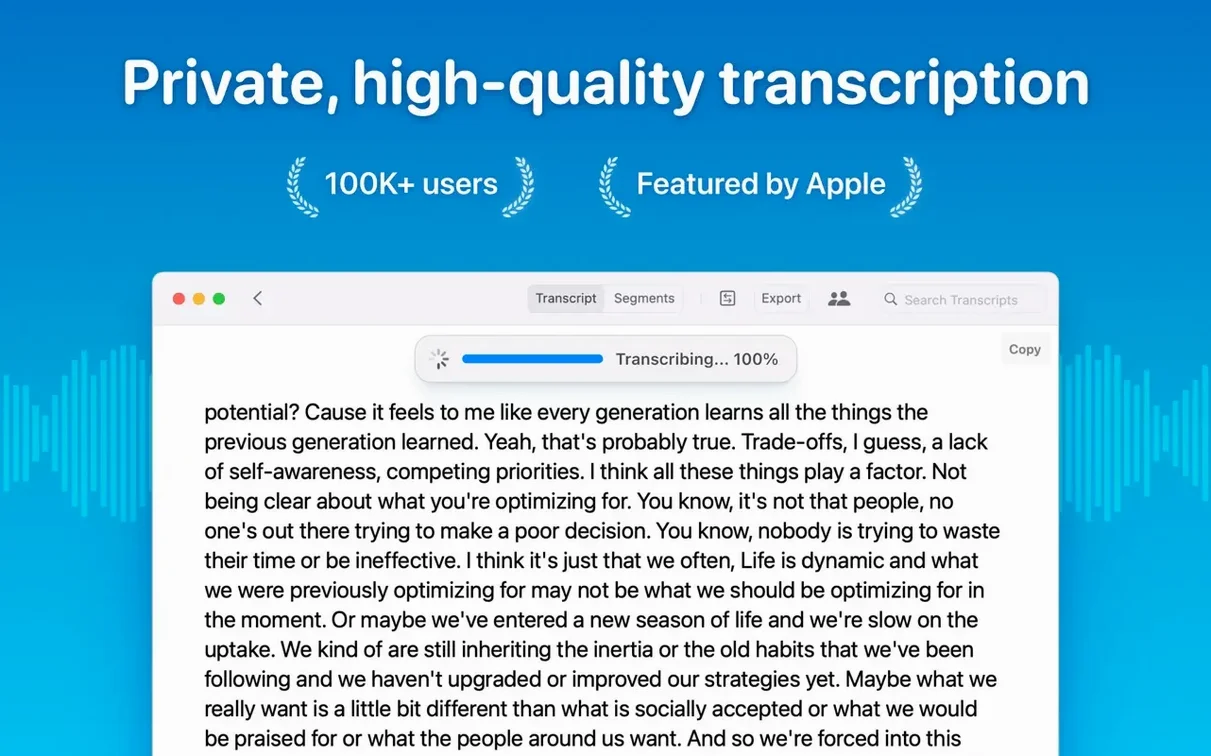
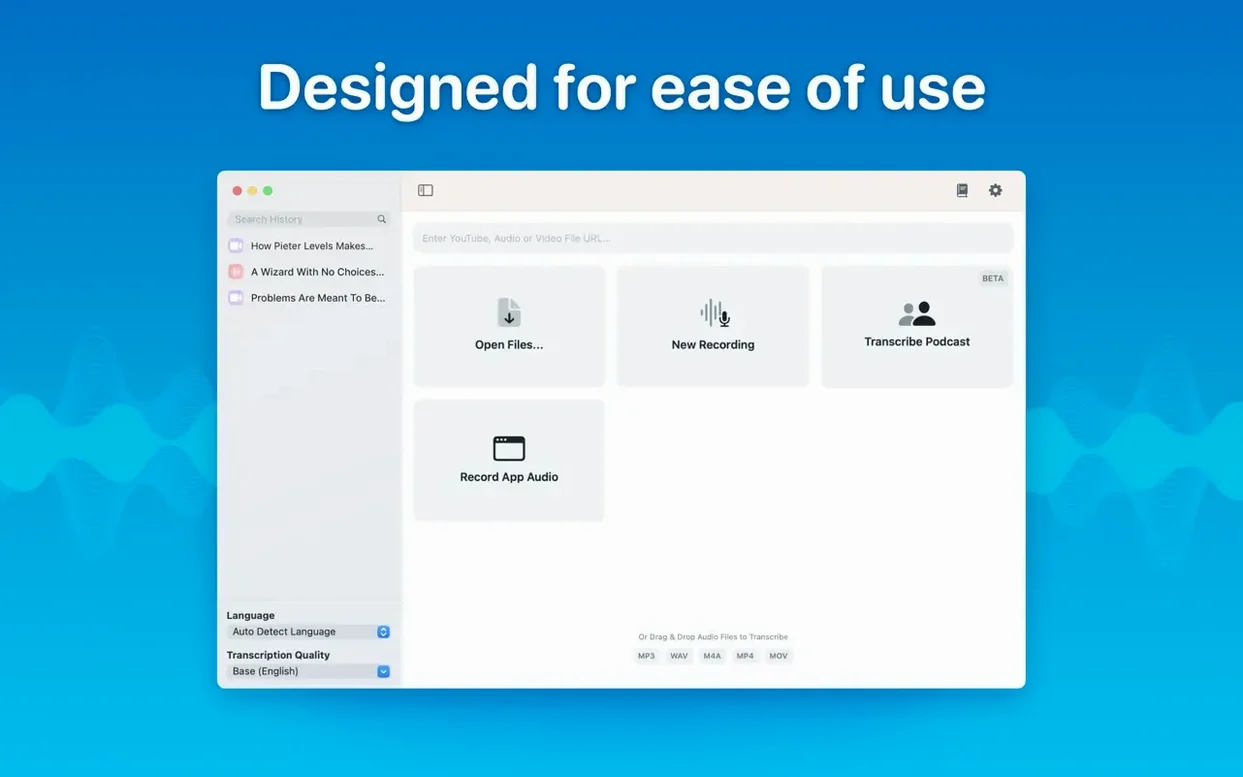
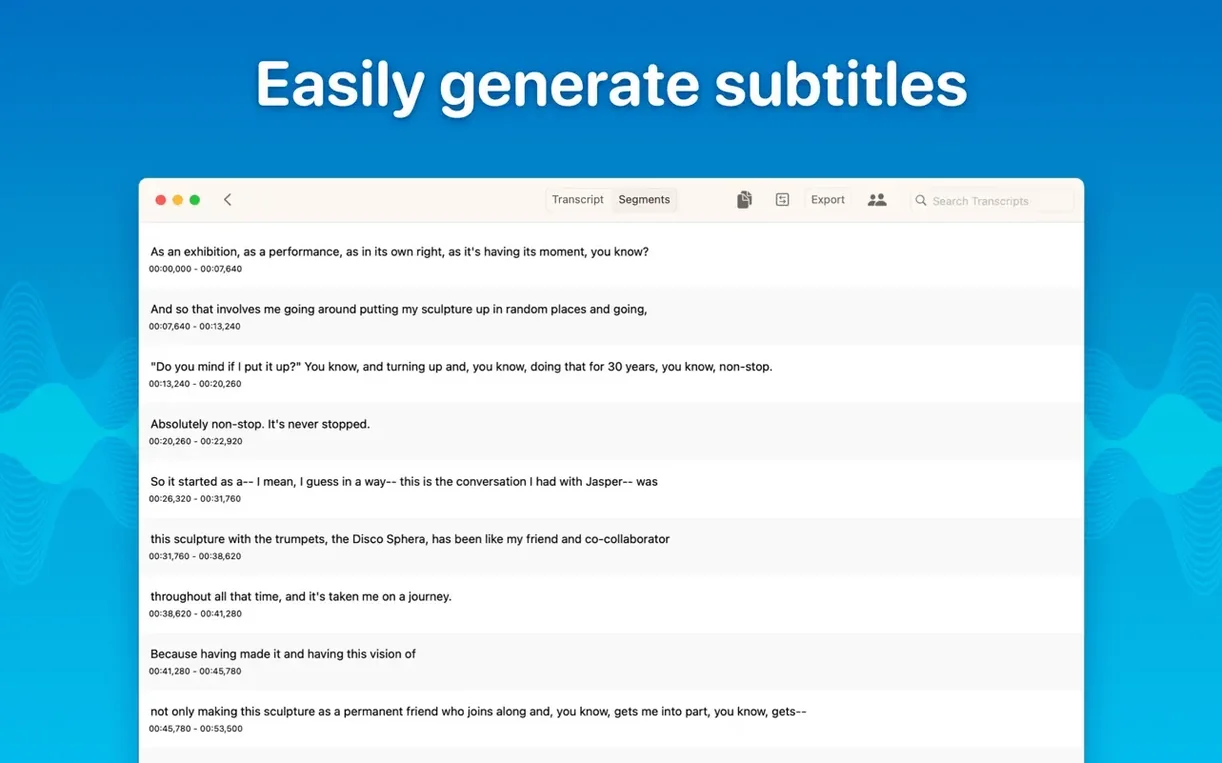
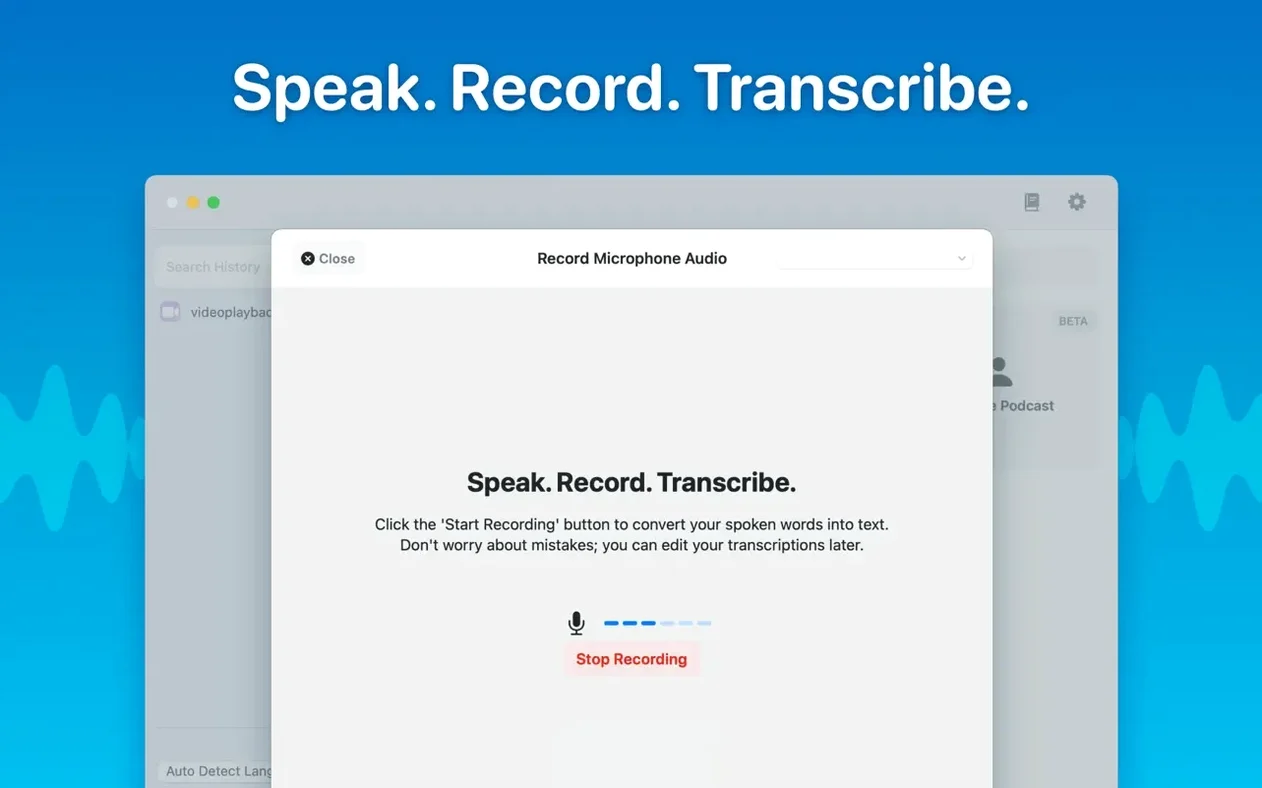
You drop a recorded interview onto the MacWhisper window. Within a minute, the text appears, split by speaker and timestamped. That is the core loop: drag an audio file in, get a clean transcript out, without uploading anything.
Transcribes files or live audio with automatic language detection
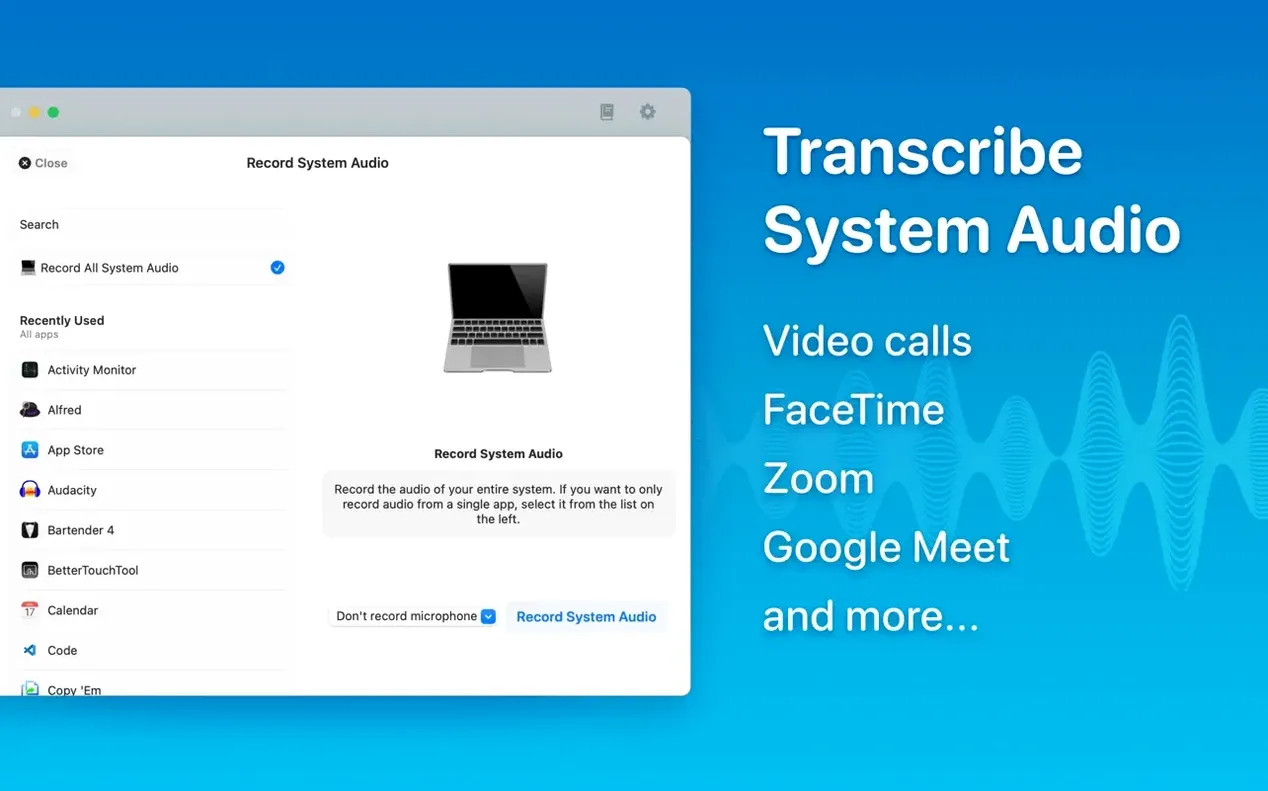
- Transcribing audio files or live system audio, with automatic language detection or a manual pick.
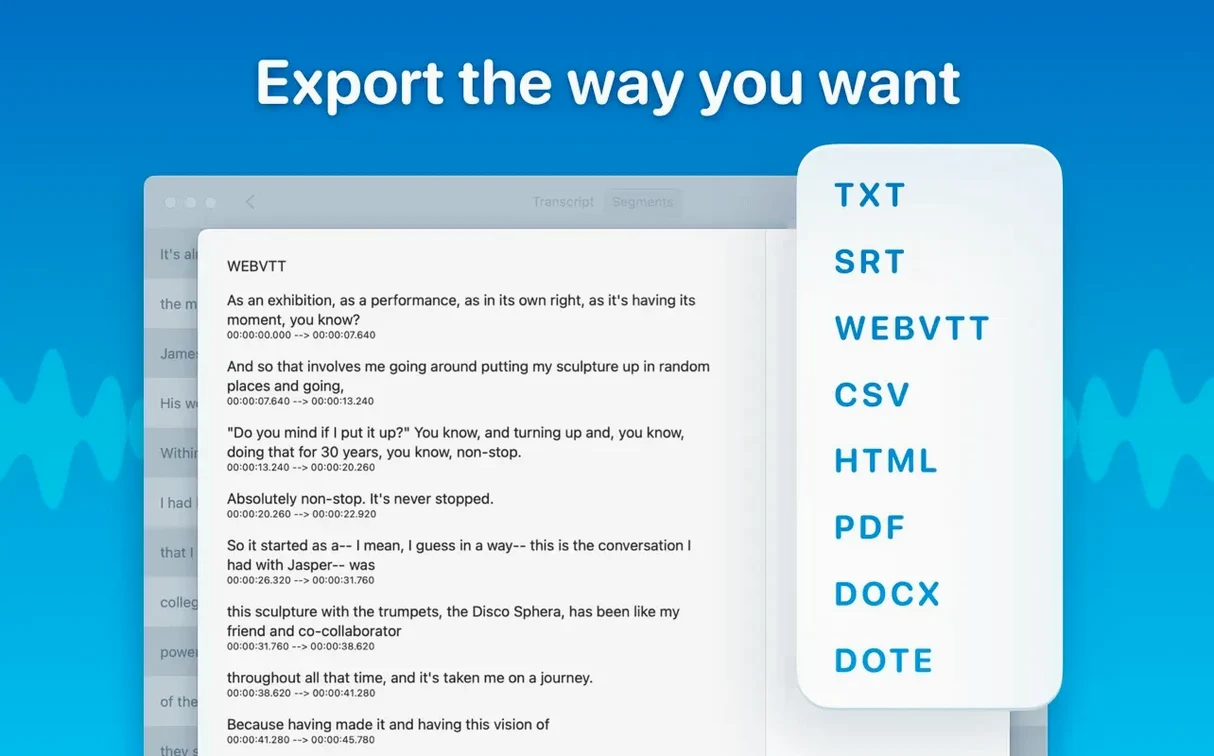
- Batch jobs: queue several files and export them in multiple formats at once.
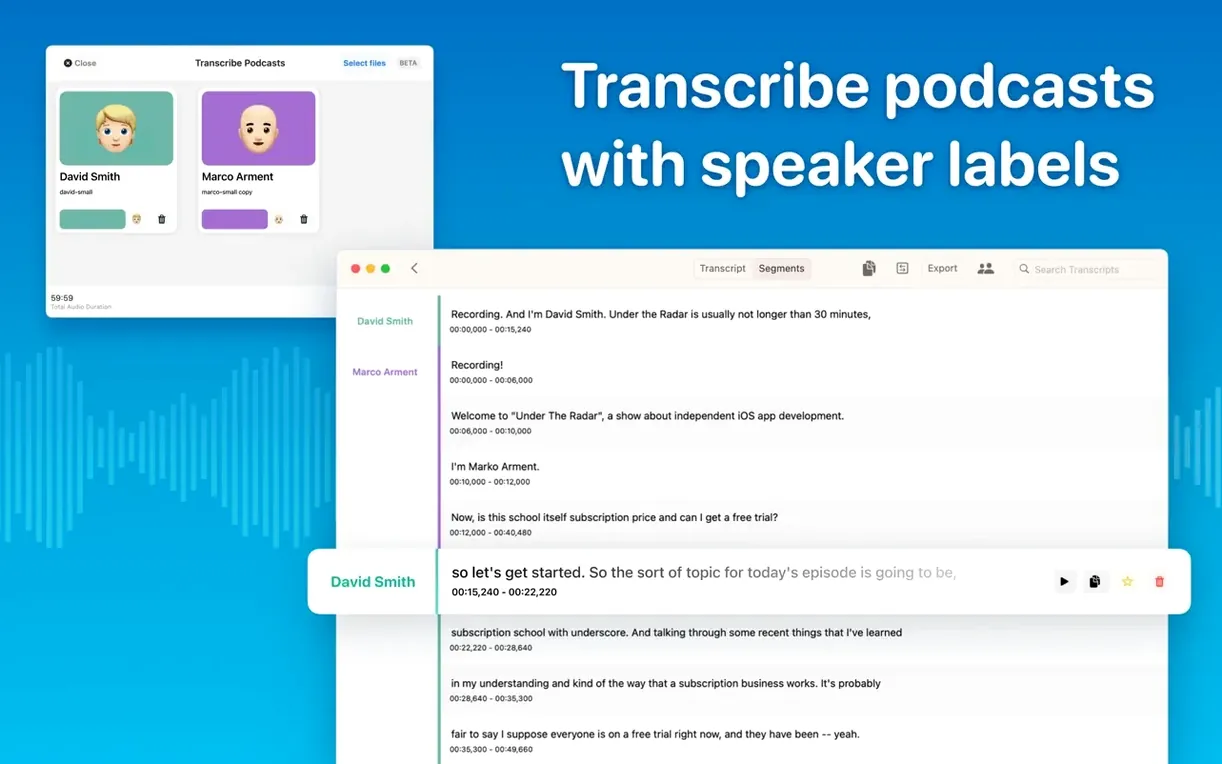
- Podcasts and meetings, thanks to speaker separation and a reading mode that strips away the timeline clutter.
- Editing: delete or rewrite segments, then copy the whole transcript or just the selected parts.
Requires macOS 14 or later and model selection matters
- Runs on macOS 14 or later, on both Apple Silicon and Intel 64-bit Macs.
- Model choice matters: Tiny, Small, Base, Medium, Large-V2, and Large-V3 are available. Smaller models are faster, larger ones more accurate.
- Version 15.2.1 tightened the model compatibility checks before download, so older Macs won't fetch models they cannot run.
- No activation required. The app works after copying it to your Applications folder.
Installing MacWhisper takes surprisingly little setup
Most questions I hear about MacWhisper center on one thing: how much setup does this need? The answer is, surprisingly little. The disk image opens like a mounted drive. Drag the app into Applications, wait for the copy to finish, and launch it. That is it. No background services, no command-line tools, no Python environment. The Whisper models download the first time you pick one, and the download progress appears inside the app. You can start with the Tiny model to see how it behaves, then switch to Large-V3 when you need better accuracy on a difficult file.
Another common question is about file size limits. You can transcribe long recordings. The app handles mp3, wav, m4a, mp4, mov, ogg, and opus files. A two-hour lecture as an m4a file is not a problem. Larger models take longer to process, but the transcription runs on your machine and does not time out against some server limit. The app keeps working even if you switch to another program while it transcribes.
People who transcribe sensitive material also ask whether audio leaves the computer. It does not. The Whisper transcription engine runs locally. No data is sent to a remote server. That makes it a practical choice for confidential meetings or interviews where you cannot upload files to a third party.
Start with the Medium model for the best balance
Before your first real transcription job, open the settings and adjust the model selection. The default model might not be the best fit for your hardware. Try the Medium model first. It offers a solid balance between accuracy and speed for most English-language recordings.
Language selection matters too. If you transcribe files in a single language, set it manually instead of relying on automatic detection. Automatic detection adds a small overhead because the model guesses the language before transcribing. For a known language, picking it outright speeds up the process.
Enable speaker separation if your recordings have multiple people talking. The feature uses a diarization model that improved in version 15.2. It splits the transcript into labeled segments per speaker. It is not perfect, but it saves time compared to manually tagging speakers after the fact.
Workflow: transcribe a podcast episode with speaker separation
This workflow covers turning a recorded podcast episode into a formatted transcript and subtitle files.
- Open MacWhisper and create a new folder in the sidebar for the podcast project. Folders and subfolders are available in version 15.2 and help keep transcripts organized if you manage multiple episodes.
- Drag the podcast audio file, in mp3 or m4a format, onto the MacWhisper window. The file appears in the queue.
- Select the language of the episode from the language menu. For an English podcast, pick English manually.
- Choose the Medium model from the transcription model list. It handles conversational speech well without the longer processing time of Large-V3.
- Turn on speaker separation. This option is in the transcription settings panel.
- Start the transcription. The app processes the file and displays the text split into segments. Each segment shows a speaker label and a timestamp.
- Review the transcript. Use the editing mode to correct any misattributed speaker labels or wrong words. You can delete entire segments or rewrite parts of the text.
- Export the transcript. Select Word for a readable document and SRT or VTT for subtitles. Batch export handles both formats in one step.
- Save the output files into the podcast project folder inside MacWhisper.
Version 15.2 introduced real-time meeting transcripts
Version 15.2 introduced real-time meeting transcripts. That changes how you handle live meetings. Instead of recording a meeting and transcribing it later, you can start a live transcription session. The text appears as people speak, with speaker labels. It is a different workflow from batch processing files, and it makes MacWhisper more useful for ongoing meetings where you need notes immediately.
The same version added folders and subfolders for organizing transcripts and meetings. Before, transcripts accumulated in a flat list. Now you can group them by project, client, or date. It is a small change in the interface, but it reduces clutter when you have dozens of transcripts saved.
Version 15.2.1 fixed a crash on macOS 15 that happened when opening the Live Captions language menu. If you use Live Captions on the latest macOS, you no longer hit that crash. The update also removed support for Qwen3-ASR on M1-series Macs. If you run an M1 Mac, that model will not appear in the Local Models list. The list itself is cleaner in this version, with a new icon for the Qwen provider and empty categories hidden when your Mac cannot run those models.
MacWhisper converts audio to text, and macwhisper cracked often lacks updates and support. The app does not require activation, so the current release works without any patching. There is no reason to seek out a crack when the standard copy runs fine.
Transcribing three interview recordings from the weekend
Monday morning. I have three interview recordings from the weekend, each about forty-five minutes long. I open MacWhisper from the Applications folder. The main window is empty except for a sidebar with a folder structure I set up last week: one folder for each client.
I drag the three mp3 files into the window. They appear in the queue. I set the language to English for all three, pick the Medium model, and enable speaker separation. Then I start the batch transcription. The app works through the first file while I check email. When it finishes, a notification pops up. I click on the transcript to review it.
The transcript shows three speakers labeled Speaker A, Speaker B, and Speaker C. The interview has a host and two guests. I rename the speakers by editing the segment headers. A few words are off, so I correct them inline. The reading mode helps here; it removes timestamps and shows just the text, making proofreading faster.
Once the first transcript looks clean, I export it as a Word document for the client and as an SRT file in case they want captions. The batch export option handles both formats at once. The second file finishes while I am still reviewing the first. I let the third run while I export the second transcript.
By lunchtime, all three transcripts are reviewed and exported. The files sit in their client folders inside MacWhisper. I copy the Word documents to a shared drive and send the links. The whole session, from drag-and-drop to delivery, took about two and a half hours including proofreading. Without speaker separation, I would have spent another hour labeling who said what.
Version 15.9 arrived with no listed changes visible to the user — likely a maintenance build cleaning up under the hood.
- macOS 14 or later
- Apple Silicon or Intel 64-bit Mac
Install procedure
- Open the downloaded disk image.
- Drag the app into the Applications folder alias.
- Launch MacWhisper from Launchpad once the copy finishes.
Reports from players
Sign in or create a tester account to file a report.
No reports filed yet.