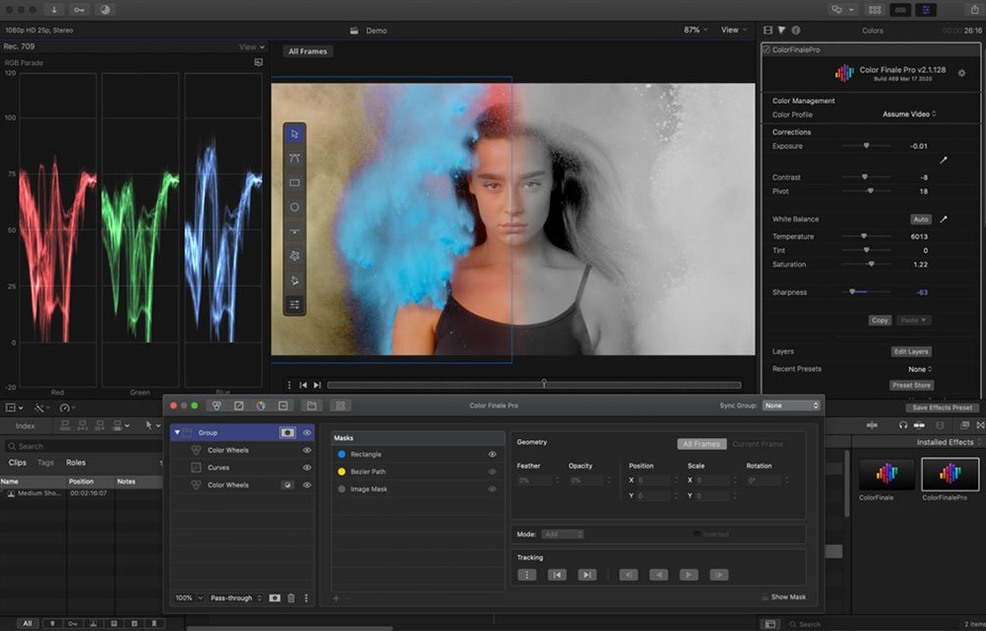
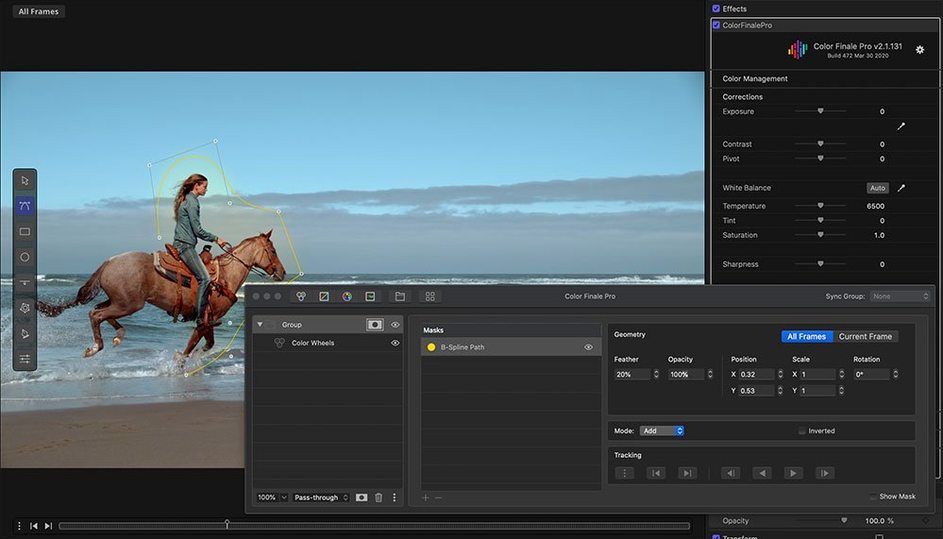
If you already use Final Cut Pro for editing, Color Finale is a plugin that puts color correction tools directly inside the timeline. Version 2.2.8 is a 64-bit x86 build, so it runs on Intel Macs under macOS 10.12 or later. It includes color wheels, curves, a LUT Utility, and 30 ASCEND Color Finale Colorist Presets. A separate Color Finale application handles the macOS framework integration.
Workflow in four steps
- Install the Color Finale application and the plugin into Final Cut Pro.
- Open a project, select a clip, and apply the Color Finale effect from the effects browser.
- Adjust color using the wheels, curves, or LUT Utility. The Color Preset Store offers additional looks.
- Fine-tune with the bundled presets or create your own.
The plugin stays within Final Cut Pro's interface, so you never switch to a separate grading window. For Final Cut editors who need more control than the built-in color board provides, Color Finale adds professional-grade tools without leaving the timeline.
Spend the first session working through the 30 ASCEND presets
Spend the first session working through the 30 ASCEND presets on a single clip. This shows you the range of looks available and which ones match your typical footage. Save any that fit your style to the preset library so they are available with one click later.
Set aside time to learn the LUT Utility. It loads standard .cube LUTs and lets you preview them before applying. Import a few LUTs you already use in other software — if they are clean 3D LUTs, they load without conversion. The utility also exports LUTs you create from your own adjustments, which is useful when you need to share a look with a team that uses different NLEs.
Keep the color wheels and curves panels open side by side. The wheels handle exposure and white balance faster than curves, but the curves give finer control over specific luminance ranges. Using both together lets you correct quickly and then refine.
The Color Finale application that runs outside Final Cut Pro handles license and framework tasks. You do not need to keep it open after you have set up the plugin. If the plugin does not appear in Final Cut Pro's effects browser, open the Color Finale application once to activate the connection.
Works inside Final Cut Pro and Motion without standalone export
Color Finale works inside Final Cut Pro and Motion. It does not export standalone clips — you complete the grade inside the timeline and render from Final Cut Pro as normal. This means your project stays in one NLE and your render settings, codecs, and export presets remain unchanged.
The plugin respects macOS color management. If you work in Display P3 or Rec.709, your monitor profile stays active while you grade. The HSL Curves and primary color vectors operate within the same color space your project uses, so what you see on screen matches the final export more closely than a separate grading application might.
For editors who use DaVinci Resolve for final color, you can apply Color Finale for a quick first pass in Final Cut Pro. Export a LUT from Color Finale's LUT Utility and load it into Resolve to keep the look consistent. This avoids double grading.
Motion users can apply Color Finale as an effect on individual layers or groups. The same color wheels, curves, and presets are available. If you composite in Motion but grade in Final Cut Pro, you can install the plugin once and use it in both apps.
Everyday use in version 2.2.8
Version 2.2.8 is an x86-only build. On Intel Macs the plugin loads as a standard Final Cut Pro effect with no compatibility layer. On Apple Silicon Macs, Color Finale 2.x (the current release line) runs natively, but version 2.2.8 predates that update. If you use an M-series Mac, version 2.2.8 requires Rosetta. The native 2.x versions work with Final Cut Pro 10.7 or newer and support both architectures.
The plugin ships with English and Simplified Chinese interface languages. Language selection happens inside the Color Finale application, not inside Final Cut Pro. Switching languages does not affect presets or LUTs you have saved — the names remain in the language they were created in.
Color Finale's first release was February 25, 2015. Version 2.2.8 is a late-stage 2.x build before the architecture split. It includes the same core tools as the current 2.x releases — color wheels, curves, HSL Curves, LUT Utility, primary vectors — but lacks Apple Silicon native support and the Final Cut Pro 10.7 compatibility that later versions added. For Intel Macs running macOS 10.12 through macOS 12, version 2.2.8 covers the same grading workflow without the update.
The Color Preset Store downloads additional looks, but the 30 ASCEND presets ship with the plugin. If you author your own LUTs, the LUT Utility saves them into a folder that Final Cut Pro can read. Reinstall or move the plugin to another machine, and your custom LUTs stay in that folder — you do not need to re-import them.
- macOS 10.12 or later
- Intel processor
- Final Cut Pro X
Questions from the notes
Does Color Finale work on Apple Silicon Macs?
Version 2.2.8 is an Intel x86 build. It runs under Rosetta 2 on Apple Silicon Macs, but there is no native Apple Silicon version listed.
What version of Final Cut Pro does it require?
Color Finale is designed for Final Cut Pro X. Compatibility with the latest Final Cut Pro versions depends on the plugin build; version 2.2.8 targets the 64-bit architecture of macOS 10.12 and later.
Are there any presets included?
Yes, it comes with 30 ASCEND Color Finale Colorist Presets. Additional presets are available via the Color Preset Store.
Install procedure
- Mount the disk image and run Open Gatekeeper friendly.
- Press Enter to bypass Gatekeeper in the Terminal window.
- Drag the application to the Applications folder.
- The application is ready to use.
Reports from players
Sign in or create a tester account to file a report.
No reports filed yet.