Building a Bootstrap site by hand means juggling a dozen files and refreshing a browser to see each change. Bootstrap Studio removes that loop. It is a desktop app that handles the structure, the components, and the preview, so you can focus on shaping the page rather than stitching code together.
What does the live preview actually do?
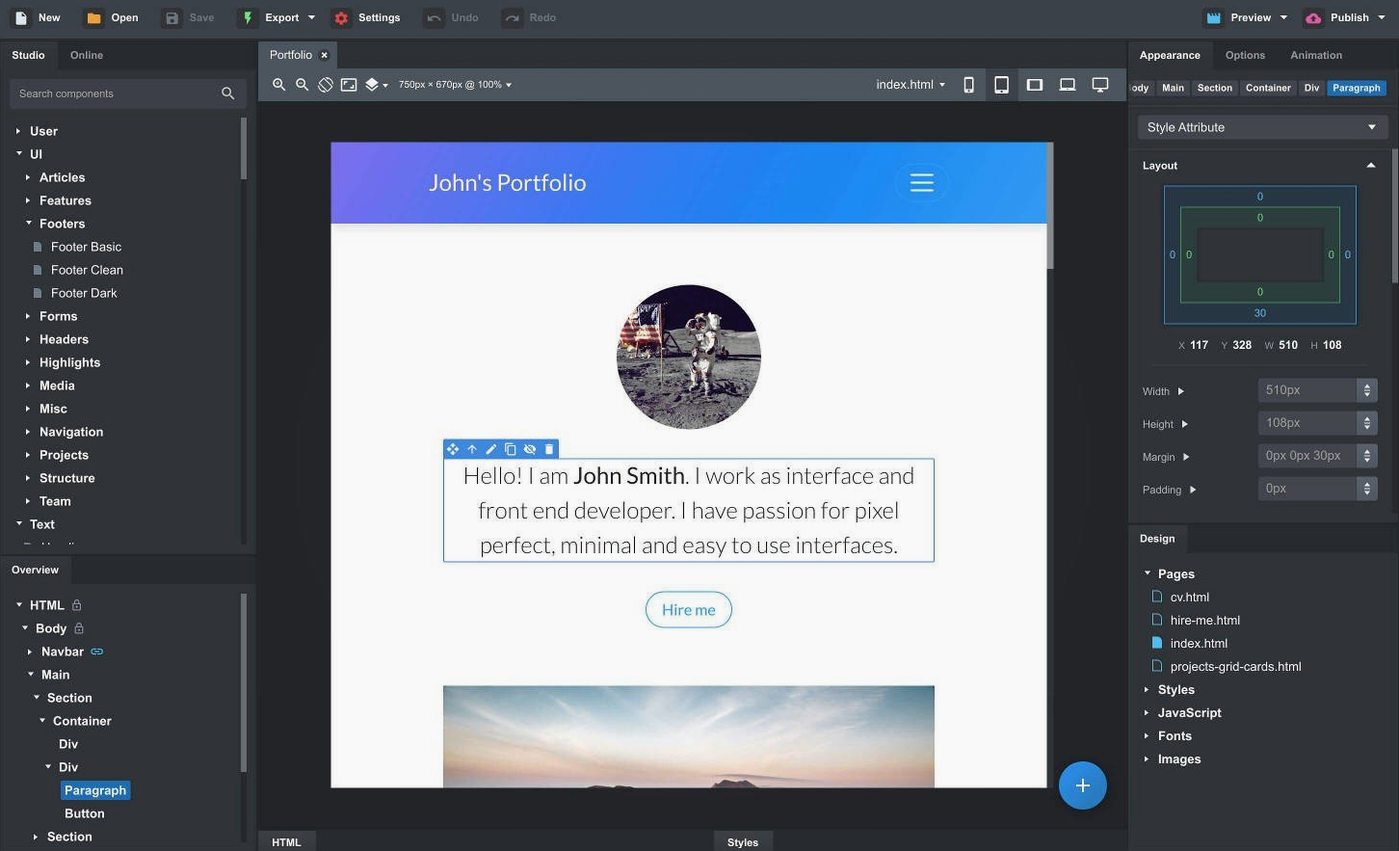
You get a real-time view of your page in multiple browsers and devices at once. Resize a column or tweak a margin, and every open preview updates instantly. No manual refresh, no switching tabs to check how it looks on a phone.
How do linked components save time?
Drop a header or footer into several pages, and it stays linked. Edit it once, and the change ripples across your whole site. That is the kind of thing that turns a multi-page build from repetitive work into a single pass.
What can you import and edit?
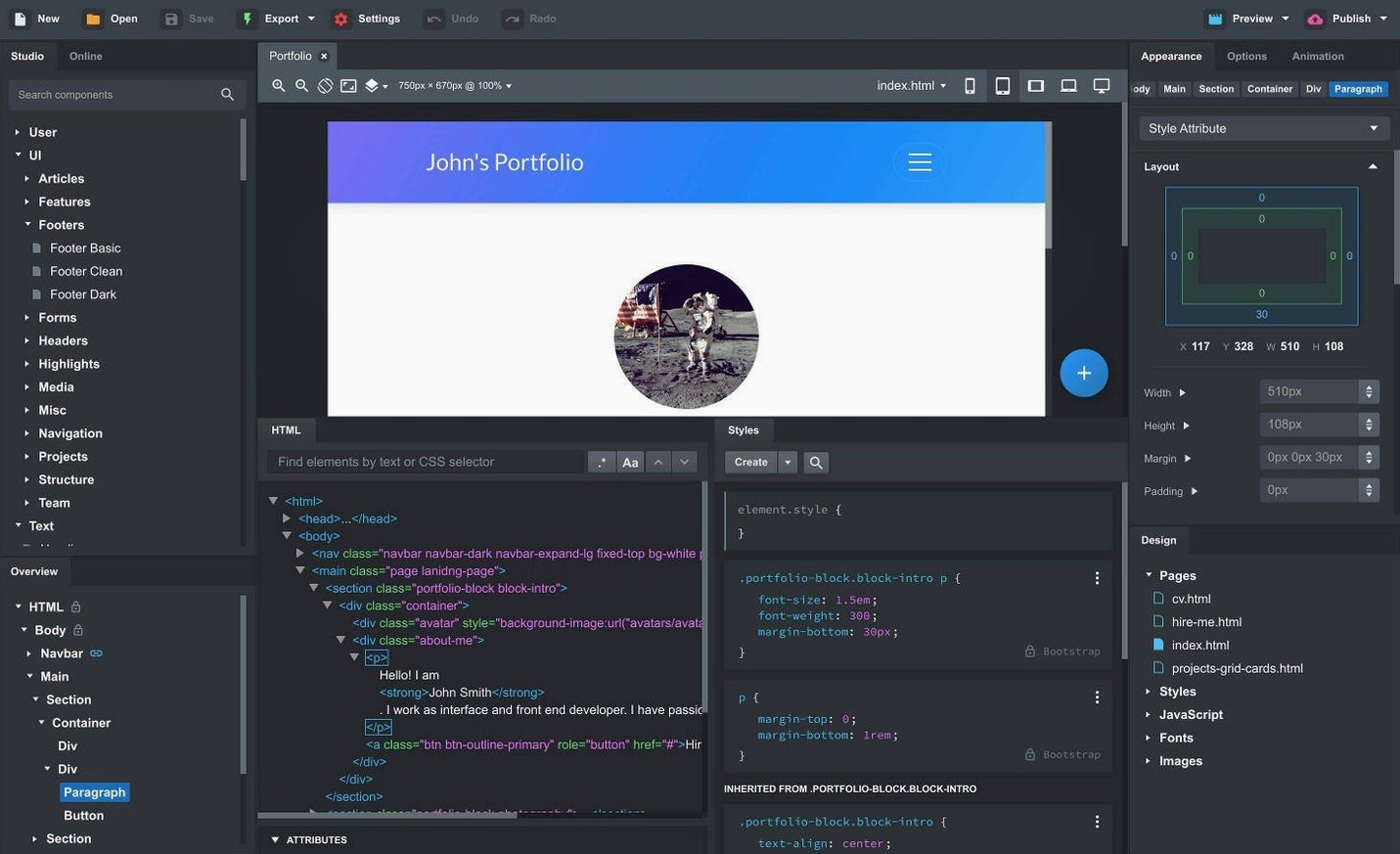
Drag in existing HTML, CSS, JavaScript, and image files, and Bootstrap Studio takes over from there. The built-in component library covers headers, footers, galleries, slideshows, spacers, and divs. You can edit the code directly when you need to, and the export is clean, semantic HTML.
Click Outside to Close and Sticky On options added
The latest release adds a Click Outside to Close option for modals, a Sticky On option for navbars, and a fix for the OpenAI API key dialog. The Icon Dialog now shows icon counts and types per set, and the AI Assistant gained gpt-4o-mini and gpt-4o models.
What should you do after installing?
The first few days in Bootstrap Studio matter more than most people think. Start with a single test page, not your real project. Drop a navbar, a grid, and a footer onto the canvas. Try resizing the browser preview to see how the responsive breakpoints behave. That quick test shows you how the app handles Bootstrap 5.3 containers versus the older 4.6 or 3.4 frameworks.
Next, import a small existing site. Drag in one HTML file, its CSS, and a few images. The app rebuilds the structure and lets you edit components directly. This is a good way to see how well your existing workflow maps onto Bootstrap Studio before you commit to a larger build.
Set up linked components early. If you plan more than two pages, make a header and a footer into linked components from the start. Retrofitting links later works, but it is cleaner to do it before you have twenty pages to update one by one.
A workflow: building a one-page landing site
Say you need a single-page site with a hero section, a three-column feature row, a gallery, and a contact form. Here is how you run through it in Bootstrap Studio.
- Create a new project and pick Bootstrap 5.3 from the framework options. The app defaults to a responsive grid, so you do not need to set viewport meta tags manually.
- Drag a navbar component onto the page. Under the component settings, check the Sticky On option new in version 6.7.3 so the menu stays fixed as users scroll.
- Add a jumbotron or hero section below the navbar. Adjust the column widths in the inspector panel. The live preview updates as you drag column edges.
- Build a three-column feature row. Use smart drag and drop to place a card component inside each column. Nested components snap into the correct grid positions automatically.
- Insert a gallery component. The built-in gallery handles responsive image grids without extra CSS. Upload your images through the file panel.
- Add a modal for your contact form. Under the modal properties, enable Click Outside to Close. This is another option new in 6.7.3; it lets users close the form by clicking anywhere outside the modal box rather than hunting for a close button.
- Turn the navbar and footer into linked components. Name them, then drag the same instance onto any new pages you add later.
- Export the project. The output is clean HTML and CSS, ready to upload to a server or hand off to a backend developer.
Linked components not updating after copy-paste
Several issues come up repeatedly with Bootstrap Studio. Knowing them ahead of time saves frustration.
Linked components not updating across pages. This usually happens when you copy-paste a component instead of dragging a linked instance from the library. Recreate the component from the library panel and link it properly. The library stores linked components as a single source; edits to that source update all instances.
Preview shows different layout than exported HTML. The live preview reflects your browser window size. If the exported page looks broken, check that your browser viewport matches the breakpoints you designed for. Bootstrap Studio previews are accurate, but the exported page depends on the Bootstrap CSS version you chose. Try switching between 4.6 and 5.3 in the project settings if alignment shifts.
AI Assistant not accepting API key. The version 6.7.3 fix addresses this directly. If you still run into trouble, clear the key field, close the dialog, and reopen it. Then paste the key without extra spaces. The AI Assistant now supports gpt-4o-mini and gpt-4o, so make sure your OpenAI account has access to those models.
Imported site elements misplaced. Bootstrap Studio expects valid Bootstrap markup. If you import a site built with a different framework or hand-coded grids, components may not snap into the responsive layout. In that case, use the import to get the assets in, then rebuild the structure with native Bootstrap components. The text and styles carry over, but the grid needs to be reassembled.
Icon dialog not showing all icons. Version 6.7.3 added icon counts and types per set. If a set appears empty, check that the icon library is enabled in the app preferences. Some older projects might use icon sets that are no longer bundled; you can re-import those from the online library.
- Fixed an issue with the OpenAI API key entry dialog not accepting some keys.
- The Icon Dialog now lists the number of icons and type for each icon set.
- Added a Sticky On option for sticky navbars.
- Added a Click Outside to Close option for Bootstrap modals.
- Added gpt-4o-mini and gpt-4o to the AI Assistant.
- macOS 10.13 or later
- Intel or Apple Silicon
- English
Questions from the notes
Can I import an existing website into Bootstrap Studio?
Yes. You can drag and drop HTML, CSS, JavaScript, and image files into the app, and it will convert them into an editable Bootstrap project.
Install procedure
- Run the included installation and activation instructions.
Reports from players
Sign in or create a tester account to file a report.
No reports filed yet.