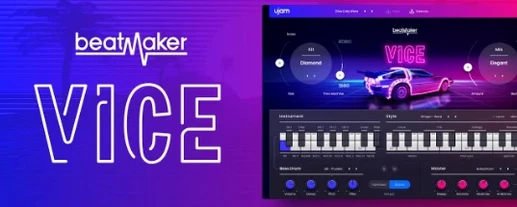
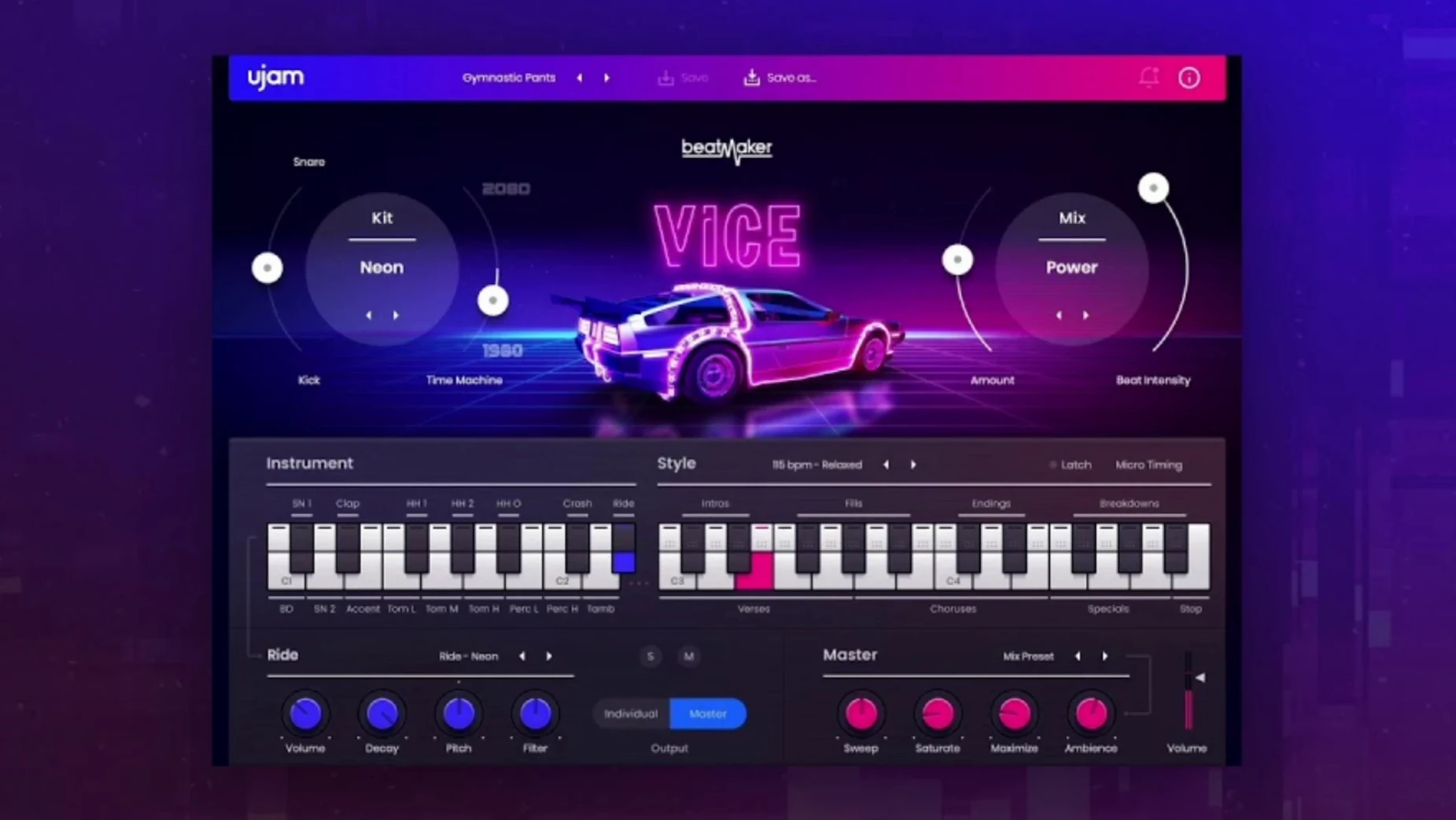
The MIDI drag-and-drop is where VICE starts making sense. You pick a pattern, drag it into your DAW, and the drum track is already in place, editable like anything else you wrote by hand. That alone saves the back-and-forth of programming hats and claps note by note.
VICE is part of the Beatmaker series, and it shows. The first install drops in the Beatmaker plugin that hosts every title in the line, so you get one instrument that can hold VICE alongside the others. It runs on macOS Monterey 12 through macOS Tahoe 26, and it works in Ableton Live, Logic Pro, Pro Tools, FL Studio, Cubase, Studio One, Bitwig, Reaper, and Reason. If your DAW is on that list, the plugin will slot in without a fuss.
The sound is 1980s all the way—gated snares, punchy kicks, that synthwave sheen. With 20 styles and 460 patterns, you can cover the decade from pop to darker electronic without repeating yourself. The interface resizes, which helps when you are working in a busy session.
For retro drum sounds, VICE does the job. It needs 8 GB of RAM, which is reasonable for a plugin of this scope.
Pick one of 10 drum kits and scroll through the gated snares first
You load Beatmaker VICE as an instrument track in your DAW. The first thing you see is the main kit view. Pick one of the 10 drum kits—maybe the one that leans into gated snares first. Then scroll through the 20 styles until something fits the tempo of the track you are building.
Styles in VICE are not just presets. Each one holds a set of patterns that match a specific mood or groove. Find a pattern that works, and the drum track is ready. The real time-saver is MIDI drag and drop. Click the pattern, drag it to a MIDI track, and the drum arrangement is there as MIDI notes. You can tweak individual hits, move fills, or layer it with another pattern. No step-by-step programming unless you want to.
From there, the workflow is fast. Drop a pattern for the verse, drag, drop another for the chorus, adjust the transition. The Time Machine special control lets you shift the feel of the whole pattern—tighten it or loosen it—without editing individual notes. That one control does what you would otherwise spend minutes automating or quantizing by hand.
If you need variation, drag a second pattern and edit the MIDI to blend the two. VICE patterns are designed to work together, so the transition sounds natural. By the end of a session, you have a full drum track built from a handful of drags and a few edits.
Perfect for 1980s-inspired pop, synthwave, or retrowave
Producers working on 1980s-inspired pop, synthwave, or retrowave will find VICE straightforward. The kits are built from classic drum machine samples—Linn, Roland, Simmons, Korg—processed with modern production methods, so the sound is authentic without feeling dated. If your track needs that specific snare or kick, VICE has it ready.
Beatmakers who prefer to work with MIDI rather than audio loops will appreciate the drag-and-drop workflow. You get the pattern as data, not a rendered audio file, so you can rearrange, replace sounds, and edit freely. That matters when you need to fit the drum track around a vocal or a synth lead.
DAW users who work in any of the major hosts—Ableton Live, Logic Pro, Pro Tools, FL Studio, Cubase, Studio One, Bitwig, Reaper, Reason—can load it without extra steps. The plugin format (VST 2, VST 3, AAX, AU 2) covers the common setups.
For someone searching ujam torrent or ujam mac torrent, VICE is a drum tool that does not require deep sound design knowledge. Pick a kit, pick a style, drag the pattern, and move on. That is the point.
Resize the interface to free up screen space or see every control
- The resizable interface. When your session has the mixer, the piano roll, and a dozen tracks open, a small plugin window helps. You can shrink VICE to free up screen space or enlarge it to see every control clearly.
- The Beatmaker plugin structure. First installation installs the Beatmaker plugin that hosts all titles. That means you do not have to manage multiple plugins for each Beatmaker instrument—one slot handles everything.
- Patterns are stored as MIDI, not hidden in the plugin. Once you drag a pattern out, it is independent. You can edit it, copy it to another track, or use it as a starting point for custom beats.
Cycle through all 10 kits before choosing a style
Start by cycling through all 10 kits before choosing a style. The kits set the character of the drums, and a kit that sounds right can make the style selection easier. Once you find a kit you like, then explore the styles.
Use the MIDI drag and drop from the start. Even if you plan to replace the pattern later, dragging it out gives you a reference track. You can build around it and swap the drum notes as the arrangement develops.
Try the Time Machine control on a pattern before editing the MIDI. It can change the feel enough that you may not need to touch the individual notes. That saves time during early sketching.
Keep the plugin window small while you arrange. The resizable interface means you can focus on the timeline and bring VICE back up only when you need to change a kit or drag a new pattern. It keeps the session clean.
- Version 2.4.0 is the current release.
- macOS 10.15 or later
- 8 GB RAM
- Intel or Apple Silicon
- VST, AU, or AAX host
Questions from the notes
Does Beatmaker VICE work in Logic Pro?
Yes, VICE works in Logic Pro, along with Ableton Live, Pro Tools, FL Studio, Cubase, Studio One, Bitwig, Reaper, and Reason.
What macOS versions are supported?
VICE supports macOS Monterey 12 through macOS Tahoe 26.
Install procedure
- Run the installer and follow the standard installation procedure.
Reports from players
Sign in or create a tester account to file a report.
No reports filed yet.