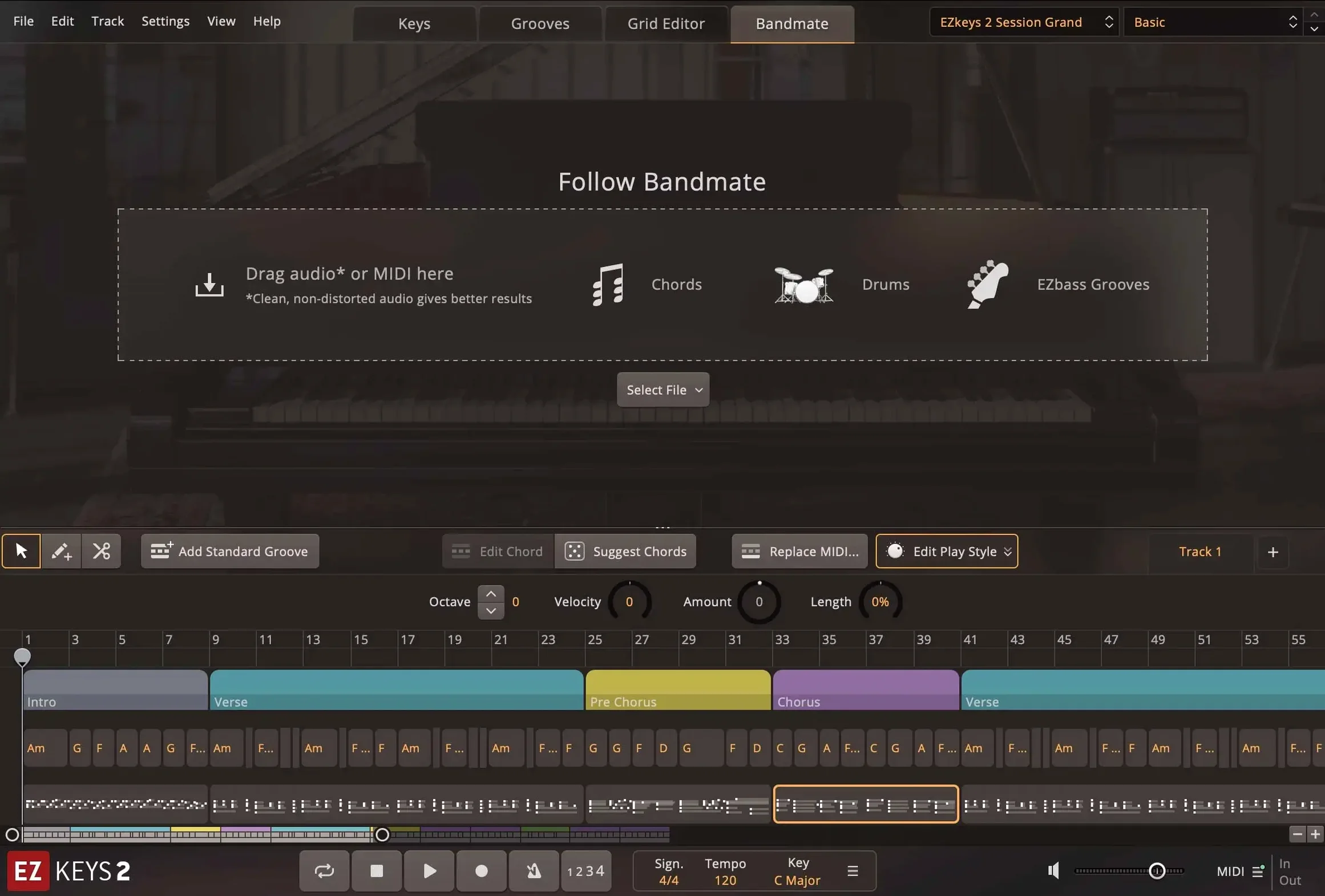
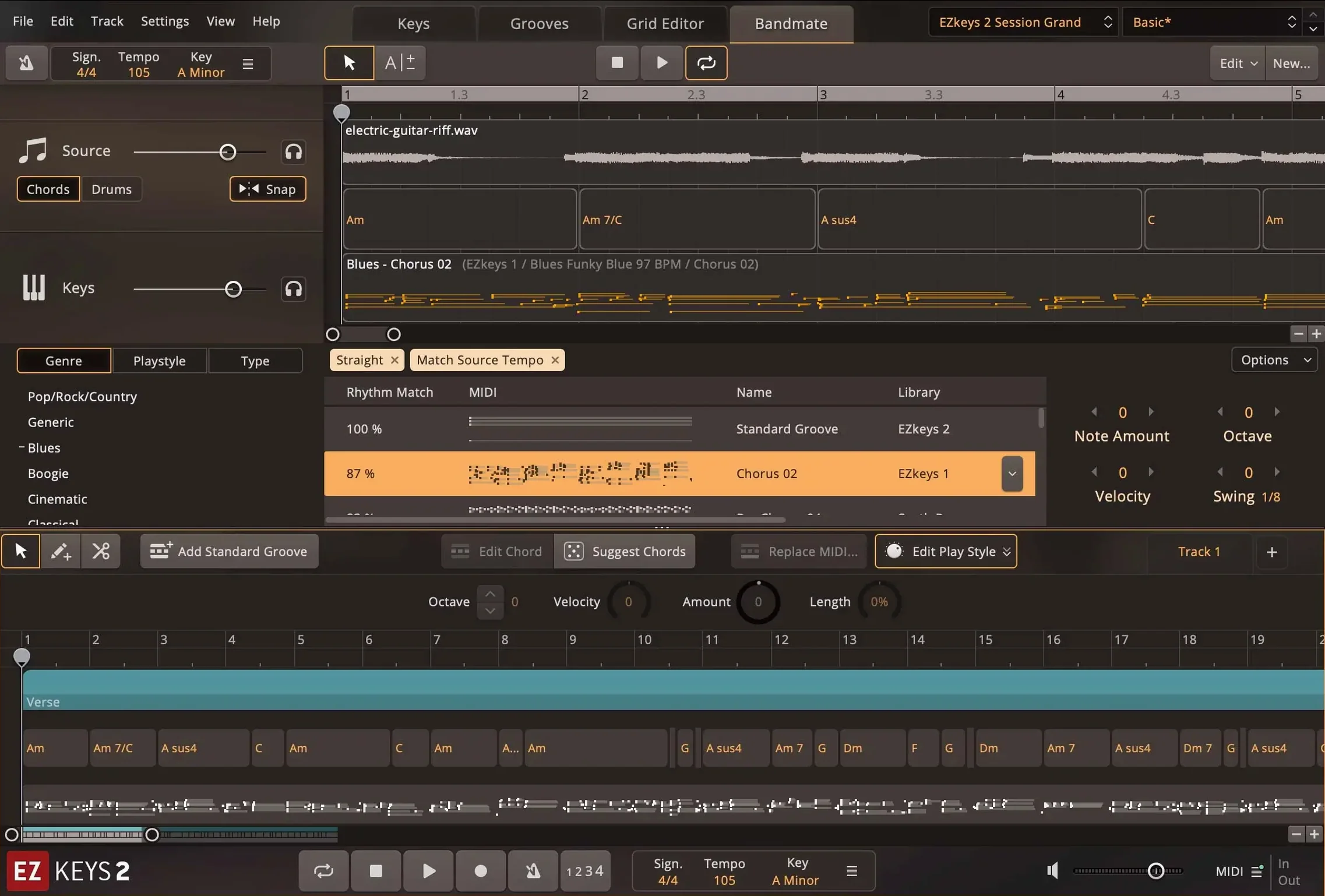
EZkeys is a piano and songwriting plugin for Mac that handles MIDI generation, chord progression, and arrangement from within your DAW. Here is where it sits in a session and how a typical workflow runs.
- Insert EZkeys as a software instrument track. Choose either the standalone plugin or load it as an AU or AAX instance. The interface runs in English.
- Pick a mix-ready preset from the library — styles range from pop and rock to jazz and ballads. The MIDI pattern library was recorded by professional pianists, so the feel is already musical.
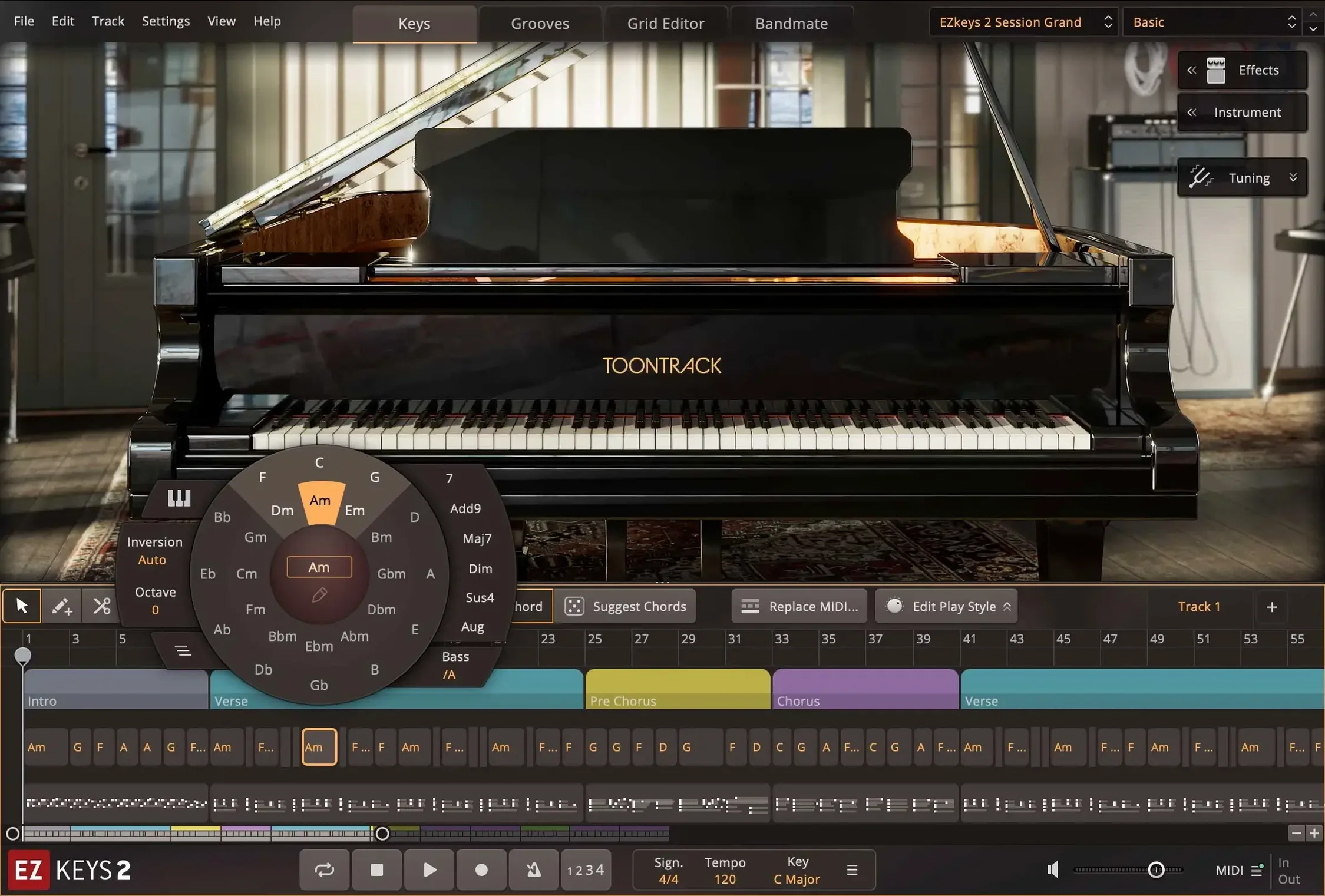
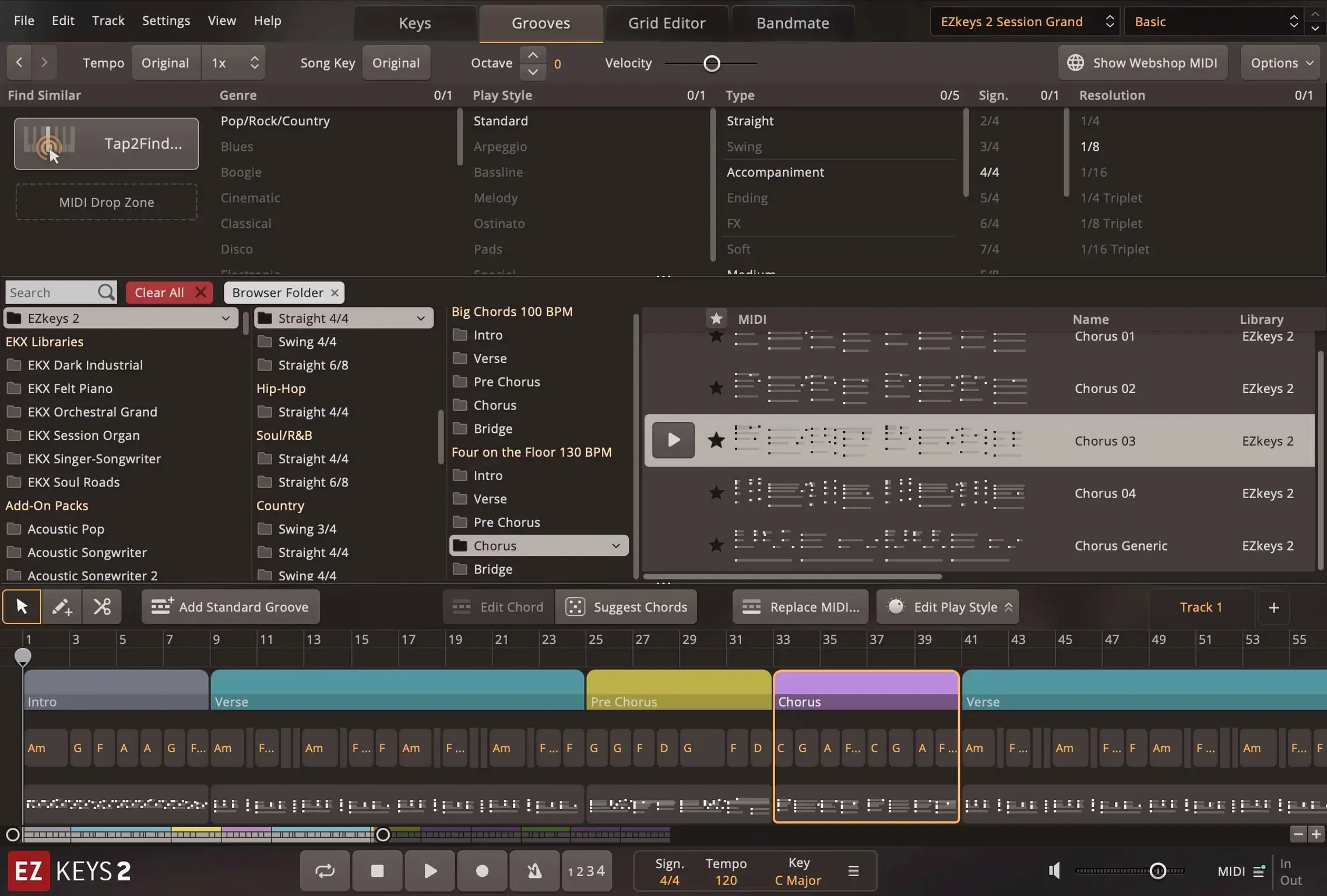
- Use the Chord Wheel to sketch the progression, or feed in a few notes and let Tap2Find suggest complementary rhythms and accompaniment. Songwriting Scales is built in for tonal guidance.
- Route the track to a bus for further processing if needed, but the built-in presets are designed to sit in a mix as-is.
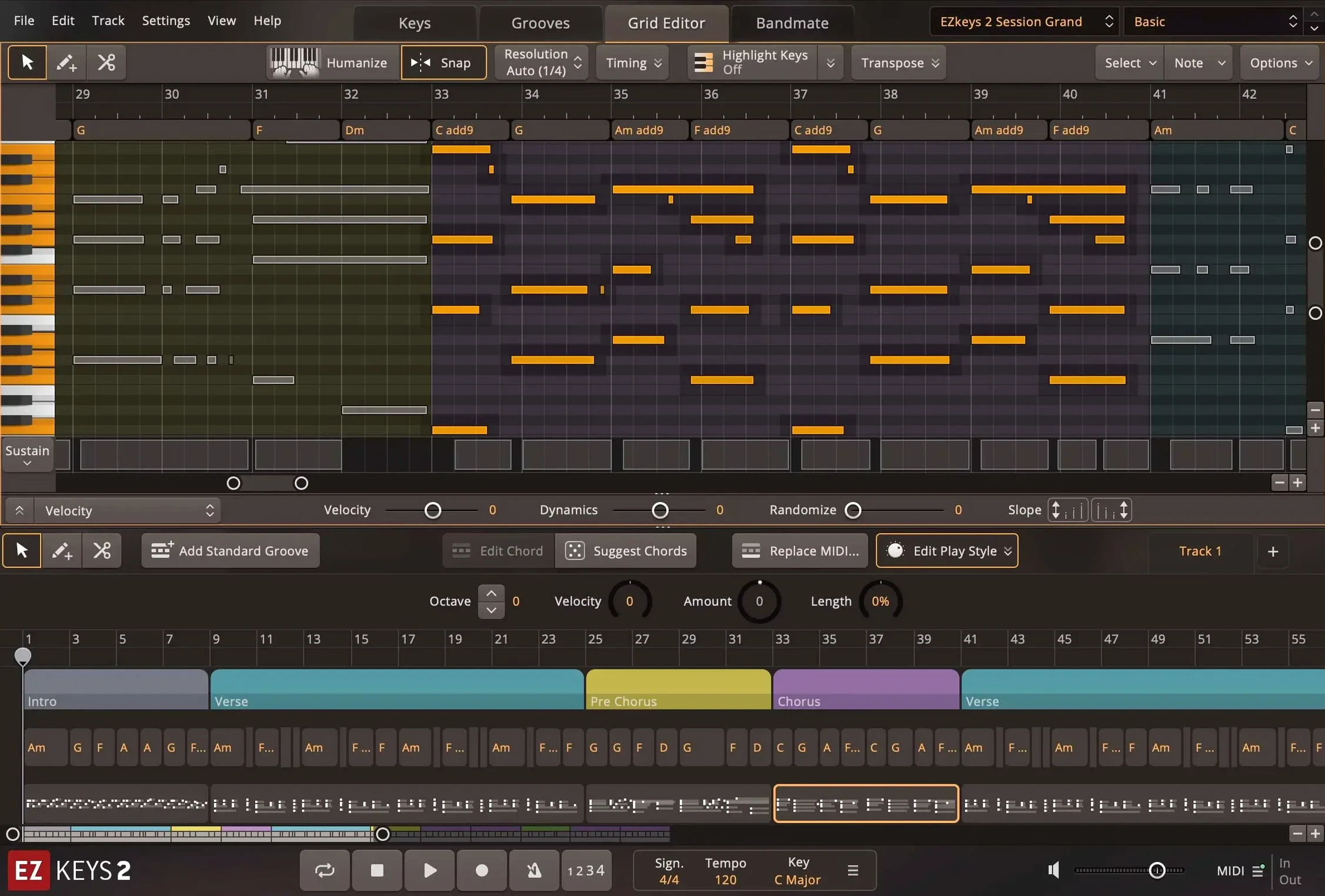
- Edit the generated MIDI directly in the plugin or drag it onto a new track for fine-tuning. Arrangement tools let you move sections, duplicate, or strip parts without leaving the plugin.
On Mac, version 2.1.5 improves CPU performance when using multiple cores and updates the standalone icon to macOS Tahoe style. It runs on both ARM and Intel 64-bit processors, minimum macOS 10.13.
The install runs standard — mount the disk image, run the installer, done. But a few settings make the difference between a passable first session and one where the plugin behaves the way you expect.
Set your audio output device in standalone mode first
Open EZkeys in standalone mode or as a plugin instance and go through these before you start working on a song.
- Audio output routing — if you are running the standalone application, confirm the output device matches your audio interface or built-in output. The standalone defaults to the system device, which can introduce latency if you have a separate audio interface connected.
- MIDI input — assign your keyboard controller in the MIDI input settings. Without this, Tap2Find and Bandmate will not receive notes you play. The plugin can still generate patterns from its library, but note input from a controller is blocked until the device is selected.
- Resize the interface — the window is fully resizable and scalable. Drag the corner to a size that works with your screen. On a smaller display, scaling down keeps the controls readable without cramming.
- Preset audition — browse the mix-ready presets and pick one that fits the track. The core library is based on a single Fazioli grand piano recorded with multiple microphones and ambiences, so the difference between presets is mostly in the mic blend, room level, and EQ curve. Pick the one that sits closest to what the song needs.
Fix the plugin not appearing in your DAW
These are the issues that show up most often in the first few days, based on forum reports and my own testing.
- Plugin does not appear in the DAW — verify the AU, VST3, or AAX installation path. Some DAWs scan only specific folders. If the plugin is missing, rescan the plugin list or restart the DAW. On Mac, the installer places the component in the standard system locations, but a manual rescan is still required in some hosts.
- MIDI export sounds different — the built-in presets include processing that is not part of the raw MIDI. If you drag MIDI to a new track and load a different instrument, the performance changes. The solution is to either bounce the audio from EZkeys or copy the preset settings to the target instrument manually.
- Bandmate not responding to audio input — Bandmate generates chords and grooves from audio or MIDI. If you are feeding it an audio track, check that the track is routed correctly. In standalone mode, the microphone input must be enabled. In a DAW, the audio track needs to be sent to the EZkeys instance as a sidechain input.
- Standalone app crashes on launch — corrupt preference files are the most common cause. Delete the preference file from
~/Library/Preferencesand relaunch. The app rebuilds the file on startup.
Transistor Organ EKX support added in the latest maintenance release
Version 2.1.5 is a maintenance release that focuses on compatibility and performance. The changes are small but relevant to daily work.
- Transistor Organ EKX support added — if you own or intend to use the Transistor Organ expansion, 2.1.5 is required. The plugin now loads and manages that library correctly. This is the headline feature of the update.
- CPU performance improved with multiple cores, especially on Mac — projects that run several EZkeys instances see better resource distribution. This is most noticeable in large arrangements where you layer multiple piano parts or use Bandmate alongside several MIDI pattern players.
- Standalone and project icons updated to macOS Tahoe style — only visible in the dock and the Finder. No functional change, but the icon matches the current macOS visual language.
- String Machine EKX instrument controls now include an expression pedal knob — in the Keys tab, the control view for String Machine EKX adds a knob for the expression pedal. This was missing in earlier builds and is now present for users of that expansion.
If you are on an older version, the update is worth installing for the multi-core improvements alone. The plugin feels more responsive in sessions with multiple tracks, particularly on ARM-based Macs.
Browse the MIDI pattern library before writing anything
These steps are not in the manual but save time when you are still getting used to the workflow.
- Start with the MIDI library — before you write anything, browse the MIDI pattern library. The patterns are played by professional pianists and cover many styles and genres. Dragging a few into the project gives you a feel for the range and the articulation. It is faster than building from scratch.
- Use Tap2Find early — play a few notes into Tap2Find and let it suggest accompaniment. The suggestions are generated from your input, so you are not stuck with generic patterns. It works best when you give it a clear rhythm and at least four notes.
- Save custom presets — once you dial in a mix you like, save it as a user preset. The built-in presets are good, but the Fazioli core library has a wide sound range that benefits from small tweaks. A saved preset keeps your preferred mic blend, EQ, and ambience settings.
- Keep the MIDI export option in mind — you can drag generated MIDI out of the plugin onto a new track. This is useful when you want to edit individual notes in the piano roll or replace the EZkeys instrument with a different piano library. Do not overcomplicate the arrangement inside the plugin if you plan to move it later.
Toontrack EZkeys helps songwriters quickly create realistic piano parts, and "ezkeys torrent" is not a legitimate way to obtain it. The version is 2.1.5, the architecture supports both ARM and Intel, and the minimum macOS is 10.13. The installer is straightforward, and the activation is handled by Team V.R.
- Added support for Transistor Organ EKX.
- Updated the standalone icon and project icon to macOS Tahoe style on Mac.
- Improved performance with multiple CPU cores, especially on Mac.
- macOS 10.13 or later
- Intel 64-bit or Apple Silicon processor
Questions from the notes
Can EZkeys run on both Intel and Apple Silicon Macs?
Yes, the Mac build supports both ARM and Intel 64-bit processors.
Does EZkeys include a MIDI pattern library?
Yes, it includes a MIDI pattern library recorded by professional pianists.
Install procedure
- Mount the downloaded disk image.
- Run the standard installation procedure.
Reports from players
Sign in or create a tester account to file a report.
No reports filed yet.