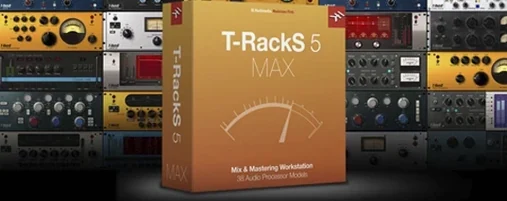
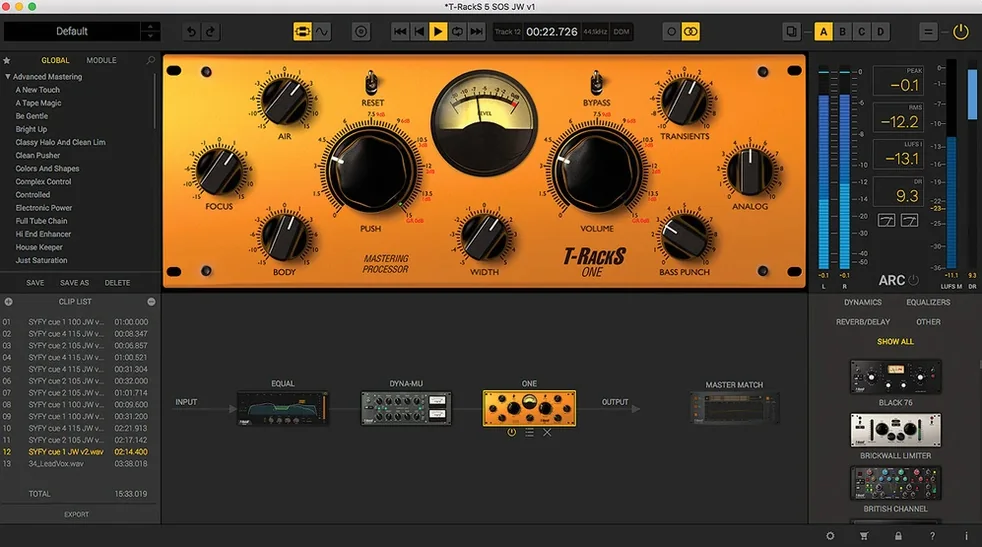
If you already use a DAW for tracking and arranging, T-RackS is the kind of tool that sits alongside it — a modular mixing and mastering environment that works as individual plug-ins or as a standalone Mastering Console. The current version (6.3.2) runs on macOS 10.15 and later, supports both Intel and Apple Silicon natively, and handles floating-point processing up to 192 kHz at 32-bit.
Set up the plug-in paths
Install the standard installer, then open a DAW. T-RackS registers as Audio Units, VST 3, and AAX. The redesigned GUI and Module Manager make it straightforward to load processors—compressors, EQs, limiters—without hunting through submenus.
Match a reference mix
Master Match X analyzes a reference track and builds a processing chain that approximates its tonal balance, dynamics, and stereo width. Useful as a starting point before fine-tuning with individual modules.
Export the final file
The standalone Mastering Console exports in multiple formats — WAV, AIFF, FLAC, and others — so you can bounce a master without leaving the application. Multi-format export is also available when running as a plug-in inside a DAW.
Compare with similar tools
People often ask how T-RackS compares to other modular mastering environments on Mac. The answer depends on workflow and format preference.
iZotope Ozone
Ozone handles mastering as a single, integrated chain with heavy DSP. T-RackS, at version 6.3.2, approaches the same task as a modular suite — you pick processors from the library and chain them in serial or parallel across 16 slots. Ozone’s strength is a unified interface with fewer module types; T-RackS offers more individual compressors and EQs that can also work inside a DAW as separate plug-ins.
WaveLab
WaveLab is a dedicated audio editor and mastering workstation with its own restoration and analysis tools. T-RackS is not an editor — it is a processor chain. It does not edit waveforms or burn CDs directly. Where WaveLab covers the full production pipeline from file import to Red Book CD creation, T-RackS focuses on signal processing and export. For users who already have an editor, T-RackS makes sense as a plug-in collection or a second mastering console.
Klanghelm MJUC / SlickEQ (individual plug-ins)
Some producers collect single processors from different developers. T-RackS bundles nine processors — including Dyna-Mu, EQual, ONE, and Master Match — in one installer. The Module Manager keeps them organized, and the standalone Mastering Console lets you chain them without opening a DAW. The trade-off is a fixed palette versus the freedom of assembling a chain from any manufacturer.
Match sample rate, bit depth, and choose dithering first
After installation, a few defaults save time later.
- Sample rate and bit depth: Set the Mastering Console to match your project rate. T-RackS supports floating-point processing up to 192 kHz and 32-bit.
- Dithering: Four dithering options are available. If the final export is 16-bit, enable dithering on the output. For 24-bit delivery, most users leave it off.
- Metadata for album assembly: Fill in album name, artist, track numbers, and ISRC codes before exporting. The standalone console embeds metadata directly into WAV, AIFF, and FLAC files — one less step at the tagging stage.
- Master Match reference level: When using Master Match X, set the reference track’s loudness target first. The module matches gain structure, not just EQ, so a consistent level prevents the chain from over-compensating.
Works as AU, VST 3, and AAX plug-ins in major DAWs
Can I use T-RackS as plug-ins in Logic Pro, Ableton Live, or Pro Tools?
Yes. The installer registers Audio Units (AU), VST 3, and AAX formats. Any DAW that accepts those formats sees each processor individually and the Mastering Console as a multi-effect plug-in.
Does it run on Apple Silicon without emulation?
Yes. Version 6.3.2 supports ARM natively. The architecture is listed as both ARM and x86 64-bit, so Intel Macs are covered too.
Do I need an iLok or a hardware dongle?
No. The release is K’ed by MORiA. After the standard installation procedure, the software activates without an external key.
What if I only need one compressor, not nine processors?
The Module Manager lets you hide unused modules. You can load only the processors you actually use and keep the GUI list short.
Is the Mastering Console worth using if I already have a DAW?
It depends. The console is a dedicated environment for sequencing tracks, applying a master chain, and exporting multi-format files with metadata. If you master albums regularly, it saves loading a full DAW session just for the last step.
Analog-style compression for mixing engineers without hardware
T-RackS fits three kinds of Mac users best.
Mixing engineers who want analog-style compression without analog hardware. Processors like Dyna-Mu and ONE model opto and tube behavior. They behave differently from the stock DAW compressors, which matters when a mix needs character rather than precision.
Mastering engineers who work on albums. The standalone Mastering Console supports album assembly with sequencing, metadata embedding, and multi-format export. Processing a 10-song album as a single project, with consistent crossover and limiting across tracks, is faster than bouncing each song from a DAW separately.
Producers who switch between DAWs. Because T-RackS runs in AU, VST 3, and AAX, the same plug-in chain works in Logic, Cubase, and Pro Tools without re-learning routing. The 16-slot modular chain also works identically in standalone mode, so a mastering chain built in the console can be saved and loaded inside a DAW later.
- macOS 10.15 Catalina or later
- 64-bit CPU
- 64-bit operating system
- Intel or Apple Silicon
Questions from the notes
Does T-RackS work on Apple Silicon?
Yes, T-RackS 6.3.2 is a universal binary that runs natively on both Intel and Apple Silicon Macs.
What plug-in formats does T-RackS support?
It supports Audio Units, VST 3, and AAX formats.
What is the minimum macOS version required?
macOS 10.15 Catalina is the minimum requirement.
Install procedure
- Download the file.
- Run the standard installation procedure.
Reports from players
Sign in or create a tester account to file a report.
No reports filed yet.