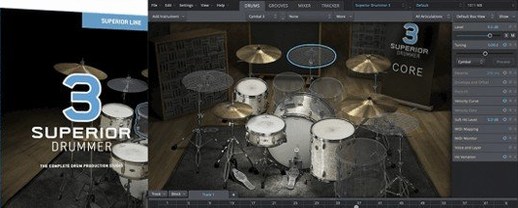
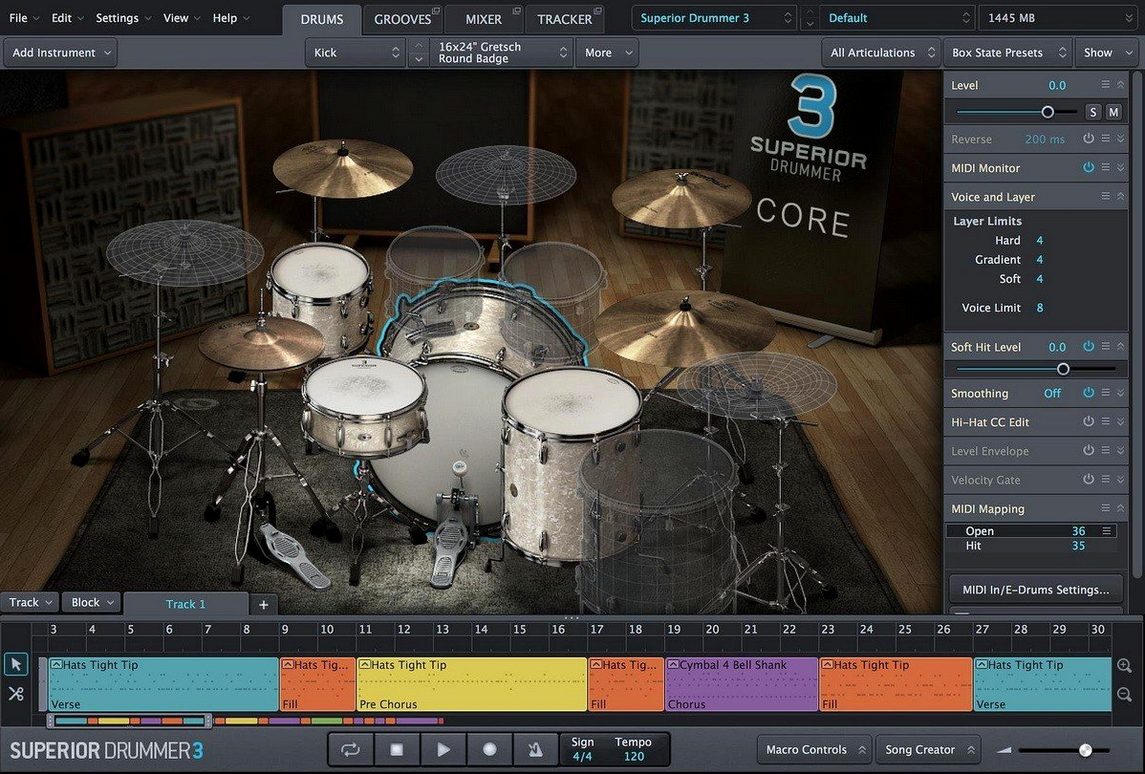
The Groove tab is where Superior Drummer 3 starts to feel less like a sample player and more like a session. Drag a pattern in, and the mixer's 35 effects let you shape the kit before it ever hits a bus. That's the core of what this plugin does: it bridges acoustic and electronic drum production in one window.
Build drum sounds from scratch with 230 GB of samples
- Building drum sounds from scratch with 230 GB of samples across kits and presets.
- Percussive sound design — the engine treats drums as raw material, not just finished loops.
- Mixing inside the plugin: 35 effects cover EQ, compression, reverb, and the usual suspects without leaving the interface.
- Working in a 64-bit host on either Intel or Apple Silicon Macs.
Requires a 64-bit host and macOS 10.13 or later
- It's a 64-bit plugin. Your host must support 64-bit plugins.
- Interface language is English only.
- Requires macOS 10.13 or later.
- Installation is a standard step-by-step installer — no drag-and-drop.
Compared to other Mac drum tools
Superior Drummer 3 sits in a different category than something like Drum Kit Designer that ships with Logic Pro. Drum Kit Designer gives you a handful of well-recorded kits and basic mixer controls, fine for sketching arrangements but limited once you want to treat the kit like a production instrument. Superior Drummer 3 gives you control over each microphone position, the room sound, and the full effects chain inside the plugin. You can replace a snare, change the overhead balance, or run the whole kit through a bus compressor before the signal reaches your DAW.
Compared to BFD3, both products offer deep mic control and large sample libraries, but Superior Drummer 3's Groove tab is the practical difference. BFD3 relies on its own pattern browser and drag workflow, while Superior Drummer 3 lets you audition grooves in context with the actual kit sound, then drag the MIDI where you need it. The mixer section in Superior Drummer 3 also feels more immediate — 35 effects all in one window, no routing between separate plugin instances.
EZdrummer runs on the same engine as Superior Drummer 3, but with less depth. Fewer mic positions, fewer effects, smaller library. Superior Drummer 3 is the version you open when you want to design a drum sound from the room up, not just pick a preset and move on. The mapping between the two is consistent, so kits and MIDI from EZdrummer load into Superior Drummer without problems, but you get more control once they are there.
Version 3.4.0 needed for expansion packs released after Q2 2025
Version 3.4.0 introduced compatibility requirements for Superior Drummer 3 products released from Q2 2025 onward. In practice, this means that if you load newer expansion packs or kit libraries after that date, the plugin needs to be at 3.4.0 or higher. Version 3.4.4 continues that baseline — it keeps the plugin up to date with the latest library formats and minor stability corrections. There is no new feature or interface redesign between 3.4.0 and 3.4.4, just the kind of maintenance update that keeps the plugin working as new content arrives.
For everyday use, this matters most when you buy or download a newer SDX or EZX library. Older versions will simply not load those products. Keeping the plugin updated avoids that wall. The good news is that the installer follows the same standard procedure each time, and the update does not reset your saved presets or custom kit setups.
Runs as a virtual instrument in Logic Pro, Ableton Live, Cubase, and more
Superior Drummer 3 is a 64-bit plugin that runs inside any compatible DAW — Logic Pro, Ableton Live, Cubase, Pro Tools, Reaper, and others. It loads as a virtual instrument and generates MIDI output from its groove library, or accepts MIDI input from your controller or sequencer. The audio to MIDI conversion feature lets you feed an audio drum track into the plugin and get back MIDI notes mapped to the kit, which is useful for re-triggering a performance or extracting timing from a loop.
On macOS, the plugin runs natively on Intel Macs and through Rosetta 2 on Apple Silicon, or natively if your DAW supports ARM plugins. The installer places components into the standard system locations — /Library/Application Support/Toontrack for the sample content and the plugin file into your chosen plugin format folder (AU, VST, or AAX). No extra configuration is needed beyond pointing any new SDX or EZX libraries to the content folder during their installation.
The standalone application is less often discussed, but it is useful for practicing or building kits without launching a full DAW. You can load a kit, play along with the built-in metronome, and export a stereo mix directly from the mixer section.
Built-in oscilloscope on each mixer channel strip shows clipping at a glance
The mixer section includes a built-in oscilloscope on each channel strip, visible in the channel view. It shows the waveform of the incoming sample or track, which helps spot clipping or compare levels between microphones without guessing by ear alone.
The Groove tab has a "tap to find tempo" feature — tap along on a key, and the plugin estimates the tempo of the groove you are playing. Useful when importing loops from unknown sources or matching a part to a song tempo.
Each kit in the library includes multiple microphone positions. The "bleed" controls let you balance how much of the adjacent drums and cymbals come through each mic, which is a faster way to get a natural room sound than routing and gating each channel separately.
The plugin remembers its own window position and size between sessions. If you close and reopen a project, the Superior Drummer 3 window returns to the same screen location.
Common snags and sorting them out
Plugin not appearing in the DAW. The most frequent cause is a 32-bit host. Superior Drummer 3 is 64-bit only. Check that your DAW is running in 64-bit mode and that the plugin format (AU, VST, AAX) is one your DAW supports. Re-scan plugins in the DAW's settings after installation.
Sample content not found after installing a new library. Each SDX or EZX library installs into its own folder under the Toontrack content directory. If the plugin cannot find it, open the browser and set the content path manually. The path is usually /Library/Application Support/Toontrack on macOS, or your custom location.
Drum audio to MIDI conversion produces unexpected results. The conversion works best with clean audio tracks — no heavy compression or reverb on the input. Process the audio track as dry as possible before loading it into the plugin. Also check that the source track matches the kit mapping; a different kit layout will produce wrong note assignments.
High latency when monitoring through the plugin mixer. If you are playing a MIDI controller and hearing a delay, lower the buffer size in your DAW's audio settings. The plugin's mixer effects add processing time, so a larger buffer pushes latency up. For recording, route the plugin output through the DAW's own monitoring instead of the plugin's direct output.
Groove library not showing any content. The groove library comes with the base installation and with each SDX/EZX library. If the browser is empty, verify that the library content was installed correctly — the grooves are stored alongside the samples in the same content folder. Reinstalling the library usually resolves this.
For a superior drummer 3 mac download, the groove browser and the mixer make the daily difference. For a superior drummer 3 torrent or superior drummer 3 mac torrent, the version matters — 3.4.4 is the one that supports everything released through 2025. A superior drummer torrent without the matching version number might skip newer content entirely.
For a superior drummer 3 mac download, the full sample library is the selling point. The effects are the part that changes how you work.
- Version 3.4.4 is available.
- Version 3.4.0 is required to support Superior Drummer 3 products released from Q2 2025 onward.
- macOS 10.13 or later
- Intel or Apple Silicon
- 64-bit host support required
Questions from the notes
Does Superior Drummer 3 run on Apple Silicon Macs?
Yes, it supports both Intel and Apple Silicon architectures. A 64-bit host is required.
Install procedure
- Open the downloaded disk image.
- Run the standard installer and follow the prompts.
Reports from players
Sign in or create a tester account to file a report.
No reports filed yet.