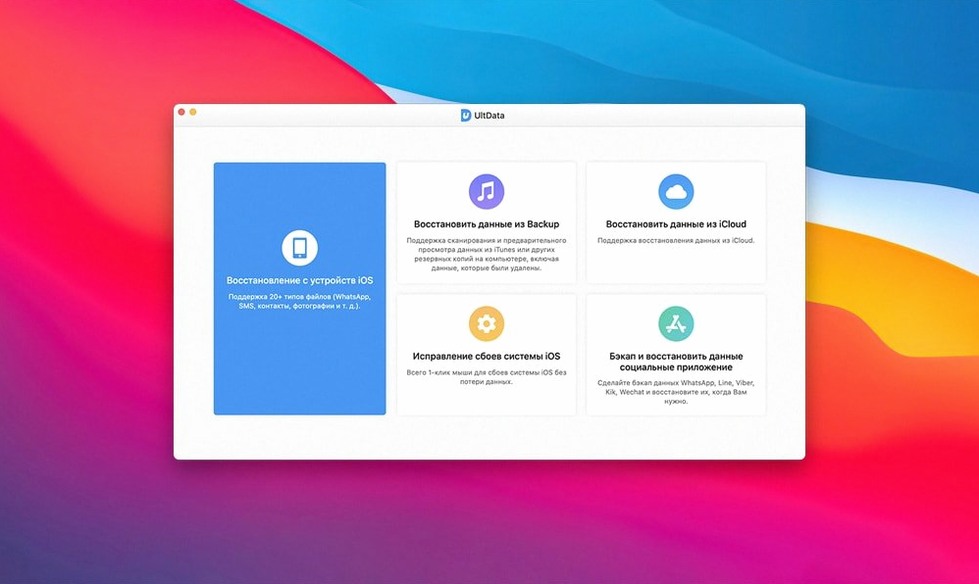
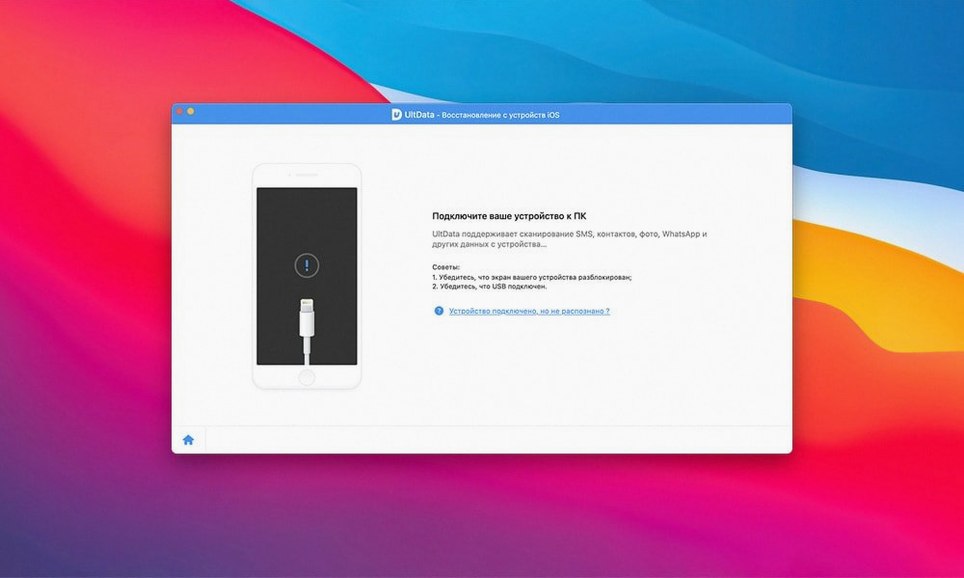
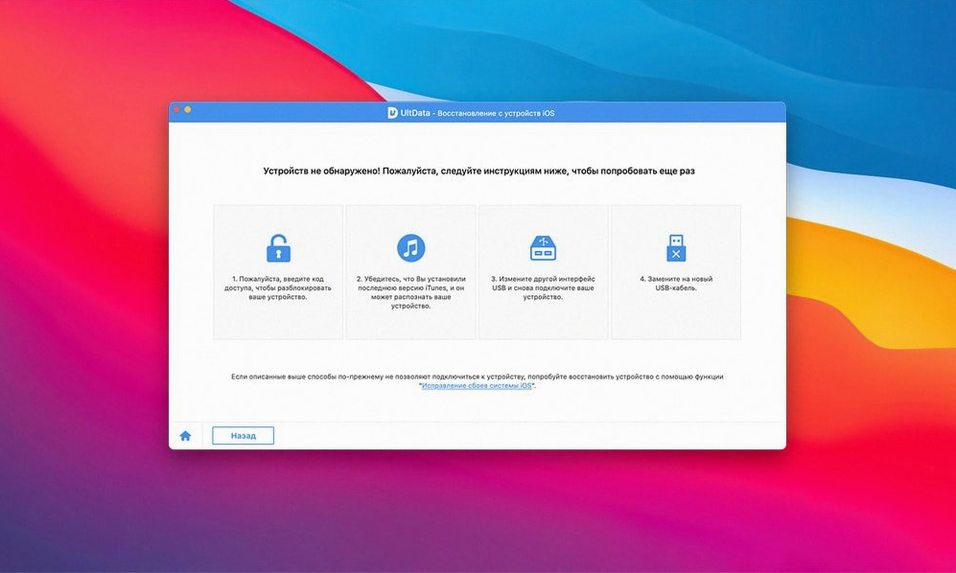
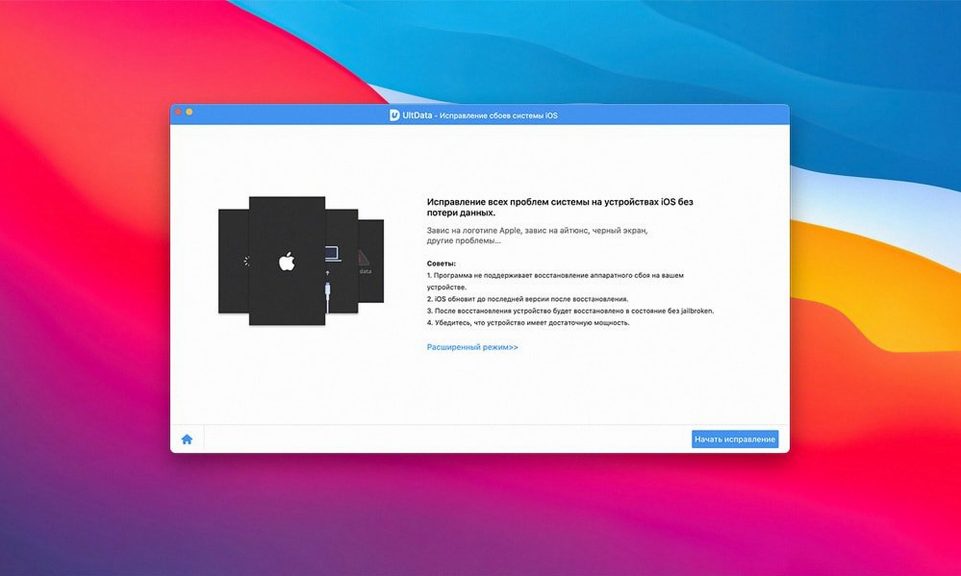
Recover mode kicks in after you plug in an iPhone, iPad, or iPod touch and the device is detected. Tenorshare UltData is the utility that pulls back what got deleted — contacts, messages, photos, FaceTime data, voicemail, even Safari history.
Covers wiped devices and lost files after sync or jailbreak
Anyone who wiped a device or lost files after a sync or jailbreak. It covers all iPad Air, iPad mini, iPad Pro, and iPad models, iPhone XS, XS Max, XR, and X, plus iPod touch 1 through 6. If you run an older Mac on OS X 10.8 or later, it works there too.
What can it recover?
Standard stuff like contacts, messages, and photos, plus app chats from Kik, Viber, WeChat, WhatsApp, Tango, and LINE. FaceTime call history and voicemail are included, along with browser history.
Do I need a newer Mac?
No. The app is 64-bit Intel and supports OS X 10.8 and later, so it runs on most Macs from the last decade. Interface languages cover English, Spanish, French, German, Italian, Portuguese, Russian, Arabic, Japanese, and Chinese.
Scans the device directly without a backup needed
Will it work if the phone is not backed up?
Yes. UltData can scan the device directly without requiring a prior iTunes or iCloud backup. The trade-off is that a direct scan sometimes returns less data than a backup scan, but it still finds files that the system marked as deleted.
Does the device need to be jailbroken?
No. Recovery from a normal device works fine. A jailbroken device does give the scanner deeper file system access, but it is not a requirement.
What happens if the phone is in recovery mode or DFU mode?
UltData can handle those states. If the device is stuck in a boot loop or a black screen, the app has a separate recovery path for that scenario. It is one of the three recovery modes mentioned on the product page.
Will it overwrite existing data?
No. The app reads from the device storage without writing anything back. As long as you do not use the phone normally after a deletion — no new photos, no new messages — the odds of recovery stay high.
Suits household or small-office managers of multiple iOS devices
People who manage multiple iOS devices in a household or a small office. If you are the person everyone hands their old iPhone to after a failed update, you will use this tool more than once a year. The same applies to anyone who keeps a Mac that is not the latest model — UltData runs on OS X 10.8 and later, so a 2012 MacBook Pro still works.
Users who rely on third-party messaging apps also benefit. Kik, Viber, WeChat, WhatsApp, Tango, and LINE conversations are not always included in standard backups, but UltData extracts them from the app sandbox directly.
Plug in, trust, choose data types, then scan
You plug in the iPhone. A dialog asks whether to trust the computer — tap Trust on the phone and enter the passcode. UltData detects the device and shows the main scan options.
You select the data types you care about: messages, photos, WhatsApp chats, maybe voicemail. Clicking Start Scan begins a read of the device storage. The progress bar moves slowly. This is normal — scanning a 64 GB iPhone takes a few minutes.
Once the scan finishes, the interface lists recoverable items grouped by category. You browse through thumbnails in the photo section, check timestamps in messages, and mark what you want saved. A preview pane lets you verify that a photo is not corrupted before you export it.
You click Recover. A save dialog opens; you pick a folder on the Mac. The app writes the selected items to disk. That is it. The phone never restarts or loses current data.
Choosing a backup scan when no backup exists returns nothing
Choosing a backup scan when no backup exists. The app offers three recovery modes, and people sometimes pick the iTunes backup option expecting the phone to be scanned. If there is no backup on the Mac, the scan returns zero results. Use the direct device scan instead.
Unplugging the phone mid-scan. The process reads from the device over USB. If the cable is disconnected, the scan stops and you lose the progress. Keep the cable steady and do not touch the phone until the scan finishes.
Ignoring the preview step. Beginners often click Recover All without looking at what is selected. This brings back old voicemails, duplicate contacts, and random screenshots they do not want. Previewing takes ten seconds and saves cleanup time later.
Running the app without disabling Gatekeeper first — only relevant for users on macOS 10.12 or later. The install instructions include a terminal step to bypass Gatekeeper. Skipping it results in a "cannot open" error. Follow the steps in order and it opens fine.
- macOS OS X 10.8 or later
- Intel 64-bit architecture
Questions from the notes
Which iOS devices does Tenorshare UltData support?
It supports iPhone XS, XS Max, XR, and X, all iPad Air, iPad mini, iPad Pro, and iPad models, and iPod touch 1 through 6.
Install procedure
- Mount the disk image and launch Open Gatekeeper friendly.
- Press Enter in Terminal to bypass Gatekeeper.
- Drag the app into the Applications folder.
- The app is ready to use.
Reports from players
Sign in or create a tester account to file a report.
No reports filed yet.