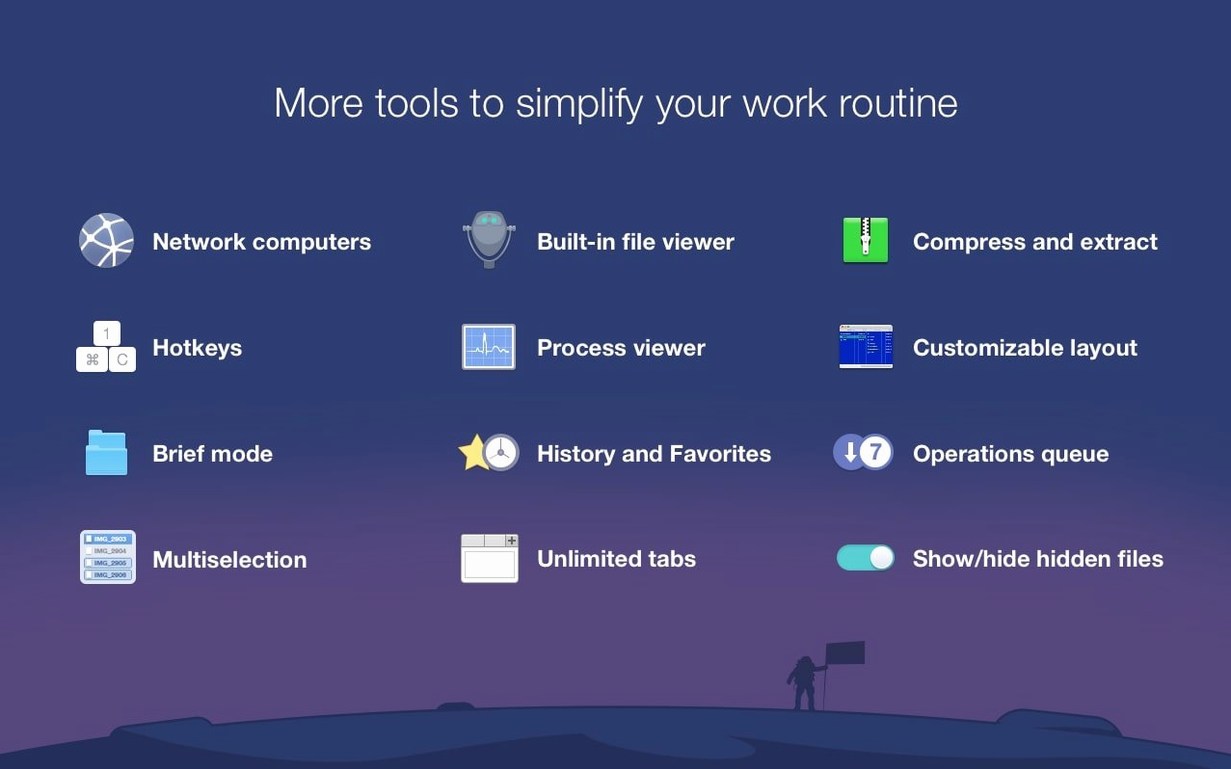
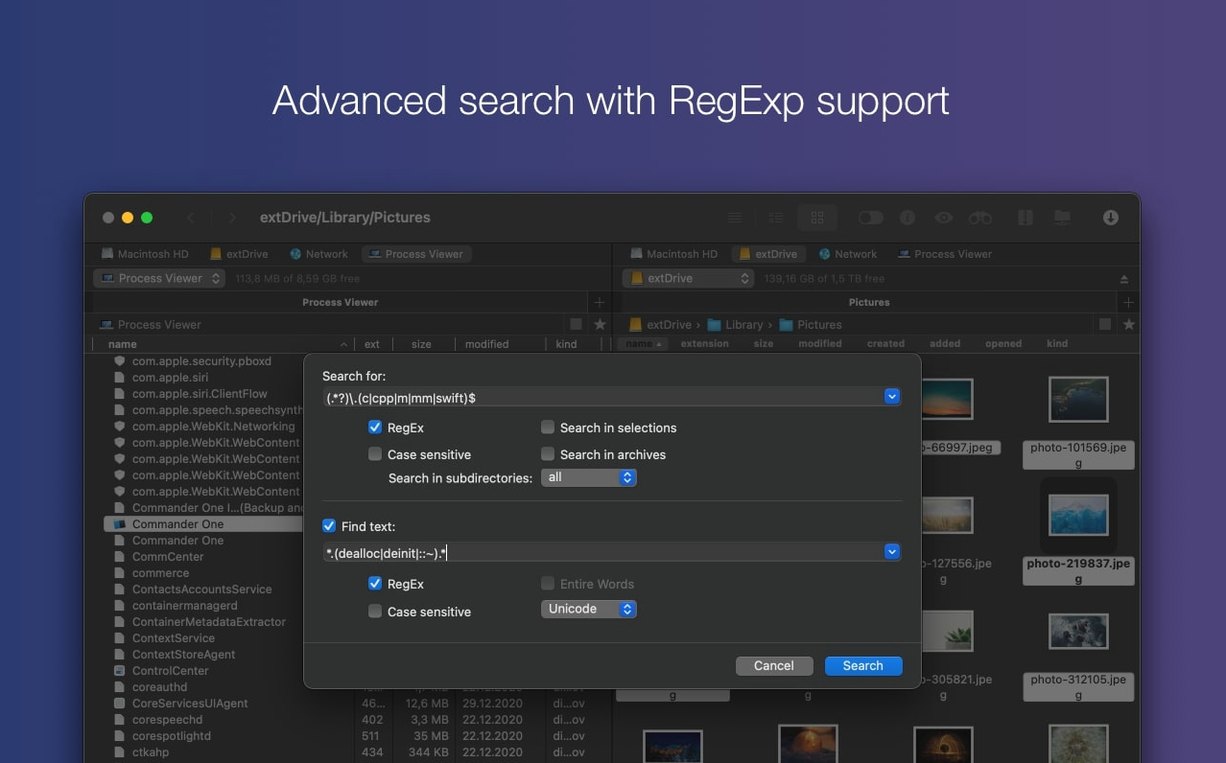
Version 3.18.0 of Commander One PRO fixes drag-and-drop of files on macOS 27, improves compatibility with that same system, and corrects handling of some hotkeys when using non-English keyboard layouts. The rest of the app remains what it has been: a dual-pane file manager that replaces Finder for users who want two panels, FTP client functionality, and the ability to unpack ZIP, RAR, TBZ, TGZ, and 7z archives. A Brief Mode helps when dealing with multiple files, and the file search supports regular expressions. Showing hidden files is a toggle away.
| Detail | Value |
|---|---|
| Version | 3.18.0 |
| Developer | Electronic Team |
| Category | Utilities |
| Languages | 14 including English, French, German, Spanish, Japanese |
| Architecture | Intel and Apple Silicon |
The install requires one Terminal command to bypass Gatekeeper, then you drag the app into Applications. No cracks or extra tools needed — it is a full version.
dragging files between panels no longer fails on macOS 27
The two macOS 27 fixes are the headline changes. If you work on that system, dragging files between panels or from a cloud folder to a local directory should no longer drop the connection or fail silently. The same goes for keyboard shortcuts: users who switch between English and, say, German or Russian layouts will find that hotkeys like Copy, Move, or Delete now register regardless of the active input source. These are targeted corrections — the core behavior of the dual-pane layout, FTP transfers, and archive handling remains unchanged from earlier builds.
built-in process viewer and cloud account support for any Mac
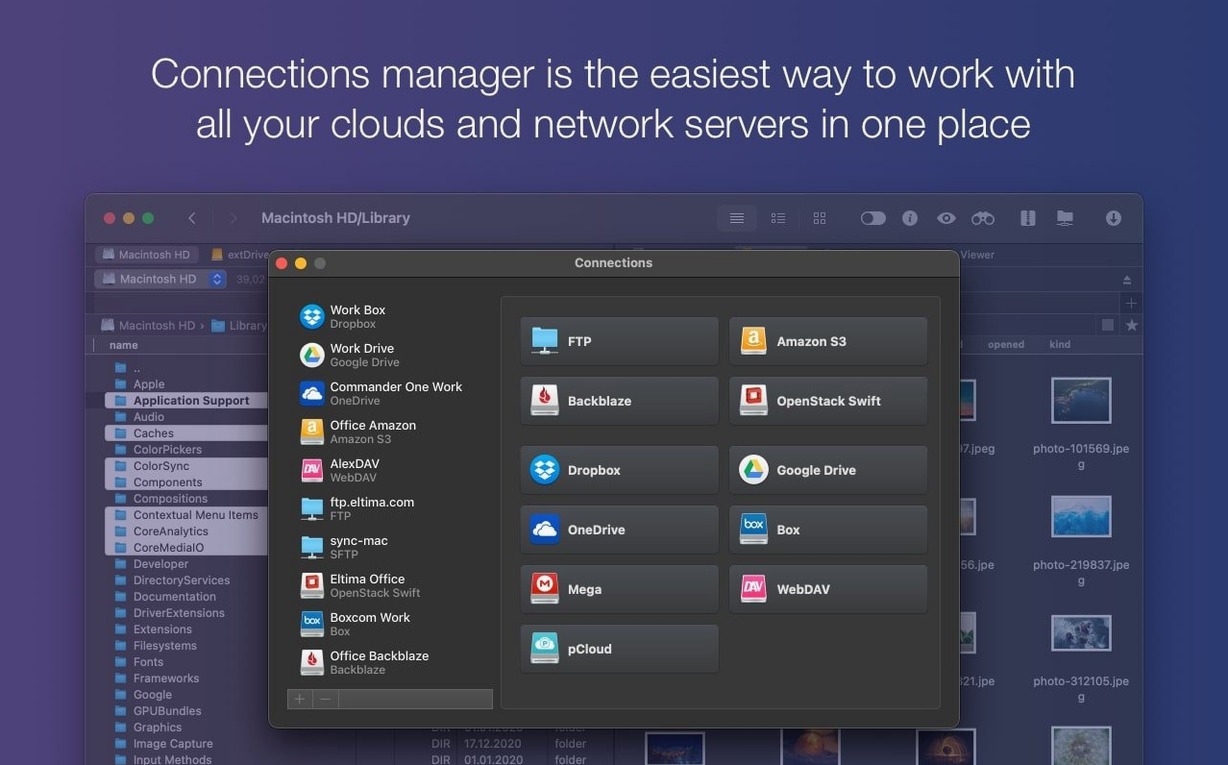
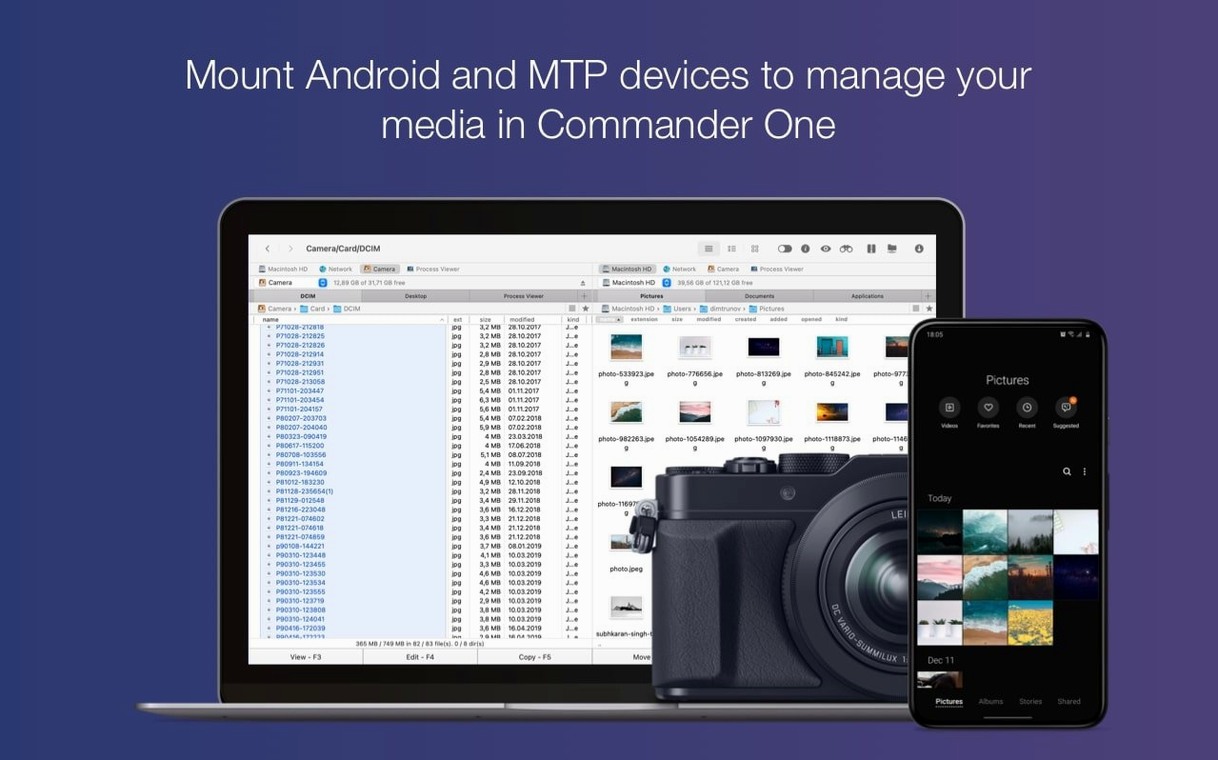
Commander One PRO runs on any Mac with macOS 10.13 or later, whether it uses an Intel or Apple Silicon processor. The Process Viewer is built in, so you can inspect active processes without opening Activity Monitor. Cloud accounts (Dropbox, Google Drive, Amazon S3) connect through the app’s own interface, not through Finder’s sidebar, which means they stay available even if you hide Finder’s window. The app also sees iOS, MTP, and Android devices when they are plugged in, treating them like any other volume.
Workflow: transfer files from Google Drive to an FTP server
- Open Commander One PRO. Both panels are empty by default.
- In the left panel, click the cloud icon and select Google Drive. Authenticate the first time; the folder contents appear in that panel.
- In the right panel, click the FTP icon and enter the server’s address, port, credentials, and (if needed) a passive mode setting. Connect.
- Browse the Google Drive folder to find the files you want. Select them — use Command-click for individual files, Shift-click for a range, or the item count indicator in Brief Mode to pick all visible.
- Drag the selected files from the left panel to the right panel. The transfer starts immediately. A progress bar shows in the status area; you can pause or cancel individual transfers from the queue.
- Once the transfer finishes, disconnect the FTP session from the toolbar. The Google Drive connection remains active until you close the tab or the app.
This same sequence works in reverse, with Dropbox, Amazon S3, or any combination of cloud and network storage. The two panels let you keep source and destination visible at all times.
fixing drag-and-drop failures and silent connection drops
Gatekeeper blocks the initial launch
The install process requires a Terminal command to clear Gatekeeper’s warning. If you skip that step, the app will refuse to open. Run the command shown on the install page, press Enter, then drag the app into Applications. On subsequent launches, no extra steps are needed.
FTP connection drops mid-transfer
Some FTP servers enforce a timeout when the connection is idle. If Commander One PRO shows “Connection lost” or “Timeout” messages, try enabling passive mode in the connection settings (usually an option in the FTP profile). Also check whether the server limits simultaneous connections — if you have multiple transfers queued, the server may reject new ones. The app’s queue lets you retry individual files without re-entering credentials.
Cloud accounts don’t list folders
If a Google Drive or Dropbox account authenticates but shows only a spinning indicator, the app may have cached a stale token. Disconnect the account from Commander One PRO’s cloud manager, close the app, and reconnect. This forces a fresh authentication and usually resolves the issue. On corporate networks, a firewall that blocks OAuth traffic can also cause this — try tethering through a different network to test.
Archives won’t extract
The app supports ZIP, RAR, TBZ, TGZ, and 7z natively. If an archive fails to open, check whether the file is split (for example, .7z.001) — Commander One PRO does not handle split archives without a tool like 7za in the background. Also verify the archive is not password-protected; the app does not prompt for archive passwords. In that case, use a dedicated archiver and then copy the result into Commander One PRO.
Hotkeys don’t work after switching keyboard layout
Version 3.18.0 addressed this for non-English layouts, but if you still see the issue, open System Settings → Keyboard → Input Sources and make sure your layout is listed. Commander One PRO uses keyboard shortcuts based on the active input source, not the system language. If the layout changes during an operation, the shortcut may be misread. Restarting the app after changing layouts clears the cached mapping.
- Fixed: drag and drop of files on macOS 27
- Fixed: handling of some hotkeys with non-English keyboard layouts
- Improved: compatibility with macOS 27
- macOS 10.13 or later
- Intel or Apple Silicon processor
- 52.82 MB of free disk space
Questions from the notes
Does Commander One PRO support Apple Silicon?
Yes, it runs natively on both Intel and Apple Silicon Macs.
Install procedure
- Mount the disk image and launch Open Gatekeeper friendly.
- Press Enter in the Terminal window to bypass Gatekeeper.
- Drag the app into the Applications folder.
- The app is ready to use.
Reports from players
Sign in or create a tester account to file a report.
No reports filed yet.