
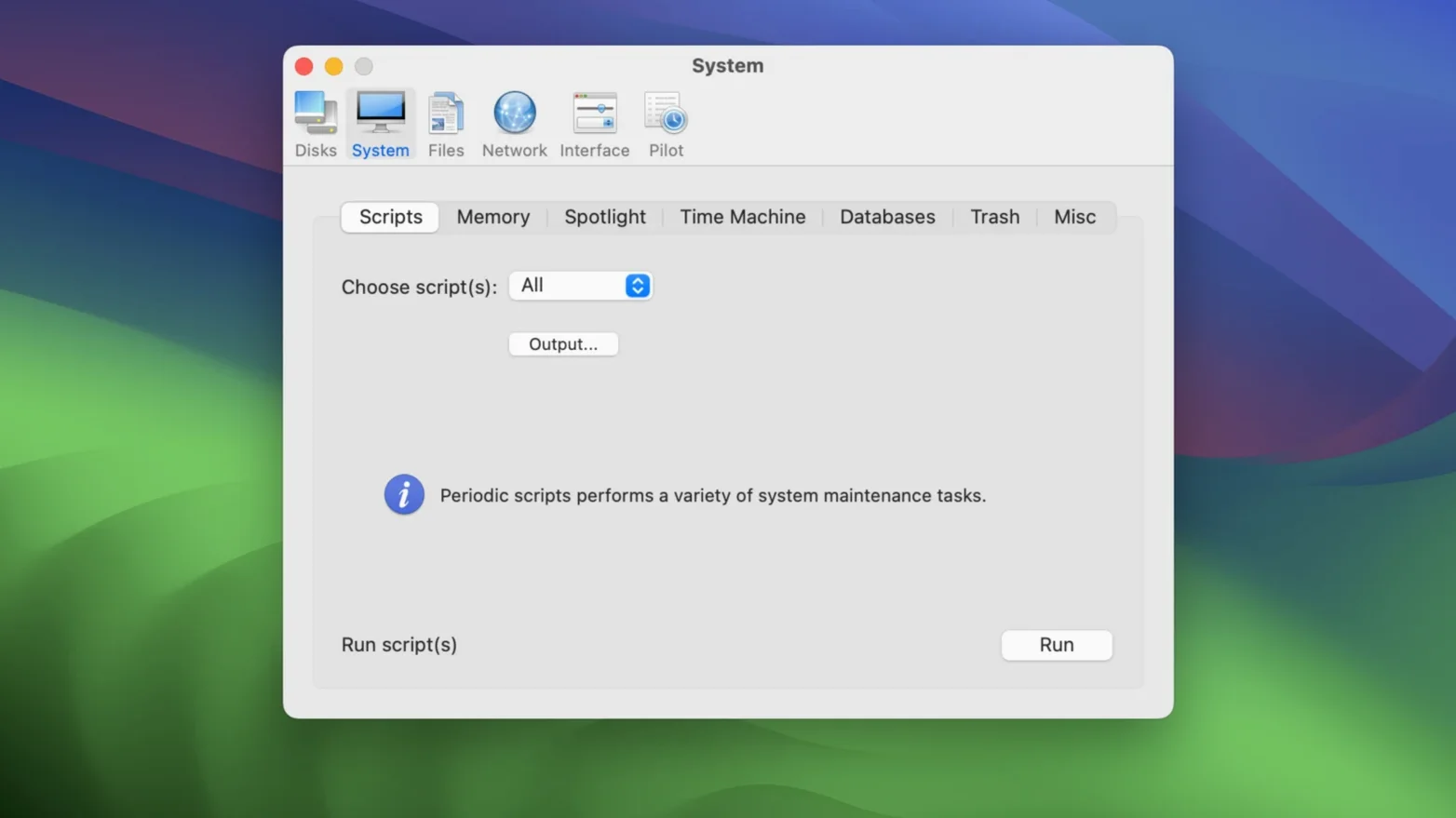
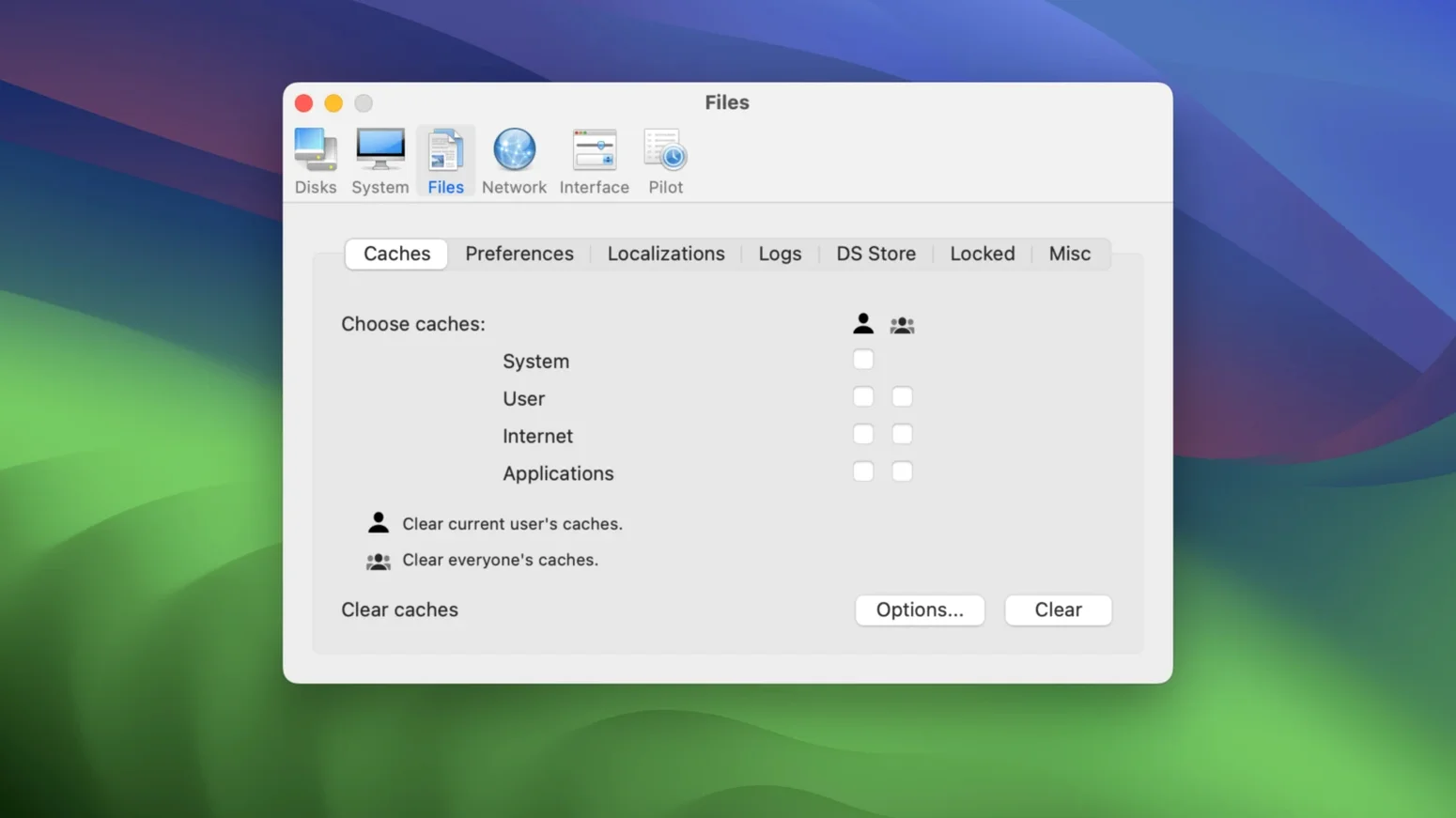
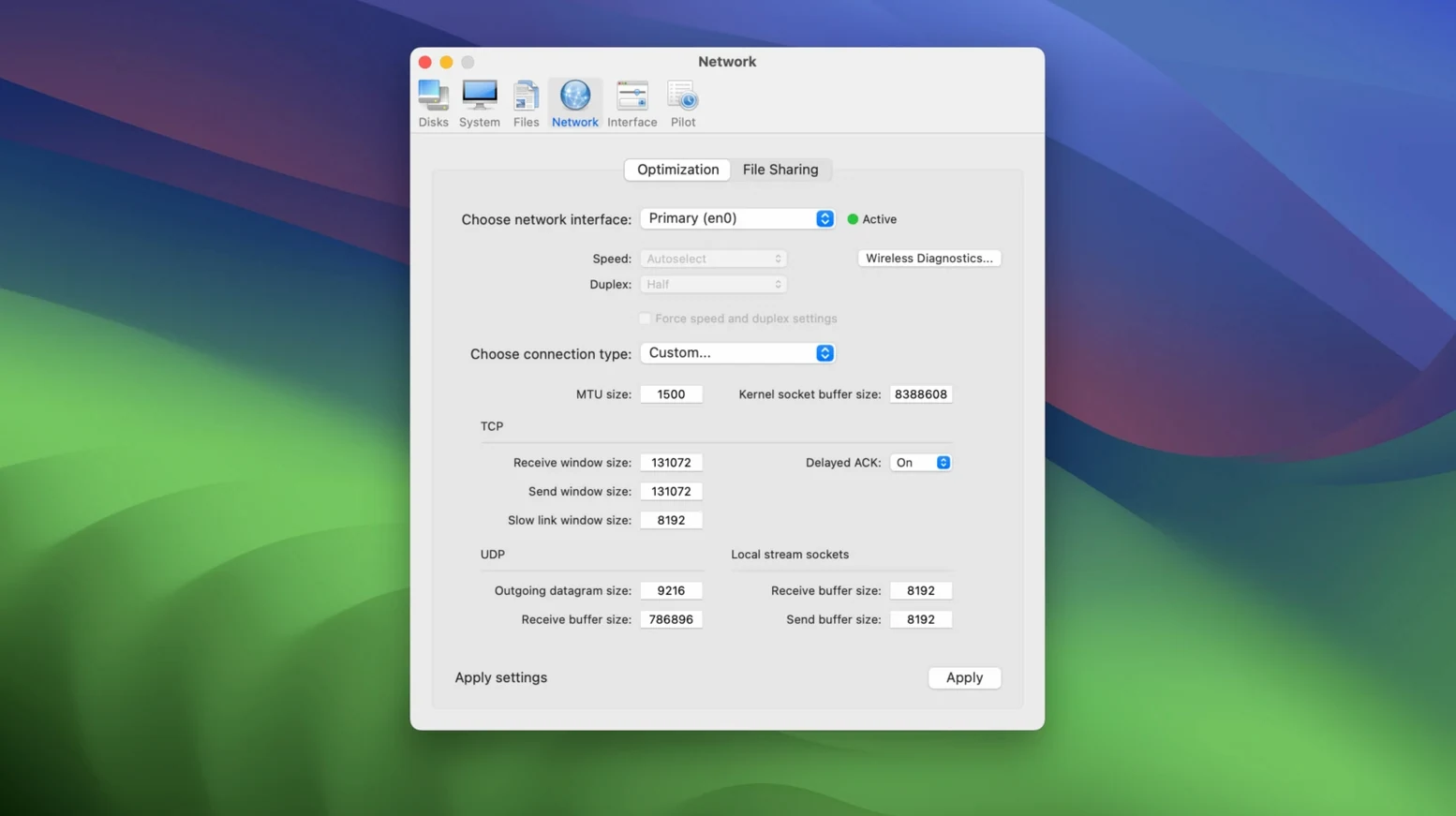
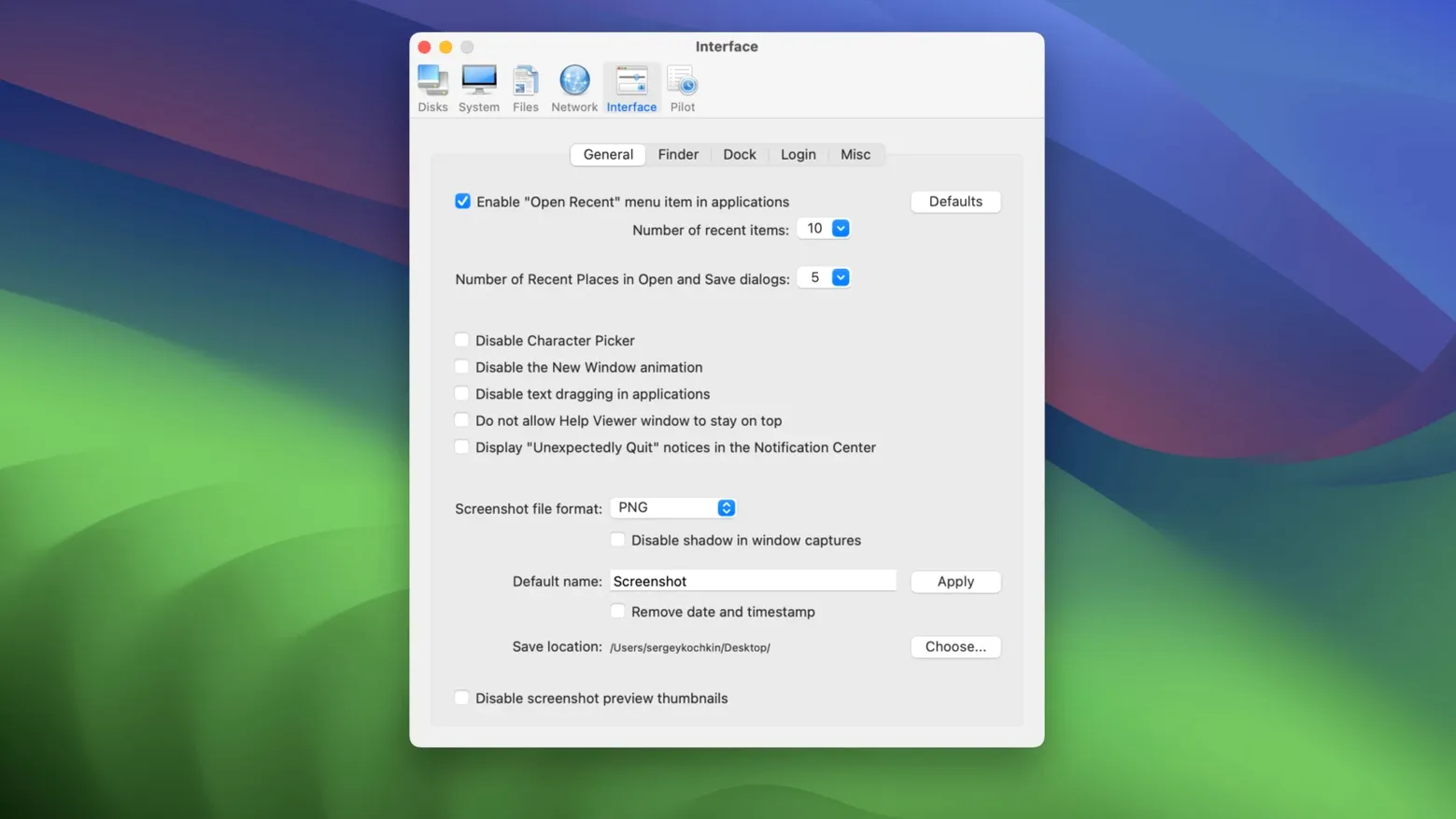
If you’ve used a system utility before—something that clears caches, runs maintenance scripts, or pokes at network settings—Cocktail Sequoia Edition will feel familiar. It groups its cleaning, repairing, and optimizing tools into five categories, so you don’t hunt through menus for the right toggle.
- Cleaning – Remove system caches, logs, and other junk files that accumulate over time.
- Repairing – Fix permissions, repair disk structures, and reset stubborn system services.
- Optimizing – Tweak hidden system parameters, manage startup items, and adjust network or memory settings.
- Automation – Schedule any of the above tasks to run on a timer or at login.
- Files & Folders – Show and clean application leftovers, find duplicates, or manage downloads.
The interface stays simple: pick a category, choose an action, and let it run. Built for Intel 64-bit Macs running macOS 15 or later, it won’t work on older systems—but maintain provides earlier Cocktail editions for those. English only.
Home users who frequently install and uninstall apps benefit most
This kind of tool earns its keep differently depending on who sits at the keyboard. Three groups tend to find it more useful than others.
- Home users with mixed usage — If you install and uninstall apps often, download files from several sources, and leave your Mac running for days at a time, the cleaning and repairing categories catch the leftovers before they accumulate into something noticeable. A single run every couple of weeks keeps things tidy without manual hunting.
- Office workers on shared Intel Macs — A shared machine collects browser cache fragments, failed print spools, and partial downloads from multiple accounts. Cocktail’s cleaning category can clear those across user profiles without needing admin access for every small fix. The automation category also lets you schedule a weekly cleanup so the next shift starts with a clean machine.
- Enthusiasts on macOS Sequoia — Users who keep their Mac updated to the latest macOS release benefit from a utility that targets that exact version. Cocktail Sequoia Edition is built for macOS 15, so its repair and optimize routines account for the Sequoia-specific file system and service layout. You don’t run a tool written for an older system and hope it still works.
Automatic pilot mode runs tasks in one click without sub-windows
The five-category layout is the headline feature, but a few smaller design choices matter just as much on a daily basis.
- Automatic pilot mode — One click runs through all the selected tasks without opening sub-windows or asking for confirmation on each step. If you just want to clean, repair, and optimize in one pass, this is the button to hit. No scripting required.
- Category separation — Because functions are grouped, you never accidentally trigger a repair when you only wanted to clear caches. The separation also makes it easier to run just the network tweaks or just the duplicate finder without wading through unrelated options.
- Earlier editions available — If you have an older macOS version on another machine or a secondary drive, maintain provides separate Cocktail releases for those. You don’t need to upgrade the OS just to run the tool, and the Sequoia edition stays focused on macOS 15.
Intel-only build requires x64 processor and macOS Sequoia
From the requirements alone, a few things are clear before you install.
- Intel only — Cocktail Sequoia Edition is built for x86 (64-bit) processors. Apple Silicon Macs are not supported. If you’re on an Intel Mac with macOS 15 installed, you meet the hardware requirement.
- English interface only — The tool is available in English with no other language options listed. System dialogs and help text are in English.
- macOS 15 minimum — The utility requires Sequoia or newer. It will not install on macOS 14 or earlier. If you have a compatible Intel Mac still on an older release, you need to update the OS or use an earlier Cocktail edition.
- No mention of specific disk or memory requirements — The listed specs only cover OS version and architecture. Expect a modest install size and typical system utility resource usage.
Resetting a sluggish 2020 iMac with email, browsing, and video calls
Consider a user with a 2020 Intel iMac running macOS Sequoia. They use it for email, web browsing, video calls, and the occasional document editing. Over a few weeks, the system feels slower to wake from sleep, and the browser takes longer to load pages. They haven’t changed any settings or installed new software.
Instead of digging into Activity Monitor or running terminal commands, they open Cocktail, select the cleaning category, and let it clear browser caches, system logs, and temporary files. Next, they go to the repairing category and run a permissions repair and a service reset. The whole process takes a few minutes. The Mac feels responsive again without a reboot. If they want to prevent the same buildup, they set a weekly schedule through the automation category and forget about it until the next email reminder.
This is the scenario the tool was designed for: regular, low-effort maintenance that fits into a workflow rather than interrupting it.
- macOS 15 (Sequoia) or later
- Intel 64-bit processor
- English interface language
Questions from the notes
Does Cocktail Sequoia Edition work on Apple Silicon Macs?
No, it is built for Intel 64-bit Macs only. Apple Silicon users will need a different utility or a Rosetta-compatible version if available.
What macOS version is required?
It requires macOS 15 (Sequoia) or later. Earlier Cocktail editions are available for older macOS releases.
Install procedure
- Follow the installation instructions included with the download.
- Apply the activation instructions included with the download.
Reports from players
Sign in or create a tester account to file a report.
No reports filed yet.