



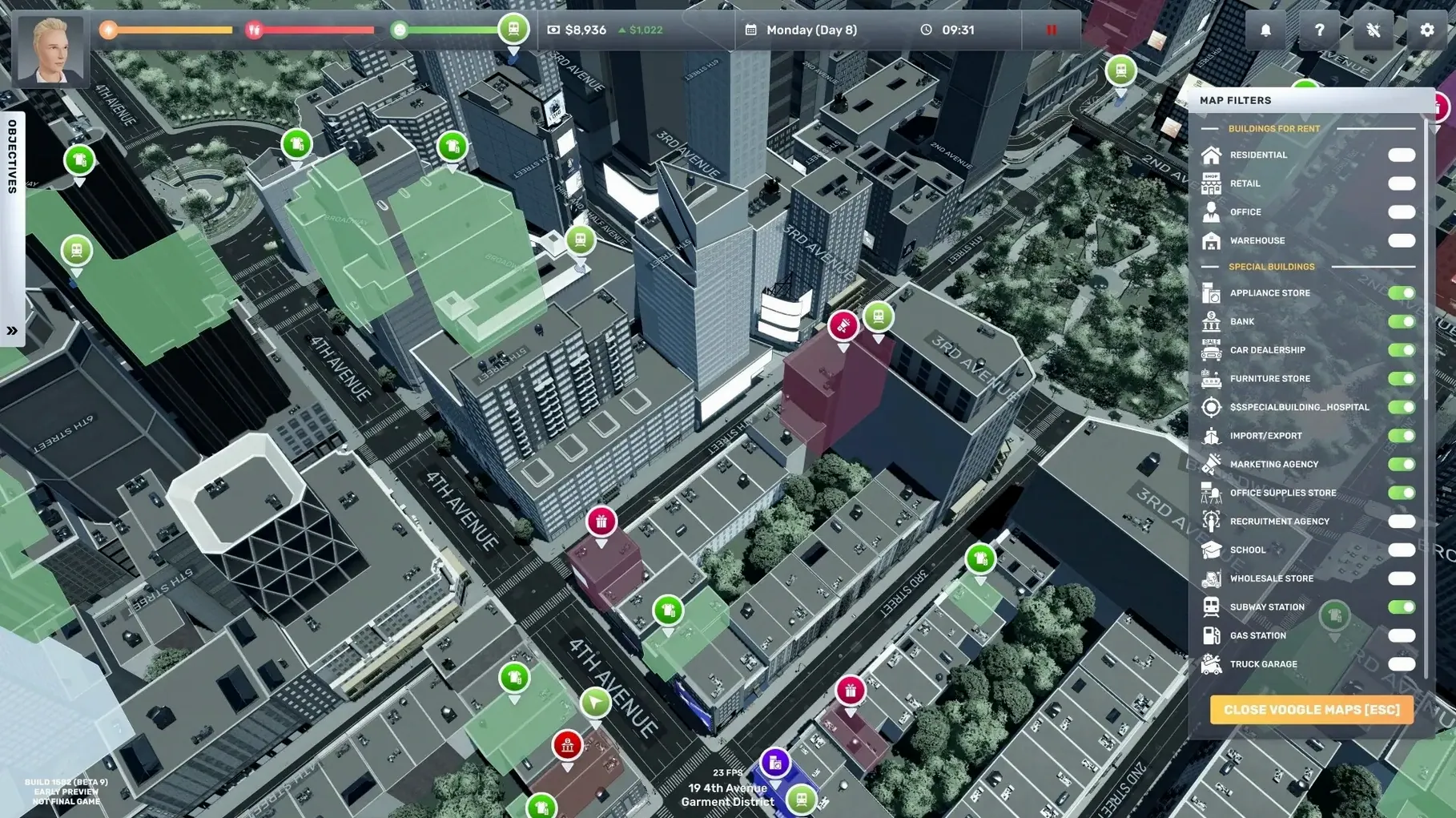
Big Ambitions is a life and business simulation that runs on a Mac, and it sits somewhere between a tycoon game and a personal-life manager. If you already play city builders or resource-management sims, the loop here — start small, expand, automate — will feel familiar.
Manage sleep, health, and business from the start
Simulation players who like juggling systems — you manage sleep, physical and mental health, plus your business. It's not a passive clicker.
Anyone who likes the rags-to-riches arc — you begin with little money and a small loan from an uncle. Growth is gradual, not instant.
Skip this if you hate micromanaging character needs
Players who want pure business strategy — the health and sleep mechanics add friction. If you hate micromanaging a character's needs, that part will annoy.
People who prefer abstract, map-level management — you're in the streets of New York, running stores like souvenir shops, coffee shops, and law firms. It's hands-on, not a spreadsheet-only sim.
The interface supports English, German, Spanish, and several other languages, with English voice acting. If you like your sims grounded in daily routines and physical space, this is worth a look.
Survive the early hours before building an empire
The early hours of Big Ambitions are about survival, not empire building. Start by following the uncle's guidance closely — it walks you through the very basics. Don't try to open a second store until you can afford the loan payments without panic. Stick with one business type until you understand the inventory and staffing rhythm.
Keep an eye on your character's sleep and health meters. If you let either drop too low, your work speed takes a hit, and simple tasks start taking longer. Sleep before midnight when possible. Buy food early — the cheapest option keeps you functional.
Take your first loan only for a property that's close to foot traffic. A souvenir shop near a landmark works better than a coffee shop tucked in a side street. You can scout locations by walking around and watching how many NPCs pass by.
Real-world scenario: the weekend builder
One player type that fits Big Ambitions well is the person who has a few hours on Saturday and Sunday, not every evening. You hire one employee, buy stock, and leave the shop running while you sleep in-game.
The next session, you come back to a small pile of profit. You renovate the interior — the game lets you change the look — and add a second shelf. Over four weekends, you expand to a second location. The game saves your progress cleanly, so you never lose a session's work because you had to quit suddenly.
English voice acting and language switching are easy to miss
- English voice acting is present throughout. You hear dialogue for key events, not just text. It adds a layer of atmosphere in the streets of New York.
- Language switching is available from the interface. If you prefer managing finances in one language but dialogue in another, you can set it. The interface supports Russian, English, German, Spanish, Italian, Traditional Chinese, Simplified Chinese, Korean, Portuguese, Turkish, and French.
- Building interiors can be renovated — you choose colors, shelves, and layout. It's not just cosmetic; a well-organized floor can speed up customer flow.
- Vehicles are physical objects you can walk up to and inspect. Owning a truck lets you move inventory between stores manually, which saves money on third-party logistics.
Running out of cash in the first week and how to avoid it
Running out of cash in the first week. This happens if you buy too much inventory upfront or hire too many staff. Solution: start with the smallest possible stock order and one employee. You can always buy more later in the day.
Health dropping too fast. You might forget to eat or sleep while managing a busy store. Solution: set a mental timer — every two in-game hours, check your meters. A quick snack or a nap in your office keeps you going.
Loans piling up. It's easy to take multiple loans for expansions before the first one is paid off. Solution: pay off one loan fully before taking another. The interest adds up fast if you stack them.
Staff dissatisfaction. Employees hired without checking their stats might complain or work slowly. Solution: before hiring, look at their personality traits. Some work better alone, others need regular breaks. Match them to the store type where possible.
Change the autosave interval to its shortest option first
Open the options menu before you start the campaign. The game defaults to a moderate difficulty curve, but a few adjustments can save you frustration later:
- Set the autosave interval to its shortest option. You'll thank yourself if a bad decision bankrupts you and you want to roll back ten minutes instead of an hour.
- Adjust the game speed to slow during the tutorial. The first few days are information-heavy, and a slower pace lets you read tooltips without the clock rushing you.
- Enable subtitles even if you understand English voice acting. Some ambient sounds in the streets of New York can drown out dialogue.
- Set your preferred display language early. The interface remembers the choice, but switching mid-game can rearrange menus you've just memorized.
- macOS: not specified
- Architecture: Intel and Apple Silicon
Install procedure
- Mount the downloaded disk image.
- Drag the app into the Applications folder alias.
- Launch the app from Launchpad after copying finishes.
Reports from players
Sign in or create a tester account to file a report.
No reports filed yet.