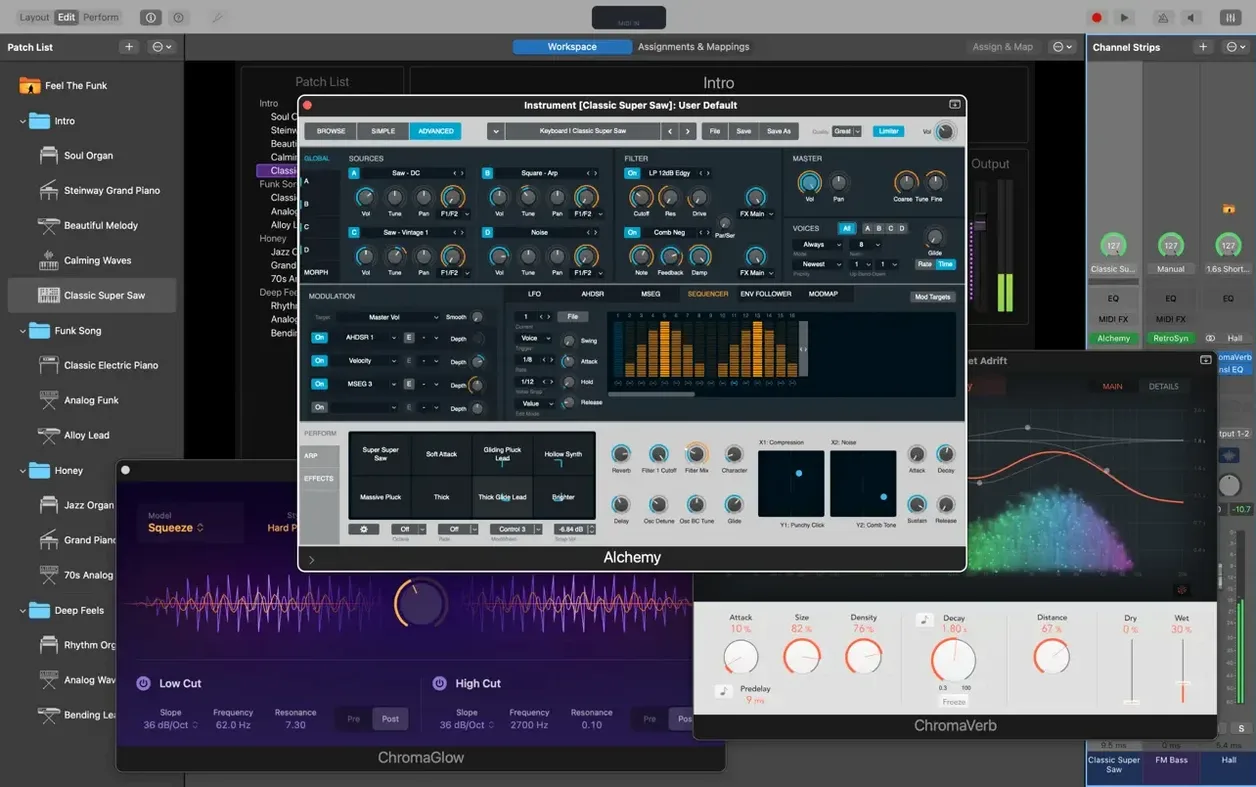
Version 4.3.1 fixes an issue where incoming MIDI SysEx messages were blocked, restores number entry in the Add Channel Strip window, and ensures Sampler instruments load the correct sounds. For someone who already knows the basics, the deeper value comes from how you wire the pieces together.
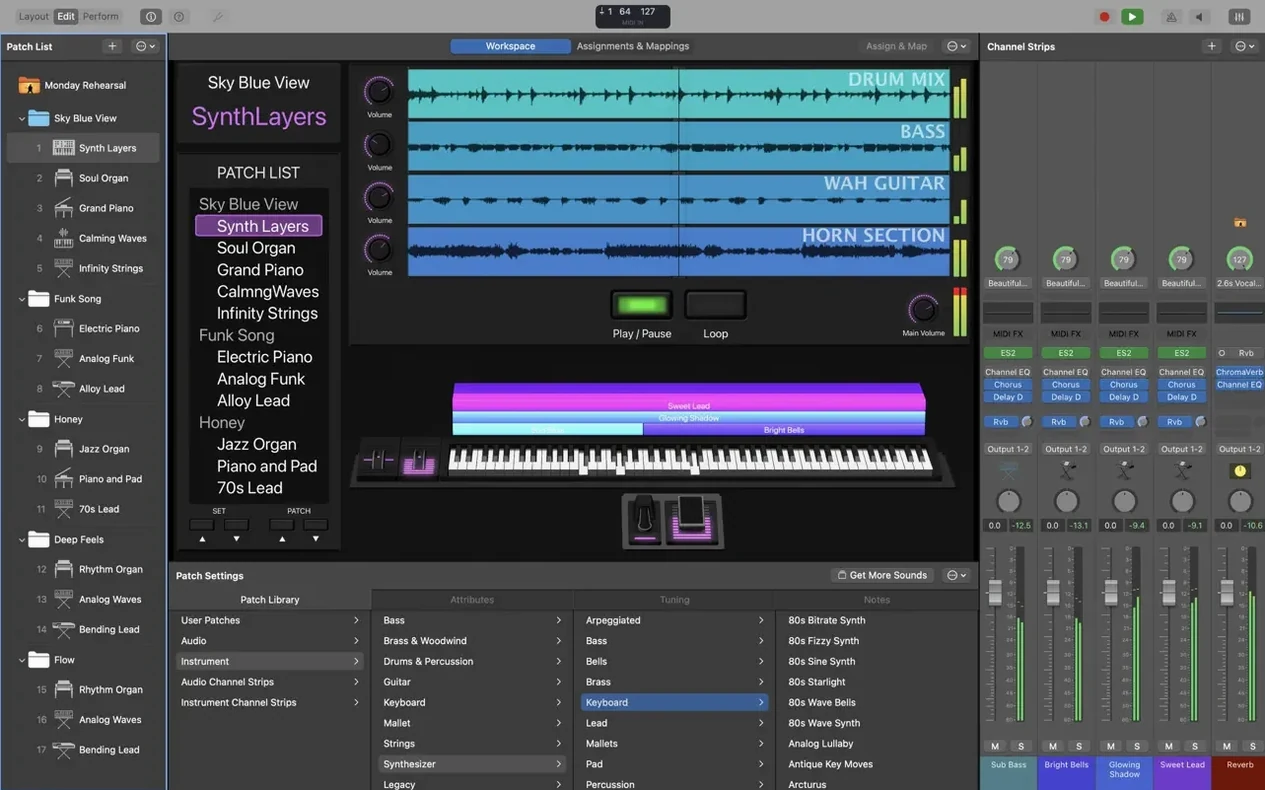
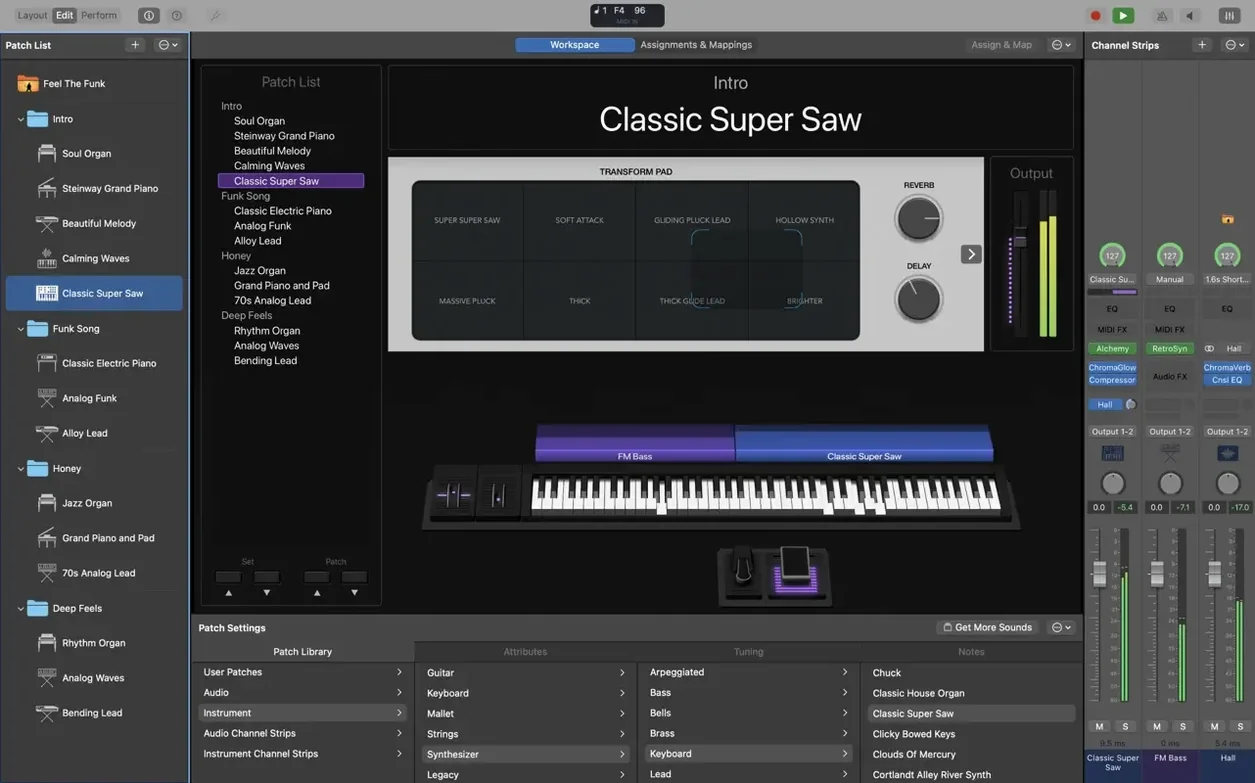
1. Build a concert from a template. Start with an empty concert or base it on one of the included patches. Add channel strips for the sounds you need: Retro Synth, Vintage B3, or any 64-bit Audio Unit plug-ins you trust from studio work.
2. Map hardware controls before you need them. Open the Layout mode and assign your MIDI controller's knobs, faders, and buttons to screen controls. The flexible hardware control system lets you map one knob to patch changes, another to a filter cutoff, and a footswitch to toggle the tuner.
3. Insert MIDI plug-ins for live transformation. Drop Arpeggiator, Chord Trigger, or Transposer on a channel strip. These aren't effects — they change what you play into something else. A simple triad becomes an arpeggio pattern, or a single key triggers a full chord.
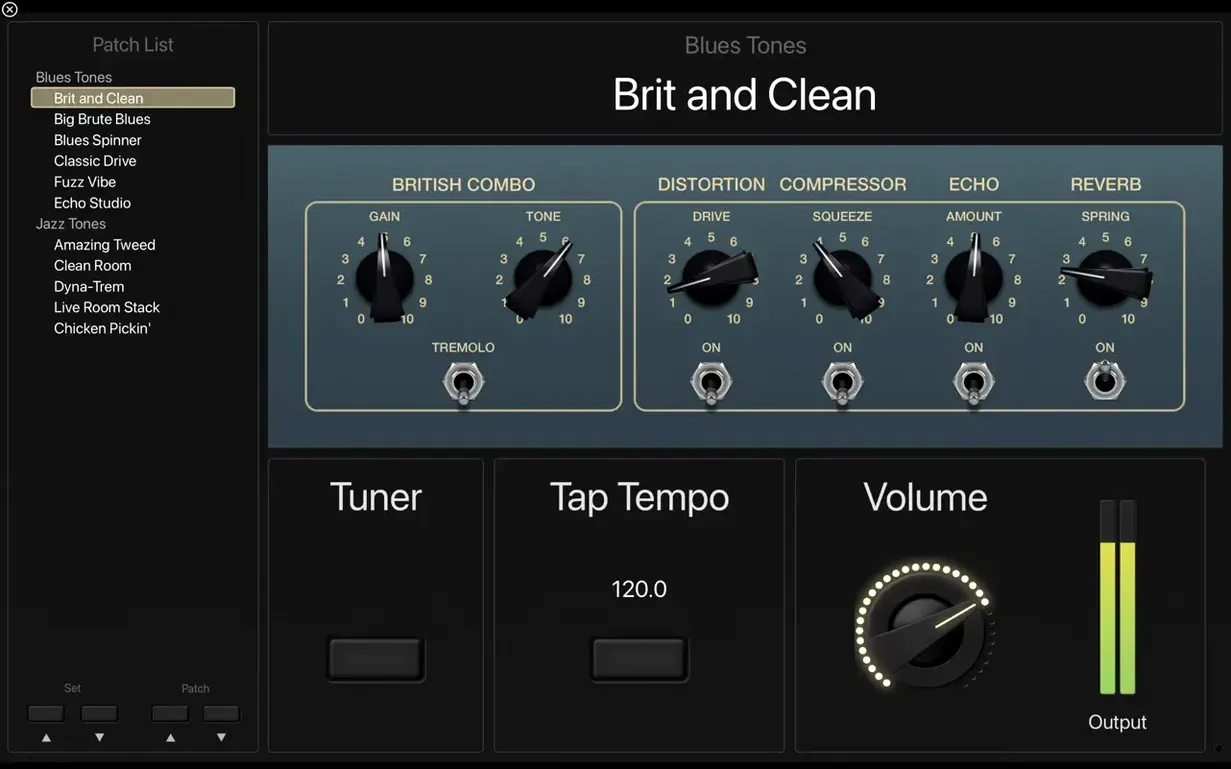
4. Add amp and pedal models where they fit. Guitar and bass tools — Amp Designer, Pedalboard — sit on instrument channel strips. The full-screen tuner is one button away.
This workflow shifts the focus from browsing sounds to shaping a performance rig that responds to your hands and feet. The collection of plug-ins and sounds is compatible with Logic Pro and GarageBand, so sounds you build in the studio transfer directly to the stage.
Real-world scenario: a keyboardist playing a cover set
A keyboard player who covers pop and rock songs has a set list of 24 songs, each needing three or four distinct sounds. In MainStage 4.3.1, they build one concert with a patch per song. Each patch holds its own channel strips: a Vintage Electric Piano for the verse, Retro Synth for the chorus, and a sampled string pad from the Sound Library for the bridge. The Playback plug-in runs a stereo backing track alongside the live input. During the show, they hit the next patch on a MIDI foot controller — the sound switches instantly, no gap, no glitch. The backing track continues through the patch change because the Playback plug-in keeps running. The Scripter plug-in receives MIDI messages on patch change, so any custom scripts they wrote for lighting cues trigger at the right moment.
Using the MacBook Pro Touch Bar for hands-on Patch List and Smart Control edits
- Touch Bar on MacBook Pro. If you use a MacBook Pro with Touch Bar, you can interact with the workspace directly on the bar — scrolling through the Patch List, adjusting Smart Controls, or editing channel strip parameters without moving your hands off the keyboard. It works in Layout mode and in Perform mode.
- MIDI plug-ins stay active on patch change. Arpeggiator, Chord Trigger, and Transposer keep running when you switch patches. A chord trigger you set up for one patch stays armed if you want it to, or you can disable it per patch in the channel strip settings.
- Playback plug-in handles multichannel audio. The Playback plug-in accepts stereo or multichannel backing tracks. If your backing tracks are 5.1 or 7.1 stems, MainStage routes them correctly without extra configuration.
- Sound Library incremental install. The full Sound Library is 57 GB, but the installer lets you choose which instrument packs to download. A minimal installation is 6 GB. You can add more later without reinstalling the whole app.
Resolving audio dropouts when your setlist changes
Snag: Sound Library patches don't load
Before 4.3.1, Sampler instruments could load incorrect sounds. This was fixed. If you still see a wrong patch, quit MainStage, delete the Sound Library download cache from ~/Library/Application Support/MainStage/, and re-run the Sound Library installer. Verify the disk path has no special characters in the folder names — the Sampler relies on clean paths.
Snag: MIDI footswitch changes two patches at once
If entering values on the Patch List with a keyboard jumped patches in older builds, that was fixed in 4.3.1. If you still see erratic patch switching, check your MIDI controller's output: it may send duplicate program change messages. Filter duplicate messages in your controller's own setup, or use the MIDI Monitor plug-in to see exactly what MainStage receives.
Snag: SysEx messages ignored
MainStage 4.3.1 fixes an issue where incoming MIDI SysEx messages were blocked. If your lighting rig or backing track software sends SysEx and MainStage doesn't respond, make sure your MIDI interface is set to 64-bit Audio Unit mode and that the SysEx channel matches the port mapping in your concert's hardware configuration.
Snag: Cannot type numbers into the Add Channel Strip window
This was a known bug. Version 4.3.1 restores the ability to type numbers there. If the field still rejects keyboard input, close the window, reload the concert, and try again. If it persists, your installation file may be incomplete — verify the disk image checksum.
Checking if your Mac's processor and RAM meet MainStage's demands
Can I use Logic Pro plug-ins and sounds in MainStage?
Yes. MainStage includes a collection of plug-ins and sounds compatible with Logic Pro. You can also add sounds from Logic Pro and GarageBand. Any 64-bit Audio Unit plug-in that works in Logic Pro will work here, as long as you run macOS 15.6 on Apple Silicon hardware. The minimum disk space is 6 GB for a minimal install; the full Sound Library with 1,800 patches, 750 sampled instruments, and 4,600 Apple Loops takes 57 GB.
Does MainStage work with guitar and bass rigs?
Yes. It includes Amp Designer and Pedalboard, plus a full-screen tuner. You can run a guitar channel strip through Pedalboard into Amp Designer, then add delay or reverb from the effects plug-ins — Space Designer, tape delays, stereo delays. The tuner takes over the whole screen so you can tune silently during a set.
Can I use MainStage as a standalone MIDI processor without any audio?
Yes. MIDI plug-ins like Arpeggiator, Chord Trigger, and Transposer work on MIDI-only channel strips. You can send processed MIDI out to external hardware synths or other software. The Scripter plug-in gives you scripting control over MIDI messages on patch change.
What languages is the interface available in?
English, German, Spanish, Simplified Chinese, French, and Japanese.
- Fixes an issue where incoming MIDI SysEx messages were blocked.
- Restores the ability to type numbers into the Add Channel Strip window.
- Sampler instruments now load the correct sounds.
- macOS 15.6
- Apple Silicon
- 64-bit Audio Unit plug-ins only
- 6 GB free disk space for minimal installation
- 57 GB free disk space for full Sound Library installation
Questions from the notes
What MIDI plug-ins are included in MainStage?
MainStage includes Arpeggiator, Chord Trigger, and Transposer, which transform MIDI input in real time during a performance.
What are the disk space requirements?
A minimal installation requires 6 GB free; a full Sound Library installation needs 57 GB free.
Does MainStage work on Intel Macs?
No, version 4.3.1 requires macOS 15.6 and Apple Silicon hardware.
Install procedure
- Open the downloaded disk image.
- Drag the app to the Applications folder alias.
- After copying finishes, open the app from Launchpad.
Reports from players
Sign in or create a tester account to file a report.
No reports filed yet.