Native Instruments Reaktor 6.5.0 — Mac build
Audio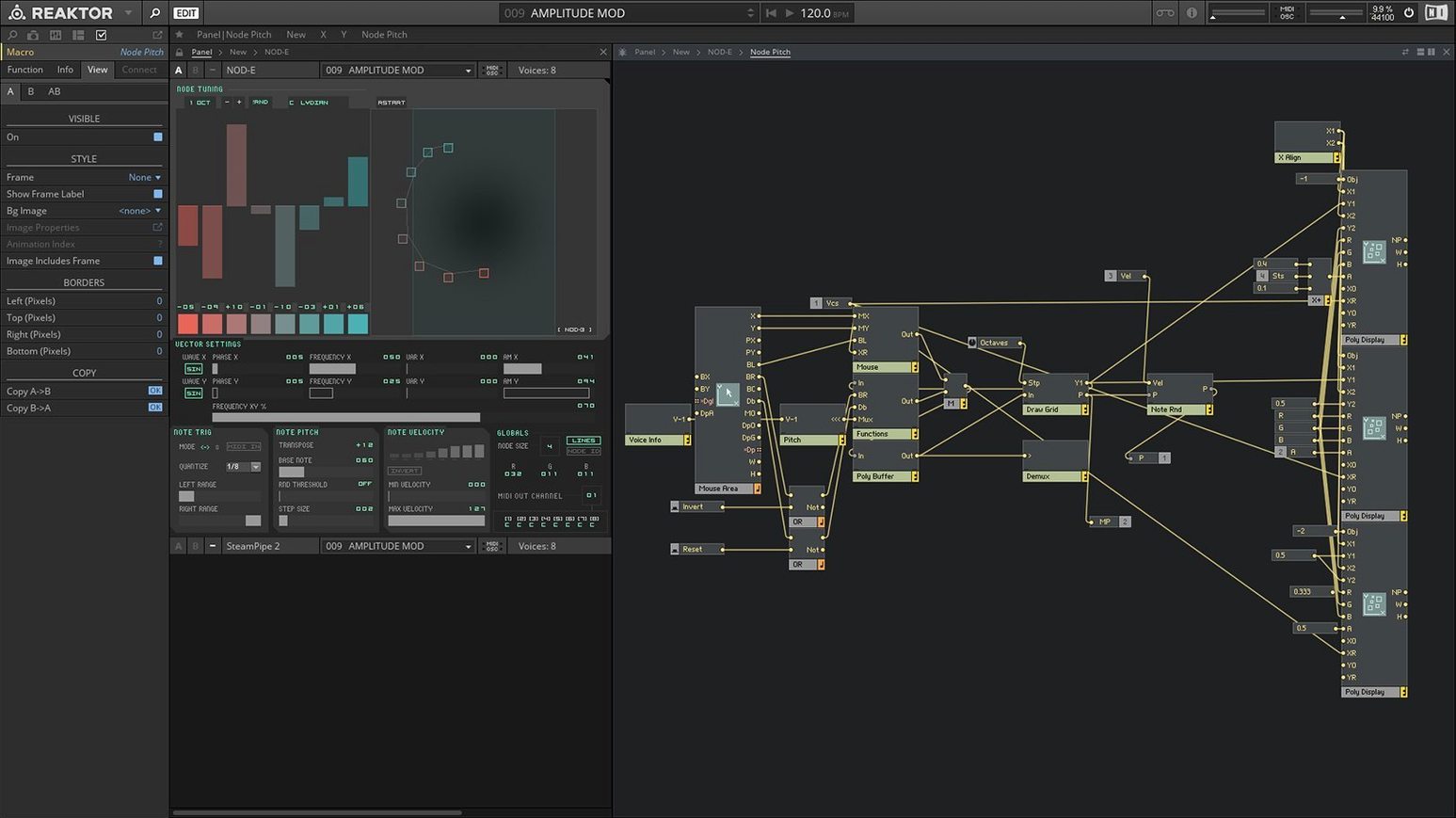
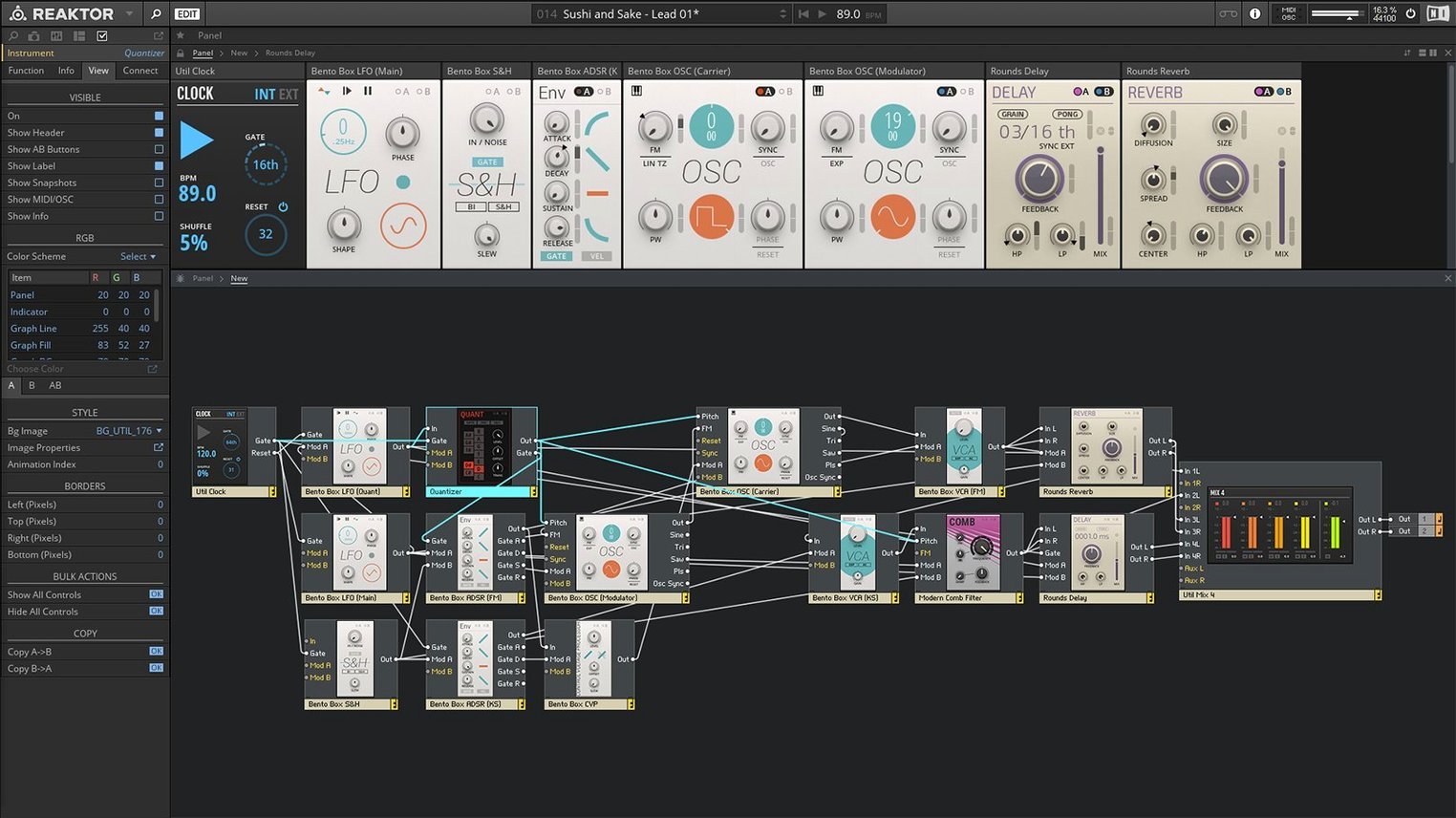
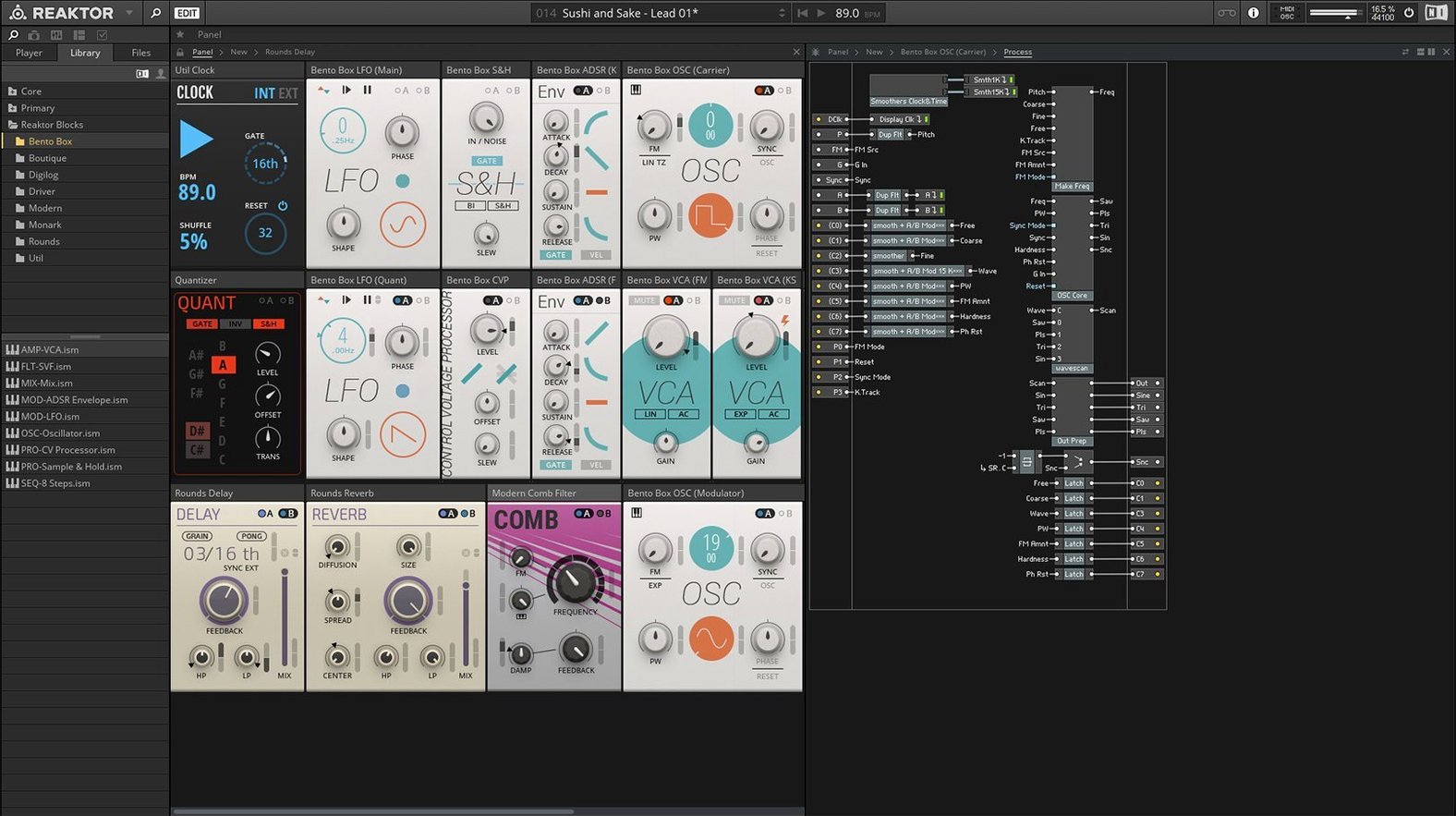
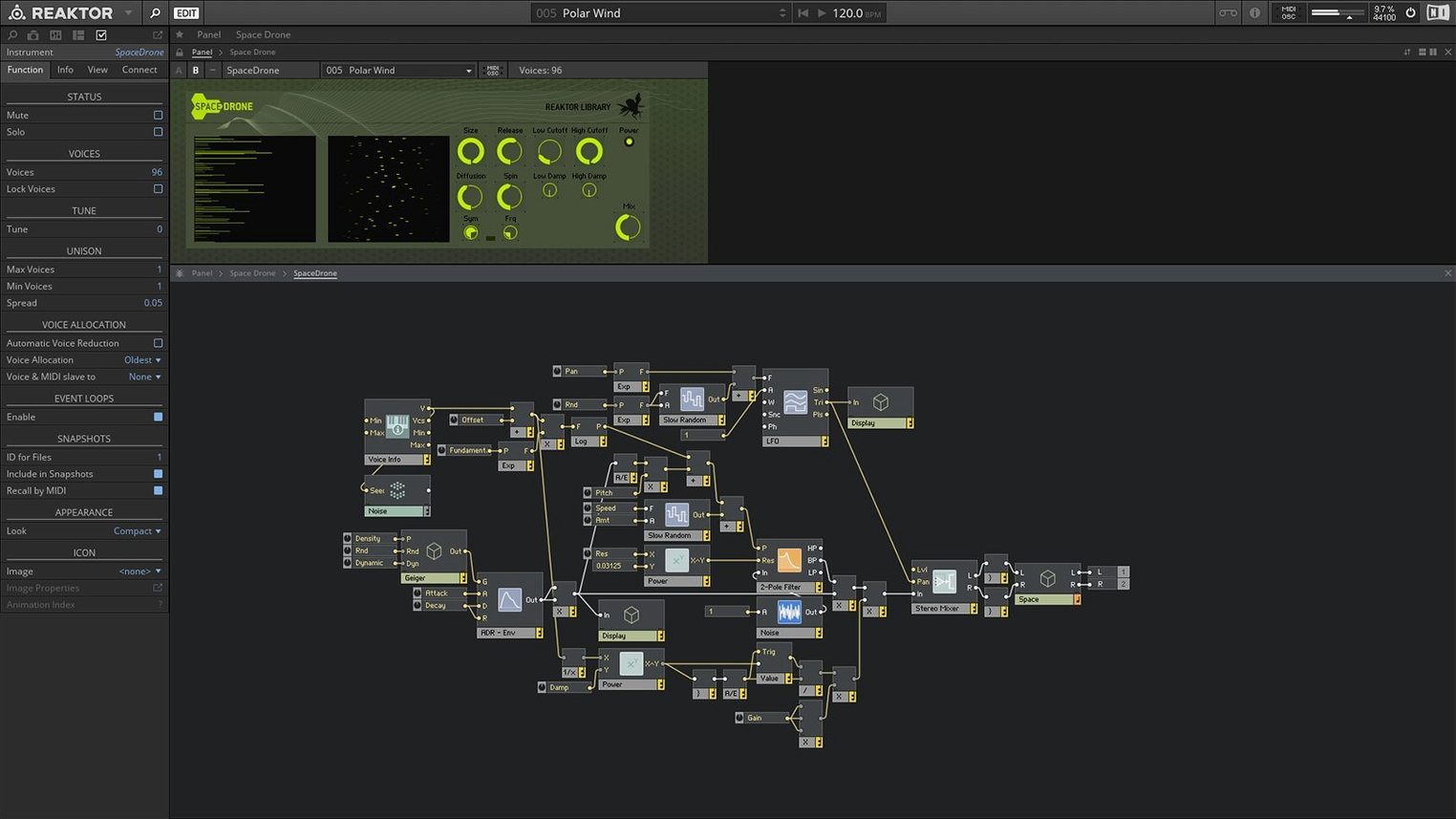
Reaktor 6 is a modular audio environment that combines multiple sound tools into one instrument. You build custom synths, samplers, and effects by connecting modules on a virtual patch bay.
- Core Technology — Visually create your own modules from basic building blocks, then use them in any ensemble.
- 23 new instruments — Version 6 ships with a fresh set of ready-made instruments, covering everything from classic subtractive synths to experimental granular textures.
- Standalone and plug-in operation — Run Reaktor as a standalone app or load it inside your DAW as a VST, AU, or AAX plug-in.
- Apple Silicon and Intel support — Works natively on M-series and Intel 64-bit Macs.
- Scalable interface — Build large ensembles without losing track; the panel zooms and organizes modules neatly.
Save time on large ensembles with these audio and MIDI settings
A fresh Reaktor 6 install works fine out of the box, but a few settings save time once you start building or loading larger ensembles.
- Audio and MIDI setup — Open the preferences and set your audio device to a buffer size that matches your workflow. 256 samples is a common starting point for most production. Lower values reduce latency for live playing; higher values let you run denser patches without dropouts. The standalone app needs its own device and MIDI port assignments, separate from your DAW.
- Multicore support — Enable it in the Audio settings if you are on a multicore Mac. Reaktor distributes processing across cores, which matters when you stack several instruments or run a CPU-heavy ensemble with many Core Technology modules.
- Option-click wiring — Not a settings toggle, but worth knowing: Option-click on a cable to remove it. That avoids hunting for the tiny disconnect handle on crowded patch fields.
- Panel zoom — Use Cmd-plus and Cmd-minus to scale the front panel. Handy when you are working on a laptop screen or sitting farther from the display.
The user library is not a setting, but the download path matters. Set it once in Reaktor's preferences so new ensembles appear in the browser automatically.
From a drone idea to a finished texture by browsing the user library
I start a session with a rough idea: a drone that shifts over time, controlled by a slow LFO. No specific synth in mind, just a texture I want to shape.
First, I browse the user library. Thousands of free ensembles are listed there. I filter by type — "Sound Sources" — and pick a granular instrument called Quanta by a community designer. It loads fast. The front panel shows a few knobs and a waveform display.
Then I go inside. Double-click the instrument to open the structure view. The patch bay shows the oscillator, an envelope, a filter, and a few effects. I add a new module from the toolbox: a 64-step sequencer. I wire it to the pitch input of the oscillator. The drone becomes a pattern.
I want movement, so I build a small Core module. Core Technology lets me place a few logic gates and a ramp generator on a blank canvas. I wire the ramp to a macro knob on the panel, which controls the filter cut-off. The patch now breathes in a cycle of its own.
When the texture feels right, I switch to standalone mode and record a few minutes of output into Reaktor's built-in recorder or capture it in my DAW using Audio Hijack. If I want to use it inside a track, I remove the standalone version and load the Reaktor AU plug-in into Logic or Ableton. The session file preserves all my wiring and the Core module.
During the session I often browse the "23 new instruments" from version 6. One is a polyphonic string synth that responds well to velocity layers. Another is a spectral resonator. I drop them into the same ensemble, add a mixer module, and blend the three sounds.
That is a typical two-hour session. No menus deeper than the preferences, no manual needed after the first hour of use.
How Reaktor differs from other sound-design tools on Mac
Max/MSP
Max/MSP and Reaktor share the same modular DNA, but the approach differs. Max is a visual programming language: you connect objects that each do one thing — an oscillator, a math operation, a message box. Reaktor stays closer to the instrument metaphor. Its Core Technology is lower-level than Max's patching, but the standard ensemble view is more like a rack of gear. Max/MSP has a steeper learning curve for sound design because you build everything from scratch. Reaktor ships with 23 instruments that work immediately, so you can start making sound before you build anything. Max/MSP supports more external hardware and video; Reaktor stays in audio.
VCV Rack
VCV Rack emulates Eurorack modular synthesizers. Its interface looks like a physical modular system with patch cables on the front. Reaktor 6 uses a structure view instead — modules are stacked in a grid, and connections are drawn behind the scenes. VCV Rack comes with a free library of modules but the high-quality commercial modules cost extra. VCV Rack runs as a standalone app or plug-in, similar to Reaktor, but its modular paradigm is strictly emulated hardware; Reaktor's modules can be more abstract and software-native, like the Core Technology building blocks.
What version 6.5.0 Rev2 changed in everyday use
The current build, 6.5.0 Rev2, is not a feature update from 6.0. It is a maintenance release. What that means in practice:
- Stability on newer macOS versions — Rev2 aligns Reaktor with macOS 13, 14, and 15. Earlier builds could show graphics glitches or audio dropouts on Ventura and Sonoma. Rev2 fixes those without changing how the interface works.
- Apple Silicon native mode — The update added native Apple Silicon support. On an M-series Mac, Reaktor runs without Rosetta 2 translation, which matters for CPU-intensive ensembles with many Core Technology modules. The Intel version still runs under Rosetta 2 if needed.
- OpenGL requirement — Native Instruments states that an OpenGL 2.1-or-higher graphics card is required for download and activation. That was already true in 6.0, but Rev2 reminds users that older Macs without proper OpenGL support may fail during activation. Once activated, offline use works without that requirement.
For everyday use, the changes are invisible. Instruments load the same way. The user library works identically. The structure view and Core Technology patching behave exactly as in 6.0. The value of Rev2 is in compatibility, not new features.
Version 6.5.0 Rev2 runs on macOS 10.15 and later, with Native Instruments listing recent macOS versions as the reference for current updates.
- Version 6 introduces Reaktor Core Technology for visual module creation.
- Includes 23 new instruments.
- macOS 10.15 or later
- Apple Silicon or Intel 64-bit
Questions from the notes
Can Reaktor 6 run as a plug-in in my DAW?
Yes, Reaktor 6 works as a plug-in inside compatible DAWs, supporting both standalone and integrated use.
Install procedure
- Open the downloaded disk image.
- Drag the app to the Applications folder alias.
- After copying, launch the app from Launchpad.
Reports from players
Sign in or create a tester account to file a report.
No reports filed yet.