iReal Pro 2026.3.2 runs on any Mac with macOS 12.4 or later — both Intel and Apple Silicon are supported.
Type chords into a clean grid or import files
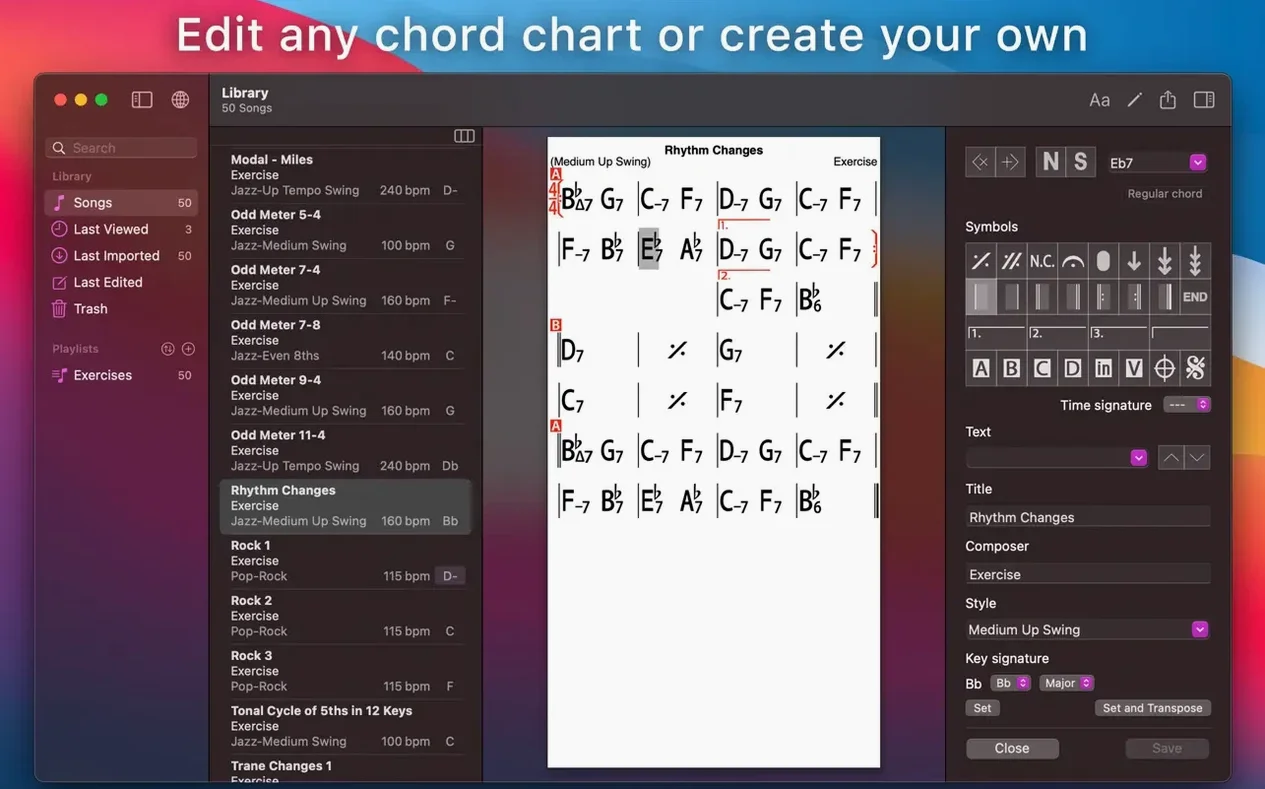
Open the app, tap the plus button, and enter chords by typing standard names like Cmaj7 or Dm. The editor snaps your input to a grid, so the chart stays clean. You can also import MusicXML or PDF files if you already have charts elsewhere.
Can I practice with a backing band?
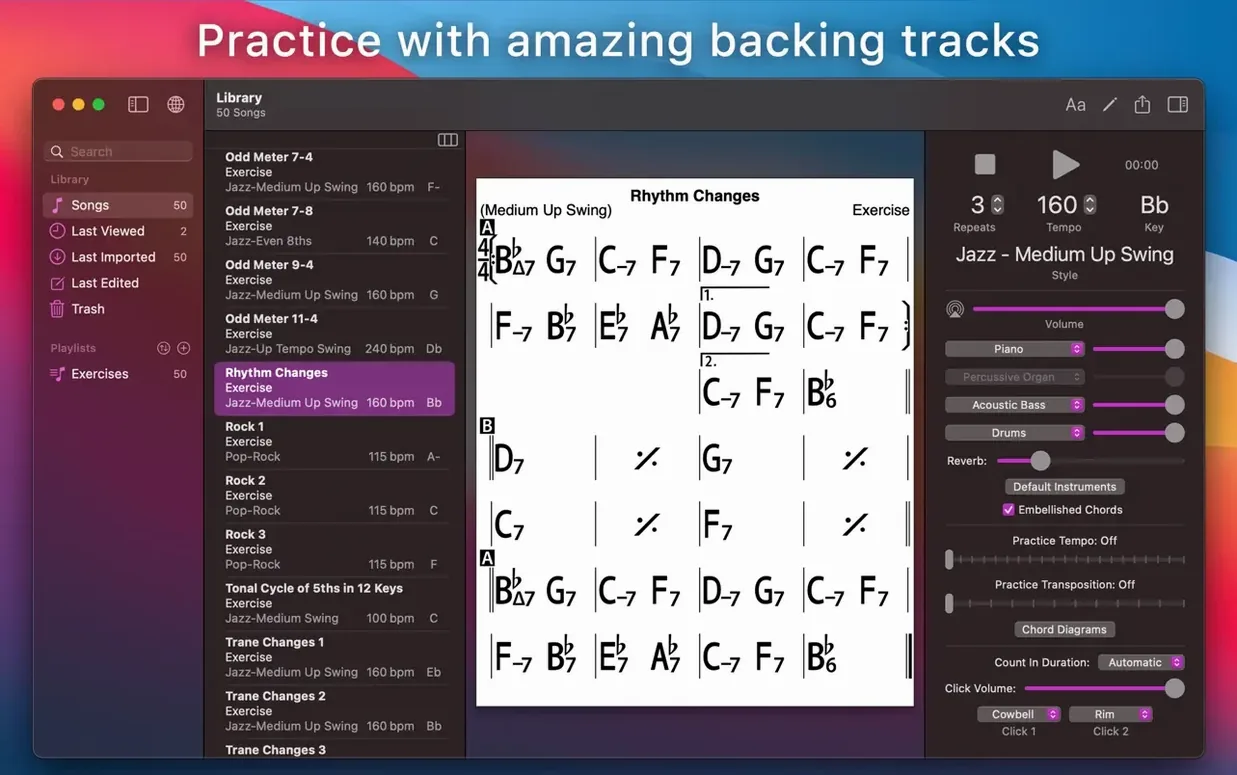
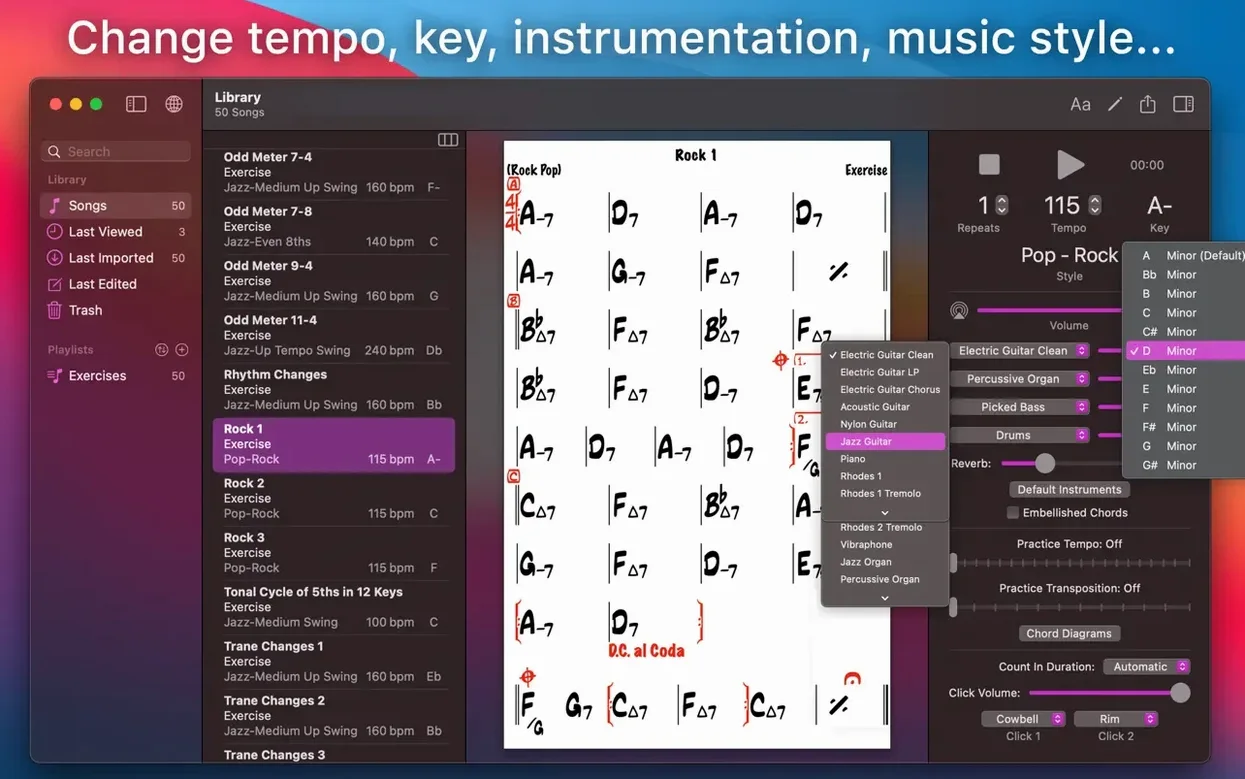
Yes. Pick one of the 51 accompaniment styles — bossa, swing, rock, whatever fits — and the app plays piano or guitar, bass, and drums along with your chart. Hit record to capture your own playing or singing over the backing track.
What about exporting or organizing charts?
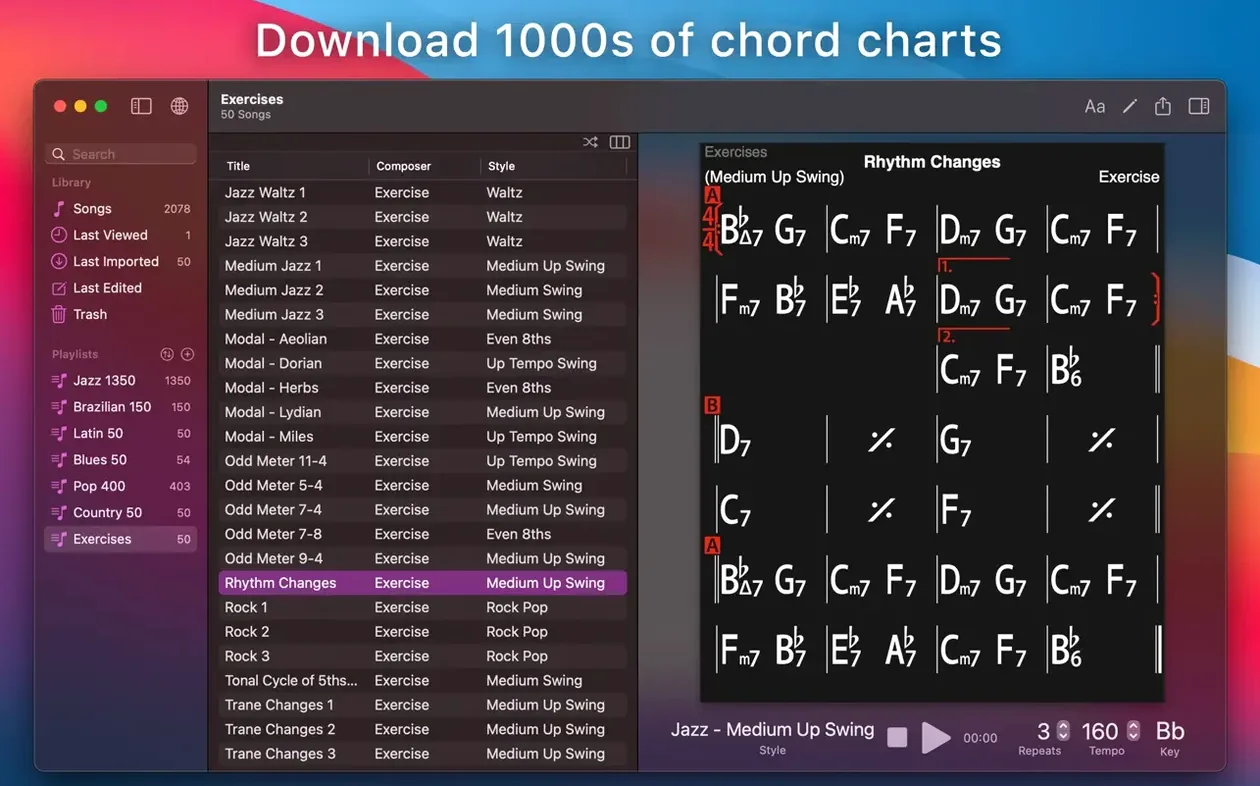
Export a chart as PDF or MusicXML to share or print. Create multiple editable playlists to group songs by setlist, genre, or difficulty. The built-in 50 exercises cover common chord progressions for structured practice.
Built for ear learners and chart-driven workflows
iReal Pro is built around chord charts and a backing band, so it suits specific workflows better than general-purpose notation or recording tools.
- Musicians who learn by ear — you can type the chords to a song you're transcribing, then hear it played back with bass and drums. The transposition feature (any chart to any key or number notation) helps you practice in every key without rewriting the chart.
- Teachers preparing exercises — the 50 built-in progressions are ready to hand to students. You can edit them, add your own, and export as PDF or MusicXML for handouts. Playlists let you group exercises by skill level or lesson plan.
- Jamming and gigging players — build a setlist as a playlist, set the style per song, and run through the whole thing with a backing track. Recording your playing over the accompaniment lets you hear how you sit in the mix.
- Guitar, ukulele, and piano players — the chord diagrams for all three instruments show fingerings on the chart itself. Scale suggestions for each chord help you decide what to play during improvisation.
If you work mostly with full sheet music or need heavy MIDI editing, you'll use iReal Pro as a companion rather than a hub — it's a chart player and sketchpad, not a DAW or notation engraver.
Lighter than Band-in-a-Box with fewer styles
Three Mac apps overlap with iReal Pro's territory, though none cover exactly the same ground.
Band-in-a-Box has been the heavyweight for auto-generated backing tracks for decades. It offers far more styles and deeper arrangement controls (intros, endings, tag sections, solos). But its interface is dense, and the learning curve is steep for someone who just wants to type C Am F G and hear a band. iReal Pro gets you from chord entry to playback in about ten seconds. Band-in-a-Box also costs more and requires a larger download.
MuseScore is a full notation editor. You can type chords on a staff and play them back with a soundfont, but the playback is generic and you get no bass-and-drums accompaniment unless you build it bar by bar. MuseScore is free and excellent for sheet music, but it does not simulate a live band, and its chord symbol entry is slower than iReal Pro's grid.
ChordChord (web and mobile) focuses on generating instant backing tracks from chord progressions. It is simpler than iReal Pro — fewer styles, no chart library, no PDF export, no recording. Good for quick practice, but it lacks the chart-management and playlist features that make iReal Pro useful for building a songbook over time.
iReal Pro sits between these: faster than Band-in-a-Box for getting a chart played, more band-like than MuseScore, and more organized than ChordChord for a real song collection.
Chord names need standard jazz symbols like C7b9
The app is straightforward, but a few things trip up first-time users.
- Typing chord names too casually — the editor expects standard jazz chord symbols. Entering
C7is fine, butC7b9needs the flat symbol or a lowercaseb. If you typeC7(b9)the parser may drop the parenthesis. Keep chord names clean and the grid stays readable. - Ignoring the style browser — the default style is a generic swing. Picking a style that does not fit the song (fast rock for a ballad, for example) makes the backing sound wrong. Scroll through the 51 styles and try a few before settling on one.
- Not transposing before practicing — beginners play a chart in the original key and wonder why it feels awkward. Transpose the whole chart to a comfortable key with one click. The chord diagrams update automatically, so you can see the fingerings in the new key.
- Skipping the 50 exercises — the exercise library is easy to miss. It contains common progressions (II-V-I, blues changes, rhythm changes) that are useful warm-ups or sight-reading drills. They are editable too, so you can tweak the tempo or style.
- Forgetting to save playlists — iReal Pro does not auto-save changes to playlists. If you edit playlist order or add songs and then quit, the changes are lost unless you manually save. Make it a habit to hit save after reorganizing a setlist.
Scale suggestions appear when you tap a chord
These are not hidden features, but they are not obvious until you need them.
- Scale suggestions per chord — tap a chord on the chart, and the app lists compatible scales for improvisation. Useful for soloing over changes you do not know by heart.
- Number notation display instead of chord names — shows the Nashville number system (1 4 5) or Roman numerals (I IV V). Helps when transposing or teaching functional harmony.
- Guitar tab, ukulele tab, and piano fingerings on the same chart — you can toggle which instrument diagrams appear. A guitarist teaching a ukulele player can share the same chart with different fingerings shown.
- Recording playback with your instrument or voice — the record button captures audio of what you play or sing over the backing track. The output is WAV, AAC, or MIDI, so you can drop it into a DAW or share it raw.
- iCloud sync for songs and playlists — if you also run iReal Pro on an iPad or iPhone, your charts and playlists stay in sync. No manual transfer needed.
None of these are flashy, but they are the kind of small decisions that make the app more useful after the first month than it was on day one.
- macOS 12.4 or later
- Intel or Apple Silicon
Questions from the notes
Can I record my playing with the accompaniment?
Yes. iReal Pro can record your playing or singing while the backing track plays, letting you review your timing and pitch later.
Does iReal Pro support multiple playlists?
Yes. You can create and edit multiple playlists to organize your chord charts by setlist, genre, or any other grouping you need.
Which export formats does iReal Pro support?
Charts can be exported as PDF or MusicXML, which covers printing and sharing with other notation software.
Install procedure
- Mount the disk image and run Open Gatekeeper friendly.
- Press Enter in Terminal to bypass Gatekeeper.
- Drag the app to the Applications folder.
- Disable SIP if required.
Reports from players
Sign in or create a tester account to file a report.
No reports filed yet.