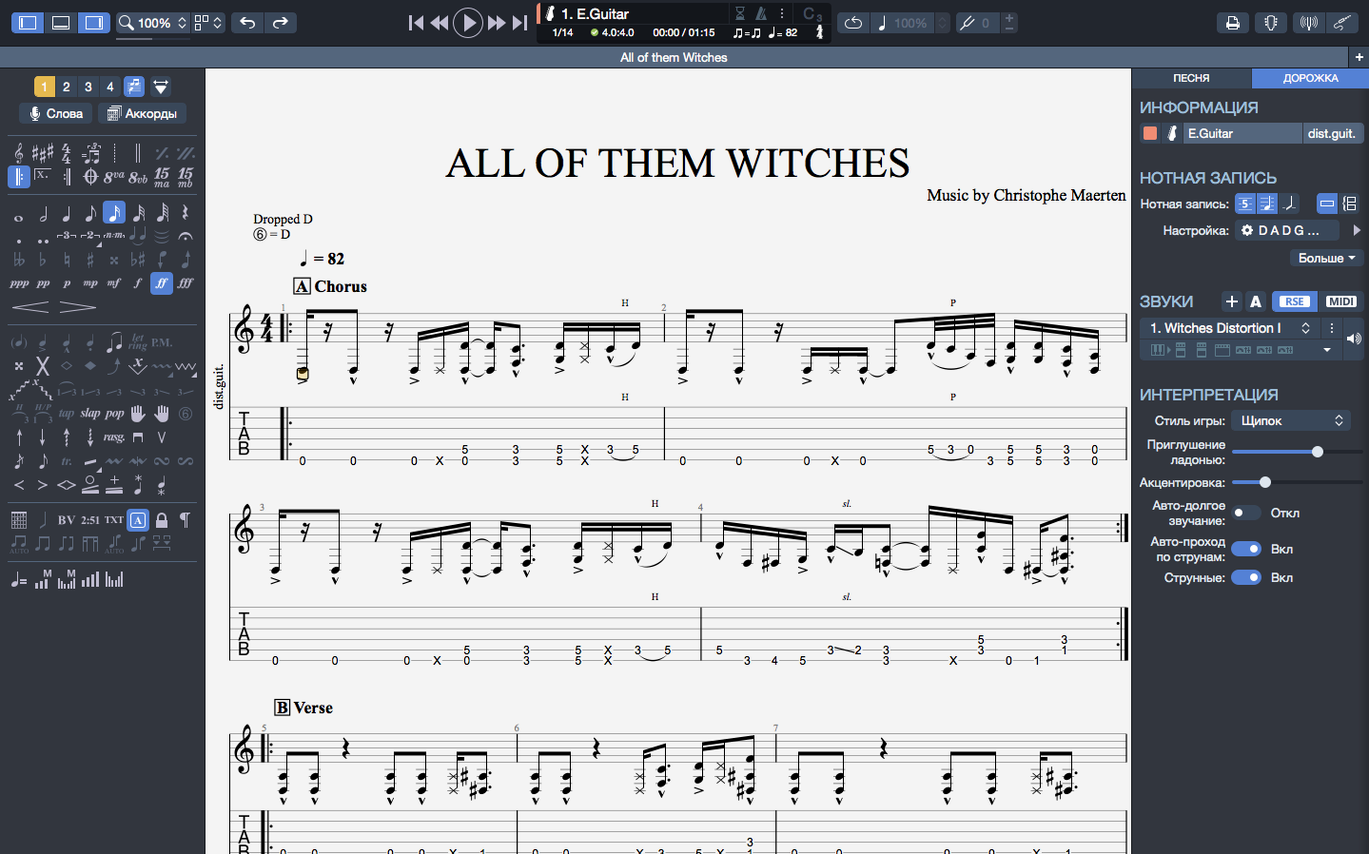
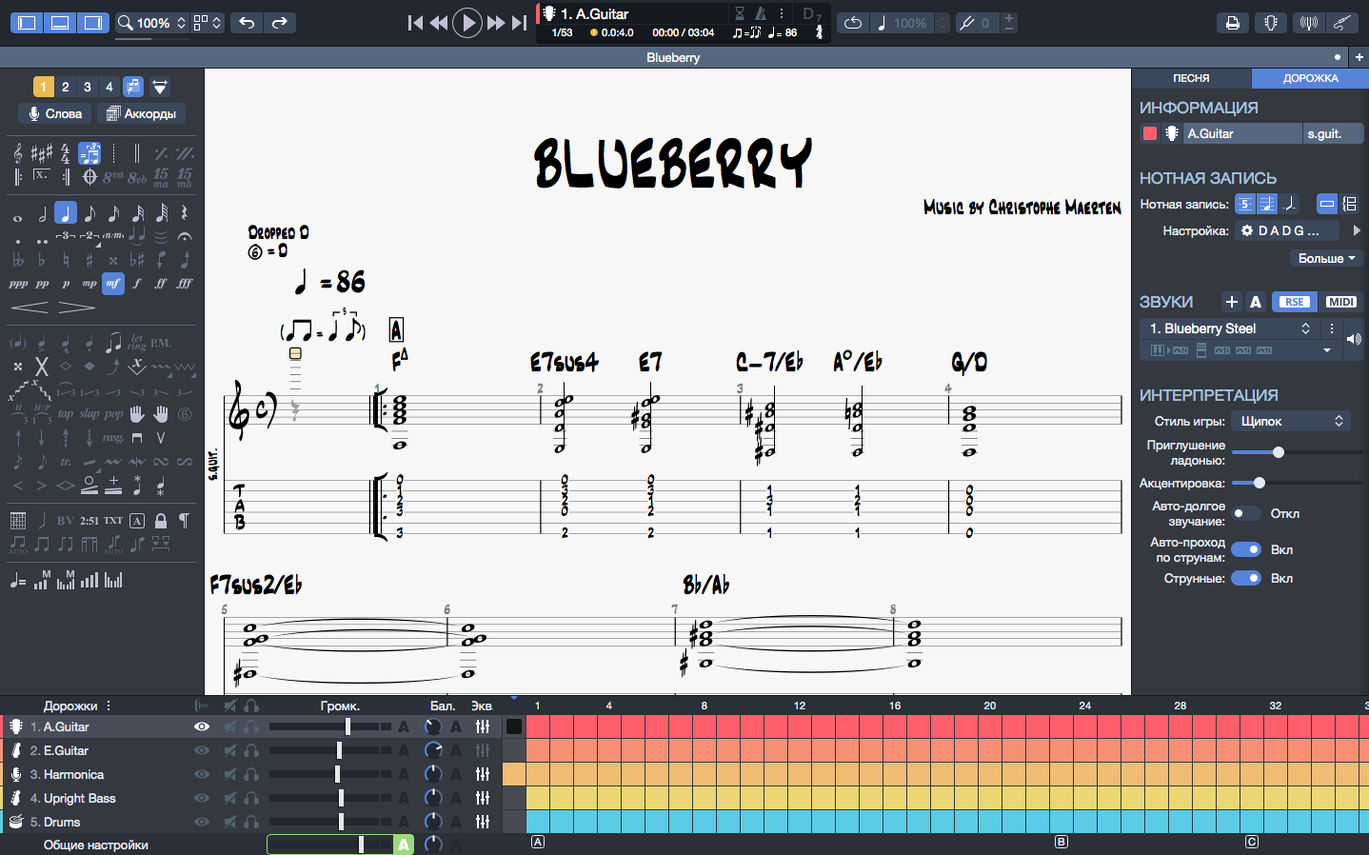
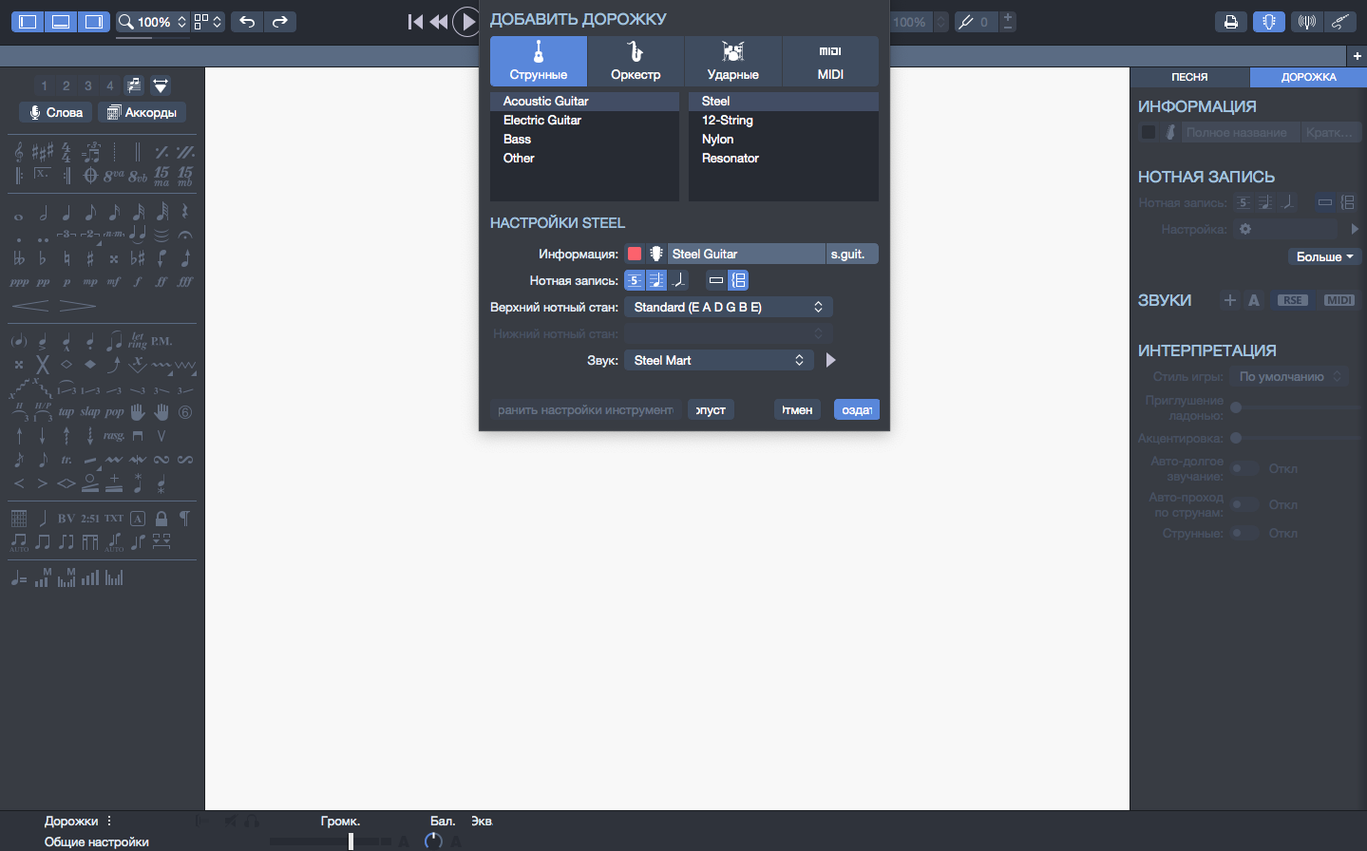
Guitar Pro 8.1.5 handles tablature and sheet music for guitar, bass, and Hawaiian guitar. Its chord builder helps you construct voicings visually, and you can export scores as PNG with transparent backgrounds or as SVG. The app also generates backing tracks for drums or piano, useful for practice or sketching arrangements.
Standout features by the job they do
- Chord builder: Build and audition chords without leaving the score.
- Backing track creation: Generate drum or piano parts to accompany your tab.
- PNG and SVG export: Share clean scores with transparent backgrounds for web or print.
- Recent file pinning: Keep frequently used scores accessible from the homepage.
Playback and file management improvements
Version 8.1.5 fixes arpeggio playback at the start of a score and resolves cases where stem directions couldn't be changed. On macOS, playback continuity is better when plugging or unplugging audio devices. Files in the recent section can now be pinned, making it faster to return to active projects.
Set your tuning before entering notes
New users tend to jump straight into note entry without setting up the tuning or instrument first. That leads to playback sounding wrong or fingerings that don't match your actual fretboard. Always set your tuning before adding notes.
Another common error is ignoring the chord builder. Beginners hand-type every note of a chord when the chord builder can place the whole voicing at once. It saves time and reduces input mistakes.
Exporting without checking the score layout is another one. The default page margins and staff spacing work for most cases, but if you export to PNG or SVG without a quick preview, you might get cut-off notation or awkward page breaks. Adjust the layout in the score settings before exporting.
People also forget to pin active files. With the recent file pinning feature, you can keep working scores at the top of the homepage. Unpinned files get buried as you open more, and scrolling through a long list wastes time.
Beginners often leave the metronome off during playback and then wonder why their timing is off when they try to play along. Turn it on for practice sessions, even if it feels annoying at first.
Songwriters who sketch arrangements benefit most
Songwriters who sketch arrangements benefit most. You can start with a guitar or bass tab, add a simple drum pattern as a backing track, and export the whole thing as sheet music or a PNG for sharing with band members. The MIDI editor lets you tweak drum parts note by note, so the backing track sounds closer to what you hear in your head.
Music students working on theory or transcription get good use from the chord builder and the notation display. Seeing chord names and fingerings transpose automatically when you change keys helps with ear training exercises and arrangement analysis.
Guitar teachers who produce lesson materials appreciate the transparent PNG export. You can layer scores over slides or handouts without white boxes around the notation. SVG export is useful if you want vector-quality diagrams for print.
Bass players who share tabs online find the tablature-focused workflow straightforward. The app handles standard four-string bass and extended-range instruments without extra configuration. Hawaiian guitar players are a smaller group, but the direct support means no workarounds are needed for that tuning and technique.
Session players who work across multiple machines benefit from the recent file pinning and the consistent file format. Pin the active session files at the start of a project, and you can jump back in without hunting through folders.
Open your pinned file from last night's session
You open Guitar Pro 8.1.5 and see the homepage with pinned files at the top. You click a recent score from last night's session — a half-finished fingerstyle arrangement for acoustic guitar. The file loads in a few seconds.
First, you check the tuning. You set it to drop D for this piece. Then you scroll to bar 16, where you left off. The arrangement gets sparse there, so you open the chord builder from the toolbar. You click through a few voicings until you find a Cmaj7 shape that fits the melody line. The chord builder places all four notes on the staff at once.
Next, you want a simple backing track underneath. You switch to the drum track panel and add a basic rock beat using the MIDI editor. You drag the hi-hat and snare hits to match the tempo you set earlier. The metronome clicks along while you listen to the playback to check timing.
You realize the arpeggio at bar 3 sounds wrong — the notes don't ring in the right order. You check the score and flip the arpeggio direction in the note properties. You play it back. Fixed, thanks to the 8.1.5 update.
You add a bass line on a separate track. The chord builder helps again: you copy the guitar chord progression and simplify it for bass fingerings. You adjust a few stem directions that the auto-layout got wrong for the bass part. The 8.1.5 fix for stem direction changes means you can flip them without fighting the UI.
Finally, you export the full score as SVG for a blog post you're writing. You also export a PNG with a transparent background to drop into a practice video thumbnail. You pin the score before closing, so tomorrow's session starts from the same spot.
Set correct tuning and string count first
Before you start working on a score, open the tuning settings and set your instrument to the correct tuning and string count. This affects playback, fingering suggestions, and chord builder results. The default standard tuning works for basic six-string guitar, but if you play anything else, change it early.
Adjust the interface contrast and colors if the default scheme feels hard to read during long sessions. The 8.1 release adjusted these for better reading comfort, but personal preference varies. You can lighten or darken the staff background and note colors to reduce eye strain.
Turn the metronome on during playback in the player settings. It defaults to off, and many beginners miss it. For practice or arrangement work, audible timekeeping helps you catch timing issues before they become habits.
Configure export defaults early. If you regularly share scores online, set PNG export to transparent background and SVG export to your preferred resolution. That saves you from adjusting export options every time.
Requires macOS 10.13 with 4 GB RAM and 2 GB disk space
Guitar Pro 8.1.5 requires macOS 10.13 or later and runs on both Intel and Apple Silicon Macs. The system needs a 64-bit dual-core processor, 4 GB of RAM, and 2 GB of free disk space. Administrator rights are required for installation.
The installer comes as a disk image. Mount it and run the standard installation procedure. The process is straightforward — no special steps or command-line work.
On Apple Silicon Macs, the app is compiled natively, so it doesn't run through Rosetta. That means playback and interface responsiveness benefit from the processor's efficiency, though I haven't measured specific performance numbers. The 8.1 release notes mention improved efficiency on Apple Silicon.
File sizes for Guitar Pro scores are small — typically a few hundred kilobytes even with multiple tracks. The 2 GB disk space requirement is more than enough for hundreds of scores and backing tracks. RAM usage stays moderate even with scores that have multiple instrument tracks and MIDI data.
If you switch between headphones, speakers, or an audio interface, the 8.1.5 update improves playback continuity when plugging or unplugging devices. That means no audio dropouts or stutters when you change output mid-session.
- Arpeggios at the beginning of a score are now played correctly.
- Fixed cases where stem directions could not be changed.
- Improved playback continuity when plugging or unplugging devices on macOS.
- macOS 10.13 or later
- 64-bit dual-core Intel, AMD, or Apple Silicon processor
- 4 GB RAM
- 2 GB free disk space
- Administrator rights required
Questions from the notes
Can I export scores with a transparent background?
Yes, Guitar Pro 8.1.5 exports scores to PNG with transparent backgrounds and also supports SVG export.
Does Guitar Pro run on Apple Silicon?
Yes, it runs natively on both Intel and Apple Silicon Macs, requiring macOS 10.13 or later, 4 GB RAM, and 2 GB of free disk space.
Install procedure
- Mount the downloaded disk image.
- Run the standard installation procedure.
Reports from players
Sign in or create a tester account to file a report.
No reports filed yet.