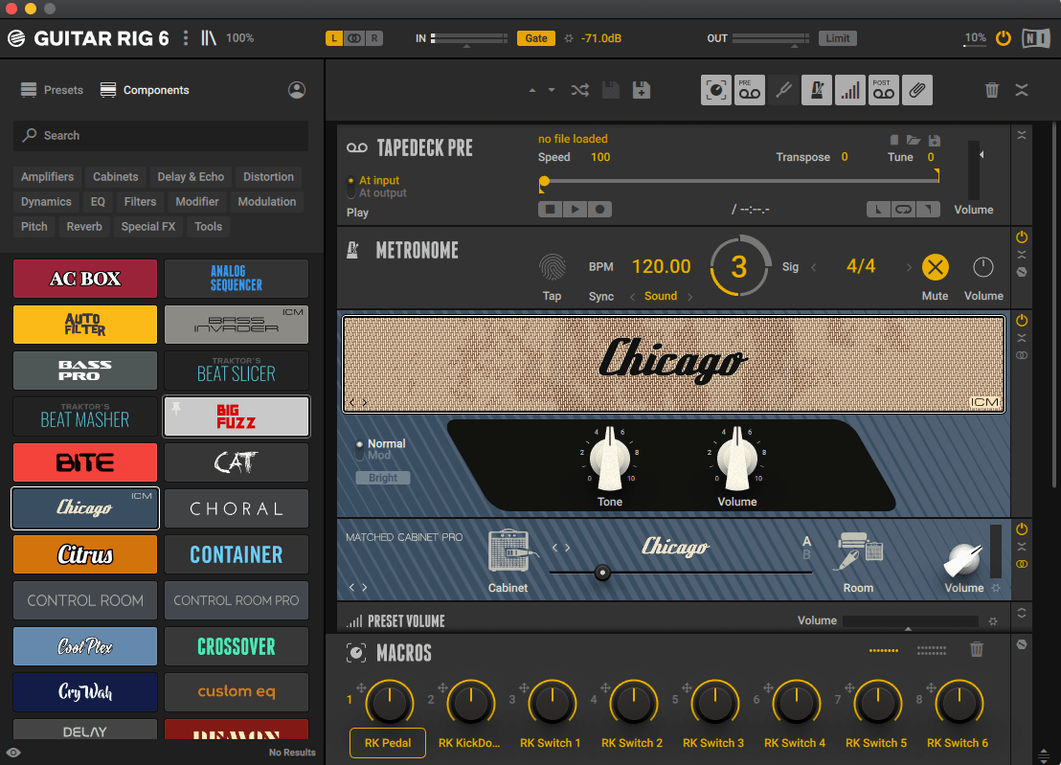
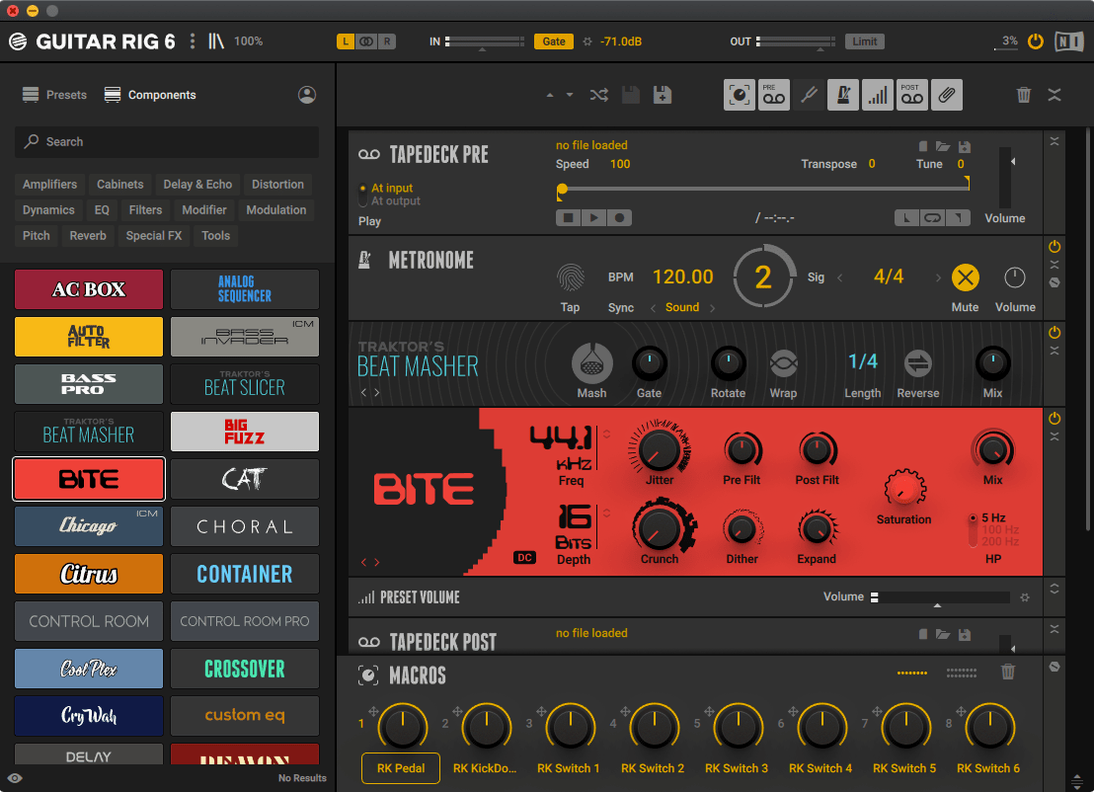
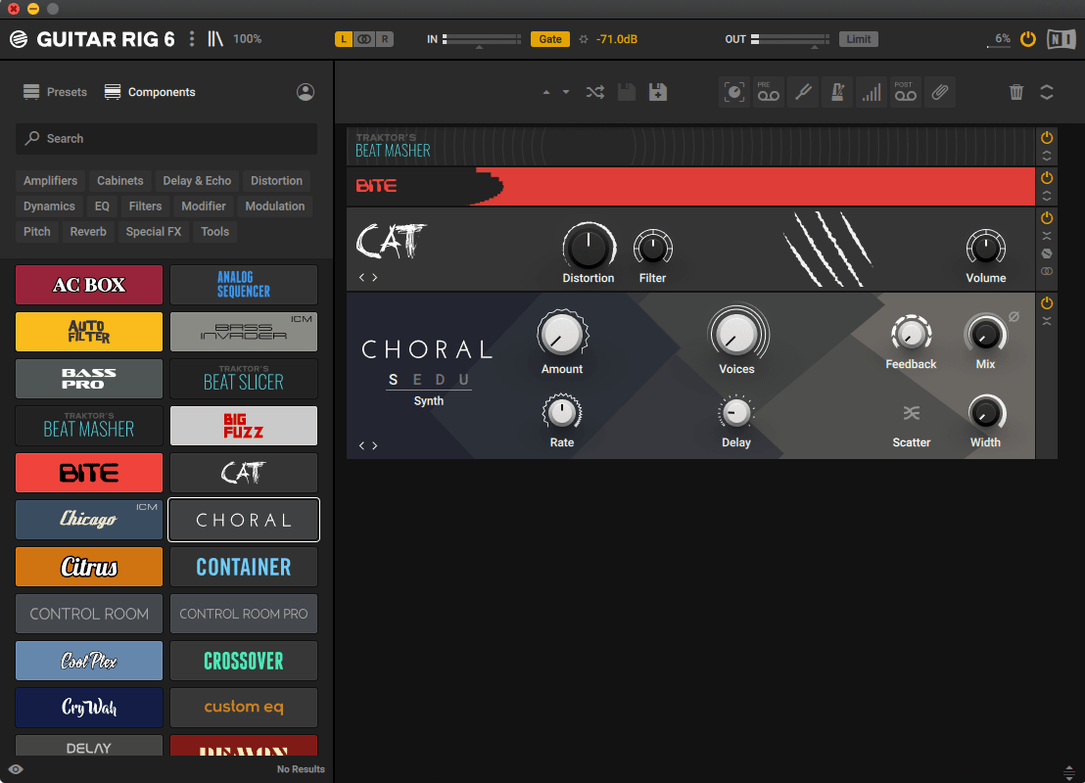
Guitar Rig 7 Pro supports both ARM and x86 64-bit architectures, which means it runs natively on Apple Silicon and Intel Macs alike. The interface language is English, and the layout targets experienced users who want deep control over their signal chain.
Core Tools
Metronome — Built-in metronome with sync settings, useful for dialing in delay times or practicing with a steady reference.
Tag-based preset browser — Find sounds by genre, amp type, or effect category without scrolling through endless lists.
Volume presets — Multiple output level options to match different monitoring or recording situations.
Tuner — Quick access tuner for keeping your instrument in check before you start playing.
Effect Rack
The rack includes amp simulators, studio effects, and pedals. Complex effect configurations are supported, so you can chain multiple units in any order and tweak parameters individually. Quick access to tools and effects means less menu diving when you need to adjust something mid-session.
How Guitar Rig 7 Pro Compares to Other Mac Guitar Tools
Guitar Rig 7 Pro sits in a specific part of the amp-sim market. It is not a full recording suite like Logic Pro’s amp collection or Ableton’s built-in effects. Instead, it is a dedicated rack that you can use standalone or as a plug-in inside a DAW. Compared to AmpliTube from IK Multimedia, Guitar Rig leans more toward a hardware-rack feel — you see the signal chain laid out as a row of components, and you rearrange them by dragging. AmpliTube often models specific vintage amps more closely, but Guitar Rig 7 Pro gives you more flexibility to build custom chains from individual amp, cab, and effect blocks.
Neural DSP products focus on high-gain and precision amp modeling, often with fewer effects per plug-in. Guitar Rig 7 Pro offers a wider palette of studio effects and modulation tools in one window. If you need reverb, delay, compression, and modulation alongside your amp sound, Guitar Rig keeps everything in one rack rather than requiring separate plug-in instances. For bass guitar, Guitar Rig includes bass-specific amp models and cabinet options, which some competitors treat as an afterthought.
Positive Grid’s BIAS FX 2 has a similar drag-and-drop rack concept, but its interface is more polished toward preset browsing than deep tweaking. Guitar Rig 7 Pro’s interface is denser and expects you to know what you want. The tag-based preset browser in Guitar Rig is more utilitarian — you filter by genre or type rather than scrolling through curated artist presets. For users searching for a guitar rig 7 pro mac torrent or a guitar rig torrent, the appeal is often the unrestricted access to the full effect library without tiered editions.
Select your audio interface in standalone mode
After installation, the first useful step is to set up your audio interface in the standalone mode. Guitar Rig 7 Pro does not auto-detect every interface perfectly, so open the audio settings and select your input and output device. The buffer size should match your usual recording latency preference — lower for live monitoring, higher for mixing.
Spend a few minutes with the tag-based preset browser. Filter by “Bass” or “Clean” to see what the factory presets offer. Some presets are demonstration-heavy — they show off extreme effect combinations that may not fit a mix. When you find a preset that is close to what you want, save a copy and start swapping individual amp or cab blocks. This is faster than building from an empty rack.
Check the metronome sync settings. If you use delay effects, set the metronome tempo first; then delays snap to note divisions automatically. The tuner is straightforward — plug in, mute your signal, and tune. No hidden menu needed.
If you are moving from a guitar rig 6 torrent setup, note that version 7.0.2 presets from the older version may load differently if they used components that were renamed or removed. Test a few of your favorite presets and compare the sound. You can usually rebuild them by matching the effect chain order and settings manually.
Runs on macOS 11 or later for ARM and x86
Guitar Rig 7 Pro requires macOS 11 or later. It runs on both ARM (Apple Silicon) and x86 64-bit architectures, so it works on all modern Macs without emulation. The official compatibility extends to macOS 13, 14, and 15 on both Intel and Apple Silicon machines. Older macOS 11 or 12 systems should run it, but newer OS versions are the primary testing targets.
The installer comes as a disk image. You mount it and run the standard installer — no special tools needed. The application itself is a single plug-in and standalone binary. It registers VST3, AU, and AAX formats during installation, so your DAW should find it automatically on next launch. Expect the installer to place files in the usual system plug-in folders. No cloud account or online activation is required with this release, since it uses a key generated by TEAM HCiSO.
Disk space required is typical for a multi-effects suite — several hundred megabytes for the component library. The interface remains in English only, with no language selection. The interface is dense, with many small controls, so a screen resolution of at least 1440p helps readability. On a 1080p display, you may need to zoom or scroll more to see the full rack at once.
Build a clean amp sound from empty rack slots
You open Guitar Rig 7 Pro standalone. The first thing you see is the empty rack — a series of empty slots waiting for components. You select an amp from the component browser. For this session, you choose a clean combo model. It appears in the first slot. Next, you add a compressor after the amp, then a reverb at the end of the chain. You drag the reverb to between the amp and compressor to change the order — the sound changes immediately because the signal now hits reverb before compression.
You plug in your bass guitar and play a few notes. The tuner shows you are slightly flat. You tune, then mute the tuner. You open the tag-based preset browser and search for “funk” presets. One preset loads with a wah pedal and a light chorus. You bypass the wah by clicking its bypass switch, leaving the chorus running through the clean amp. The sound is close to what you had in mind, but the chorus rate is too fast. You adjust the rate knob on the chorus module until the effect sits behind your playing instead of dominating it.
You open the metronome and set it to 100 BPM. The delay effect you added earlier now syncs to quarter notes automatically. You record a short loop in your DAW with Guitar Rig as a VST3 insert. The latency is set to 256 samples, which is fine for tracking bass lines. After recording, you switch to the mix and adjust the output volume preset to match your other tracks. You save the entire rack as a user preset with a name that includes the tempo and bass type. The session is done: one custom chain, one recorded bass take, and a preset you can recall next time without rebuilding from scratch.
Guitar Rig transforms your Mac into a versatile guitar effects processor and amp simulator for musicians and producers.
- Version 7.0.2 is listed on the official downloads page for Guitar Rig 7 Player.
- macOS 11 or later
- Architecture: Intel (x86 64-bit) or Apple Silicon (ARM)
Questions from the notes
Does Guitar Rig 7 Pro run on Apple Silicon Macs?
Yes, it supports both ARM and x86 64-bit architectures, so it runs natively on M-series and Intel Macs.
What does the tag-based preset browser do?
It lets you filter presets by tags like genre, amp type, or effect, making it faster to find a specific sound.
Is the interface available in languages other than English?
The interface language is English only.
Install procedure
- Mount the disk image.
- Run the standard installer.
Reports from players
Sign in or create a tester account to file a report.
No reports filed yet.