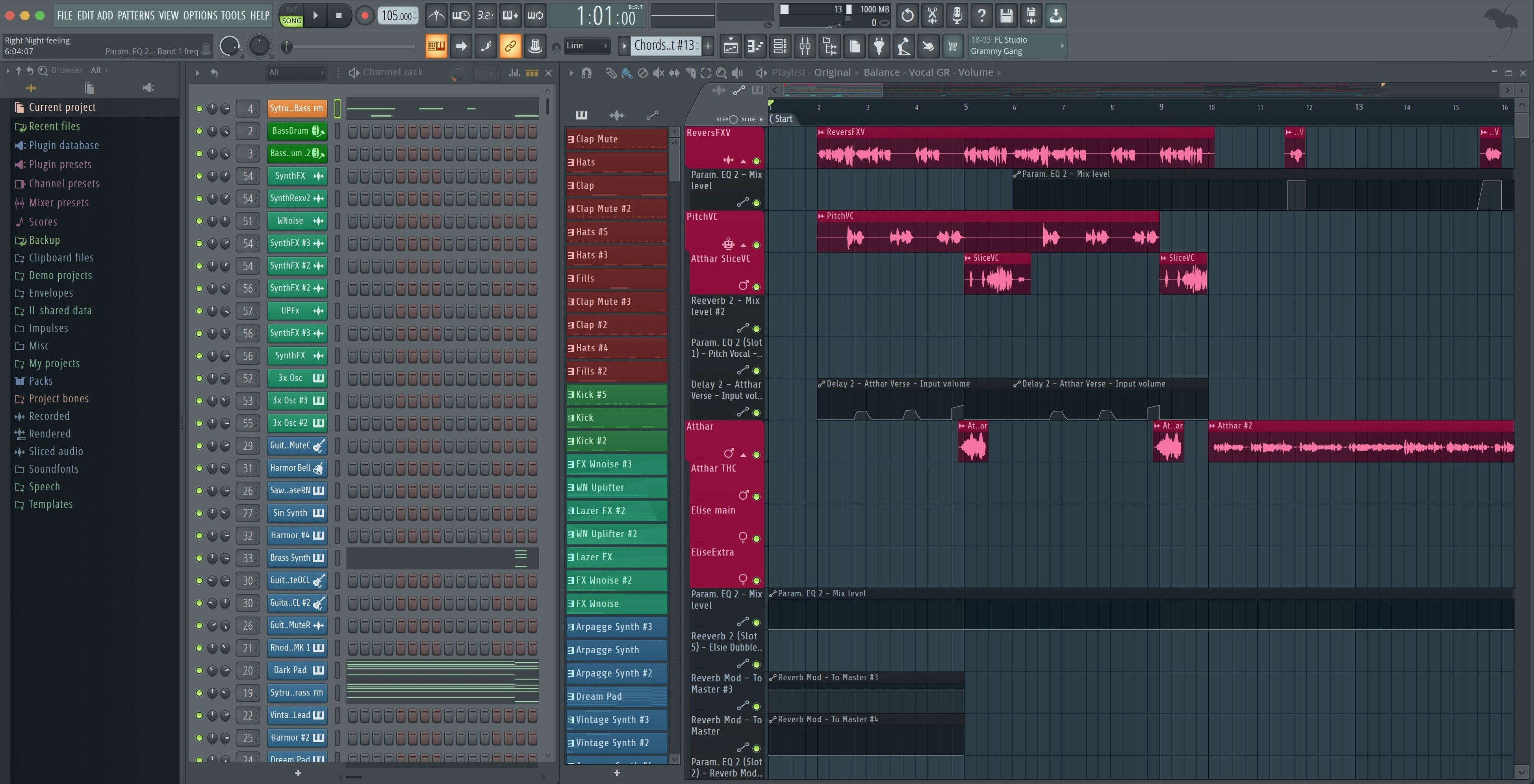
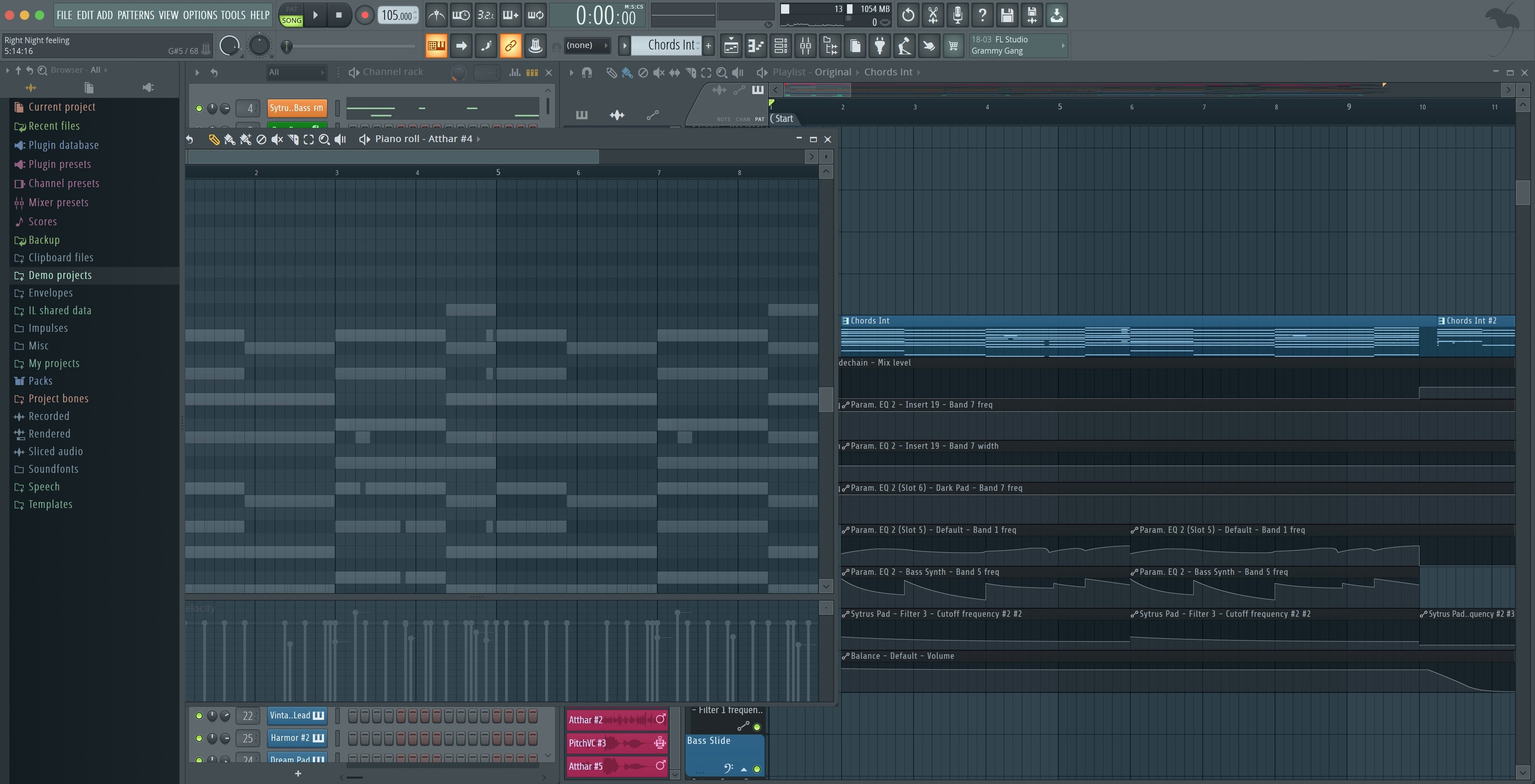
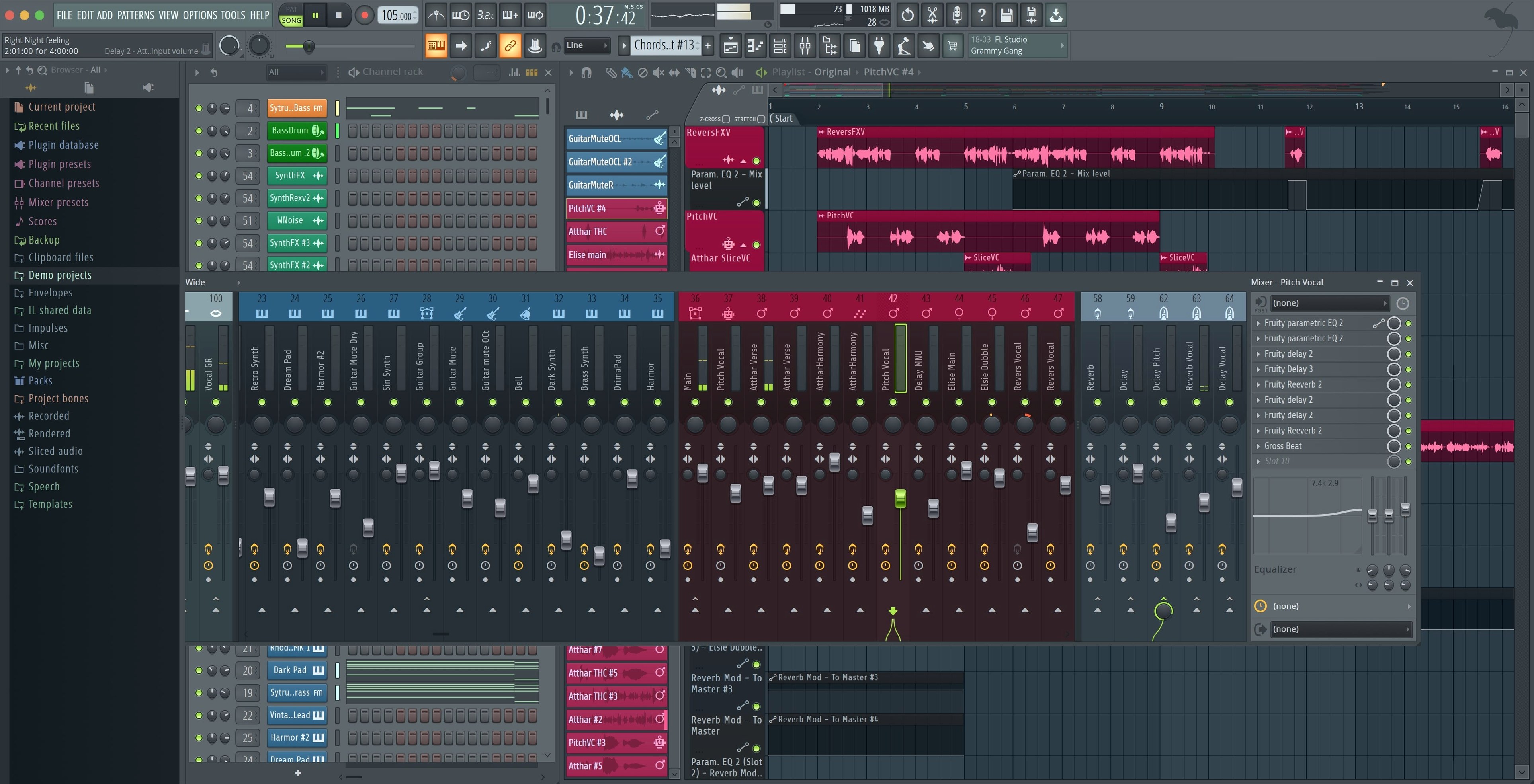
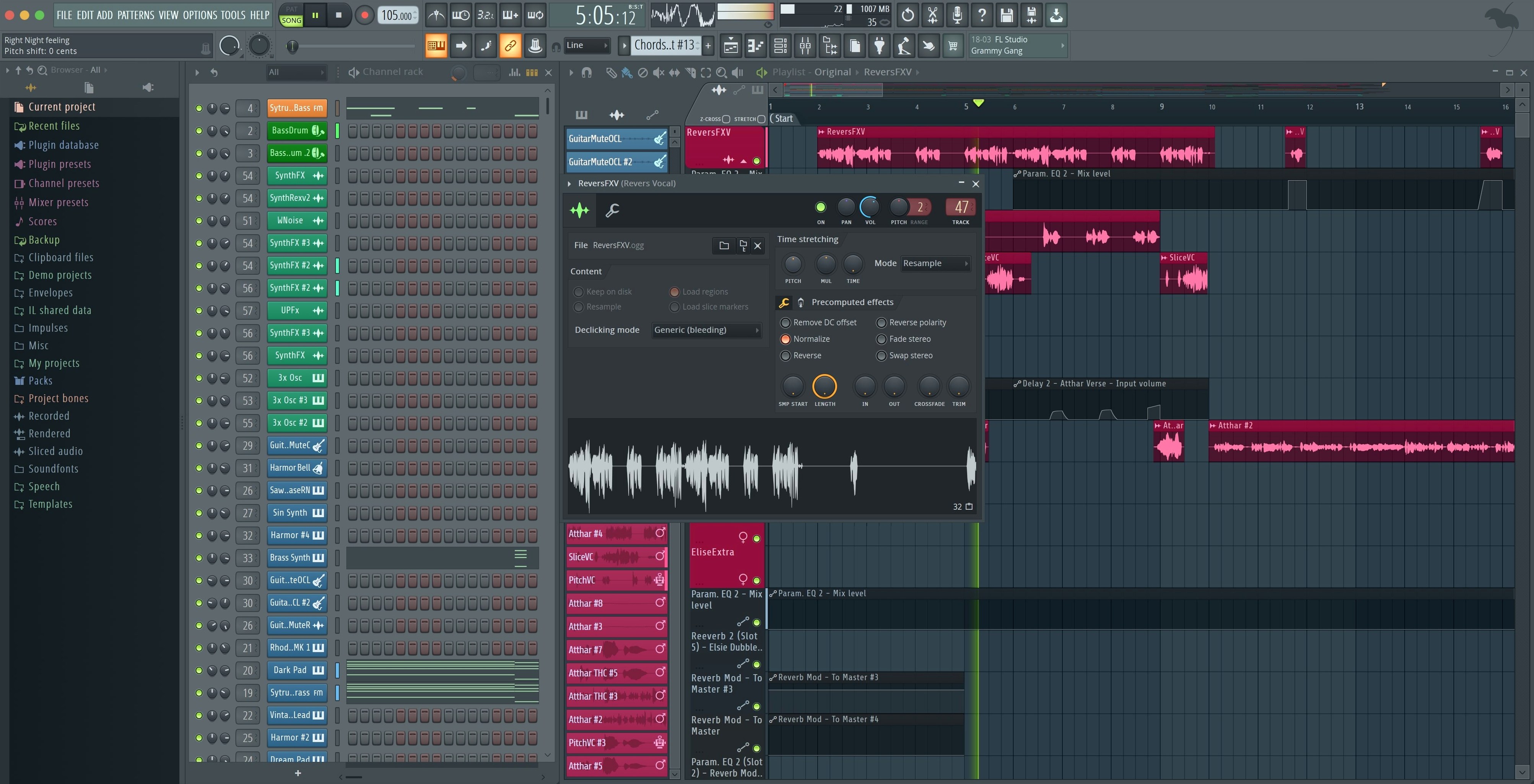
FL Studio is a digital audio workstation for recording, arranging, editing, and mixing music on Mac.
Beat creation, step sequencer, mixing, and arranging
- Beat and pattern creation, with a step sequencer that stays quick to use even on complex projects.
- Automation, editing, and arranging — the playlist and piano roll cover the full workflow from sketch to final mix.
- Mixing: the mixer includes effects and supports splitting tracks, with render options for Master and Current channels added in the latest update.
- Using VST plugins — the full desktop version for macOS runs them alongside its built-in instruments and effects.
Runs natively on macOS 10.15 or later, Apple Silicon or Intel
- Runs natively on macOS 10.15 or later, on both Apple Silicon and Intel Macs; Apple Silicon does not require Rosetta.
- Interface is in English only.
- Version 2026.1.6 includes the maintenance fixes and controller updates listed below.
- Cloud project backup and FLEX sound search are part of this release.
First days after installing FL Studio 26.1.6.5406 — practical tips
The package includes instructions with the activation steps. Work through those before launching the app. The build is pre‑activated, so the usual demo‑mode restrictions are not present from the start.
Open the mixer early and check the track routing. The export dialog now has checkboxes for rendering the Master and Current channels when splitting mixer tracks — it is worth setting those to your preference before you start serious mixing, because changing it later means re‑exporting groups.
If you use an Akai Fire controller, the new default script is assigned automatically. That saves the manual mapping step that was needed in earlier builds. If you have other MIDI controllers, you will see a notification pop up when one is connected for the first time. Accept or dismiss it, and the app remembers the choice.
Run the Plugin Performance Monitor on your most used VSTs for a few sessions. The percentage precision has improved, so the values are more useful for spotting plugins that eat more resources than expected. No need to check every plugin — just the ones you suspect might be heavy.
FLEX sound search is new in the 2026 line. Use it to locate samples and presets across your library without digging through folders. It works with the built‑in content and any additional sound packs you have placed in the standard FL Studio directories.
Enable cloud project backup from the settings if you work across more than one machine. It uploads project files to your Image‑Line account automatically. Backups are incremental, so only changed data goes up.
Export dialog remembers Master and Current checkboxes
The 2026.1.6 maintenance update is a small but practical set of changes. The most visible one is the export dialog. When you split mixer tracks for stems or individual channels, you can now choose to include the Master and Current channels by checking boxes. That closes a workflow gap — previously you had to export those separately or route them manually.
The Plugin Performance Monitor now shows percentage values with fractional precision. In earlier versions, the monitor rounded to whole numbers, which made small differences hard to track. With fractional values, you can compare plugins more accurately and decide which ones to freeze or bounce.
MIDI controller handling got a quality‑of‑life improvement: a notification appears when a new controller is connected. The notification includes an option to enable the controller for use in FL Studio. That means you do not have to open the MIDI settings panel and hunt for the device name every time you plug in a new keyboard or pad controller. It is a small change, but it saves a few clicks each session.
The Tuner interface was adjusted for better readability at a distance. If you use FL Studio for live or rehearsal tuning, the larger display elements make it easier to see the pitch indicator without leaning in. No functional change — just improved legibility.
For Akai Fire controller users, the dedicated script is now the default. That removes the step of selecting it manually from the controller scripts list. It also reduces the chance of using a generic script that does not map Fire’s buttons correctly.
Persistent export checkboxes and MIDI controller notification
- The export dialog’s Master and Current checkboxes are persistent — once checked, they stay checked for future exports in the same project. No need to re‑enable them every time.
- The new MIDI controller notification includes a "don’t show again" toggle. If you use the same controller every session, you can suppress the pop‑up after the first connection.
- FLEX sound search indexes content in the background. You do not have to wait for a full scan on launch — it picks up new files as you add them.
- Cloud project backup can be set to manual or automatic. Automatic mode runs a backup each time you save the project. Manual mode lets you trigger it from the file menu when you are ready.
- The Plugin Performance Monitor’s fractional precision works in both the mixer view and the standalone plugin window. You can see the same granular data regardless of where you access it.
FL Studio Producer Edition versus Ableton Live Suite and Logic Pro
FL Studio Producer Edition sits in the same space as Ableton Live Suite and Logic Pro. All three are full‑featured DAWs for Mac, but each has a different center of gravity.
Ableton Live Suite is built around clip‑based session view and real‑time warping. It excels for loop‑based composition and live performance. FL Studio’s step sequencer and pattern‑based workflow are closer to old‑school hardware sequencing — you build patterns in the piano roll and arrange them on the playlist. If you prefer a timeline‑less sketchpad for beats, FL Studio’s approach is more direct. Both support VST plugins and multitrack audio recording. Ableton’s session view is better for improvisation; FL Studio’s playlist is better for structured song arrangement.
Logic Pro is macOS‑native and includes a large library of loops, instruments, and effects out of the box. Its comping and editing tools are deep, especially for vocal and acoustic recording. FL Studio matches it for MIDI editing and automation, but Logic Pro has a more traditional linear timeline that some engineers find faster for tracking live instruments. FL Studio’s strength is the step sequencer and the integrated mixer — you can set up a full beat and mix it without touching a mouse if you know the keyboard shortcuts. Logic Pro’s browser and instrument library is larger, but FL Studio’s FLEX search narrows that gap for sound browsing.
Neither Ableton Live nor Logic Pro runs natively on Apple Silicon without Rosetta in all scenarios. FL Studio 2026 runs natively on Apple Silicon without Rosetta, which is relevant if you are on a newer Mac and want to avoid the translation layer for plugin stability.
Apple’s GarageBand is another option, but it lacks the mixer depth, VST support, and export flexibility that FL Studio provides. GarageBand is fine for sketching, but FL Studio is the next step when you need pattern‑based production, sidechain routing, and third‑party plugin hosting.
Start with one pattern, connect MIDI controller, and begin
Start FL Studio. The empty project loads with one pattern and one mixer channel. The first thing is to set up the MIDI controller — plugging it in triggers the notification, and I enable it from the pop‑up. The controller is mapped and ready in a few seconds.
Open the step sequencer and create a beat. Channel rack loads with a default kick. I swap the sample using the browser, then add a hi‑hat and snare. FLEX sound search helps find the right samples quickly — type part of the name, and the list narrows instantly. No need to browse folder hierarchies.
Switch to the piano roll and write a bassline. Draw notes in the 16‑step grid. Add automation clips for filter cutoff and volume — draw the automation lines directly on the playlist. The automation clips stay editable and can be copied across patterns.
Record a guitar part. Arm the audio track, set input from the audio interface, and record a few takes. FL Studio records multitrack audio without extra setup — each take lands on its own lane. Comp the best parts by muting sections and trimming clips.
Mix in the mixer. Route each instrument to its own mixer channel. Add reverb and compression inserts on the sends.
Export stems. Open the export dialog, select split mixer tracks, and check the boxes for Master and Current channels. The render runs through all patterns and produces separate files for each channel plus the master bus. The checkboxes save me from exporting the master separately afterward.
Save the project. Cloud project backup runs automatically if it is set to automatic save — otherwise I trigger it from the file menu. The backup uploads in the background while I close the session.
That is the core loop: pattern creation, arrangement, recording, mixing, export. The new conveniences — controller notifications, export checkboxes, fractional plugin monitor, FLEX search — remove small frictions without changing the workflow.
- Export dialog: added checkboxes to render Master and Current when splitting mixer tracks.
- Plugin Performance Monitor: percentage values now show fractional precision.
- MIDI controllers: shows a notification when a new controller is connected, with an option to enable it.
- macOS 10.15 Catalina or later
- Apple Silicon or Intel (64-bit x86)
- Apple Silicon Macs do not require Rosetta
- Interface: English
Questions from the notes
Does FL Studio run on Apple Silicon Macs?
Yes, FL Studio 2026 runs natively on Apple Silicon and Intel Macs, and Apple Silicon does not require Rosetta.
Can I use third-party plugins in FL Studio for Mac?
Yes, FL Studio supports VST plugins, so you can load external instruments and effects alongside the built-in ones.
What interface languages are available?
The interface is available in English.
Install procedure
- Use the included instructions to install and activate the app.
- Follow the bundled installation and activation steps inside the package.
Reports from players
Sign in or create a tester account to file a report.
No reports filed yet.