Things is a task manager for people who want structure without the overhead. It works for both personal to-dos and larger work projects.
Capture a task fast
Set a global keyboard shortcut and you can add a task from any app without switching windows. Use Siri for hands-free entry. The quick entry box is the fastest way to get something out of your head and into your system.
Turn a goal into a project
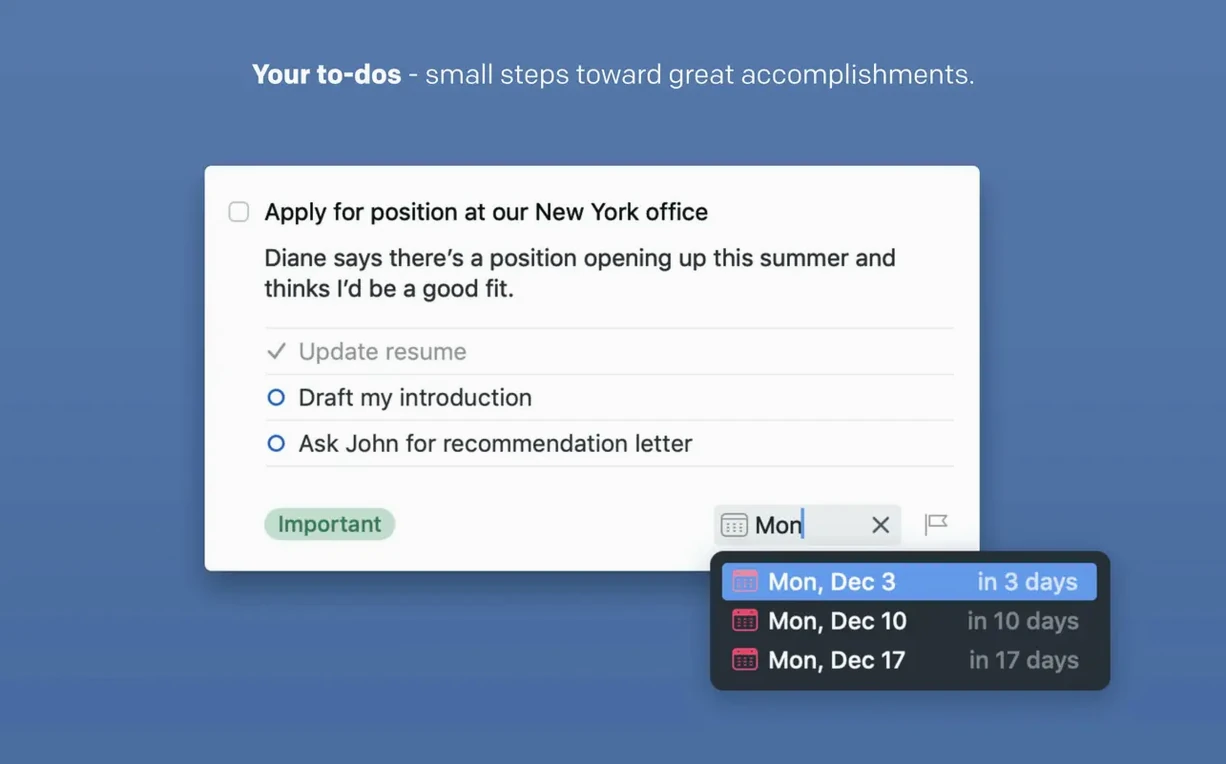
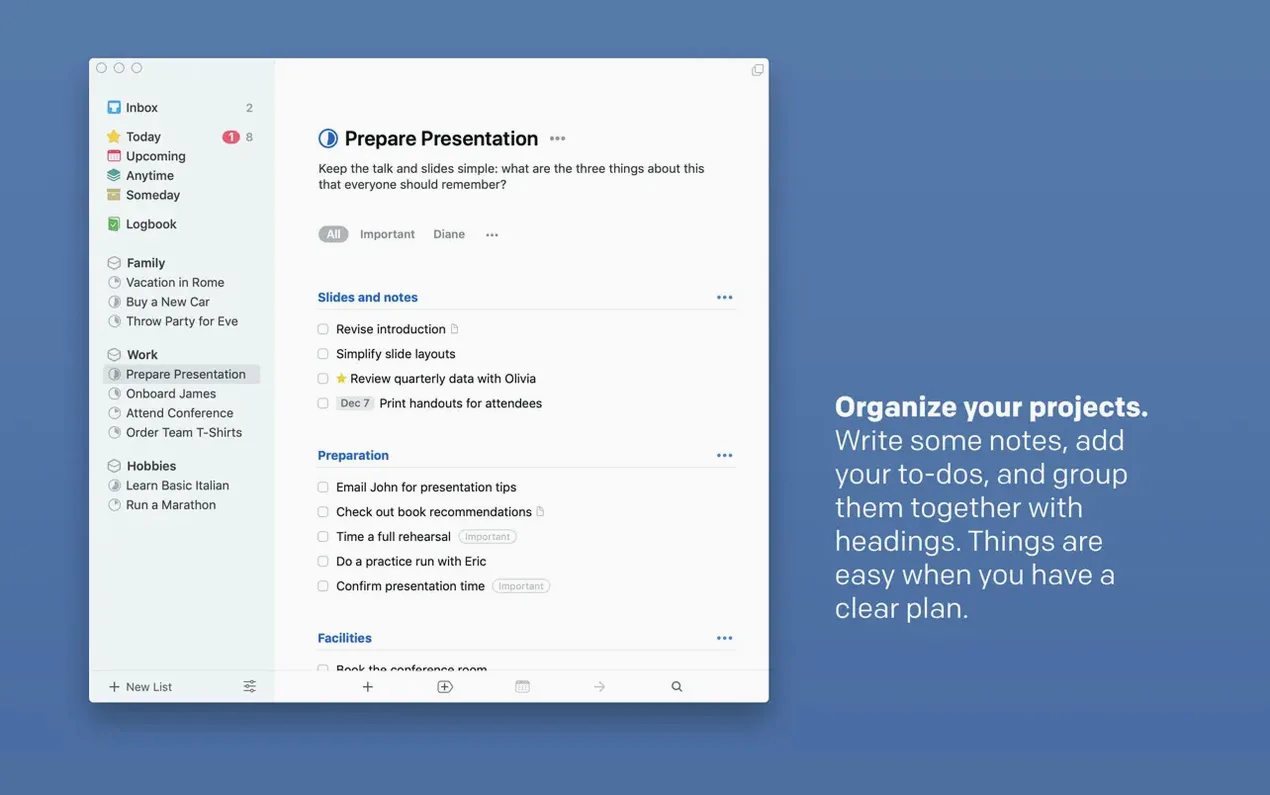
Break a bigger goal into a project, then add tasks inside it. Each task can have notes, tags, and a deadline. Repeating tasks handle the weekly chores.
Sync and share
Things Cloud keeps your tasks in sync across devices, and Share extensions let you send items from other apps straight into your lists. The 3.24 update adds full Spotlight integration and support for the new Siri AI on OS 27, so finding and adding tasks is faster.
Clear your Inbox daily to avoid a graveyard of tasks
The most frequent slip is treating the Inbox as a permanent list. People drop tasks in there and never process them, so the Inbox becomes a graveyard of unfinished thoughts. The system works best when you clear the Inbox daily — either move tasks to Today, a project, or an area, or delete them if they are no longer relevant.
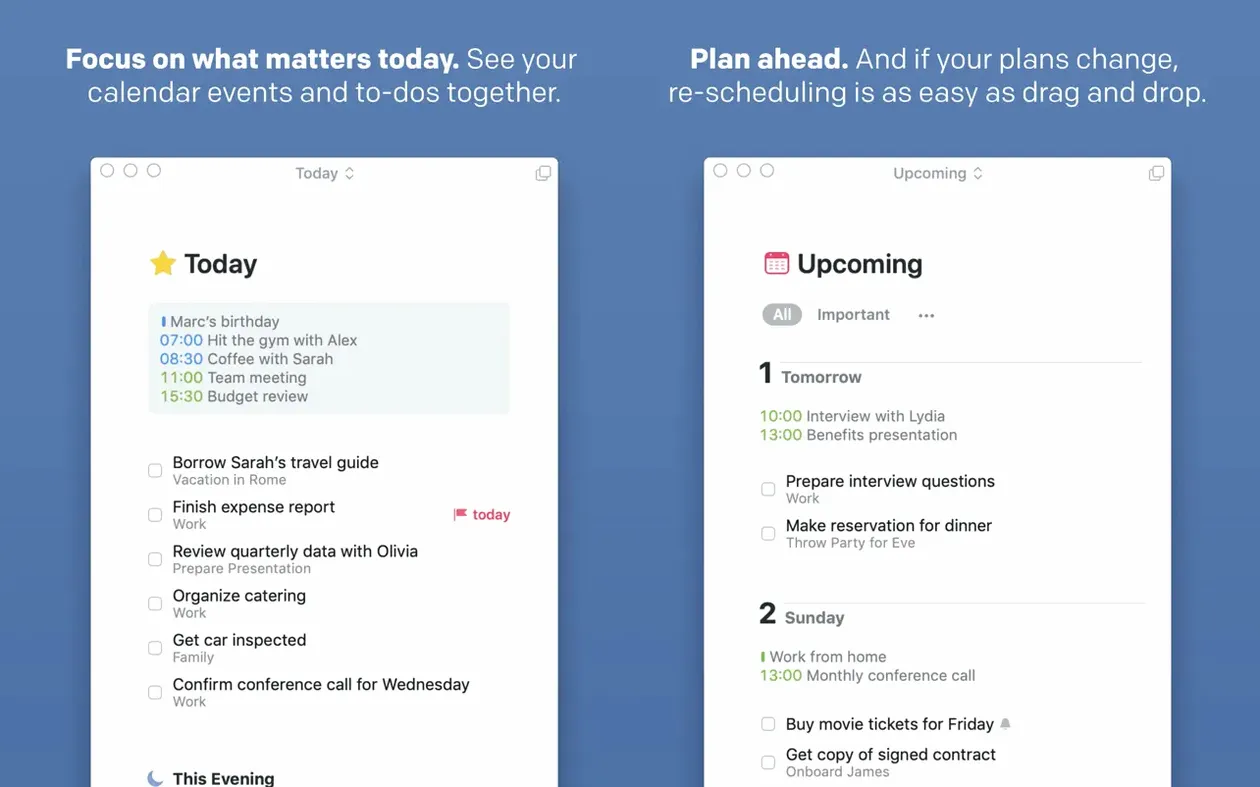
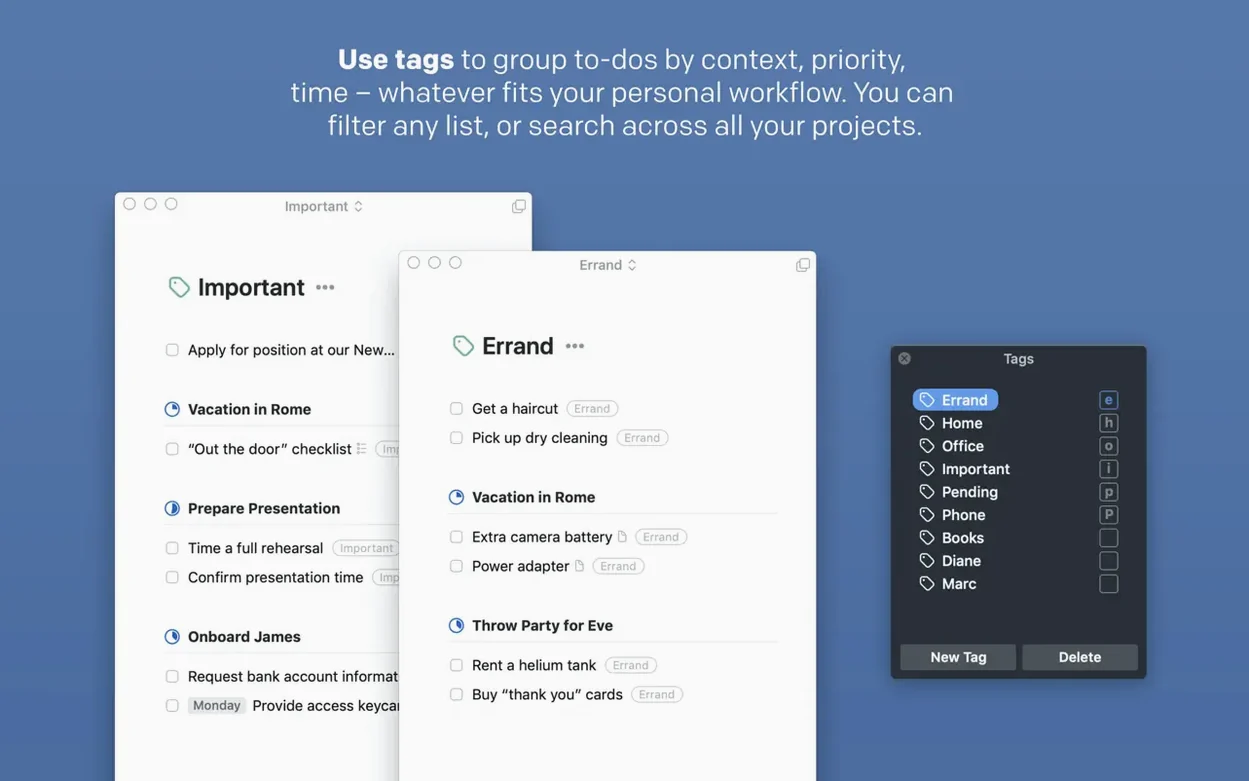
Another mistake is skipping tags entirely or using too many. Tags are meant for context filtering: where you are, what tool you need, how much energy a task takes. A handful of well-chosen tags (office, home, errand, waiting) does more than a dozen that overlap. Beginners also tend to ignore the Upcoming view. They set deadlines but never check the list, so deadlines pass without action. Upcoming shows what is due in the next days and weeks — it is worth reviewing once a day.
Over-complicating projects is common too. A project with thirty tasks and no clear next step stalls quickly. Keep projects small enough that you can finish them in a few weeks, and always mark the next actionable task. Finally, many new users forget that Things can show calendar events alongside tasks. That view is turned off by default — enabling it in the settings gives you a single timeline for your day.
Search tasks from the menu bar or macOS Spotlight
Things does not try to replace your calendar, mail client, or notes app. It sits alongside them. The 3.24 Spotlight integration means you can search for a task from the menu bar or via the macOS Spotlight shortcut, jump straight to it, and mark it done without opening the full app. That is useful when you are in the middle of something else and need a quick reference.
For adding tasks, you can use the Share menu in Safari, Mail, or Finder to send a link or file right into a project or the Inbox. Siri works on Mac as well as on iPhone — say “Remind me to water the plants” and it lands in Things if that is your default task app. Handoff is less known but practical: start a task on your Mac while at your desk, pick it up on your iPad during a meeting, and check it off on your iPhone later. The sync is through Things Cloud, and it happens in the background without manual refresh.
AppleScript automation lets you connect Things to apps like Keyboard Maestro, Hazel, or custom scripts. You can auto-create tasks from incoming emails, log completed work to a spreadsheet, or batch import tasks from a text file. It is not a feature everyone needs, but for power users it removes repetitive manual entry.
Things takes a middle path between OmniFocus and Todoist
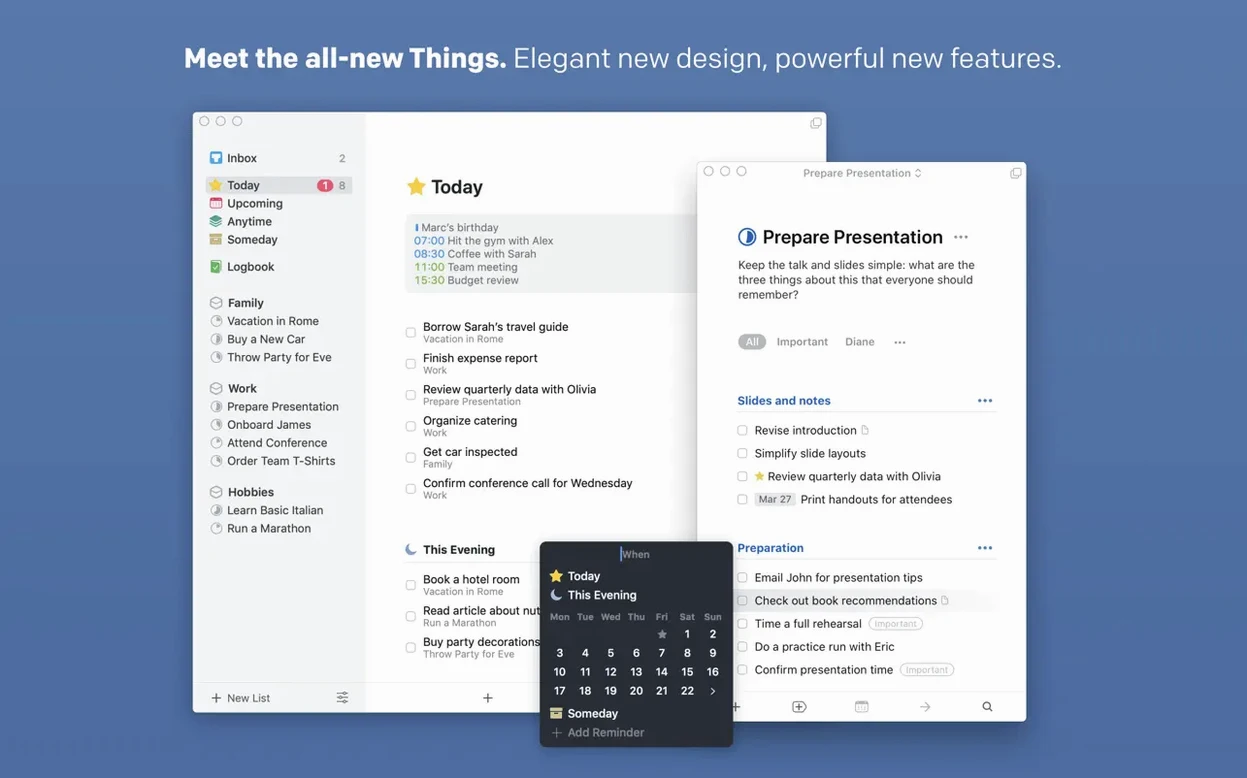
Things shares the task-manager category with OmniFocus and Todoist, but each takes a different approach. OmniFocus is built for strict GTD methodology. It has folders, perspectives, contexts, and a review system that assumes you want to manage every commitment in a formal workflow. Things uses a gentler structure — Inbox, Today, Upcoming, Projects, Areas — and does not force a review cycle. If you want a system that adapts to how you already work rather than teaching you a new one, Things is the middle ground.
Todoist is cross-platform and lighter. It works in a browser, on Windows, Linux, and Android, which makes it a better choice if you switch operating systems. But Todoist lacks the Mac-native integration that Things has: no Spotlight search, no Touch Bar support, no Notification Center widgets out of the box. Things feels like it belongs on macOS; Todoist feels like a web app that also runs on a desktop. For someone who lives inside the Apple ecosystem, the gap is noticeable once you start using Spotlight and Handoff daily.
There is also Reminders, the built-in macOS app. It is free and syncs with iCloud, and recent versions have added smart lists and templates. Things offers more structure — projects, areas, tags, and a dedicated Upcoming view — without the weight of OmniFocus. Reminders works fine for simple lists. Things works better when those lists have deadlines, subtasks, and dependencies.
Best for freelancers, students, and managers with multiple projects
People who manage multiple projects at once benefit the most. That includes freelancers juggling client work, students tracking assignments across semesters, and managers coordinating team tasks. The project and area structure gives you a clear overview of what each bucket contains, and tags let you filter by context so you only see what is relevant right now.
Users who prefer a reliable daily habit — checking Today each morning, planning the next day in the evening — will find the rhythm natural. Things rewards consistent processing more than complex setups. If you already use Spotlight, Siri, and Handoff on your Mac, the integration makes task management feel like part of the OS rather than a separate tool.
On the other hand, if you want a single app that handles notes, documents, and tasks together, Things is not that tool. It is focused on task management and leaves note-taking and file storage to other apps. For the user who wants a clean, focused task system that fits into the macOS environment, Things hits that mark.
- Full integration with Spotlight.
- Support for the new Siri AI on OS 27.
- Better snooze options.
- A new extra-tall widget.
- macOS 10.15 or later
- Apple Silicon or 64-bit Intel
- Free Things Cloud account required for sync
- Interface languages: Russian, English, German, Spanish, Italian, Traditional Chinese, Simplified Chinese, French, Japanese
Questions from the notes
Does Things support Siri?
Yes, you can add tasks using Siri, and the 3.24 update adds support for the new Siri AI on OS 27.
Can I sync my tasks between devices?
Things uses Things Cloud for device sync, which requires a free Things Cloud account.
What Macs does the current version run on?
The Mac app supports both ARM and 64-bit Intel Macs, and requires macOS 10.15 or later.
Install procedure
- Mount the disk image and launch Open Gatekeeper friendly.
- Press Enter in Terminal to bypass Gatekeeper.
- Drag the app to the Applications folder.
- Launch the app.
Reports from players
Sign in or create a tester account to file a report.
No reports filed yet.