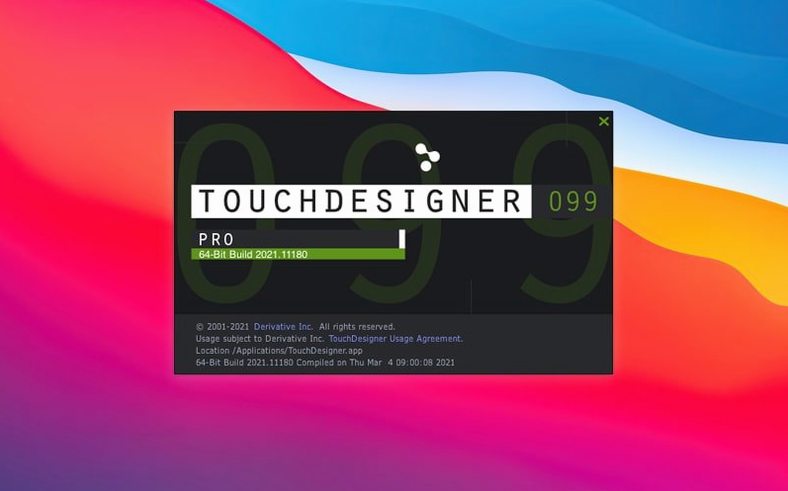
TouchDesigner 2025.31550 ships with a new family of operators and broader texture support, while keeping its core workflow intact.
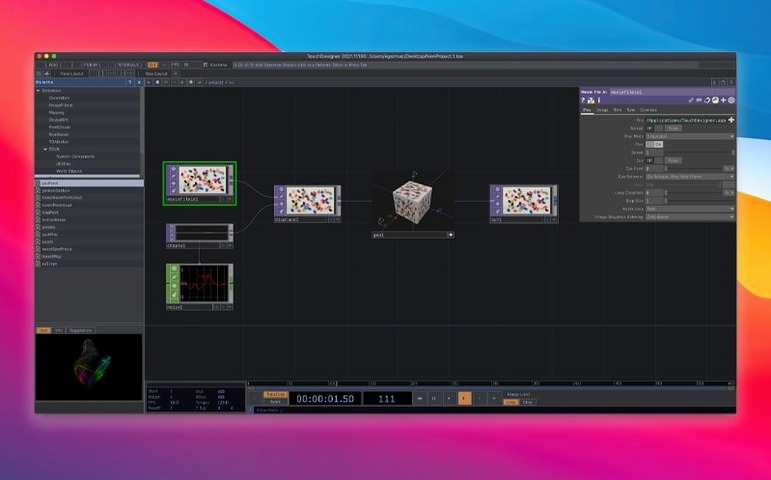
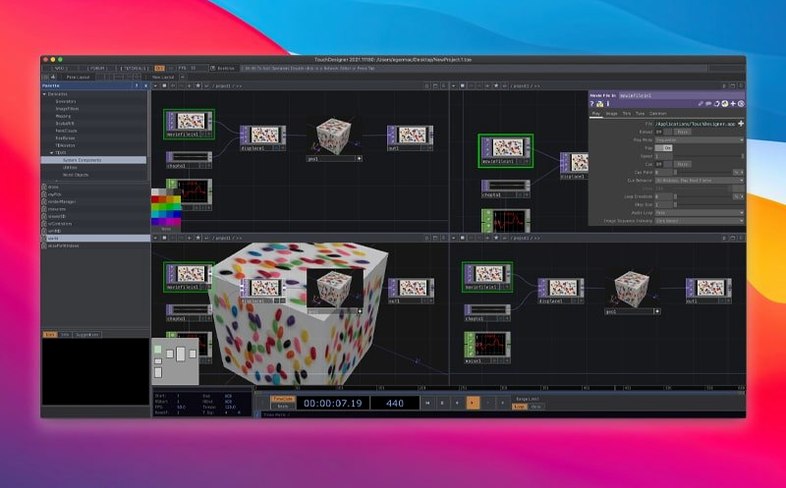
TouchDesigner — a visual programming environment for building interactive real-time media and graphics. You can construct both application logic and the user interface in one place.
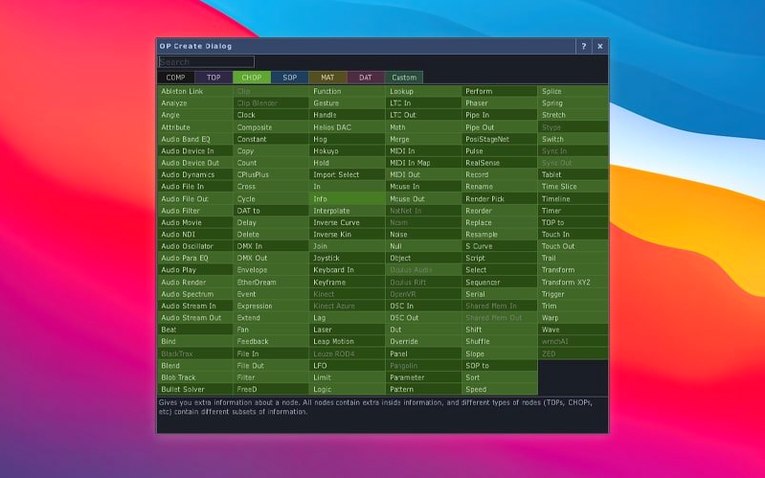
Point Operators (POPs) — the new operator family in this release. POPs run on the GPU and create or modify 3D data, which fits work like projection mapping or interactive installations.
3D textures and 2D arrays — most TOPs (Texture Operators) now support these natively, so you can work with volume data and layered images without workarounds.
Built-in VR tools — TouchDesigner includes VR support for head-mounted displays.
Orbbec SDK — upgraded to 1.10.16, with added support for Intel-based Macs.
Kinect Azure wrapper — updated to 1.10.3.
Who gets the most out of TouchDesigner: media designers working on interactive installations are the obvious fit, but the tool also suits live performers who need to trigger visuals from MIDI controllers or DMX lighting desks. Programmers comfortable with dataflow thinking will find the node-based logic familiar, while artists without a coding background can still assemble functional patches by wiring operators together. The 2025 release broadens the appeal for Intel Mac users who work with depth cameras, since the Orbbec SDK now runs on that architecture rather than requiring a Windows partition. If you regularly handle projection mapping, real-time compositing, or sensor-driven graphics, TouchDesigner's operator sets and device support cover those scenarios without switching to a different tool mid-project.
What the 2025.31550 release changed in everyday use
The biggest change in daily work is the Point Operators family. Before this release, creating or modifying point cloud data meant writing custom GLSL scripts or pulling in external libraries. Now you drop a POP node into the patch and set parameters directly in the operator's properties. For motion capture or depth-camera workflows, that removes one abstraction layer. The native 3D texture and 2D array support in most TOPs also changes how you approach volume data: a medical scan, a stack of microscope images, or a multi-layer video feed no longer needs a conversion step before you can filter or blend it. The Orbbec SDK update to 1.10.16 and the Kinect Azure wrapper to 1.10.3 mean fewer driver-level quirks when connecting those cameras on Intel Macs. None of these changes break existing patches, but they do let you replace older workaround chains with a single operator.
Building in one giant patch instead of using containers
- Building everything in one giant patch instead of using containers or sub-patches, which makes debugging harder when a node fails.
- Ignoring the output port types and connecting operators that expect different data formats, then wondering why the link stays red.
- Skipping the manual for operator parameters and relying on default values, which often produce no visible output on screen.
- Forgetting that 3D rendering requires an active viewer window — a common frustration when the patch runs but nothing appears.
- Treating POPs like regular TOPs and expecting them to work on image textures without adjusting the data type first.
- Not saving versions of the patch before major edits, then losing a working state when a new operator chain behaves differently.
Missing Orbbec or Kinect drivers cause stalls on Intel Macs
A patch that runs on a Windows machine but stalls on an Intel Mac often traces back to a missing Orbbec or Kinect driver — the 2025 release improved this, but the drivers are still separate installs. If the application refuses to open after installation, the Gatekeeper bypass step is the usual culprit; re-mount the disk image and run the Terminal command again. Red connection lines between operators indicate a type mismatch: check that the output of the source node matches the expected input of the target, especially when mixing POPs with TOPs. Projection mapping patches that produce a black output on an external display usually need the resolution and refresh rate set in the output operator's properties rather than relying on auto-detection. For VR content that looks distorted, confirm that the VR operator's lens parameters match the headset's field of view — the defaults are for generic HMDs, not every model.
Setting up a depth-camera interactive projection from scratch
This workflow assumes you have an Orbbec depth camera connected via USB and an Intel Mac running TouchDesigner 2025.31550.
- Launch TouchDesigner and create a new project. The blank workspace opens with a single output operator by default.
- From the operator palette, drag in an Orbbec source operator. Set its device ID to match the camera's serial number shown in the system log. Leave the resolution at the default unless the camera model requires a specific frame size.
- Add a POP operator and connect the Orbbec output to its input. The POP will receive the depth data as a 3D point set. In the POP properties, enable scaling to map the depth range to a usable unit range (for example, 0 to 10 meters becomes 0 to 1).
- Drop a TOP operator for texture blending. Connect the POP output to the TOP's 3D texture input if available, or use a 2D array conversion node if the TOP expects a different format. Set the blend mode to subtract to isolate foreground movement.
- Add a render TOP and connect the previous operator's output to it. In the render TOP, set the output resolution to match your projector's native resolution — 1920x1080 or 1280x720. Enable full-screen mode.
- Open a viewer window by double-clicking the render TOP. You should see the depth map displayed as a grayscale image or a 3D point cloud depending on the render settings. Adjust the POP scaling if the depth range clips or leaves empty space.
- Test the setup by moving your hand in front of the camera. The patch should update the display in real time. If the output is blank, check that the Orbbec operator shows a green indicator (device connected) and that the data path makes it to the render node without type mismatches.
- Save the project as a versioned file, then duplicate it to experiment with additional operators like edge detection or color mapping on the same depth data.
Developed by Derivative in Toronto, TouchDesigner stays a single environment for logic, UI, and real-time rendering.
- Introduced Point Operators (POPs).
- Most TOPs now natively support 3D textures and 2D arrays.
- Upgraded Orbbec SDK to 1.10.16.
- macOS 10.14 or later
- Intel architecture
Questions from the notes
Does TouchDesigner run on Intel Macs?
Yes, the current version requires macOS 10.14 or later and supports Intel architecture. The Orbbec SDK also now works on Intel-based Macs.
What are Point Operators in TouchDesigner?
Point Operators (POPs) are a new family introduced in the 2025 release. They run on the GPU and create or modify 3D data, which is useful for real-time graphics work.
Install procedure
- Mount the disk image and launch Open Gatekeeper friendly.
- Press Enter in Terminal to bypass Gatekeeper.
- Drag the app into the Applications folder.
- The app is ready to use.
Reports from players
Sign in or create a tester account to file a report.
No reports filed yet.