
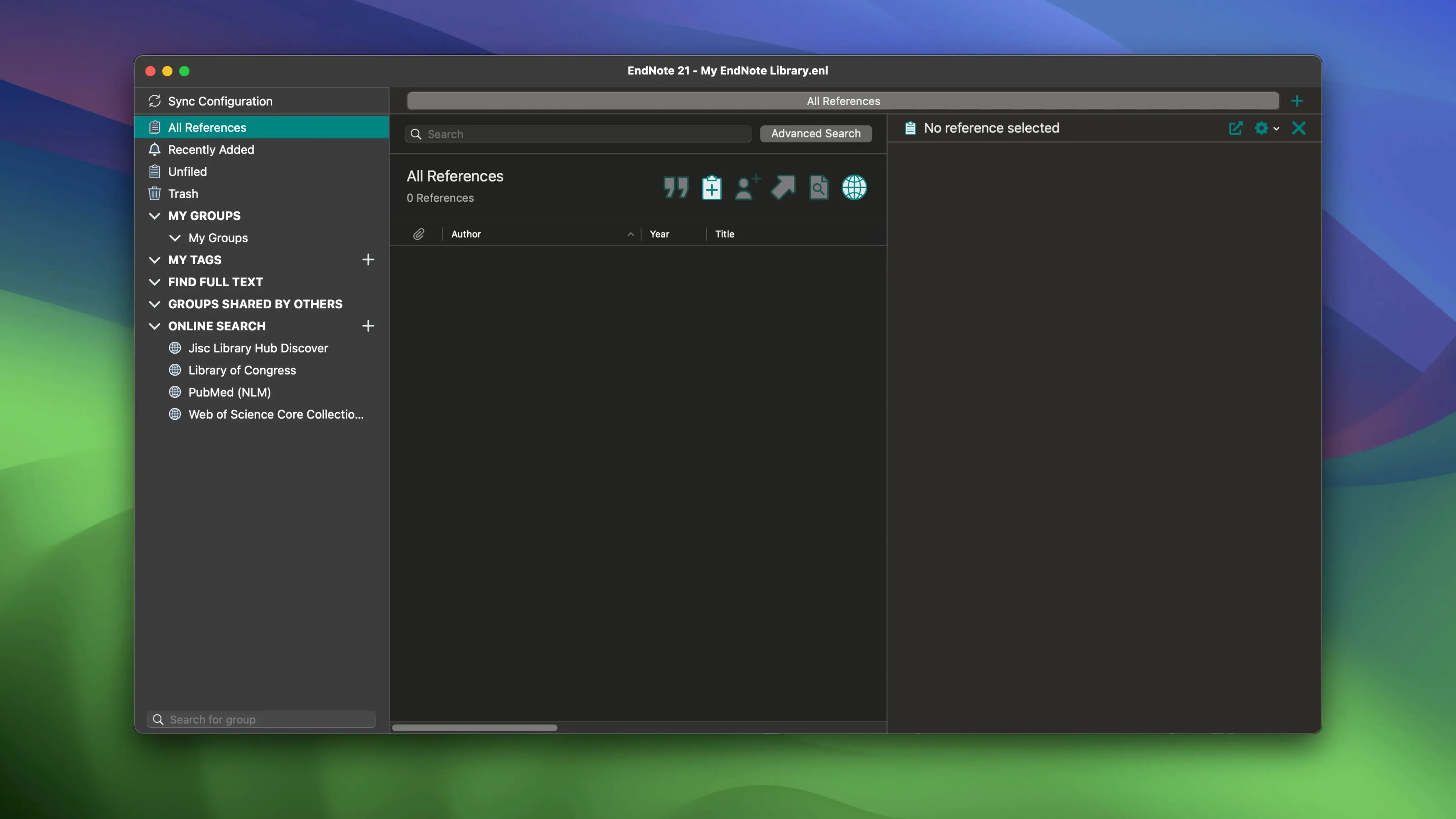
If you already use a reference manager, EndNote is the desktop heavyweight that syncs with EndNote Web and plugs into Microsoft Word and Google Docs. The current version 2025.3 keeps the workflow that researchers and dissertation writers rely on while fixing a crash in Word when Select Matching References appears.
Finding and organizing references
EndNote lets you search for bibliographic data, books, journals, and articles from within the app. You can add and color-code tags to keep projects sorted, then sync PDFs, notes, and annotations across devices.
Writing papers
Cite While You Write integrates directly with Microsoft Word, and the Google Docs add-in works similarly. The 2025.3 release resolves a crash that occurred when Select Matching References appeared in Word.
Recover edited or deleted references from an earlier version
EndNote has a few features that aren't obvious from the main toolbar but save time once you know them. The ability to restore previous versions of individual references means you can recover a citation you edited or deleted hours ago, so long as you sync to the cloud. Color-coding tags exists alongside the regular tag system: you can assign a color to a tag and see it at a glance in the reference list. That's useful for marking "read," "needs full text," or "to cite" without opening each record.
The library sync across devices works in both directions. Add a PDF annotation on your laptop, and it appears in the same reference on your desktop after the next sync. The same applies to notes you attach to a reference. If you accidentally overwrite a note, the version history for that reference gives you a way back.
Runs on Intel and Apple Silicon Macs from 2018 onward
EndNote 2025.3 runs on macOS 10.14 or later and supports both Intel (x86) and Apple Silicon (ARM) architectures. That means it will launch and function on a 2018 iMac just as it will on an M2 MacBook Air. The installer comes as a disk image you mount and run through the standard macOS installation procedure. There is no separate download for Apple Silicon — the same disk image handles both architectures.
The app works with Microsoft Word and Google Docs through the Cite While You Write plug-ins. On Mac, the Word integration installs as a tab or ribbon entry. The Google Docs add-in runs inside the browser and communicates with the desktop app. Both need EndNote to be open to insert citations or build a bibliography.
EndNote also connects to EndNote Web. If you keep a reference library online, the desktop client can sync to it. This is separate from the local library sync between your own machines — the online account lets you access references from a browser when you are away from your own computer.
Word crash when inserting citations fixed in the latest update
The most frequent issue on Mac is the Word crash fixed in 2025.3, which happened when the Select Matching References dialog appeared during a citation insertion. If you see a freeze or crash in that specific moment, updating to 2025.3 resolves it. If you are running a version before this fix, the workaround is to close the dialog and insert the citation manually by typing the author name.
Another snag: the Google Docs add-in sometimes stops communicating with the desktop app after a browser update. The usual fix is to re-enable the add-in from the Extensions menu inside Google Docs, then restart both the browser and EndNote.
Syncing a library for the first time can take a while if you have many PDFs attached. That is normal. The sync process uploads the full PDF files, not just the metadata, so a large reference list with attached files may take several minutes over a typical home connection. Subsequent syncs are faster because only changed items transfer.
Don't create a new library for each paper—use groups instead
A common error: creating a new EndNote library for each paper instead of keeping one master library and using groups and tags to separate projects. That leads to duplicate references and broken links when you try to combine them later. One library with color-coded tags per project is easier to manage.
Another mistake is ignoring the cloud sync until the final week of a dissertation. If you sync regularly, you get the version-history safety net for individual references. If you only sync once, you lose that fallback for older edits.
Some users install EndNote but never set up the Cite While You Write plug-in for Word or Google Docs, then manually type citations. The plug-in is the main reason to use EndNote over a text file of references. On Mac, the Word plug-in is installed as part of the standard installation — you just need to enable it inside Word's add-in manager if it does not appear automatically.
Finally, people sometimes forget that EndNote can search library catalogs and journal databases directly. They manually type reference details that the software could have pulled from an online source with one click. The search feature is in the Online Search mode within the app. It saves time and prevents typos in author names and publication years.
Version 2025.3 for macOS adds Simplified Chinese localization. The software runs on macOS 10.14 or later and supports both Intel and Apple Silicon Macs.
- macOS 10.14 or later
- Intel or Apple Silicon
Questions from the notes
Does EndNote work with Microsoft Word?
Yes, EndNote includes Cite While You Write for Microsoft Word and also integrates with Google Docs.
Install procedure
- Mount the downloaded disk image.
- Run the standard installation procedure.
Reports from players
Sign in or create a tester account to file a report.
No reports filed yet.