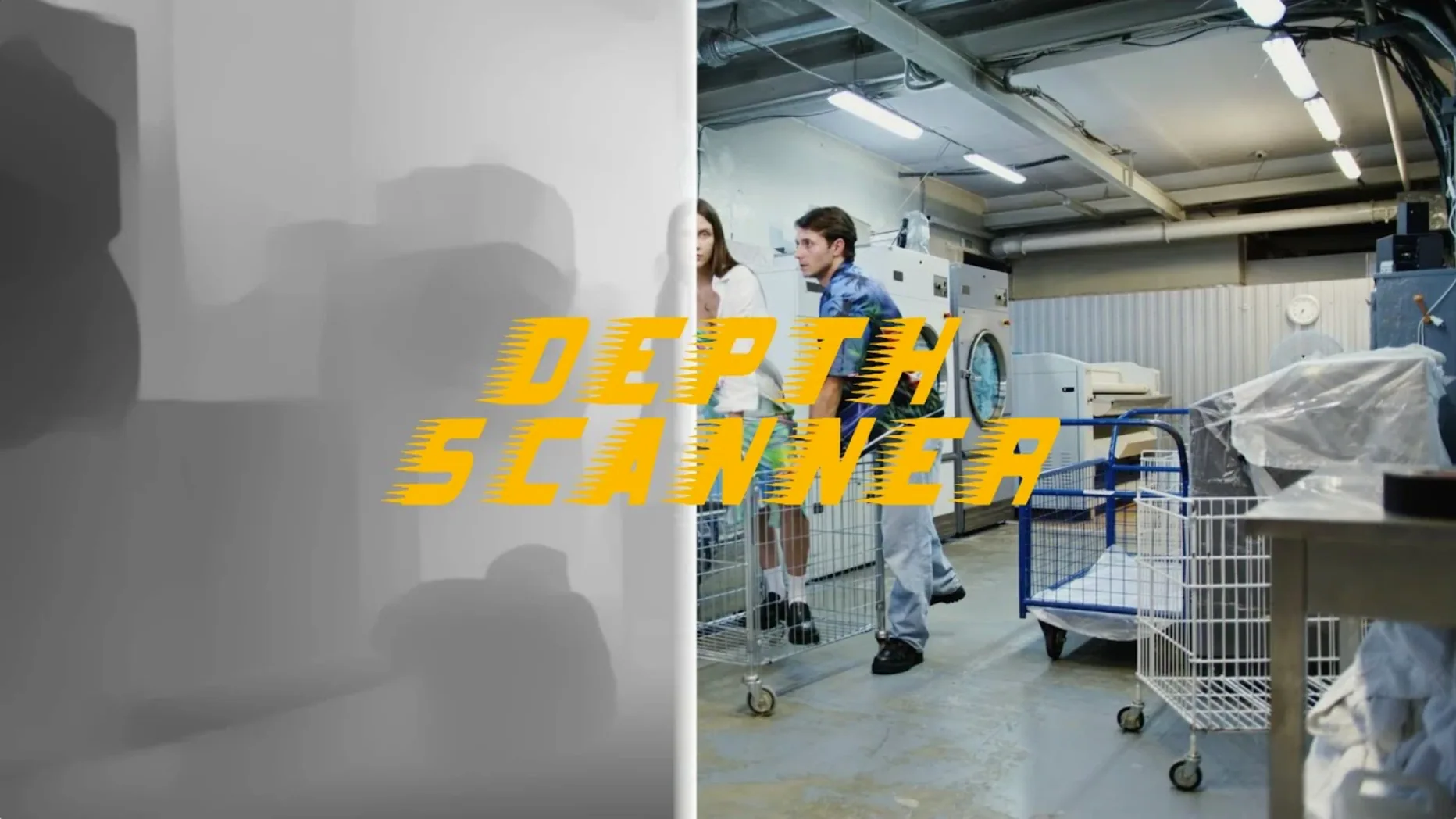
Depth Scanner is for After Effects users who need depth maps without manual rotoscoping. It analyzes each frame to find what is closest to the camera and builds a depth map automatically using artificial intelligence.
Generates depth maps from video clips or photographs
- Video clips and photographs — feed it either, get a depth map.
- 3D parallax motion — separate foreground from background for subtle or strong camera moves.
- Depth-based transitions — use the map to drive blur, displacement, or masking between scenes.
English-only interface with two version listings
- The interface is English only.
- It is listed alongside Depth Scanner 2 in the same plugin documentation, so check which version you are installing.
Analyzes entire video clips, not just still frames
Depth Scanner has a few details that are not obvious on first launch but make a difference once you know them.
- The plugin analyzes entire video clips, not just still frames. You do not need to export a single frame, generate a map in Photoshop, and re-import. Apply Depth Scanner to a timeline layer and it processes the full sequence.
- It reads both ProRes and compressed formats as long as After Effects can open them. No need to transcode footage before running the plugin.
- The depth map is output as a grayscale image where white is near the camera and black is far. This standard map format works with any effect that accepts a luminance or alpha channel input — lens blur, displacement, or custom expressions.
- Because the map is generated per frame, it handles camera motion and moving subjects. A static map from a single frame would break on a pan or a walking character; Depth Scanner updates the map each frame.
Run a short test clip with clear foreground and background
These are not settings — just approaches that save time when you are learning where Depth Scanner fits into your comps.
- Run Depth Scanner on a short test clip (five to ten seconds) with clear foreground and background. A person standing against a wall works well. Check the output map in the Info panel to see how the AI interprets distance. You will quickly learn what kinds of scenes produce clean maps and which ones need manual touch-up.
- Duplicate your source layer before applying the plugin. The depth map replaces the original pixel data on the layer it is applied to. Keep the untouched source on a layer below so you can reference it or mask it back in.
- Use the map as a layer mask on a blurred copy of your footage. Stack the original layer, duplicate it, blur the duplicate, and paste the depth map into its mask. This lets you control how much of the blur is visible based on distance — the classic shallow focus effect.
- For parallax motion, place the depth map into a Displacement Map effect on a duplicate layer. Offset the layer slightly and the displacement will push near objects more than far ones, creating a 3D feel. Adjust the displacement amount to taste.
- Test on one frame before processing a full timeline. After Effects can preview the plugin on the current frame, so you can verify the depth map quality before committing to a long render.
Set project to 16-bit or 32-bit color depth
Depth Scanner does not have many exposed controls — it is a one-click generator — but there are a few adjustments in After Effects that matter when you use it.
- Set your project to 16-bit or 32-bit color depth before applying Depth Scanner. The depth map contains subtle gradients, and 8-bit can introduce banding in the grayscale output. 16-bit gives smooth transitions which matter for displacement and blur effects.
- Make sure your comp resolution matches the source footage. If you upscale a 1080p clip inside a 4K comp, the plugin processes the scaled frame, not the original pixels. Scale your source layer to comp size first, or work at the native resolution.
- If you use Depth Scanner with an effect that expects an alpha channel, convert the grayscale map to an alpha using the Channel Blending or Alpha Composite utilities in After Effects. The plugin outputs a full-color grayscale image, not a native alpha, so you need to tell After Effects to treat the luminance as transparency.
- In the Project panel, enable the Show Preview icon for the map file so you can see the grayscale image without opening it. This helps when you are organizing layers and need to confirm which clip has the map applied.
Suits compositors without depth-sensing cameras
Depth Scanner fits specific workflows. It is not a general-purpose effect — it solves one problem well.
- Compositors working on budget or short-turnaround work. If you do not have a depth-sensing camera or a dedicated depth pipeline, Depth Scanner adds the data in post. For music videos, commercials, or indie films where every frame counts but the schedule is tight, it cuts out manual masking.
- Motion graphics artists who want 3D parallax without 3D software. A 2.5D effect — taking a flat photo or locked-off shot and adding a slow parallax move — normally requires separating foreground elements by hand. Depth Scanner automates the separation, so you can focus on the timing and the motion curve.
- Editors transitioning from a traditional video workflow into compositing. If you are used to cutting clips in Premiere and are starting to layer effects in After Effects, Depth Scanner is a tool that works with what you already know — load a clip, get a map, stack a blur. No machine learning pipeline to set up, no training data to prepare.
- Anyone who works with archival or stock footage. Old video or downloaded clips often lack depth information. Depth Scanner creates a synthetic depth map that makes them usable for modern effects like fake shallow depth of field or perspective shifts.
The plugin does not replace a stereo rig or a Cinema 4D depth pass. But for the After Effects user who needs a depth map in minutes, not hours, it is the correct tool. Depth Scanner 1.15.6, a depth scanner plugin free download, maps depth for After Effects compositors.
- macOS: not specified
- Architecture: not specified
Questions from the notes
Does Depth Scanner work on both video and photos?
Yes, it processes video clips and still photographs, generating a depth map for either input.
Install procedure
- Follow the standard installation procedure for After Effects plugins.
Reports from players
Sign in or create a tester account to file a report.
No reports filed yet.