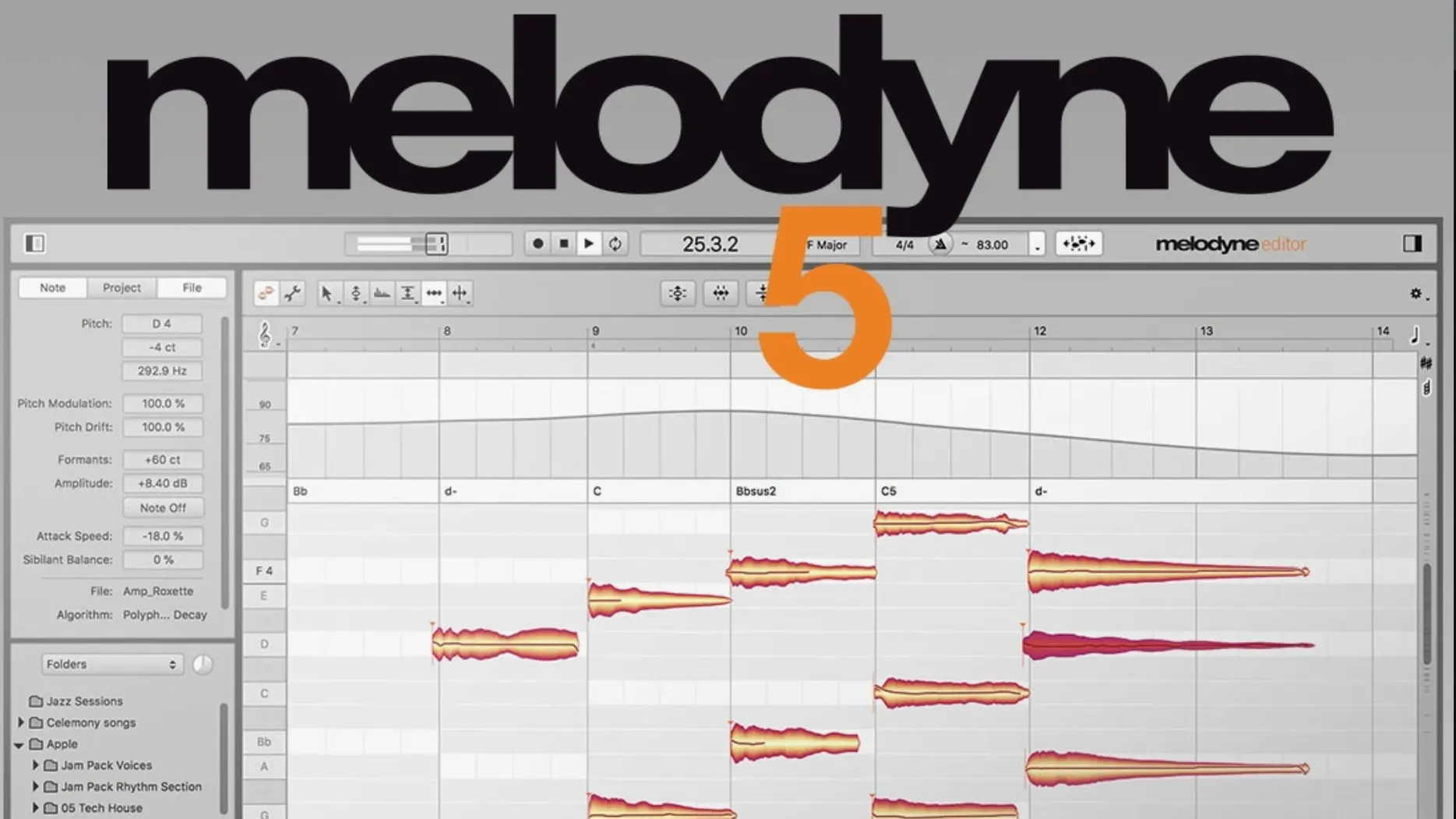
Melodyne works like a spectral editor that understands notes — it analyzes audio into discrete events, then lets you drag pitch, shift timing, adjust volume per syllable, or tune a vocal to a chord progression. The current version 5.4.2 runs natively on Apple Silicon and Intel Macs, supports ARA mode for tight DAW integration, and includes the Percussive Pitched algorithm for sounds that fall between drums and melody.
ARA mode and plug-in mode in your DAW
ARA mode — Melodyne opens as an ARA extension in compatible DAWs (Logic Pro, Studio One, Cubase), letting you edit audio without transfer delays. Plug-in mode works in any VST3, AU, or AAX host.
Editions — Available as Essential, Assistant, Editor, and Studio. The torrent covers the Studio edition with full feature set.
Native performance — Runs on macOS 10.12 or later, Intel and Apple Silicon. English interface only.
What you can edit
Pitch and timing — Move individual notes, correct vibrato, adjust sibilants, lengthen or shorten notes. Melodyne recognizes chords, keys, and tempo automatically.
Volume — Adjust loudness of single notes or syllables manually within the note editor.
Formants — Change the timbral character of a vocal without altering pitch.
Fix ARA mode not showing up by reinstalling Melodyne after the DAW
ARA mode won't show up in your DAW — make sure you installed Melodyne after the DAW, not before. The ARA extension registers itself during the install, and if the DAW was already running, it won't see it until a restart. If the plug-in list still doesn't show Melodyne, check your DAW's plug-in manager for a rescan option.
Melodyne launches but the audio file stays gray with no notes detected. This usually means the track is too low in level or the recording has too much background noise. Raise the input gain or use a noise gate before loading it into Melodyne. For drum loops with complex transients, try switching the algorithm to Percussive Pitched — the default algorithm sometimes misses the note boundaries on material that isn't clearly tonal.
Trackpad scrolling feels sluggish after the 5.4.2 update. The latest version revised scrolling behavior, so if it feels different from what you're used to, check your trackpad settings in macOS System Preferences. If you're on a laptop and use an external mouse, the scroll wheel should work as expected.
The crash that 5.4.2 fixed (opening Melodyne in ARA or plug-in mode) could still appear if you have an older preferences file. If Melodyne hangs on launch, delete the Celemony folder from ~/Library/Preferences/ and restart. You'll lose your saved layout preferences but not your edits.
Pitch correction sounds warbly or unnatural. Reduce the pitch drift and pitch correction amounts in the Note Assignment tool — aggressive settings on spoken word or quiet vocals produce artifacts. Back off until the curve matches the original performance.
Per-note volume and sibilant controls for vocal-heavy genres
Music producers working with vocal-heavy genres — pop, hip-hop, EDM — will use Melodyne every session. The per-note volume and sibilant controls let you fix a breathy take without reaching for a compressor, and the chord detection saves time when tuning a vocal to a key you haven't memorized.
Post-production sound editors who need to repair dialogue or voiceover. The formant and pitch tools can de-ess a syllable or raise the pitch of a single word without pitching the whole line. The same workflow works for ADR matching: align timing and pitch of a replacement line to the original performance.
Composers who sample hardware synths or drum machines. The Percussive Pitched algorithm is useful for old MPC grooves or lo-fi drum loops that have tonal elements mixed in with the hits. You can isolate a snare hit and tune it, or stretch a hi-hat pattern without losing the attack.
Anyone who tracks live instruments — a bass note that slides out of tune, a guitar chord where one string rings sharp. Melodyne edits polyphonic material, so you can grab the offending note inside a chord and pull it into pitch without muting the whole take.
Listen to the original pitch before dragging notes to center
Applying pitch correction to everything before listening to the original. If you open Melodyne and immediately drag all notes to center, you lose the micro-movements that give a performance character. Listen once with the original pitch, then decide which notes actually need correction.
Ignoring the timing grid. Melodyne detects tempo automatically, but if the detection is off by a few BPM, the note grid won't line up and timing edits will sound sloppy. Double-check the detected tempo in the ruler bar and correct it before you start moving note starts.
Using the wrong algorithm. The default algorithm works for vocals and sustained sounds. Load a drum loop or a plucked guitar part and Melodyne might split notes where they shouldn't split. Change the algorithm to Percussive for hits, or to Polyphonic for chords with multiple voices playing at once.
Over-compressing the track before Melodyne. Heavy compression flattens dynamics and introduces harmonic distortion that Melodyne interprets as pitch content. If the note display is noisy, run Melodyne on the uncompressed track, then bring the processed audio back into a mix with compression after.
Editing in the wrong edition. The torrent covers the Studio edition, but if you've used a lower edition before, you might not know that Editor and Studio unlock the Leveling Macro, the Fade Tool, and per-note volume automation. Check the edition name in the About dialog — if it says Essential or Assistant, the install didn't take correctly.
Practice selecting and dragging a single note on a vocal track
Spend an hour with a single vocal track. Don't try to fix everything — just practice selecting a note, dragging it up and down in pitch, and listening to how the timing stretch handles it. Get used to the zoom and scroll gestures with the trackpad, and adjust the trackpad sensitivity if the scrolling feels off.
Try the Fade Tool on a syllable. Select a note and draw a fade-in or fade-out curve at its start or end. This is useful for cleaning up breath pops without cutting the audio in your DAW first. The Leveling Macro in the same section smooths out volume differences across multiple notes — run it once on a verse and hear how the vocal sits more evenly.
Open a drum loop and switch to Percussive Pitched. Notice how Melodyne separates kicks, snares, and hi-hats into individual notes. Try shifting a snare hit a few milliseconds earlier or later — it's a way to tighten a groove without slicing the audio in your DAW.
Map a keyboard shortcut for "Play original" in your DAW key commands if your DAW supports it. Melodyne plays the corrected version by default, and you need a quick way to toggle the original audio to compare.
Save a template project with Melodyne already loaded on a vocal track. The next time you start a session, you bypass the plug-in instantiation and the initial analysis — the track opens with notes already displayed.
Workflow: tune a vocal track to a specific key
This covers a common studio task: you recorded a vocal take in the wrong key, or you changed the song key after tracking. Melodyne can retune the whole performance without repitching the entire file as a block.
- Import the vocal track into your DAW and instantiate Melodyne in ARA mode or as a plug-in. Wait for the analysis to finish — the notes appear as colored blobs on the timeline.
- Check the detected key in the Edit panel at the top of the Melodyne window. If it's wrong, click the key display and select the correct key from the list. Melodyne will recolor the notes to show which ones are in key and which are out.
- Activate the Pitch Correction Macro from the Tools menu.
- Scroll through the track and look for notes that still show red (out of key). Click each one and nudge it into the nearest in-key pitch. If a note lands between two pitches, decide which one sounds more natural and snap it there manually.
- Use the Fade Tool to trim the start of any notes that have breath artifacts. Click the Fade Tool icon, then draw a short fade on the note head. Do the same at the end of a line where the tail sounds sibilant.
- Run the Leveling Macro on the entire verse to even out syllable-to-syllable volume differences.
- Export the processed audio by bouncing the track in your DAW. The corrections are baked into the bounced file, and you can continue mixing with the tuned vocal.
If the key changes mid-song — a common trick in modern pop — insert a key change marker in Melodyne's ruler by double-clicking the key area and typing the new key. Notes before the marker stay in the original key, notes after shift to the new one.
- Optimizations and bug fixes for macOS Sequoia
- Improved trackpad scrolling
- Fixed a crash when opening Melodyne in ARA and plug-in use cases
- macOS 10.12 or later
- Intel or Apple Silicon processor
- English interface
Install procedure
- Mount the downloaded disk image.
- Run the standard installation procedure.
Reports from players
Sign in or create a tester account to file a report.
No reports filed yet.