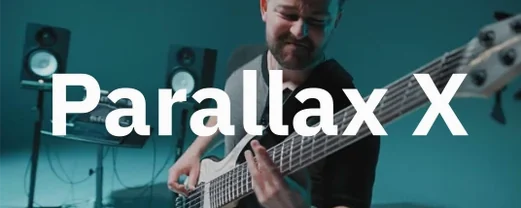
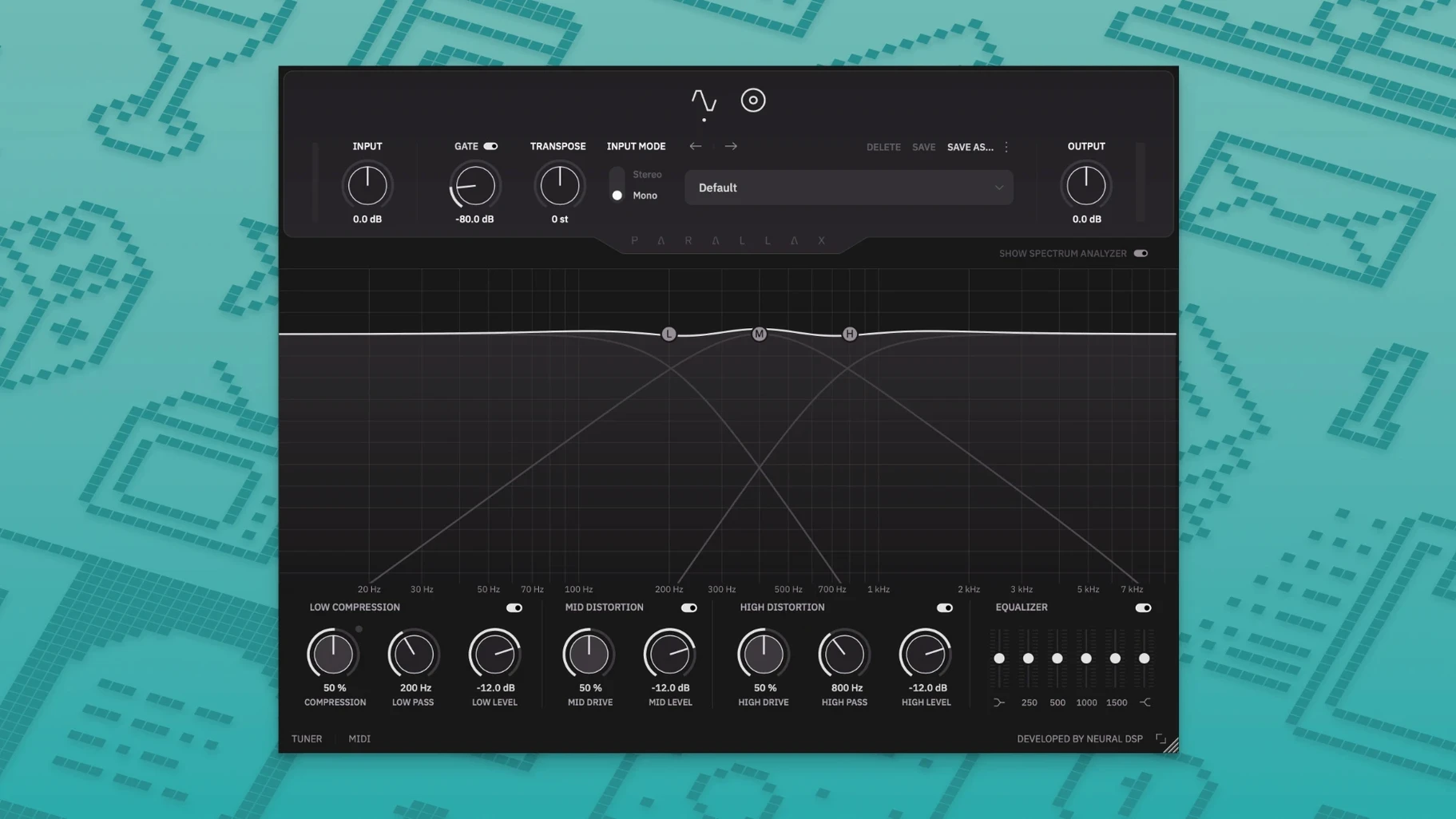
Bass players and producers reach for Parallax X when a bass track needs to sit in a mix without fighting the kick drum or the guitars. The plugin splits the signal into low, mid, and high bands, processes each independently, then blends them back. That parallel approach gives you control over the sub weight, the mid-range punch, and the fret noise or pick attack without masking other instruments.
- Use it directly on a bass track for tone shaping, or on a bus to glue multiple bass layers.
- The six-band graphic EQ works well for carving out space after the distortion stage.
- Cabinet emulation with six virtual mics lets you dial in a DI tone or a full amp sound.
- The built-in tuner and transpose function are handy for quick re-tuning during sessions.
- Standalone mode includes a metronome with time signature and accent settings, useful for practice or re-amping.
- Legacy Parallax presets import automatically, so existing projects don't lose their sound.
Parallax X runs natively on Apple Silicon and supports both Intel and ARM Macs. The revamped interface and new presets make it a straightforward upgrade for anyone already using the original Parallax.
Adjust the low-band compressor on a DI bass track
Load the plugin on a DI bass track in your DAW. The interface opens to the main processing view, showing three bands across the screen. Start by playing the track and adjusting the low-band compressor to control the fundamental frequencies that drive the subwoofer. The compressor reacts to the bass's low end without affecting the mid or high ranges, which are processed separately.
Next, bring up the mid-band distortion. This circuit adds note articulation, so you can hear each finger or pick stroke more clearly. Dialing in a moderate amount here gives the bass presence in a dense mix without making it sound harsh. The high band handles the fuzz and edge — increase it for aggressive rock or metal tones, or leave it low for a cleaner, rounder sound.
After setting the three bands, use the mix controls to blend them. The parallel design means you can push the low band hard for sub weight while keeping the mids and highs clean, or vice versa. The six-band graphic EQ at the bottom lets you fine-tune the overall frequency balance after distortion, which is useful for cutting or boosting specific problem areas. Finally, enable the cabinet emulation to shape the mid and high frequencies with one of the six virtual microphone positions. Toggle through them while the track plays to find the placement that fits the mix.
If you need to transpose the bass part, the transpose function shifts pitch up or down within one octave without affecting the processing. Use it to match a different tuning or to layer a transposed part under the original for added depth. The built-in tuner lets you check tuning at any point without leaving the plugin window.
Integration with other apps and macOS features
Parallax X works as a standard AU, VST2, VST3, or AAX plugin, which covers most major DAWs on macOS. Load it in Logic Pro, Ableton Live, Pro Tools, Reaper, or Studio One without any extra steps. On Apple Silicon Macs, the plugin runs natively — no Rosetta translation required, so it appears in your plugin manager alongside other native plugins.
macOS features like Audio MIDI Setup treat the standalone app as a normal audio source. You can route its output to other apps through virtual audio drivers if you want to process bass through Parallax X while recording into a different program. The standalone mode includes a metronome with time signature and accent settings, which is useful for practice sessions without a DAW. Launch it as a standalone app, set your tempo and time signature, plug in your bass, and play along with the click.
Legacy Parallax presets are imported automatically during installation, so existing projects load correctly. The new Parallax X presets are stored in a separate folder, keeping the two versions cleanly separated on disk.
Make room for the bass above an 80 Hz kick drum
A mix engineer is working on a rock track where the bass line follows the kick drum pattern closely. The kick occupies the sub-80 Hz range, and the bass needs to sit above it without losing weight. The engineer inserts Parallax X on the bass track and focuses on the low-band compressor. By adjusting the low-band settings, the engineer tightens the bass's sub frequencies so they don't overlap the kick. The mid-band distortion adds attack definition, making the bass audible on smaller speakers and phone speakers. The high band stays low to avoid adding fizz. A quick pass with the six-band EQ cuts a narrow notch around 250 Hz where the guitars crowd the bass. The cabinet emulation is set to a medium-distance microphone for a natural room sound. The bass sits clearly in the mix without competing with the kick or the guitars.
Resolve missing plugin issues in your DAW
- Plugin doesn't appear in your DAW. Ensure you installed the correct format (AU, VST2, VST3, or AAX) for your DAW. Some DAWs cache plugin lists; rescan the plugin folder. On macOS 11 or later, the installer places files in the standard system folders, so clearing the cache and restarting the DAW usually resolves it.
- Legacy Parallax presets aren't loading. Check the Parallax X user presets folder. During installation, the legacy presets are copied there automatically. If they're missing, run the installer again. The original Parallax plugin remains installed and its presets stay untouched.
- Standalone app has no audio output. Open macOS Audio MIDI Setup or System Settings > Sound to confirm your audio interface or built-in output is selected. The standalone app respects the system default device unless you change it in the app's settings.
- Transpose sounds off or glitchy. The transpose function works within a one-octave range. Extreme shifts may sound unnatural on certain bass frequencies. Keep the shift moderate for best results.
- Cabinet emulation has no effect. The cabinet emulation applies only to the mid and high bands by design. If you hear no change, check that the cabinet section is enabled and that a microphone is selected. The low band bypasses the cabinet entirely.
- Adds Transpose, Live Tuner, and Metronome features.
- Adds new factory presets and a revamped interface.
- Adds a redesigned Spectrum Analyzer.
- macOS 11 or later
- 64-bit
- Intel or Apple Silicon
Install procedure
- Open the downloaded disk image.
- Run the standard installation process.
Reports from players
Sign in or create a tester account to file a report.
No reports filed yet.