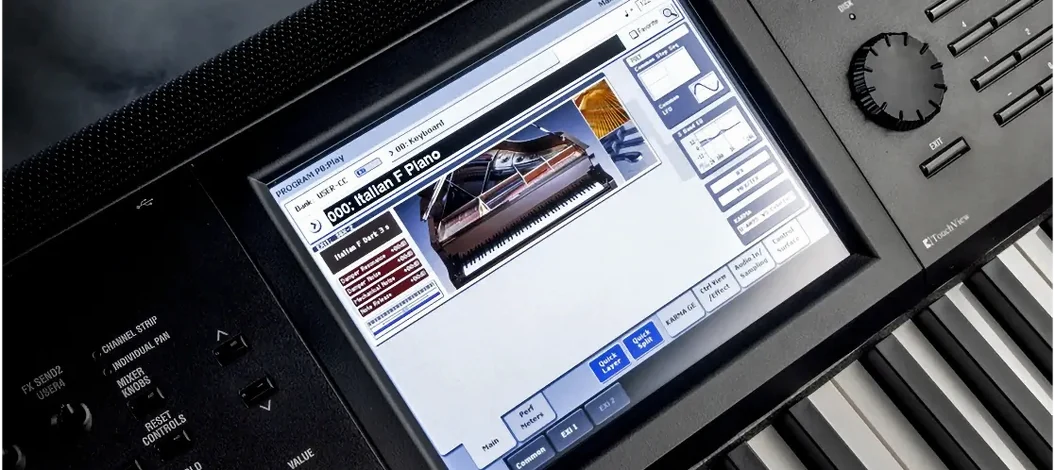
If you already run a DAW or a sampler host on macOS, KORG Collection 6 drops in as a standard set of audio units and VST plugins. Version 1.0.3 of this 2026 update adds the TRINITY, PS-3300, SGX-2, and Filter Ark to the existing lineup. The plugin suite targets macOS 10.13 and later, with native support for both Intel and Apple Silicon — no Rosetta workarounds needed for the M-series Macs.
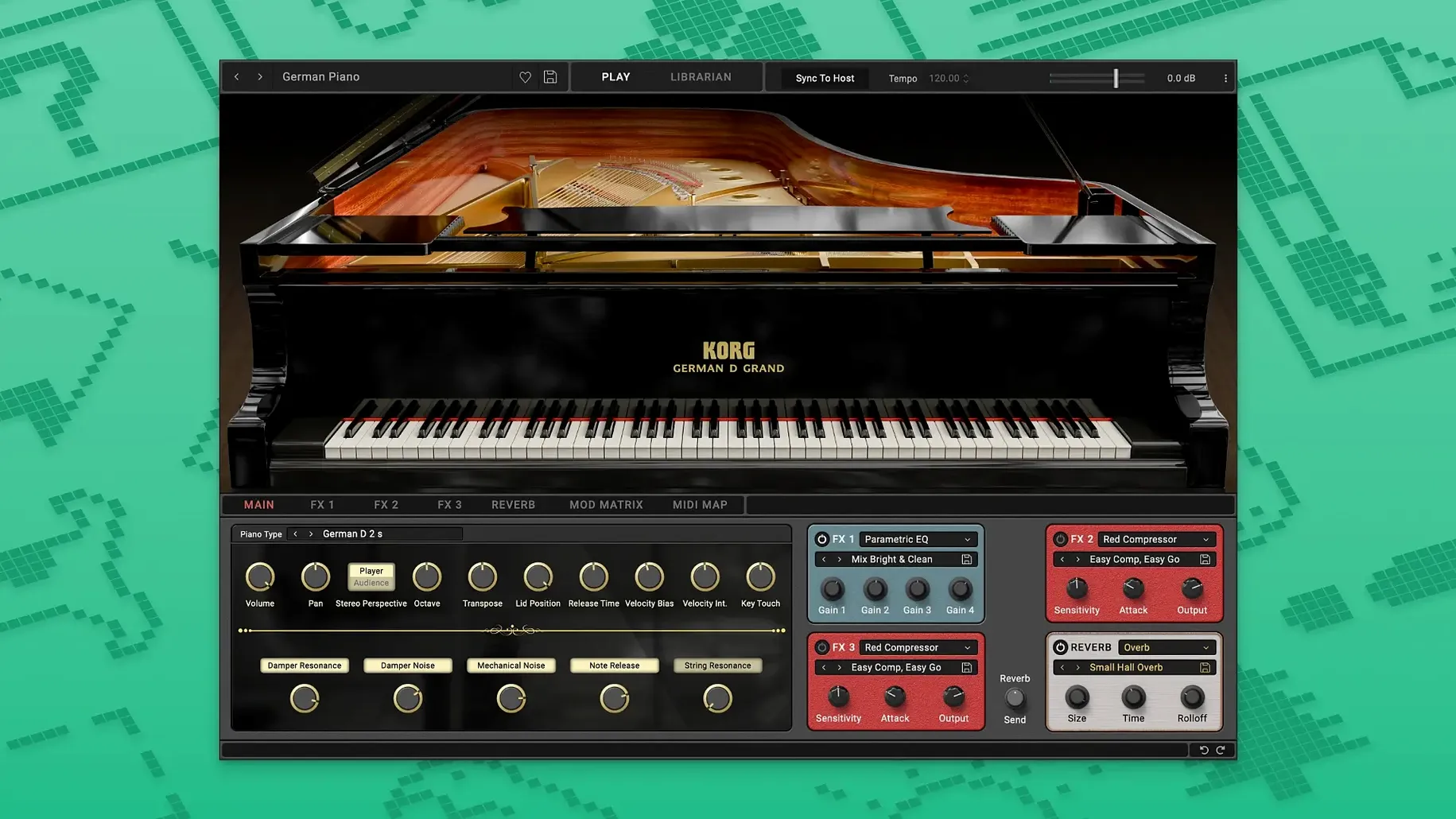
The SGX-2 piano handles brightness, softness, reverb, and keyboard response from within the plugin window, which keeps the sound consistent whether you're working on classical, jazz, pop, or soundtrack material. The rest of the collection aims to recreate the character of KORG synthesizers, so patches tend to sit where you expect them in a mix.
Installation includes a standard registration step, and the package covers both standalone and plugin modes. Formats tested with Logic Pro, Ableton Live, and Cubase — no surprises.
Dial the SGX-2 reverb shorter for fast pop or jazz work
Before you start a serious session, open the SGX-2 plugin and look at the keyboard response and reverb controls. The default reverb can be a little long for fast pop or jazz work — dialing it down to about a quarter of the range keeps the piano dry enough to sit in a busy mix without fighting the bass or drums. Brightness and softness are per-session decisions: brighter for rock or solo piano, softer for pads or layering under strings.
For the synth plugins in the suite, check the filter cutoff and envelope settings right away. The PS-3300 and TRINITY patches load with fairly wide filter sweeps that may not suit your arrangement. Narrowing the cutoff and adjusting the attack time to match your tempo saves you from re-tweaking mid-composition.
If you work with multiple instances of these plugins, set the global reverb on your DAW's master bus instead of in each plugin. It keeps CPU draw lower and gives you a unified space for all the KORG sounds.
Start with one or two plugins per project for the first week
Start with one or two plugins per project for the first week. Loading the whole suite into every session makes it harder to learn each instrument's behavior. Try the SGX-2 alone in a piano-and-vocal sketch first — it responds differently to velocity than most sampled pianos, and you want to get a feel for that before layering other synths on it.
When you save a preset inside the plugin, name it with the tempo and key of the project. The plugin's library will fill up quickly, and vague names become useless after a few days. Also, keep a separate template track for each KORG instrument in your DAW — route them to their own mixer channels so you can apply EQ and compression per instrument without affecting the others.
Run the standalone version of each plugin alongside your DAW for sound design sessions. The standalone mode uses less overhead and lets you audition patches without loading a full project. Once you find a sound you like, save the preset and load it in your DAW later.
Registers as standard VST and AU plugins in any DAW
KORG Collection 6 registers as standard VST and AU plugins, so it shows up in any DAW that scans those formats — Logic Pro, Ableton Live, Cubase, Studio One, and Reaper all pick it up without extra configuration. The plugin also works as an Audio Unit in Apple's Logic, which means you can use Logic's native MIDI learn and automation features directly on the SGX-2's controls.
macOS's built-in audio routing works fine with the standalone versions. You can send the output of the SGX-2 standalone to a Loopback audio device and record it into your DAW as a live track, useful if you want to capture a performance with real-time tweaks without committing to a plugin instance.
The suite doesn't rely on iLok or any hardware dongle, so it doesn't interfere with macOS's USB audio device handling or with other copy-protected plugins. If you use macOS's built-in MIDI services, the standalone app picks up incoming MIDI from any connected controller without extra setup.
Before installing KORG Collection on your Mac
Works on Macs from 2012 onward with macOS 10.13 or newer
If your Mac runs macOS 10.13 or newer, you're covered. The plugin suite supports both Intel (x86) and Apple Silicon (ARM) architectures natively, so no translation overhead or Rosetta issues. That includes Macs from 2012 onward that can run High Sierra or later, and all M1, M2, M3, and M4 machines.
Can I use these plugins in a production environment right away?
Yes, as long as you follow the included installation and activation steps. The suite is licensed per-machine and doesn't require a constant internet connection after activation. The instruments are stable enough for session work — no unexpected crashes or missing samples during normal use.
Do I need a separate sample library for the SGX-2?
No. The SGX-2 is a self-contained instrument with its own internal sample set. It includes natural note decay and soft pedaling behavior, so you don't need to layer a separate piano library underneath it. The controls for brightness, softness, reverb, and keyboard response are all inside the plugin itself.
How does the 2026 update compare to earlier versions?
The 2026 update (version 1.0.3) adds four new instruments: TRINITY, PS-3300, SGX-2, and Filter Ark. If you already have an earlier version of KORG Collection, these are the new additions — the existing plugins remain the same. The update doesn't change the system requirements or the installation process.
Can I share presets between the standalone and the plugin?
Yes. Presets saved in the standalone version load into the DAW plugin version and vice versa. The format is the same across both modes. Just make sure you save presets to the default user library folder so both modes can find them.
- macOS 10.13 or later
- Intel or Apple Silicon processor
Install procedure
- Run the installer package.
- Follow the on-screen activation instructions included in the package.
Reports from players
Sign in or create a tester account to file a report.
No reports filed yet.