iZotope Tonal Balance Control 3.0.0 — Mac build
VST Plugins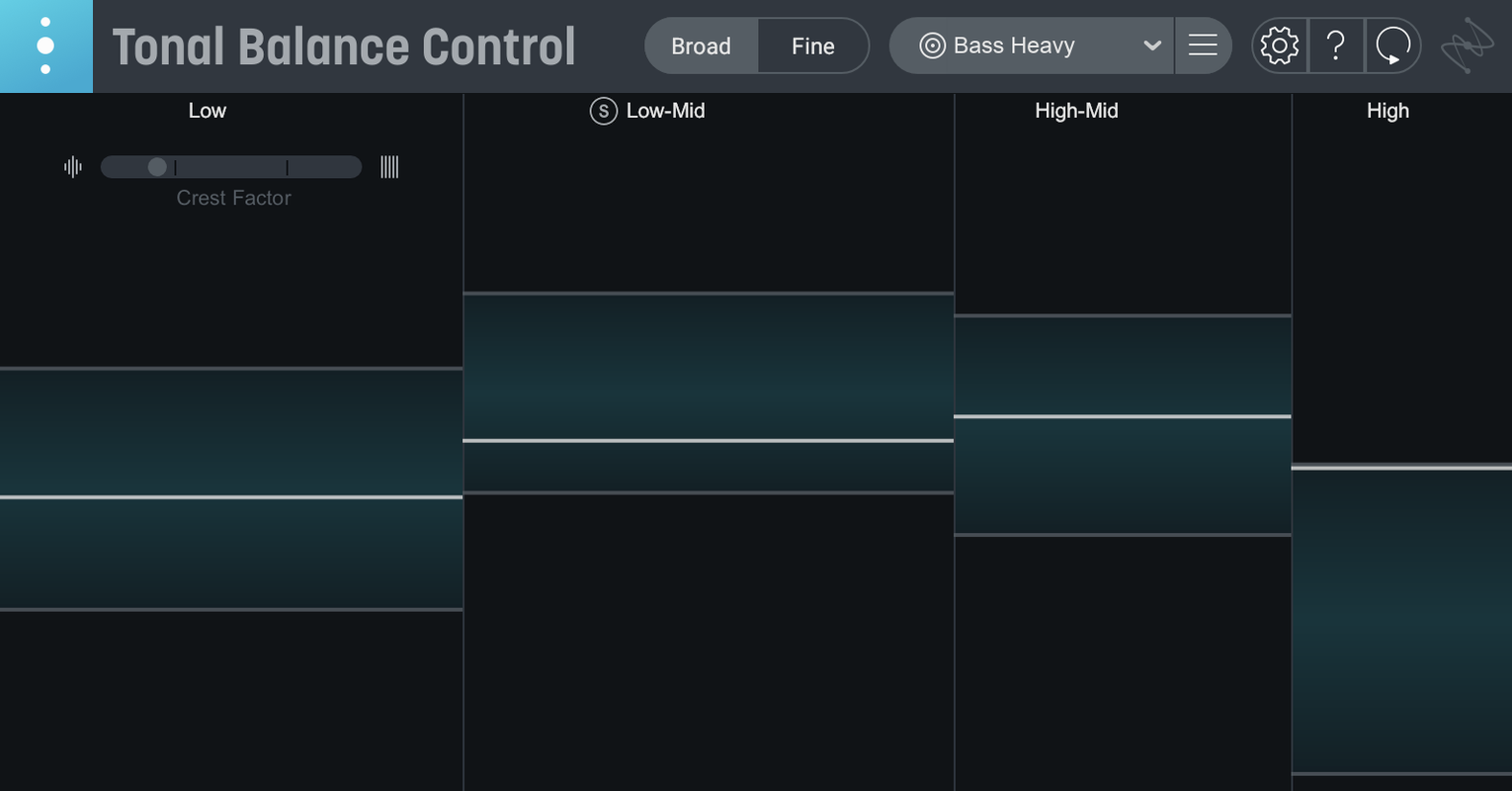
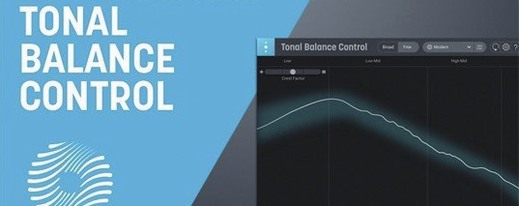
The Tonal Balance meter sits right where you need it: between your ears and the mix bus. Pull up a target curve for rock, hip-hop, or any of the 12 genres, and the display shows where your low end piles up or the highs vanish. It doesn't tell you what to do, it shows you what's off.
What does the built-in hybrid EQ change?
Version 3 adds an EQ right inside the plugin, so you can carve the offending frequencies without leaving the window. It works alongside the metering, making the fix as immediate as the diagnosis.
How do the extra meters help?
Beyond the tonal curve, new meters track vocal balance, dynamics, and stereo width. You get a broader picture of the mix's health in one pass, not just the frequency spectrum.
Links with Ozone and Neutron equalizers
Yes. It links with Ozone and Neutron equalizers, and can pull compatible plugins up from inside its interface. You can also load an audio file to create a custom reference curve if the genre presets don't fit.
Comparisons to other Mac mixing tools are straightforward because few do exactly what this plugin does. FabFilter Pro-Q 3 is a surgical EQ with a spectrum analyzer, but it lacks target curves and genre-specific references. You can see what frequencies are present, but the plugin doesn't tell you if your mix matches a hip-hop or pop profile. iZotope's own Ozone has a Master Assistant that builds a chain from a reference, but it's a full mastering suite, not a focused meter you drop on individual tracks or buses.
Where Relay fits into the chain
Relay ships inside the installer. It is a lightweight plugin that adjusts gain, pan, and stereo imaging across multiple tracks. The real value appears when you use Relay on every channel: Tonal Balance Control sees the collective input from all Relay instances, so the meter reflects the whole mix rather than just the track it sits on. You can keep the Tonal Balance Control plugin on the master bus and adjust individual tracks through Relay without switching windows.
A fix session from two bad mixes to a clean master bus
Start with a mix that sounds muddy and lacks vocal presence. Open Tonal Balance Control on the master bus as a plugin in your DAW. Select the Pop target curve from the 12 genre presets. The meter shows a bulge in the 100-200Hz range and a dip around 2-4kHz. Your mix is too low-mid heavy and the vocals are buried.
Click the button inside Tonal Balance Control that accesses compatible iZotope plugins. This opens Neutron's EQ directly. Cut 3-4dB around 150Hz with a medium Q. The meter updates in real time as you pull the band down. The low-mid bulge shrinks. Now boost 3kHz by about 2dB with a wider Q. The vocal region rises on the meter toward the target curve. The display shows the curve filling in without overshooting. Save the EQ preset for the session.
Switch to a mastering scenario. You have a mastered track that sounds thin compared to commercial releases in the same genre. Open Tonal Balance Control as a standalone application on your Mac. Load an audio file of a reference track in the same genre into the custom reference curve section. The plugin analyzes the file and draws a new target curve based on its spectral balance. The built-in hybrid EQ lets you shape the master bus until your track's curve matches the reference. The extra stereo width meter confirms your track's spatial image is in the same range as the reference. The dynamics meter shows your track has enough compression to sit consistently without pumping.
Catches low-mid buildup before it fatigues the ear
Mix engineers working on dense arrangements benefit the most. When instruments pile up in the low mids, the human ear gets fatigued and stops hearing individual parts. Tonal Balance Control catches that buildup before it becomes a problem on playback systems. Mastering engineers who need a consistent reference across different genres will use the 12 target curves and the custom audio file import to match client expectations. Music producers working alone in a home studio without treated rooms get a visual anchor that supplements what their speakers and headphones tell them.
Sound designers and post-production engineers will find less use for genre-specific curves, but the vocal balance and stereo width meters still apply to dialogue mixing or soundscape work. The plugin is less useful for live sound engineers or video editors who do not work with tonal balance as a primary concern.
Works on Intel and Apple silicon from macOS 13.4
The installer works on macOS Sonoma 14.7 or later, including macOS Sequoia 15.4 and macOS Tahoe 26.1. Some language variants list compatibility starting at macOS 13.4. Both Intel Macs and Apple silicon M-series Macs are supported, with the universal binary including ARM and x86 64-bit architectures. The interface language is English. Installation and activation instructions are included in the package. No additional iLok or hardware key is required. The plugin format is compatible with most major DAWs that support AU or VST3, though the exact format list depends on your DAW's plugin architecture.
- Initial major release of Tonal Balance Control 3.
- Added standalone desktop app.
- Added meters for vocal balance, dynamics, and stereo width.
- Added a built-in hybrid EQ.
- macOS Sonoma 14.7 or later
- Apple Silicon or Intel (x86 64-bit)
- Interface language: English
Install procedure
- Follow the included installation and activation instructions.
- Install the plugin using the provided steps.
- Complete activation as described in the instructions.
Reports from players
Sign in or create a tester account to file a report.
No reports filed yet.