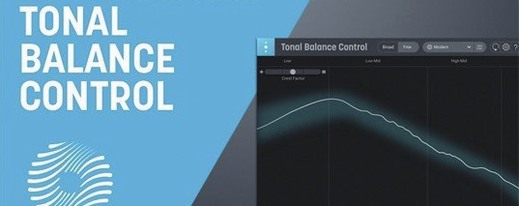
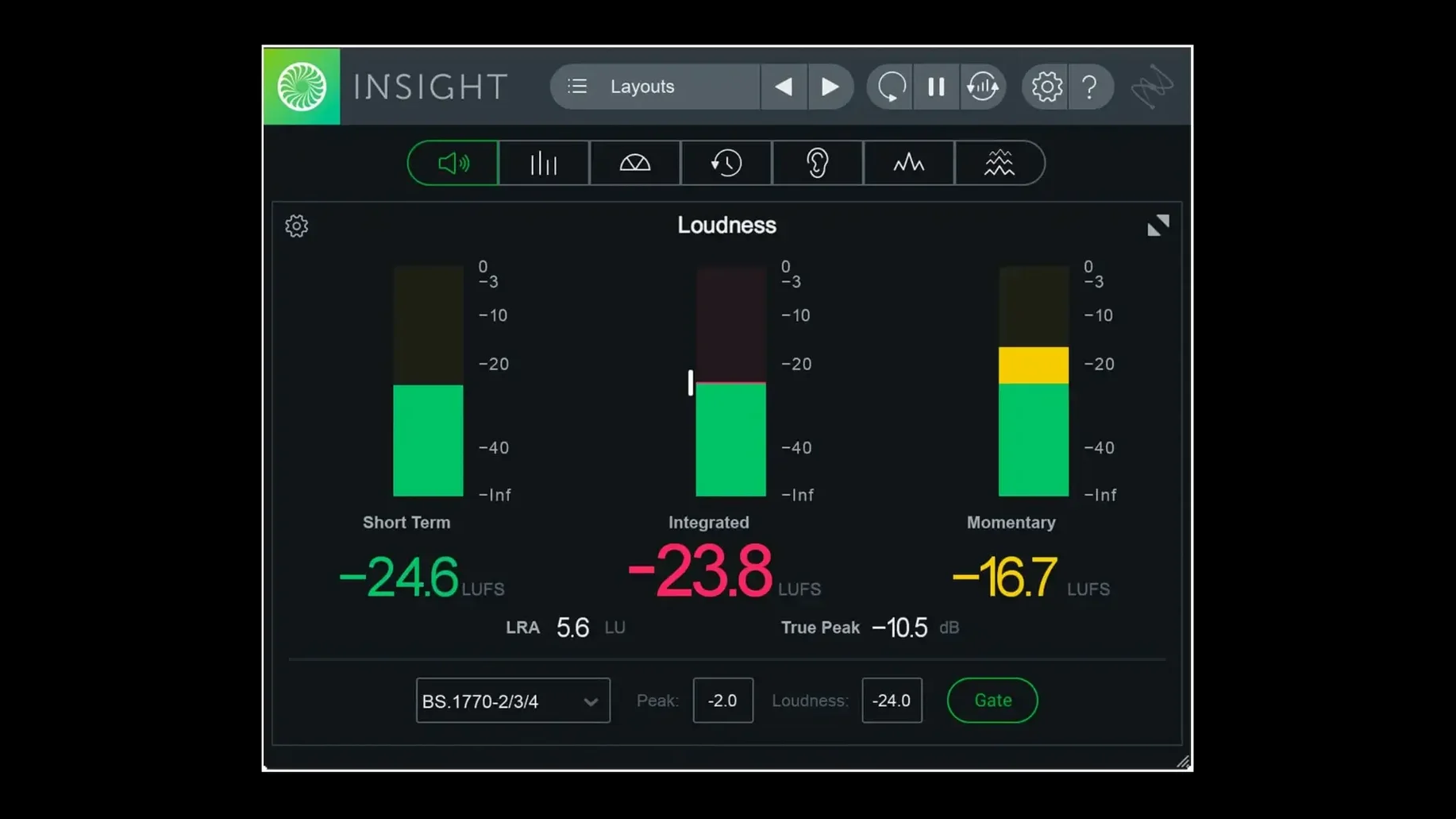
Mixing engineers and mastering engineers use iZotope Insight 2 to see what their ears are hearing. It is an audio metering and analysis plug-in that shows mix loudness, spectral balance, intelligibility, and related metrics in real time.
What each meter shows
- True Peak Meters and Loudness Meters — verify audio against current loudness standards, including ITU-R BS.1770.
- Loudness History Graph — shows how loudness changes over the length of a track or mix session.
- Stereo Vectorscope and Surround Scope — visualize stereo width, phase correlation, and surround channel placement.
- 2D/3D Spectrogram and Spectrum Analyzer — reveal frequency build-up, masking, and tonal balance across the spectrum.
How it helps during mixing and mastering
Insight 2 uses visual monitoring and color-coded signals to flag potential mix problems as you adjust EQ, compression, or level. The plug-in runs native on Apple Silicon Macs (ARM64) and includes factory and custom preset tabs in the preset manager. The interface is English only.
Resize the meters to fit your session layout
Insight 2 opens with a dense array of meters. A few adjustments early on save you from sifting through menus mid-session.
- Resize the meters — Each meter panel can be resized to fit your session layout. Drag the edges to enlarge the Spectrogram or shrink the Loudness History Graph if you only need a quick reference.
- Set loudness standards — If you are mixing for broadcast or streaming, check that the Loudness Meters are using the correct standard (ITU-R BS.1770 is the default, but other broadcast standards are available). Change this in the meter’s settings before you start adjusting levels.
- Enable color signals — The plug-in uses color to flag potential problems: red for clipping, yellow for phase issues, green for safe ranges. Make sure these are turned on in the meter preferences. They are easy to miss if you are focused on the numbers.
- Arrange by workflow — Put the meters you check most often (True Peak, Loudness History) near the top of the plug-in window. The Stereo Vectorscope can go lower or in a separate instance if you only use it for phase checks.
Route audio to the plug-in to see meter signal
A few things trip people up when they first run Insight 2. None are blockers, but knowing them saves a reboot.
- Meters show no signal — The plug-in needs audio routed to it. In your DAW, make sure Insight 2 is inserted on a track or bus that actually carries audio. A common mistake is placing it on a master bus that is not receiving any input.
- Presets do not appear — The preset manager has two tabs: Factory and Custom. If your saved presets are missing, check you are on the Custom tab. The Factory tab only shows defaults. Also verify you are using version 2.4.0 — earlier versions did not have these tabs.
- AAX not loading in Pro Tools — Insight 2 added native ARM64 AAX support for Pro Tools 2023.3+ on Apple Silicon Macs. If you are running an older Pro Tools version or an Intel-based Mac, the AAX plug-in may not load. Use the VST3 or AU version instead.
- Surround Scope shows nothing — The Surround Scope only works with multichannel tracks (5.1, 7.1, Dolby Atmos 7.1.2). On stereo tracks it stays blank. Route it to a surround bus or use the Stereo Vectorscope for two-channel material.
- Installer errors on macOS — Minimum supported macOS is Big Sur. If you are on an older macOS version (Catalina or earlier), the installer will not run. Upgrade macOS or use a compatible host system.
Set up multi-user installations for shared Macs
Insight 2 has a few features that are not obvious from the main window but are worth knowing about.
- Multi-user installation — The installer supports multi-user setups. If you share a Mac between engineers, each user can have their own preset folder and meter layout. This was added in version 2.4.0.
- Scalable metrics — Individual meter panels can be scaled independently. You can stretch the Spectrogram tall for detailed frequency analysis while keeping the Loudness History Graph compact. No global zoom lock.
- Audio routing from any track or bus — You are not limited to the track the plug-in sits on. Route audio from any track or bus into Insight 2 for targeted analysis. This is useful for checking a single instrument in a dense mix.
- DRM-free — The plug-in ships without online activation. Install it, follow the instructions in the package, and it runs. No license manager or periodic phone-home checks.
See your mix instead of just hearing it
Insight 2 is built for people who need to see what their mix is doing, not just hear it. It is not a tool for casual listening or basic gain-staging.
- Mixing engineers — If you are balancing a dense mix with many tracks, the Spectrogram and Spectrum Analyzer reveal frequency masking that is hard to catch by ear. The Loudness History Graph shows if your chorus hits a different integrated loudness than your verse.
- Mastering engineers — The True Peak and Loudness Meters let you verify your master against broadcast or streaming loudness targets. The Surround Scope is useful for checking phase correlation in stereo masters.
- Audio post-production editors — For film, TV, or podcast work, the intelligibility metrics help confirm dialog is clear above background noise. The multichannel support up to Dolby Atmos 7.1.2 means you can analyze surround mixes without a second tool.
- Apple Silicon Mac users — Version 2.4.0 runs natively on ARM64 Macs (M1, M2, M3). No Rosetta translation layer is needed for the plug-in itself. If you use Pro Tools 2023.3+ on Apple Silicon, the native AAX version is included.
iZotope Insight 2 free download mac provides audio analysis tools for mastering engineers and producers. The install instructions are inside the package. No separate crack or serial is needed.
- Native ARM64 AAX support for Pro Tools 2023.3+ on Apple Silicon Macs.
- Native ARM64 install support for Apple Silicon Macs.
- Factory and custom preset tabs added to the preset manager.
- macOS Big Sur or later
- Apple Silicon or Intel processor
Questions from the notes
Does iZotope Insight 2 support Apple Silicon Macs?
Yes, version 2.4.0 includes native ARM64 install support for Apple Silicon Macs, and native ARM64 AAX support for Pro Tools 2023.3+.
Install procedure
- Extract the package.
- Run the installer.
- Follow the activation instructions included in the package.
Reports from players
Sign in or create a tester account to file a report.
No reports filed yet.