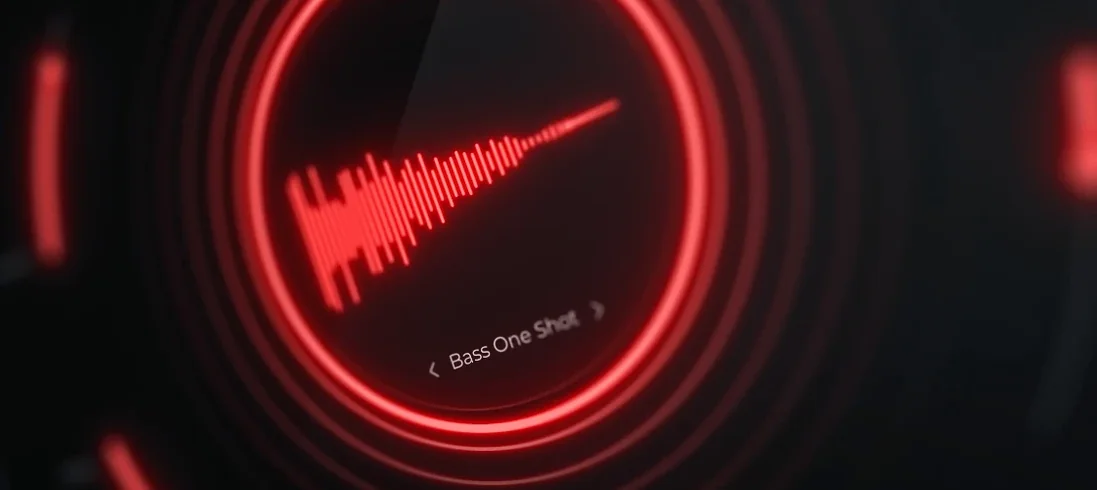
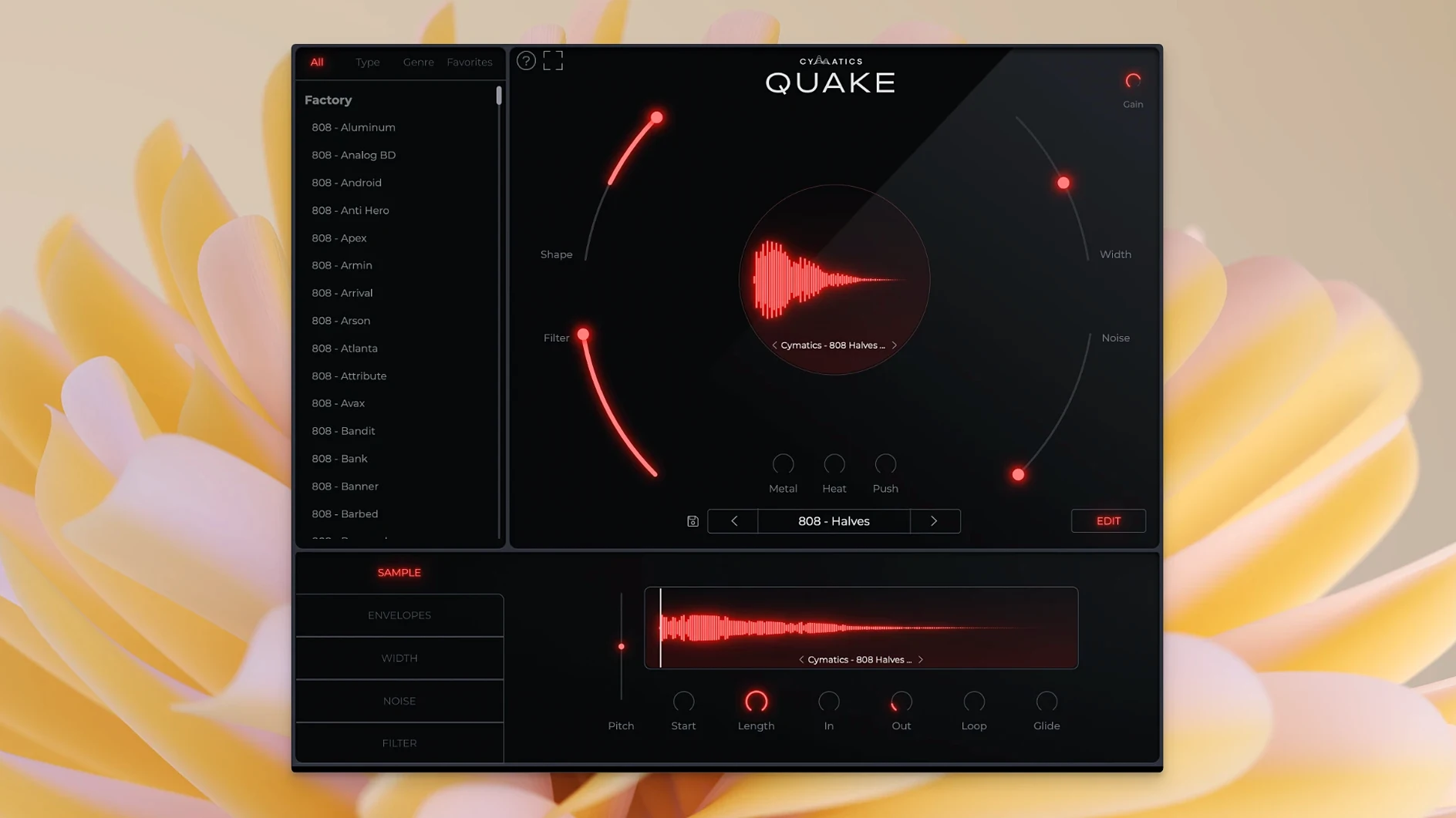
QUAKE 1.0.0 is the current release of Cymatics' bass engine plugin. It's built for designing bass sounds and 808s, with a preset library that's fully customizable. The plugin runs on macOS 10.14 or later, on both Intel and Apple Silicon Macs.
Shapes heavy bass and 808s with shape, saturation, and filtering
- Creating heavy-hitting bass and 808s from scratch or from presets.
- Shaping tone and envelope with the Shape control.
- Adding saturation and distortion via Metal, Heat, and Push.
- Filtering out unwanted frequencies with the built-in filter.
- Adding analog-style noise and texture with the Noise section.
Interface is English-only and presets need tweaking from the start
- Interface is in English only.
- No version changes in 1.0.0 — this is the initial release.
- You'll want to tweak presets; the presets are a starting point, not a final mix.
The most productive way to use QUAKE is to treat it as your first stop when building a track's low end, not as a final polish tool. A typical session starts with a rough idea — maybe a kick pattern and a simple chord progression. Instead of scrolling through sample folders, you load QUAKE on a new MIDI track.
Opens with preset library by genre for quick trap or beat auditioning
Open the plugin window and browse the preset library by genre. For a trap beat, you'd pull up the Trap section and audition a few presets by playing single notes on your controller. The presets respond differently to different root notes, so you loop a C1 or C2 and cycle through the list until one hits the right weight. Once you find a sound that sits well with the kick, you start layering.
From there, the real shaping begins. You adjust the Shape control to tighten the envelope — a shorter attack keeps the bass from clashing with the kick's transient, while a longer release lets it breathe under a sparse beat. If the low end feels too narrow, you nudge the Width control until the sub feels centered but the harmonics spread a little. When the bass sounds good in isolation but fights the kick in the mix, you reach for the Filter to carve out the exact frequency overlap instead of reaching for a separate EQ plugin.
Saturation choices come next. Metal adds a hard, distorted edge that works for aggressive 808s in drill or EDM. Heat gives a warmer, rounder saturation that blends better with organic arrangements. Push is more subtle — it compresses and saturates simultaneously, useful when you want the bass to sit forward without changing its character too much. You toggle between them quickly, often layering a touch of Heat followed by a light Push for texture without grit.
Noise is situational. A little analog noise helps a sterile synth bass feel like it came from hardware, especially in lo-fi or R&B contexts. You keep it low — just audible in the silent parts — and turn it off for cleaner electronic productions. Finally, you play the full arrangement once with the bass soloed, then again with the whole mix, making small Shape and Filter adjustments until the low end locks in.
Initial release with no prior versions to compare against
Since this is the initial release, there are no prior versions to compare it against. What you get out of the box is what the plugin does — no patches have added features, shifted behavior, or fixed workflow quirks yet. The preset library and all seven controls (Width, Shape, Filter, Noise, Metal, Heat, Push) are as they shipped. For a producer starting with QUAKE today, the workflow is exactly what the developer intended at launch. Any changes to everyday use will come with future updates.
Works as VST3, AU, or AAX in any major DAW on macOS 10.14+
QUAKE works as a standard plugin inside any DAW that supports VST3, AU, or AAX on macOS 10.14 or later. That covers Logic Pro, Ableton Live, FL Studio, Cubase, Pro Tools, and most others. On Apple Silicon Macs, it runs natively without Rosetta, so you don't need compatibility layers or extra configuration. On Intel Macs, it runs as a 64-bit plugin in both native and translation scenarios.
Because it's a standalone bass engine rather than a sample player, you can route its audio output directly into your mix bus or sidechain compressors without bouncing to audio first. Layering a second instance of QUAKE with different settings — one sub-heavy, one distorted — is straightforward and uses less CPU than loading multiple sampler instances with long sample lists. If you use macOS' built-in Audio MIDI Setup or third-party patchbays, you can route QUAKE's output to a dedicated bus for processing before the mix bus, though most producers handle that inside the DAW.
The plugin does not require any additional background services, iLok, or online activation after the K'ed installation. It loads like any other local plugin. If you use Apple Scripts or automation tools like Keyboard Maestro or BetterTouchTool for repetitive MIDI tasks, those work independently alongside QUAKE — the plugin doesn't interfere with system-level utilities. For producers who also use reference tracks, QUAKE sits in the same production pipeline without conflicts.
Requires macOS 10.14 or newer and runs on Intel and Apple Silicon Macs
From the specs alone: QUAKE installs as a standard plugin. It requires macOS 10.14 (Mojave) or newer, and supports both Intel and Apple Silicon architectures in 64-bit mode. That means it runs on any Mac from 2012 onward that can still run a supported OS version, as well as all M1, M2, and newer machines. The plugin's interface is in English. No additional frameworks or libraries are bundled — what you download is the plugin file and any necessary resource files for the preset library.
Disk and memory usage will depend on the size of the preset library and the number of instances you load. Since it's a bass engine rather than a sample-heavy instrument, it should load quickly and remain responsive even in dense projects. Activation is handled through the K'ed release, so there are no online checks or license servers to contact. Once installed, it behaves like any native macOS software — no special permissions, no extra services running in the background.
Cymatics QUAKE free download gives producers a bass-shaping plugin for designing powerful, low-end tones. The cymatics quake torrent community is active, with users exchanging preset banks and discussing workflow. The cymatics quake search results often lead to tutorials and production walkthroughs that show how the plugin fits into a real session, which is a better way to learn its controls than reading the manual.
- macOS 10.14 or later
- Intel or Apple Silicon
Install procedure
- Follow the standard installation procedure for the plugin.
Reports from players
Sign in or create a tester account to file a report.
No reports filed yet.