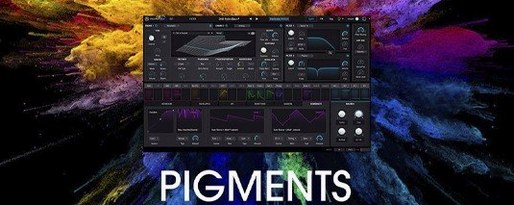
The 7.0.1 update lands with a redesigned Play Page, three new filters (Rage, Ripple, Reverb), and a Corroder effect. It also brings 150 factory presets, 50 wavetables, 30 samples, and 20 noises — plus in-app tutorials for when you want to dig into the engines without leaving the plugin.
In a session, Pigments sits comfortably on tracks where you need movement or texture. Its generative sequencing can turn a simple bass line into something that evolves on its own, which is handy for pads or arpeggiated leads. The six synthesis engines — wavetable, virtual analog, plus the others — cover most jobs, from clean sub bass to metallic percussion. You can layer two engines per patch and route them through the built-in effects, so a single instance can replace a chain of plugins.
On buses, the new filters earn their place. Ripple does formant-style sweeps, Rage adds grit, and Reverb acts more like a character effect than a space simulator. The Corroder effect saturates or bit-crushes, useful for gluing a mix or pushing a sound to the edge. If you work with MIDI controllers, the Play Page gives you one screen for macro control during a performance or a live set.
It runs on macOS 11 and later, Intel or Apple Silicon. The interface is English only. For a sound designer, it’s a flexible tool that covers both melodic and textural territory without requiring a rack of extra plugins.
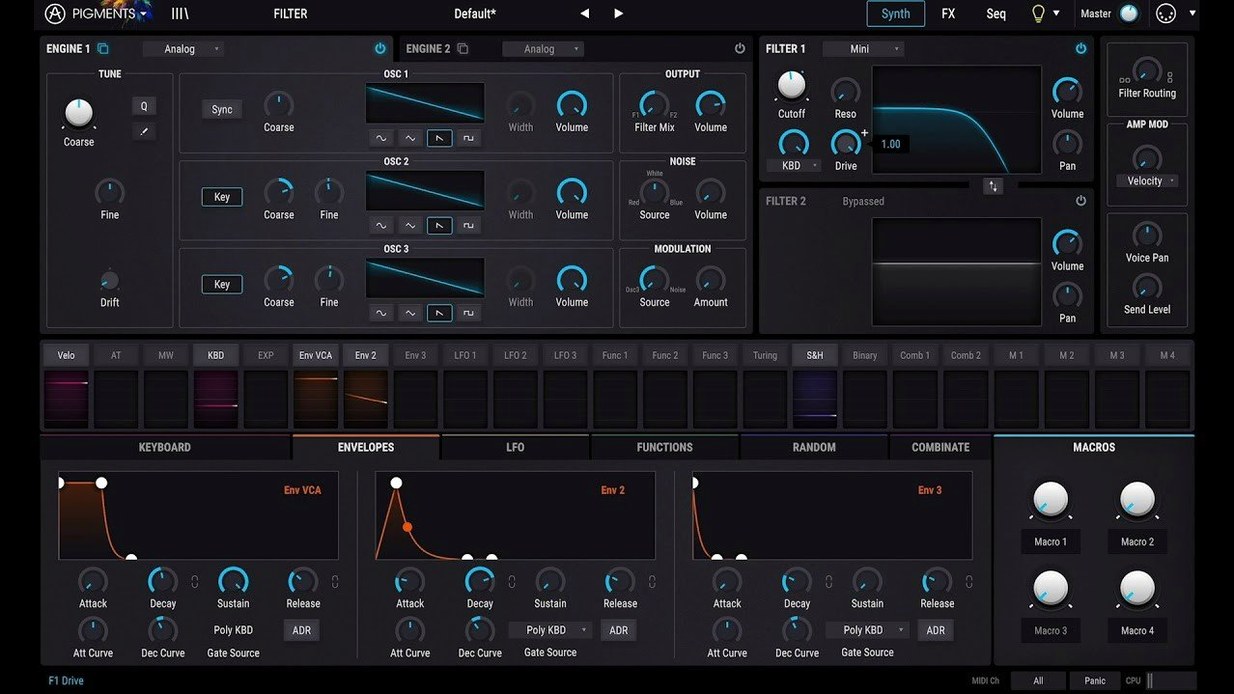
Color-coded interface reveals which engine is active
The color-coded interface is more than decoration. Each synthesis engine and modulation source uses a distinct tint, so when you scan a patch you can see at a glance which engine is driving the sound and which modulators are active. It cuts down on clicking through menus to figure out what a patch is doing.
The drag-and-drop modulation works on almost any control. You do not have to find a modulation slot or open a matrix window — grab a source like an LFO or envelope and drop it onto the parameter you want to affect. The modulation path shows up as a colored overlay, and you can adjust the amount directly from that control. It is fast and avoids breaking your workflow when you are in the middle of building a patch.
The built-in effects are per-layer, not just global. Each of the two synthesis layers can run its own effects chain, which means you can process a wavetable layer through a different reverb than a virtual analog layer before they hit the master bus. That gives you more texture variety from a single instance.
Plugin fails to appear in DAW without activation file
After installation, the plugin may not appear in your DAW’s plugin list. The Mac package includes both installation and activation instructions — read the included text file before launching your DAW. The activation step is required; without it, your host will not see Pigments. Run the activator as described, then restart your DAW.
If you run an Intel-based Mac on macOS 11 or later and the plugin is sluggish, check that your DAW is running in 64-bit mode. Pigments supports Intel 64-bit architecture, but some older DAW versions default to 32-bit and will not load the plugin correctly. Update your DAW or switch its launch flags if needed.
On Apple Silicon Macs, some users find that the plugin works fine in standalone mode but does not appear in their DAW. This usually means the DAW is running under Rosetta and scanning the wrong architecture. Most modern DAWs have a setting to run natively on Apple Silicon — enable that, then rescan plugins. The package supports both architectures, so no extra installers are needed.
If the interface looks misaligned or buttons are cut off, check your display scaling. Pigments uses a fixed-resolution interface, and non-standard scaling in macOS can clip the edges. Set your display to the default scaled setting or use a resolution that matches the plugin’s native size.
In-app tutorials walk through each engine in real time
Start with the in-app tutorials. They are new in 7.0.1 and walk through each engine and modulation type while you can see the controls respond in real time. It saves time compared to reading a manual or watching a separate video.
Browse the new factory presets first. The 150 added in 7.0.1 cover a range of genres and show how the new filters and Corroder effect behave across different sound types. Use them as starting points — tweak the macro knobs on the Play Page to hear how the sound changes before diving into the engine tabs.
Layer two engines per patch from the beginning. Even simple sounds benefit from layering a wavetable pad with a virtual analog sub layer. It is one of the main strengths of Pigments, and you will learn the modulation routing faster if you get used to managing two layers early on.
If you use generative sequencing, keep it subtle at first. The sequencer can run independent of the tempo grid, and setting it to a low rate with a small amount of modulation keeps movement without overwhelming the track. Increase complexity as you get comfortable.
What the 7.0.1 update changed in everyday use
The redesigned Play Page is the most visible change. It replaces the old performance view with a focused macro layout that shows key controls for the patch. If you perform live or use a MIDI controller, it reduces the time spent scrolling through parameters during a set. The macros are pre-assigned to the most useful parameters for each preset, so you get immediate control without setting up mapping yourself.
The three new filters — Rage, Ripple, and Reverb — expand what you can do without reaching for external effects. Rage is a distortion filter that adds harmonic saturation; it works well on bass and lead patches where you want grit. Ripple is a formant filter that creates vowel-like sweeps, useful for pads or atmospheric sounds. Reverb is a character reverb that colors the sound rather than simulating a room; it pairs with the Corroder effect to make a dirty, textured verb.
The Corroder effect is a multi-mode distortion and bit-crusher. It can be placed on either layer or on the master output. In practice, it replaces the need for a separate distortion plugin on many patches, especially for lo-fi, glitch, or industrial textures.
The 150 new factory presets, 50 wavetables, 30 samples, and 20 noises add immediate variety. If you already owned previous versions, these are not just filler — the new wavetables lean toward evolving, morphing shapes, and the samples include more percussive and vocal material than earlier libraries. The new noises are useful for layering texture underneath tonal sounds.
The in-app tutorials are a quality-of-life improvement for anyone who does not want to alt-tab to a browser. They cover each engine and modulation type step by step, and they appear inside the plugin window. For new users, they cut the learning curve. For existing users, they can fill in gaps if you never explored the granular or additive engines thoroughly.
- Redesigned Play Page.
- New Rage, Ripple, and Reverb filters.
- Corroder effect added.
- 150 new factory presets, 50 wavetables, 30 samples, and 20 noises.
- In-app tutorials included.
- macOS 11 or later
- Intel or Apple Silicon
- Interface language: English
Install procedure
- Read the included installation instructions.
- Follow the activation instructions in the package.
Reports from players
Sign in or create a tester account to file a report.
No reports filed yet.