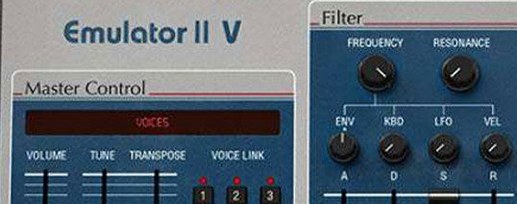
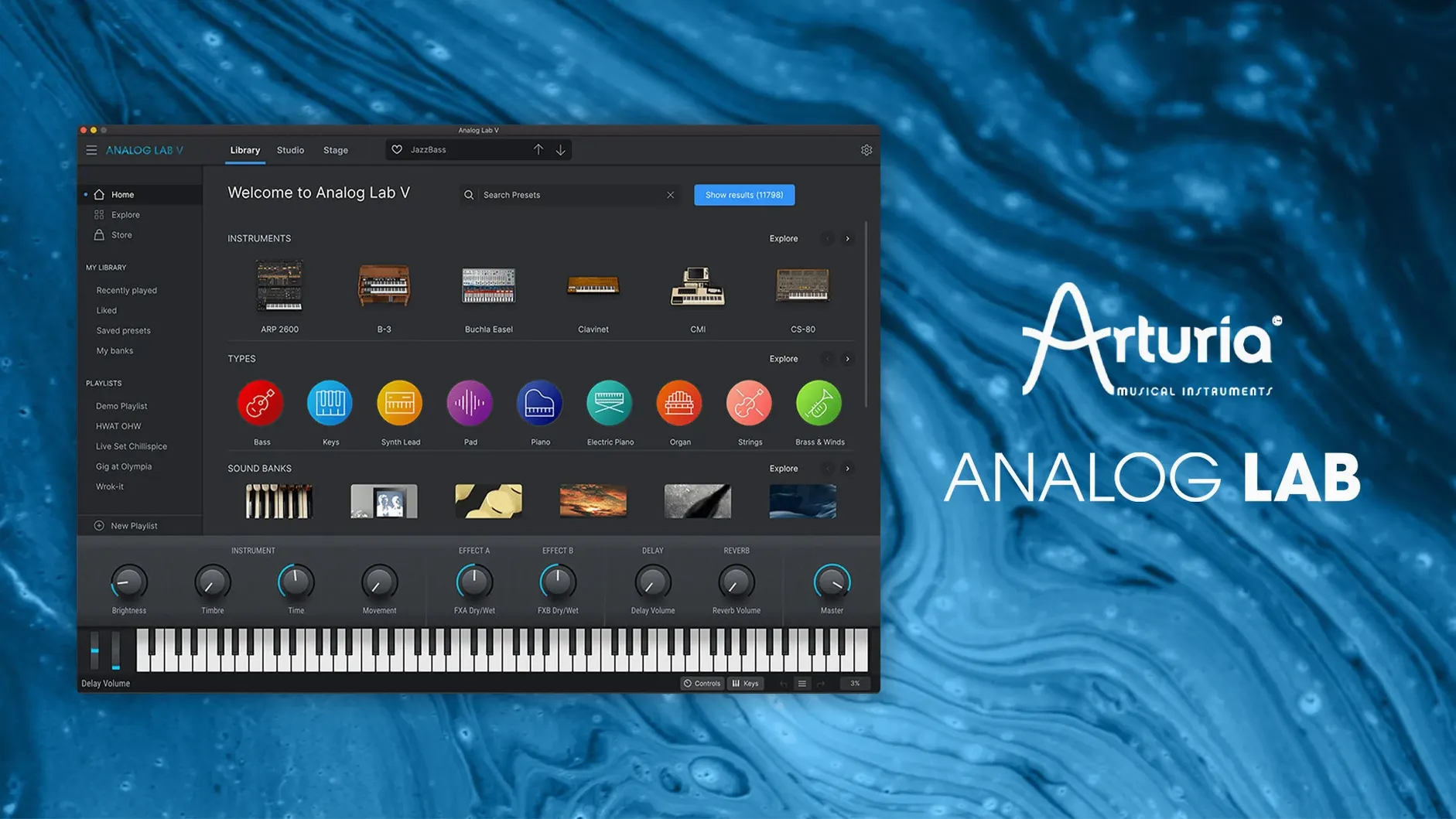
The Filter Panel in Analog Lab V lets you narrow presets by type, character, or era — useful when you want a specific pad without scrolling through 8,000 sounds. Once you find something, you can tweak it from the macro controls or dig into the Advanced tab for the full synth engine.
- Open Analog Lab V as a plugin in your DAW (AU, VST, AAX all work).
- Browse presets using the tag-based browser or the Filter Panel.
- Adjust the macro knobs — Cutoff, Resonance, Envelope, Effects — to shape the sound.
- Click the Advanced button to access the full instrument interface for deeper editing.
- Save your tweak as a user preset for later recall.
It loads existing projects without changing sounds, so you can swap in Analog Lab V on a track that used a different Arturia instrument and keep the same preset. The plugin now ships under the name Analog Lab Pro, though the installer and plugin still say Analog Lab V. It covers dozens of instruments from the V Collection in one place, with instant-integration that skips the drag-and-drop for each individual synth.
Stays inside one plugin across multiple genres
Music producers who work across multiple genres benefit most — the preset library covers everything from vintage analog synth pads to modern bass presets, so you can stay inside one plugin instead of loading a different Arturia instrument for each track. Live performers get a practical advantage too: the macro controls and tag-based browser mean you can switch sounds between songs without opening the full instrument interface. Sound designers who layer presets will appreciate the Filter Panel for isolating specific characters quickly. Keyboard players who own a MIDI controller and want access to iconic organ, string machine, and synth sounds without setting up multiple plugins also find it useful. If you already own parts of the V Collection, the plugin works as a unified front end — you can browse presets from instruments you have licenses for, and open the full view when needed.
Does not replace individual Arturia instruments
People often ask whether Analog Lab V replaces the individual Arturia instruments. It does not — it is a preset browser and player that loads sounds from the instruments you already own or that come bundled with it. You still need the individual instrument plugins if you want to edit every parameter from the original synth engine. Another frequent question is whether the plugin changes existing project sounds. It does not. If you load a project that used a different Arturia synth, Analog Lab V reads the preset and plays it back identically. Some users wonder if the standalone application works without a DAW. It does — you can launch it on its own, connect a MIDI keyboard, and play presets directly. The question of automatic updates comes up often. Updates follow the standard Arturia Software Center procedure, which is the same as other Arturia products. The plugin itself does not require an internet connection to work after installation.
Komplete Kontrol requires Kontakt instruments
Analog Lab V sits in a category that other developers cover differently. Native Instruments Komplete Kontrol is a similar idea — a preset browser that loads sounds from Kontakt libraries — but it works only with Kontakt instruments and requires the full Kontakt player. Analog Lab V loads Arturia’s own instrument engines directly, without an intermediate sampler. UVI Workstation is another comparison: it hosts UVI soundbanks and offers a unified browser. The difference is that UVI Workstation is a separate sample player format, while Analog Lab V uses the same synthesis engines found in Arturia’s individual plugins. Another option is the free Spitfire Audio App, which manages orchestral sample libraries, but its focus is sample playback rather than analog synth modeling. For users who want a single plugin that covers dozens of Arturia synths and keyboards without loading each one separately, Analog Lab V is the closest fit.
Loaded Analog Lab V for a bridge pad sound
I had a track open in Logic — a simple chord progression with a few percussion loops. I wanted a thick pad sound for the bridge. I loaded Analog Lab V on a new MIDI track and opened the Filter Panel. I set the type filter to "Pad" and the era filter to "Modern." That gave me about 200 results. I scrolled through a few, playing notes from my MIDI keyboard, and stopped on one called "Glass Cathedral." It sounded close but the attack was too slow. I reached for the macro controls: I turned the Envelope knob a quarter clockwise to tighten the attack, then backed the Resonance down a bit so the high end did not get harsh. That was enough. I played the bridge part, it sat well against the drums. Later, for the outro, I wanted a lead sound. I cleared the filters, typed "lead" in the text search, found one called "Analog Brass" and used it as-is. No deep editing needed. The session ended with two presets used, both found in under a minute. I did not open the Advanced tab once.
Advanced tab parameters grayed out with some presets
The most common mistake is trying to edit every preset from the Advanced tab. Beginners often click Advanced expecting the full synth interface and get confused when some parameters are grayed out. That happens when the preset uses an instrument they do not have a license for — the macro controls still work, but the deep editing requires the full V Collection license. Another mistake is ignoring the Filter Panel and scrolling through the preset list linearly. With thousands of presets, that wastes time. Using the tag browser or the Filter Panel cuts the list down quickly. Some users also forget that the macro knobs affect the preset globally — they tweak Cutoff and wonder why the sound changes across the whole keyboard. That is by design, not a bug. A less obvious mistake is saving user presets without naming them clearly. After a few sessions, "Untitled 5" becomes impossible to identify. A brief naming convention — like "Pad_Glass_Bridge" — makes recall simple. Beginners also sometimes load Analog Lab V expecting it to work as a standalone synth with its own oscillators and filters. It is a preset player and editor — you shape existing sounds, not build them from scratch. That distinction saves confusion early on.
- Added compatibility with MiniFreak V 5.
- Added compatibility with AstroLab 2.0.
- Improved update handling.
- Increased connection stability with hardware devices.
- Improved file transfer reliability.
- Installing this Analog Lab version before updating AstroLab is now the recommended sequence.
- macOS 11 (Big Sur) or later
- Apple Silicon or Intel 64-bit processor
Questions from the notes
Does Analog Lab V work with existing projects?
Yes. You can load it into a project that used another Arturia instrument, and it will recall the same preset without changing the sound.
What formats does Analog Lab V support on Mac?
It supports AU, VST, and AAX plugin formats, and runs natively on both Intel and Apple Silicon Macs.
Install procedure
- Run the installer package.
- Follow the on-screen prompts.
- Authorize the plugin in the Arturia Software Center when prompted.
Reports from players
Sign in or create a tester account to file a report.
No reports filed yet.