Ample Sound Ample Guitar LP III 4.0.1 — Mac build
VST Plugins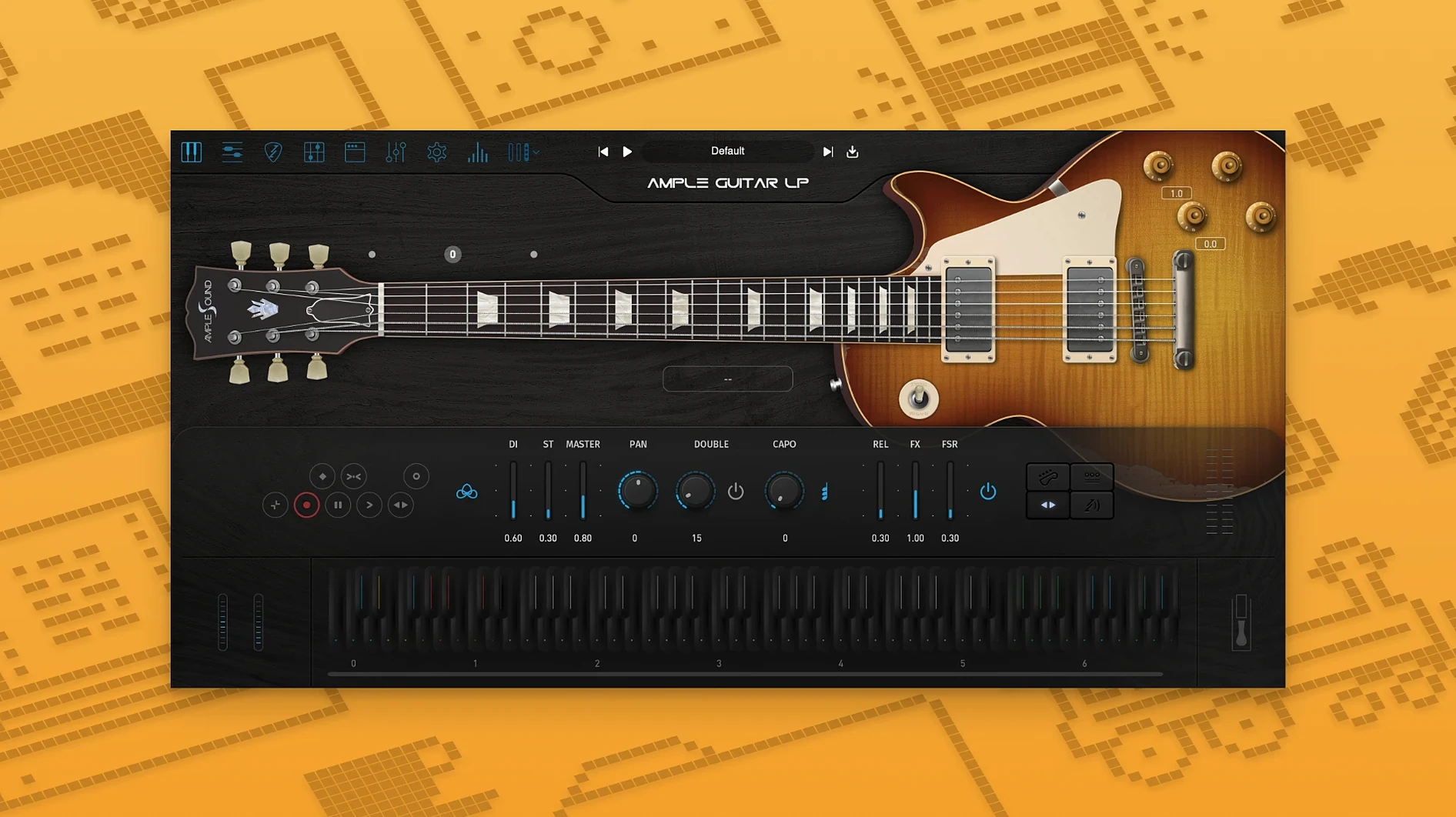
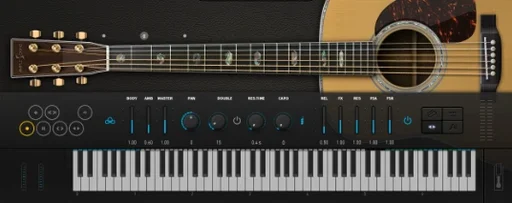
Songwriters, producers, and anyone laying down guitar parts in a DAW use Ample Guitar LP III. It’s a virtual instrument based on a Gibson Les Paul 1958, covering rock, blues, and jazz. Version 4 adds a fingerstyle library recorded with a 1959 Reissue guitar, plus a built-in amp and effects for direct tracking.
Holds up in a mix for studio recording
- Studio recording — the sample set holds up in a mix
- Rock, blues, and jazz arrangements
- Quick sketching with the built-in amp and effects
Requires macOS 10.13 or later, Intel or Apple Silicon
- Works on macOS 10.13 and later, both Intel and Apple Silicon
- Interface is English only
- Install requires the Mac plugin package and the included activation instructions
A session with Ample Guitar LP III — step by step
You open your DAW, load Ample Guitar LP III as a virtual instrument on a new track, and the main interface appears. The first decision is which articulation set to use. For a rock rhythm part, you pick the picking library — the default strumming and single-note samples feel immediate. You sketch a basic power-chord progression by playing in MIDI notes, keeping the velocities moderate so the samples don't choke. The built-in amp and effects are active by default, so you hear a crunchy tone right away without routing through external amp sims.
Once the chorus needs a more expressive feel, you switch to the fingerstyle library introduced in version 4. The same MIDI notes now trigger a rounder attack, closer to a player's fingers on the strings. You adjust the velocity curves on a few held notes to bring out the natural volume swell of the 1959 Reissue samples. For the bridge, you layer in a short fingerstyle arpeggio pattern, using the string effect articulations to add a soft slide into the first chord.
After the arrangement is done, you toggle the built-in amp and effects off and route the dry signal through your DAW's native amp sim for a different flavor. The plugin responds the same way — no latency surprises, no sample gaps. You export the MIDI to audio, and the part holds its place in the mix without additional EQ tweaking.
Scenario: a blues songwriter finishing a demo
A songwriter needs a convincing blues guitar part for a demo sent to a session player. A real Les Paul isn't available, and the deadline is tight. They open Ample Guitar LP III, select the fingerstyle library, and play in a 12-bar blues progression with medium velocities. The built-in amp and effects are set to a clean-but-warm tone, letting the sample's natural body come through. A few bent notes are added by adjusting pitch bend automation on the MIDI track. The part sounds alive enough that the session player later uses the demo as a reference for feel.
Plugin doesn't appear in the DAW after installing
- Snag: The plugin doesn't appear in the DAW after installing the Mac plugin package. Fix: Restart the DAW. If it still doesn't show, check that the plugin was installed to the correct VST3 or AU folder. Re-running the installer with the proper path selected usually resolves it.
- Snag: Activation fails with an error message. Fix: Open the Activation Manager and try online activation first. If that fails, use offline activation: generate a Challenge Code, note your User ID, and follow the supplied instructions to obtain the response code. Enter it exactly as shown.
- Snag: No sound from the built-in amp and effects. Fix: Verify the plugin's output is routed to a track or bus in your DAW. Also check that the amp and effects toggle is enabled in the interface — it's easy to accidentally turn them off while browsing presets.
- Snag: Samples sound thin or unnatural on held notes. Fix: Check your MIDI velocity values. Very low velocities can produce weak attacks; velocities in the 80–110 range give the samples room to breathe, especially with the fingerstyle library.
Bypass built-in amp and effects for your own chain
The built-in amp and effects are not tied to the plugin's internal routing — you can bypass them entirely and feed the dry signal into your own effects chain. This means you can use Ample Guitar LP III purely as a sample source and handle tone shaping externally, which is useful if you already have a favorite amp sim.
The plugin remembers the last articulation set you selected when you reload a project, so you don't have to switch back to picking or fingerstyle each time you open the session. This sounds minor, but it saves a click every time you bounce or reopen a mix.
The fingerstyle library from version 4 is recorded on a 1959 Reissue guitar, which gives a slightly different response than the main Les Paul 1958 samples. Having both in the same plugin means you can audition both guitars without loading a second instance, which is handy for A/B testing a part during a mix.
Offline activation through the Activation Manager works without an internet connection once you have the Challenge Code and User ID. This is useful for studios that keep their production machine off the network — you can generate the code on a connected computer, get the response, and activate the plugin on the offline machine.
- macOS 10.13 or later
- Intel or Apple Silicon
Questions from the notes
What guitar is Ample Guitar LP III based on?
It's based on a Gibson Les Paul 1958, and version 4 includes a fingerstyle library recorded with a 1959 Reissue.
Does it work on Apple Silicon Macs?
Yes, it supports both Intel and Apple Silicon architectures on macOS 10.13 and later.
Install procedure
- Run the Mac plugin package installer.
- Follow the included instructions to finish installation and activation.
Reports from players
Sign in or create a tester account to file a report.
No reports filed yet.