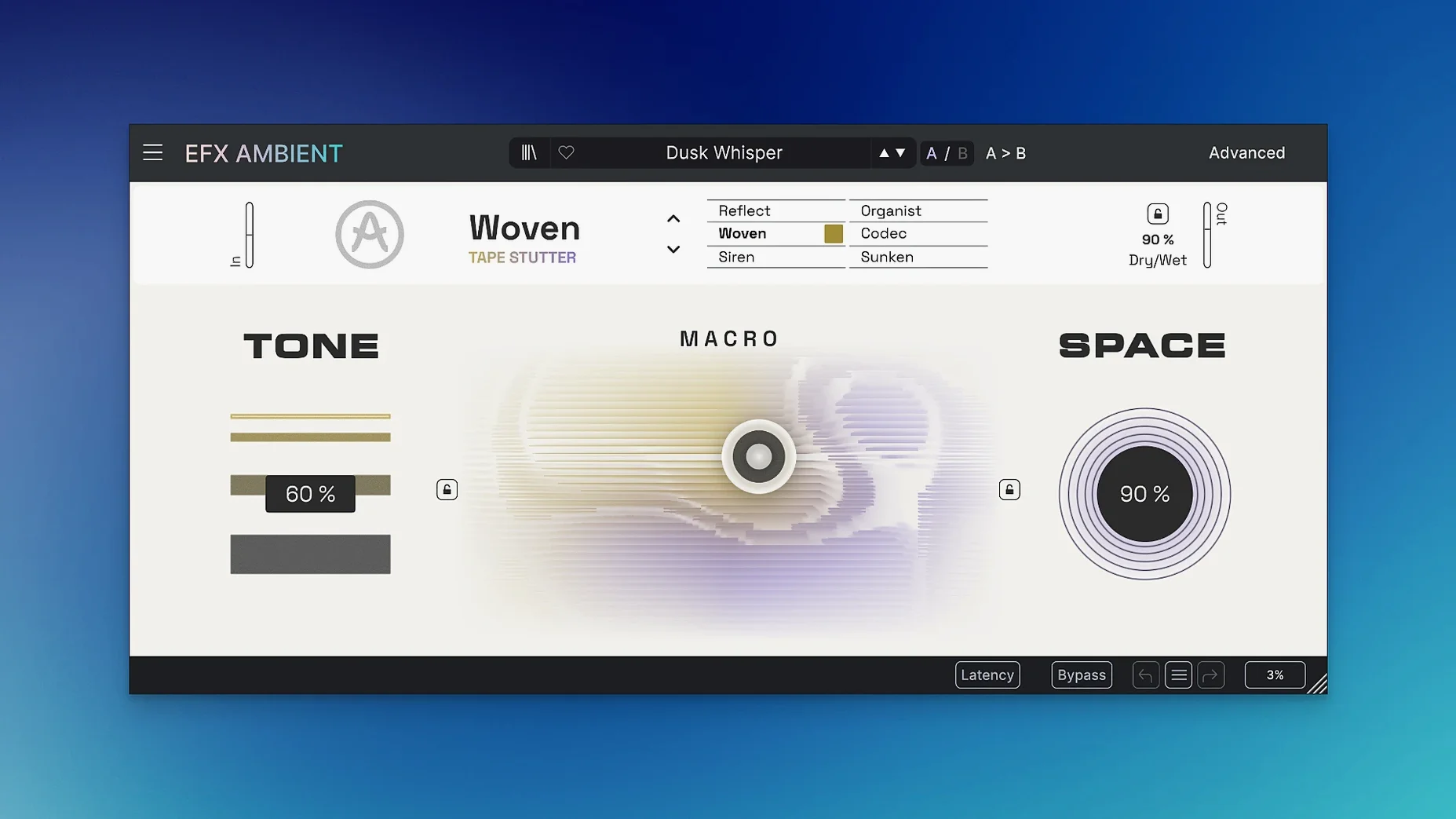
Standard delay and reverb can only take a mix so far. When you need a sound to disintegrate into soft, blurred textures or reverse into itself, a dedicated ambient effect becomes the tool for the job. Efx AMBIENT is a creative plugin built for that kind of atmospheric and spatial sound—cinematic transitions, experimental sound design, anything that needs to feel unstable or suspended.
- Start with any audio source: a synth pad, a vocal tail, a field recording. The plugin’s core engine processes the input through two parallel mode sets. One set produces pitch-shifted layers; the other set handles reverse playback. Blend between them to get textures that either drift upward or unspool backward.
- Open the Advanced panel for time-based shaping. Here you can stretch, gate or freeze fragments of the incoming sound. The controls aren't subtle—they’re meant to tear the audio into pieces and rearrange it.
- Use the Motion and Depth controls to push the sound through fast changes. Motion sweeps the effect across the stereo field; Depth governs how much the tail mutates over time. Crank both and the result feels alive, constantly shifting without repeating.
The plugin stays out of the way until you want it to be the center of a transition. No menu-diving for basic operation—the main controls do the heavy lifting, and the Advanced panel is there when you need granular detail.
Six modes that change spectral and delay interaction
The layout of Efx AMBIENT is straightforward, but a few details in version 1.0.0.6577 aren't obvious on first launch. The six operating modes are not just presets—each mode changes how the spectral processing and Feedback Delay Networks interact. The mode labeled for soft, blurred textures works differently from the pitch-shifting mode, though both sit under the same main panel. Switching between them while audio is playing can produce sudden jumps, so it's best to change modes during a quiet moment or after a note fades.
The expressive 2D Macro control lets you move a single point to adjust two parameters at once. What is easy to miss: the control's range is tied to the current mode. In the reverse playback mode, moving the macro upward increases the reverse time, while horizontal movement shifts pitch. In the sound deformation mode, the same macro controls grain size and density. The Advanced panel shows the exact parameter names when you hover over the macro point, which helps when you are still learning what each mode does.
What the resource page lists
- Version 1.0.0.6577 is the current build for both Apple Silicon and Intel through a 64-bit Mac build.
- macOS 11.0 or later is listed as the minimum for the Mac build, despite the catalog page showing 10.10. The 10.10 requirement applies to the FX Collection 6 bundle; the standalone download should work on Big Sur and newer.
- English is the only listed language in the interface.
Start with a dry monophonic note to hear the effect
Start with a dry, monophonic source—a single note from a synth or a short vocal sample. The plugin's effect is easier to hear when the input is simple. Layer the result with the original signal by using a DAW's mix control or by routing the plugin to a bus; Efx AMBIENT does not include a dedicated dry/wet knob on its main panel, but the Advanced panel may offer gating or freezing that changes the mix balance.
When you first try the Motion and Depth controls, set them to moderate values. Cranking both to maximum immediately creates chaos that is hard to undo without resetting. A better approach is to automate Motion over a few bars and then introduce Depth slowly. The plugin responds to automation in most DAWs, so you can draw in slow sweeps rather than twisting knobs live.
If you are using Efx AMBIENT in a project with other Arturia plugins, check that you are running version 1.0.0.6577. Older installers from the same FX Collection 6 batch may have a different build number, and the plugin can be sensitive to version mismatches in the Arturia Software Center.
Narrow niche: ambient textures vs. pitch-shifting alternatives
Efx AMBIENT sits in a narrow niche: plugins that transform audio into ambient textures rather than just adding space. A common alternative is Soundtoys Little AlterBoy, which handles pitch shifting and formant changes but lacks the spectral and delay-network processing. Little AlterBoy is good for vocal effects and quick harmonies; Efx AMBIENT is better for long, evolving soundscapes where the source becomes unrecognizable over several seconds.
Another comparison is Output Portal, which specializes in granular delays and pitch shifting. Portal offers more granular control over grain size and spacing, but Efx AMBIENT's six modes cover reverse playback and sound deformation that Portal does not have. For Mac users looking for an all-in-one ambient tool without layering multiple plugins, Efx AMBIENT is the cleaner choice.
Some producers use Eventide Blackhole for massive reverb tails. Blackhole is excellent for creating space, but it does not produce reversed audio or pitch-shifted fragments. Efx AMBIENT's parallel mode sets let you blend reverb-like textures with reversed layers inside one plugin, which saves routing and CPU for complex sessions.
Quiet output fix: adjust spectral volume perception
New users sometimes report that the plugin sounds too quiet compared to their other effects. This is usually because Efx AMBIENT processes the input through spectral algorithms that can reduce perceived volume when the effect is subtle. Turning up the input gain before the plugin or lowering the output of other tracks in the mix compensates without clipping the effect itself.
Another frequent issue is the plugin not showing up in the DAW after installation. Efx AMBIENT installs into the standard Arturia plugin folders, but some DAWs cache their plugin list. Rescanning plugins or restarting the DAW typically resolves this. If the problem persists, check that the installer ran as a standard user—administrator privileges may be required on macOS 11.0 or later.
Some users on Apple Silicon Macs find that the plugin runs in Rosetta mode unexpectedly. The 64-bit Mac build supports both ARM and x86, but the installer may place the x86 version first if the DAW is running under Rosetta. Running the DAW natively (as an Apple Silicon app) forces the plugin to load the ARM version. This is not a bug in version 1.0.0.6577, but a macOS behavior when multiple architectures are present.
Arturia Efx AMBIENT creates lush, evolving soundscapes with reverb and delay, unlike typical glitchy texture effects. The current Efx AMBIENT build at 1.0.0.6577 is only available through the FX Collection 6 release, so any torrent labeled as standalone may be outdated. The same applies to arturia fx torrent and efx motions rutracker—always verify the version number before installing.
- Initial release version 1.0.0.
- macOS 10.10 or later
- Intel or Apple Silicon (64-bit)
- Interface language: English
Questions from the notes
What macOS versions does Arturia Efx AMBIENT support?
The plugin requires macOS 10.10 or later. It supports both Intel and Apple Silicon Macs through a 64-bit build.
Can Efx AMBIENT do pitch shifting?
Yes. One of the two mode sets is dedicated to pitch shifting, letting you create layered, harmonic textures from any source.
Is reverse playback available in this plugin?
Yes, the second mode set handles reverse playback, allowing you to create backward-sounding effects from your audio.
Install procedure
- Open the downloaded disk image.
- Run the standard installer.
Reports from players
Sign in or create a tester account to file a report.
No reports filed yet.