A Better Finder Attributes 7.55 — Mac build
Utilities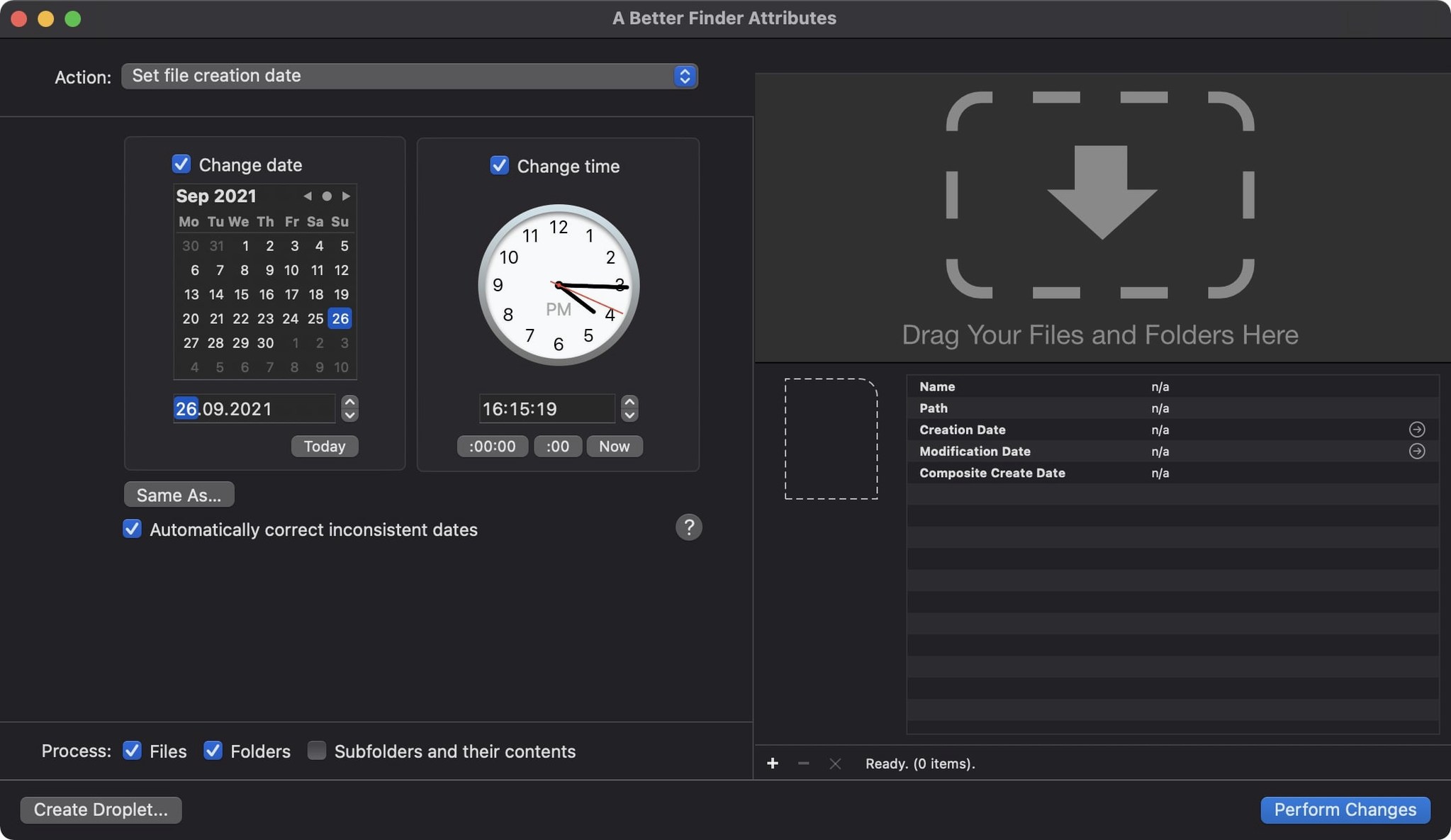
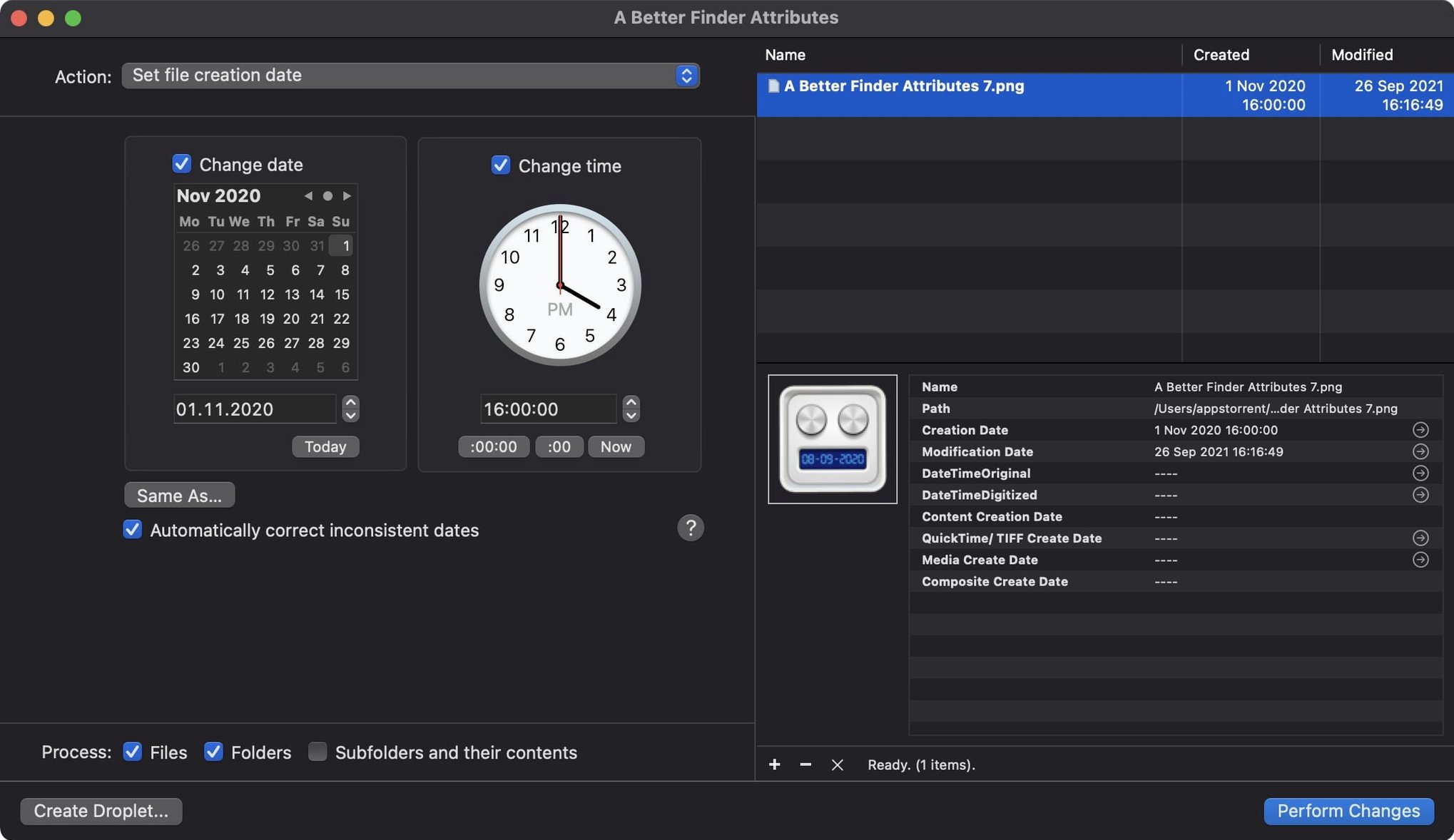
A Better Finder Attributes is a Mac utility for changing file and photo dates and attributes. Here are three first things a newcomer should try.
Sync a photo's modification date with its shooting date
Select a JPEG or RAW file, open the date panel, and set the modification date to match the EXIF shooting date. The app reads the embedded metadata and writes the file dates accordingly. For QuickTime movies, version 7.50 also writes the Apple creation date so Photos and Final Cut Pro pick up the right content date.
Adjust date and time in RAW files
Beyond JPEG EXIF, the tool handles CRW, NEF, ARF, and all RAW types mentioned in the description. Open a RAW file, change the embedded date and time, and the app writes it back without converting the file. Useful when a camera clock was off.
Keep IPTC and EXIF time zones in sync
Version 7.50 keeps IPTC Date Created and EXIF time zone offsets aligned when you set embedded dates. It also fixes a one-hour DST error when writing QuickTime dates. Set the date once and the metadata stays consistent across formats.
DST error gone for QuickTime dates
The 7.50 update isn't a redesign, but it fixes a few things that matter when you work with dates regularly. The DST error is gone, so QuickTime dates no longer shift an hour when you apply them during daylight saving time. That alone saves re-checking every movie file after a batch operation.
Photoshop file support works again. If you maintain a catalog of .psd files with embedded shooting dates, the app now writes them back correctly. The same goes for GPS coordinates: the change tag action accepts more formats now, so you are less likely to get a parsing error when pasting coordinates from a field notebook or a mapping tool.
An info button in the title bar is new. It opens the app's version and credits. Not something you use daily, but it helps confirm you are on 7.50 when troubleshooting.
Requires macOS 14.6, Apple Silicon or Intel
The app runs on macOS 14.6 or later and supports both Apple Silicon and Intel 64-bit Macs. The installer is a disk image; you mount it, run a Gatekeeper bypass in Terminal, then drag the app to Applications. No background services, no auto-updaters. The interface opens to a file list with attribute panels on the side. The app is available in English, German, and French.
Toggle creation, modification, and metadata dates
- Date panel defaults — Before your first batch operation, set the target date fields you want to modify. The app lets you toggle creation date, modification date, and embedded metadata independently. Turn off anything you do not need to avoid unintended writes.
- Time zone offset — If your camera logs dates in UTC, set the EXIF time zone offset in the date panel before applying changes. This keeps IPTC Date Created and EXIF time zone offsets aligned, which version 7.50 now handles automatically.
- File list columns — Add the "Creation date" and "EXIF date" columns to the main file list. That way you see the original values before you change anything.
Test date changes on a sample folder first
- Test on a copy first. Drag a few sample files into a test folder and apply your date changes there. Check the results in a metadata viewer or your photo app before running the same operation on your main library.
- Use the undo. The app keeps a history of changes per session. If you modify a batch and notice a mismatch, undo the operation and review the settings before retrying.
- Sync QuickTime movies separately. Movies need the Apple creation date written for Photos and Final Cut Pro to recognize them. Select movie files, set the date, and confirm the "QuickTime creation date" option is active in the date panel before applying.
- Keep the app window open during batches. A Better Finder Attributes processes files synchronously. Closing the window mid-operation leaves some files updated and others not. Let it finish, then verify the log.
- If you ever download that, you are running the same engine under a different name. Preferences and behavior are identical.
Changes in version 7.55 are listed on the developer's release notes page. The update landed late March 2025.
- macOS 14.6 or newer
- Apple Silicon or Intel 64‑bit Mac
Questions from the notes
Does A Better Finder Attributes support RAW files?
Yes, it supports JPEG EXIF and all RAW file types mentioned in the description, including CRW, NEF, and ARF.
Install procedure
- Mount the disk image and run Open Gatekeeper friendly.
- Press Enter in Terminal to bypass Gatekeeper.
- Drag the app to the Applications folder.
- Launch the app from Applications.
Reports from players
Sign in or create a tester account to file a report.
No reports filed yet.