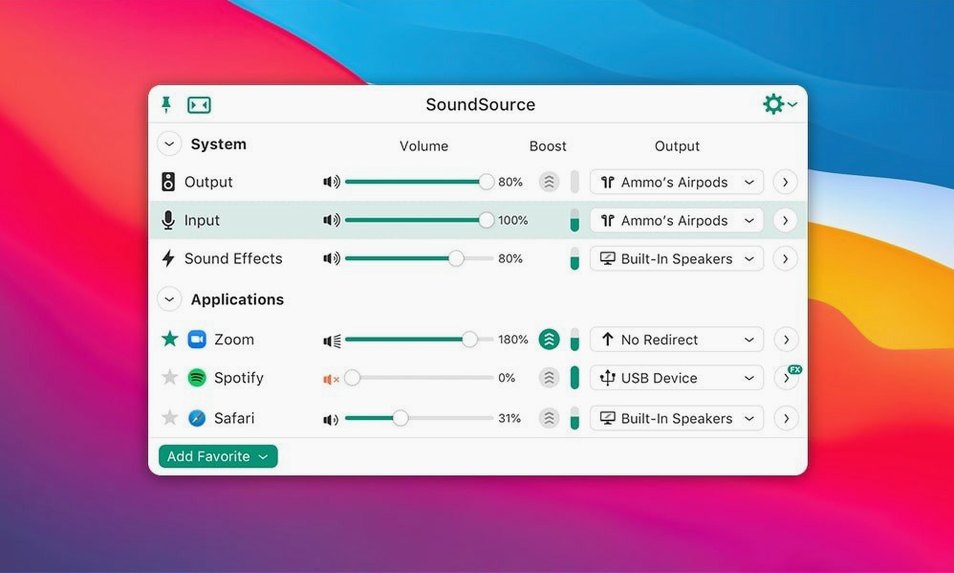
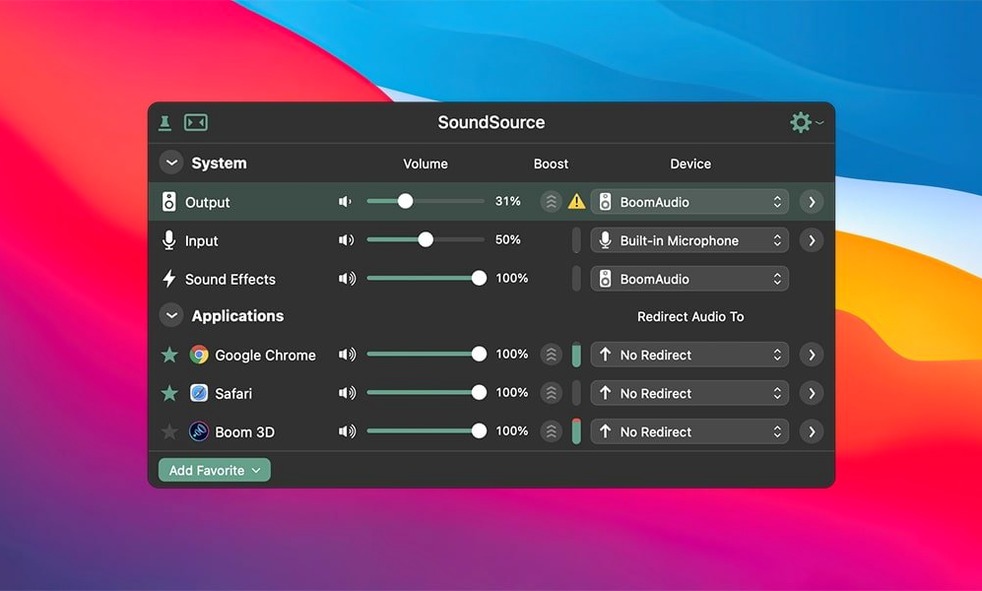
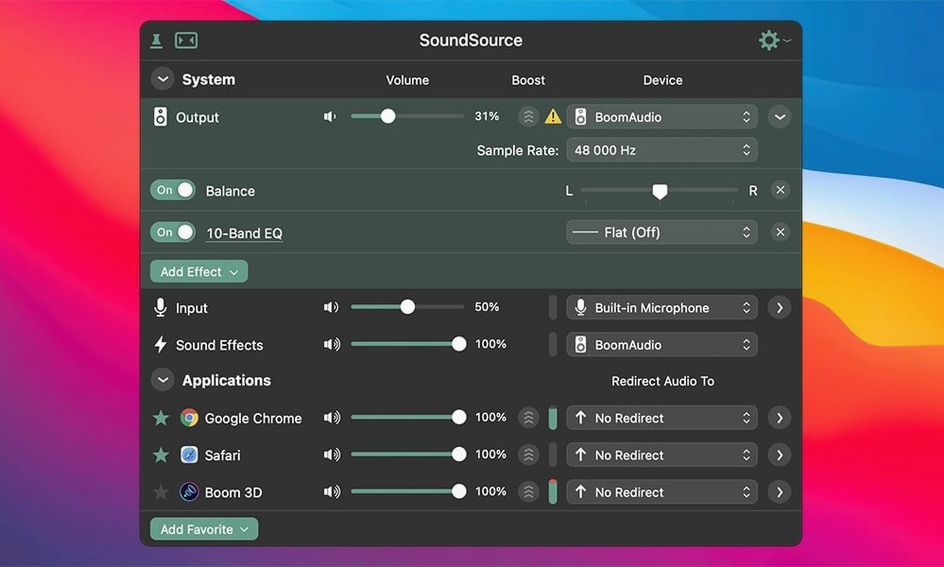
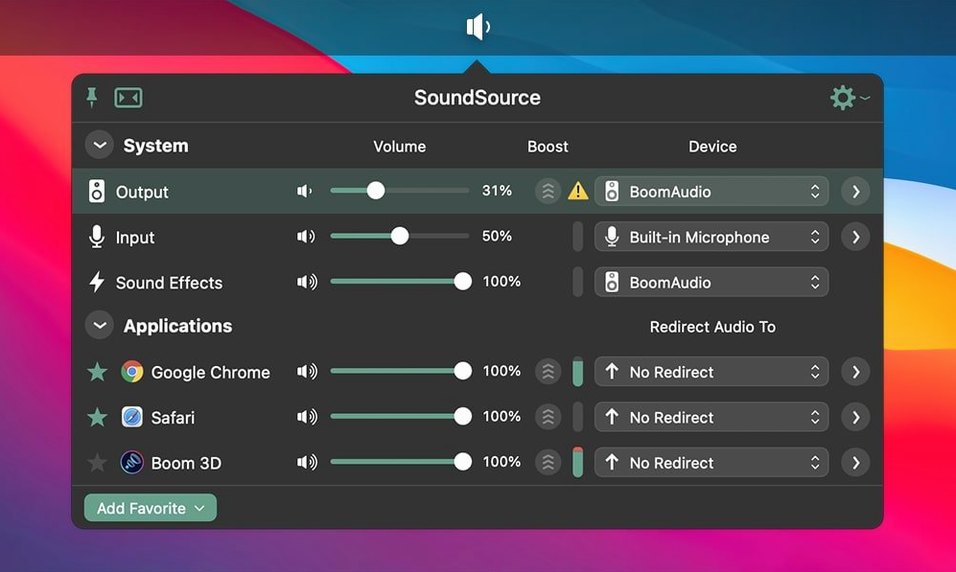
SoundSource 6.1.4 requires macOS 15 or higher and runs on both Intel and Apple Silicon Macs. It puts input, output, sound effects, and volume settings into a single menu bar panel — a faster route than digging through System Settings.
Switching audio sources from a single menu
- Switching audio sources quickly: built-in speakers, USB headphones, AirPlay receivers — all from one menu.
- Applying per-app effects or volume offsets, so Safari stays quiet while your DAW stays loud.
- Accessing macOS sound settings without opening System Settings every time.
Bluetooth fixes and English-only interface
- Version 6.1.4 fixed Bluetooth device crashes and performance issues on macOS 27, so if you rely on Bluetooth audio, the latest release matters.
- The interface is English only.
- It is a system-wide control tool, not a recording or streaming app — it complements, not replaces, your DAW or media player.
A real-world scenario: podcast recording with multiple audio sources
You are recording a two-person podcast. Your co-host joins over Discord, you use a USB microphone for yourself, and you want to monitor both voices plus system sound effects through headphones. Without SoundSource, you would juggle Audio MIDI Setup, Discord's audio preferences, and System Settings to keep everything balanced. With SoundSource, you set your USB mic as the input device once, route Discord's audio output through your headphones, and adjust per-app volume offsets so your co-host's voice matches yours. The Output Groups feature lets you send the same audio to your headphones and a separate recording device if you need a backup track. It reduces the pre-roll fiddling to about two clicks per change.
Enabling the menu bar icon for quick access
After installation, a few adjustments make the tool more useful day-to-day.
- Enable menu bar display — SoundSource lives in the menu bar by default, but confirm the icon is visible so you can reach it without launching the app from the Dock.
- Set your default input and output — Open SoundSource, click the device selector, and pick your primary microphone and speakers. This prevents macOS from auto-switching to the built-in mic when you plug in a USB headset.
- Configure Output Groups if you use multiple speakers or headphones — For example, route system audio to both your desk speakers and a Bluetooth speaker in another room. Output Groups handle this without extra hardware.
- Apply per-app volume offsets — Lower your browser's volume by a few notches so notifications don't blast over your music player. Each app's volume slider appears once it plays audio.
- Save a configuration preset — After you set up devices, effects, and volumes for your usual workflow, save it as a preset. Switching between "podcast mode" and "music listening mode" becomes one click.
Focus on system-wide control, not recording
SoundSource is not the only app that gives you system-wide audio control, but its approach differs from the alternatives.
Audio Hijack (also by Rogue Amoeba) focuses on recording and processing audio from any source. It can capture system output, microphone input, or individual app streams, then apply effects and route the result to a file or another output. SoundSource leaves recording out entirely — it is about real-time control, not capture. If your primary need is to record a Skype call or a web stream, Audio Hijack is the tool. If you mostly want to switch devices and adjust levels quickly, SoundSource is the lighter option.
BackgroundMusic is a free, open-source alternative that provides per-app volume control and auto-ducking (lowering other apps when one starts playing audio). It lacks the menu bar interface for device switching, does not support Output Groups, and has no AirPlay routing. It works, but development has slowed, and it does not handle Bluetooth devices as reliably as SoundSource 6.1.4 does after the macOS 27 fixes.
eqMac offers a system-wide equalizer and per-app volume control with a free tier and a paid pro version. It includes a built-in equalizer and balance controls, which SoundSource does not advertise as a headline feature. SoundSource stays out of the audio path unless you apply effects, so there is no latency overhead when you are just switching devices.
Lightweight menu bar companion for macOS 15+
SoundSource 6.1.4 runs on macOS 15 and later, supporting both Intel (64-bit) and Apple Silicon Macs. The app is a lightweight menu bar companion — it does not install kernel extensions or background daemons that could conflict with other audio software. The ARK plugin (updated to version 13.5.4 in this release) handles audio routing and effects at the system level. Because the interface is English only, non-English speakers may need to rely on the icon-based controls for device and volume adjustments. The disk image is a few megabytes, and the installed app stays small. No additional frameworks or runtimes are required beyond what macOS 15 provides.
Test Bluetooth devices immediately after installing
- Test Bluetooth devices immediately — Since version 6.1.4 specifically addresses Bluetooth crashes and performance issues on macOS 27, pair your headphones or speaker and play audio for a few minutes. If you encounter problems, check that you are running the latest version and that no other audio apps are intercepting the Bluetooth stream.
- Explore AirPlay streaming — SoundSource can send audio to AirPlay receivers from the menu bar. Try it with an Apple TV or HomePod to see if the latency is acceptable for your use case (video sync, casual listening).
- Use per-app effects sparingly at first — The Headphone EQ effect works for specific applications, but applying it to every app can produce inconsistent results. Start with one app — your music player or podcast app — and adjust from there.
- Keep the menu bar icon visible — If SoundSource's icon disappears after a restart, check your macOS menu bar settings and ensure the app is allowed to run in the background. Drag it to the visible section of the menu bar if needed.
- Do not rely on it as a system-wide equalizer — SoundSource provides per-app effects and device switching, not a global EQ. If you need to shape the overall output tone, you will need a dedicated equalizer app or hardware.
- Save a preset after your first successful setup — Even if you only have one configuration, saving it as a preset gives you a fallback if you experiment with settings later and want to revert quickly.
Release 6.1.4 is available now. The full change log lives on the developer's site, covering the exact fixes and adjustments for this build.
- macOS 15 or newer
- Apple Silicon or Intel 64‑bit Mac
Questions from the notes
What macOS version does SoundSource 6 require?
SoundSource 6 requires macOS 15 or later. It supports both ARM and 64-bit Intel Macs.
Install procedure
The download sits around 46 MB and lands on any Mac running macOS 15 or later, Apple Silicon and Intel included. Three steps later you have per-app volume and output routing from the menu bar.
- Open the downloaded disk image.
- Drag the SoundSource icon onto the Applications folder shortcut.
- Wait for the copy to finish, then launch the app from Launchpad.
Reports from players
Sign in or create a tester account to file a report.
No reports filed yet.