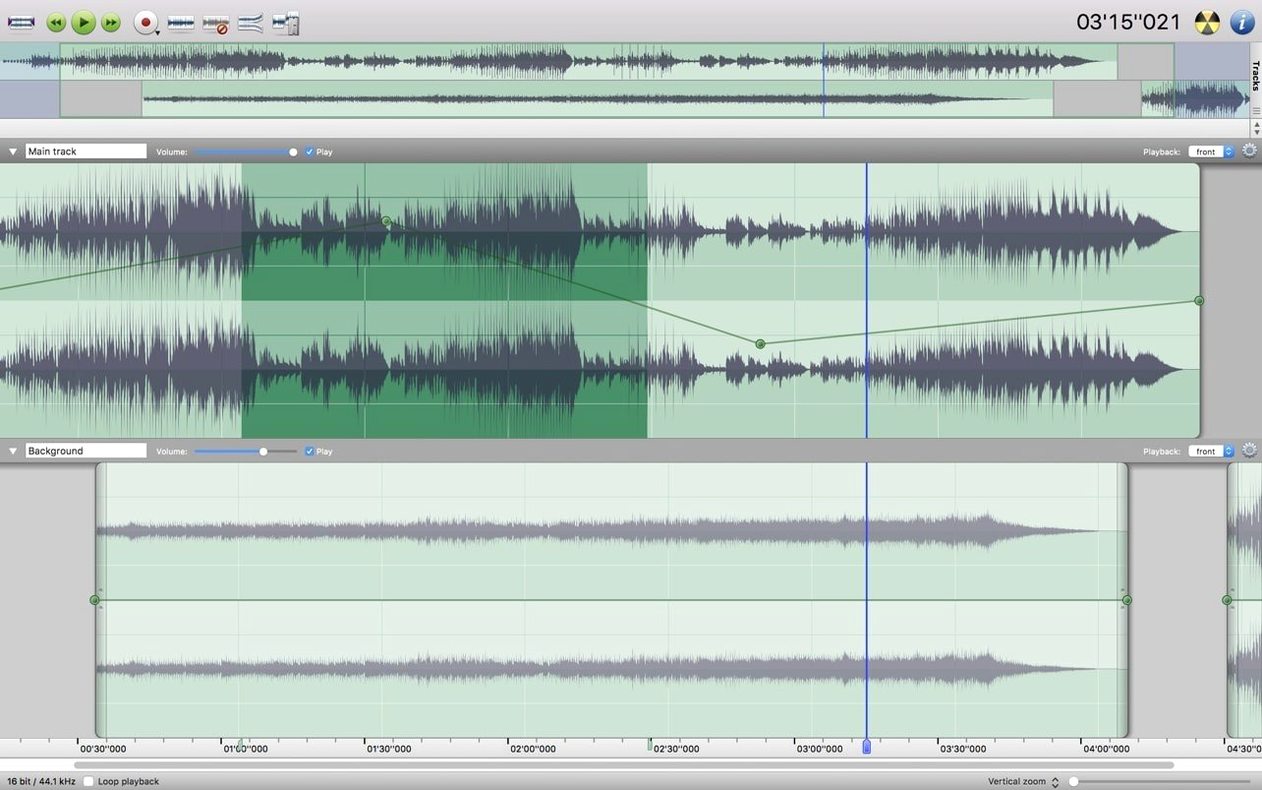
The Fade In and Fade Out commands are where I usually start when cleaning up a podcast episode. With Amadeus Pro, you can apply these to any selection, then set the curve shape and duration in one pass. That's the kind of control that keeps me from reaching for a bigger, slower app.
What works well
- Independent editing of multiple tracks — no need to flatten anything until you're ready to export.
- Direct-to-disk output during processing, so long files don't eat all your RAM.
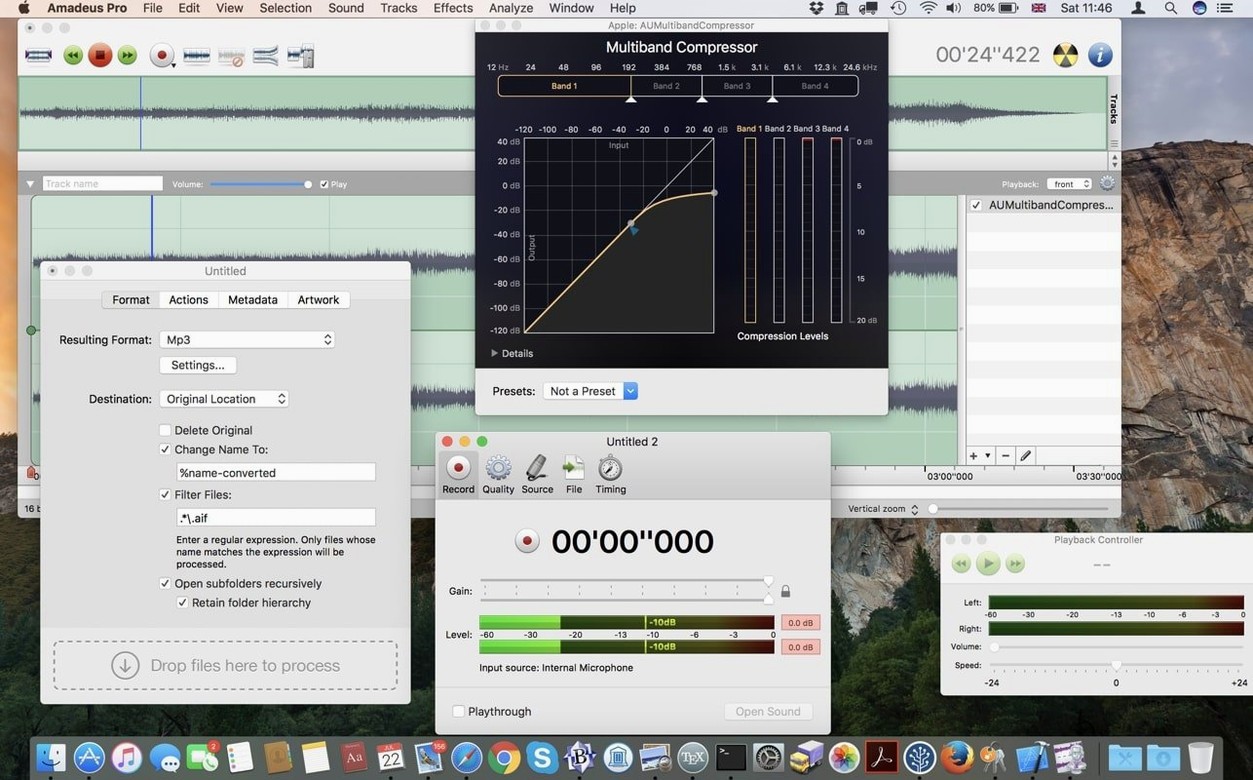
- VST and Audio Unit plugins both work, which covers most of the plugins I keep installed.
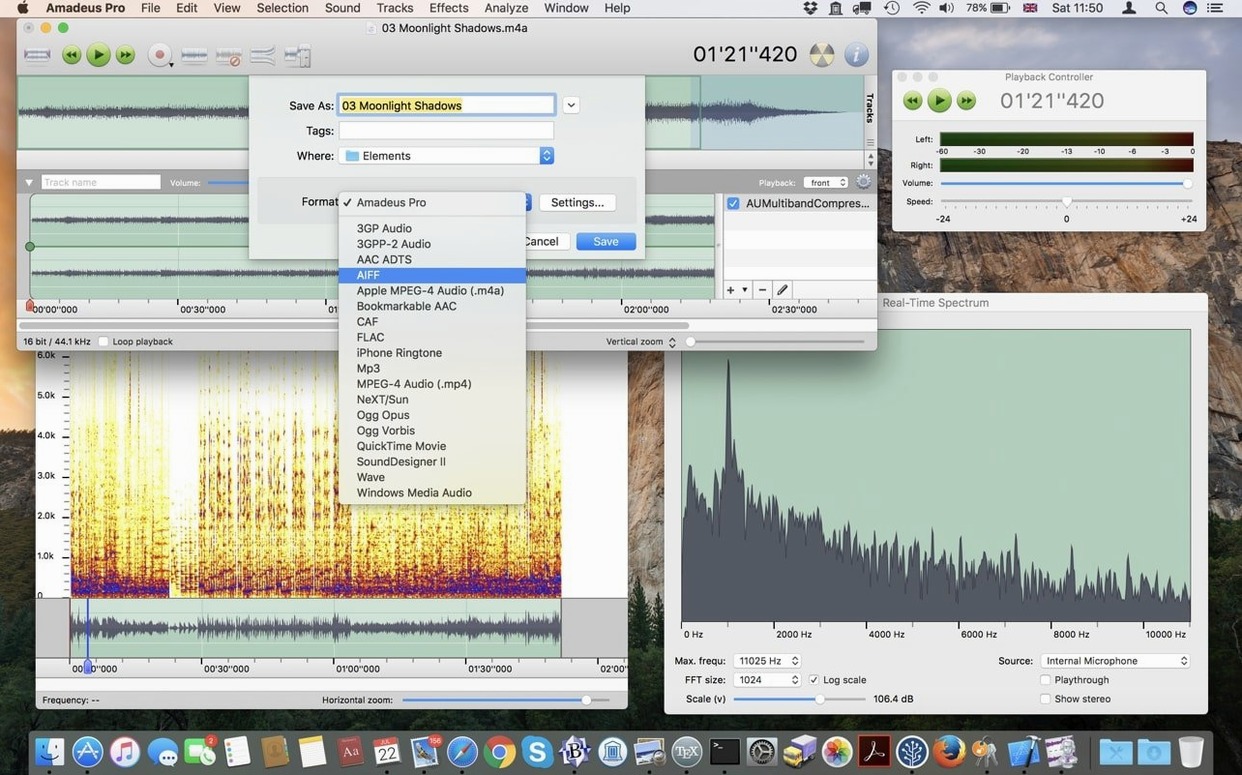
- Sound analysis tools for spotting clipping or silence without eyeballing a waveform.
A realistic task
Suppose you have a stereo interview with a loud fan hum. Load it into Amadeus Pro, duplicate the track, apply a high-pass filter on the copy, then use the mixer to blend the cleaned signal back in. Because each track can be edited independently, you can solo the processed copy and adjust the filter in real time while the original plays underneath. When it sounds right, export with direct-to-disk enabled. That's a ten-minute fix for a nuisance that would otherwise ruin a recording.
What the latest beta changed in everyday use
Version 2.8.14 (2680) Beta doesn't overhaul the interface or add a new module — the changes are under the hood. The biggest practical difference is in how Amadeus Pro handles waveform caching during long editing sessions. Earlier builds could slow down when you scrubbed through a multi-track project with heavy effects applied; the caching update keeps the waveform visible and responsive while you scroll, even with noise reduction or VST plugins active on several tracks. That matters if you work with hour-long recordings or dense multitrack arrangements.
The build also includes fixes for the Favorite Actions panel. In the previous stable release, dragging a command into the panel occasionally reset its parameters. That's corrected now. If you rely on a set of batch-processing presets — say, normalizing a folder of WAV files and exporting them as FLAC — you can store those steps in Favorites and run them again without re-entering the settings.
Other tweaks are small but noticeable:
- Direct-to-disk output no longer causes a brief input hang when you start a second pass on the same file.
- The fade curve preview updates faster on selections longer than a few seconds.
- Audio Unit plugins initialize correctly on systems where macOS has multiple audio interfaces connected.
Run Amadeus Pro even if Gatekeeper blocks the install
The requirements are straightforward: macOS 10.9 or later on a 64-bit Intel machine. If your Mac meets that, Amadeus Pro runs. The install routine includes a Gatekeeper bypass step — you mount the disk image, press Enter in Terminal to allow the app, then drag it into Applications. That's standard for unsigned macOS software and takes about thirty seconds.
It loads quickly on any Mac from the last several years — think 2012 or newer — regardless of whether it's a MacBook, iMac, or Mac mini. The waveform caching mentioned above means you won't see the "recalculating waveform" spinner as often during playback or seeking, even on older hardware. No GPU acceleration is required; everything is handled by the CPU.
Languages available at launch: English, German, Danish, Spanish, Italian, Finnish, and French. The interface language follows the system locale unless you change it in Preferences.
A short scenario: podcast post-production
A podcaster records a 45-minute episode with two hosts and a remote guest. The guest's audio has a persistent electrical buzz. In Amadeus Pro, the podcaster opens the stereo mix, selects a three-second section of silence to sample the buzz, and applies the noise reduction filter to the entire guest track. The process is track-specific, so the hosts' audio stays untouched. After cleanup, the podcaster uses the Markers tool to flag ad breaks and segment transitions, then exports each marked segment as a separate MP3 file. Direct-to-disk keeps the export fast even at 320 kbps. The entire session — cleanup, markers, export — takes about fifteen minutes, and the guest's audio sounds clean without needing a second pass.
Workflow: digitizing a vinyl record to FLAC
- Connect your turntable or cassette deck to your Mac's line-in or USB audio interface.
- In Amadeus Pro, create a new stereo recording session with direct-to-disk enabled so the file writes straight to your hard drive during capture.
- Start recording, then play the side of the record. When the side ends, stop recording. The entire side is now a single 24-bit WAV or AIFF file on your disk.
- Use the sound analysis tools to locate the silent gaps between tracks. Add markers at each gap.
- Select each track segment and apply a high-pass filter at 30 Hz to remove rumble, then a low-pass at 18 kHz if your record has surface noise. Apply these as per-track effects so you can adjust each song independently.
- Use the Batch Processing feature to split the file at the markers and export each segment as a separate FLAC file at compression level 8.
- Name each exported file manually or write a short script to rename them — Amadeus Pro doesn't rename files during batch export, so you'll want to do this step in the Finder or a terminal.
That workflow turns a vinyl side into a folder of clean FLAC files in under an hour, most of which is playback and listening time. The direct-to-disk recording means you never run into macOS's memory limit on long captures, and the per-track effect system lets you treat each song differently if one side was recorded louder than the other.
- macOS 10.9 or later
- 64-bit Intel architecture
Questions from the notes
Does Amadeus Pro support VST plugins on Mac?
Yes, Amadeus Pro supports VST plugins, along with Audio Unit plugins, so you can use most third-party effects and instruments.
What macOS versions does Amadeus Pro run on?
Amadeus Pro runs on macOS 10.9 or later, and it supports 64-bit Intel architecture.
Install procedure
- Mount the disk image and run Open Gatekeeper friendly.
- Press Enter to bypass Gatekeeper in Terminal.
- Drag the app into the Applications folder.
- Open the app from Applications.
Reports from players
Sign in or create a tester account to file a report.
No reports filed yet.