If you already use Rogue Amoeba's other tools, Airfoil fits the same pattern: a small utility that grabs audio from any app and routes it where you want. The current release, 5.13, restores streaming to Apple TV and HomePod, which matters if those are your primary speakers.
Check your macOS version before downloading
Airfoil requires macOS 14.4 or later and runs on both Apple silicon and Intel 64-bit Macs. That covers most machines from the last few years, but check your macOS version before downloading the airfoil torrent.
Capture audio from any app and send it to multiple devices
- Capture audio from any application on your Mac
- Send it to multiple devices at once — Apple TV, AirPort Express, AirPlay, Google Cast, Bluetooth speakers, iOS devices, other Macs and PCs
- Built-in equalizer for adjusting the sound
Typical workflow
- Launch Airfoil and pick the source app in the main window.
- Select the speakers or devices you want to stream to.
- Adjust volume or EQ per device, then play.
Setting up Airfoil and choosing Safari as the source
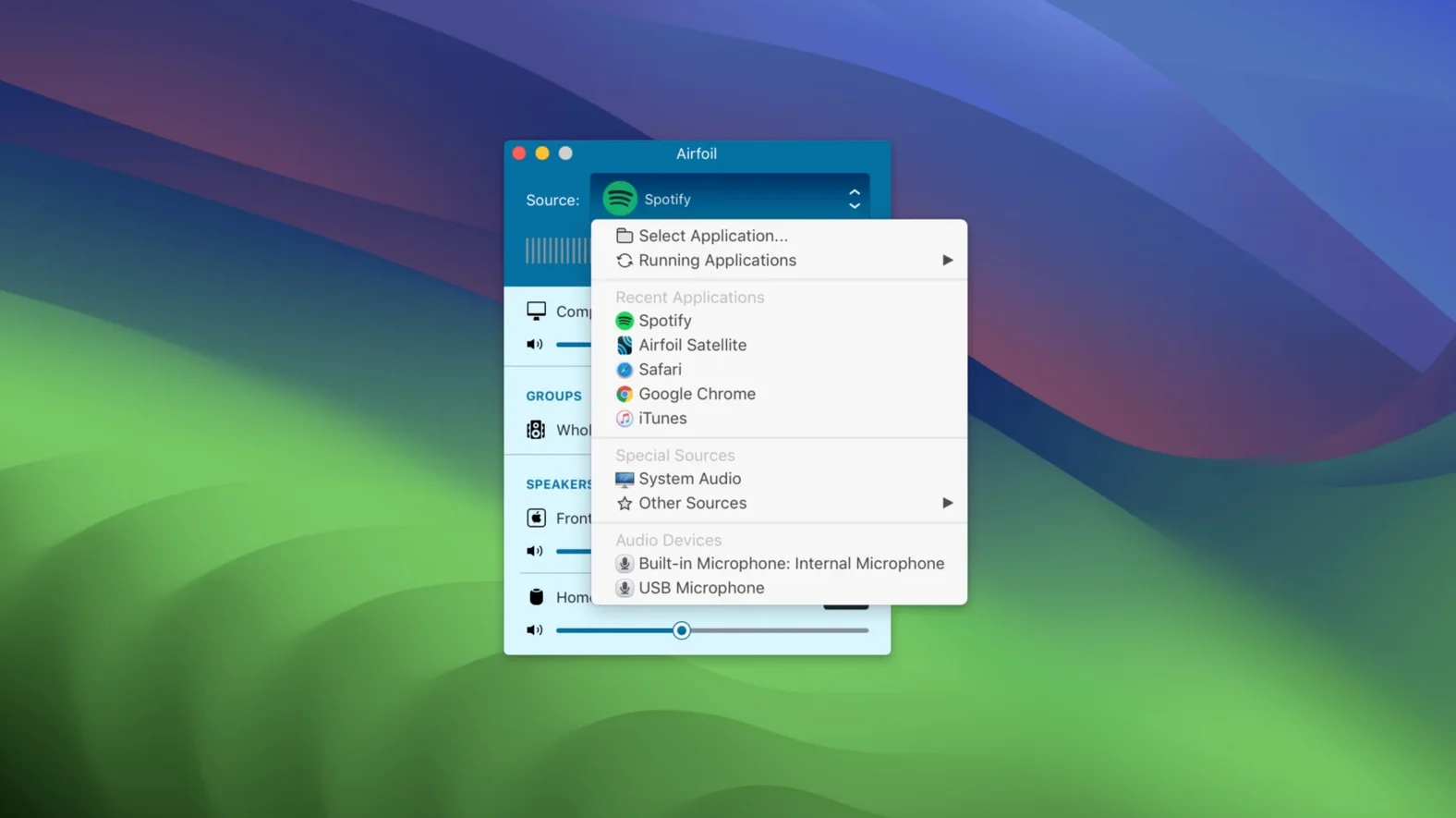
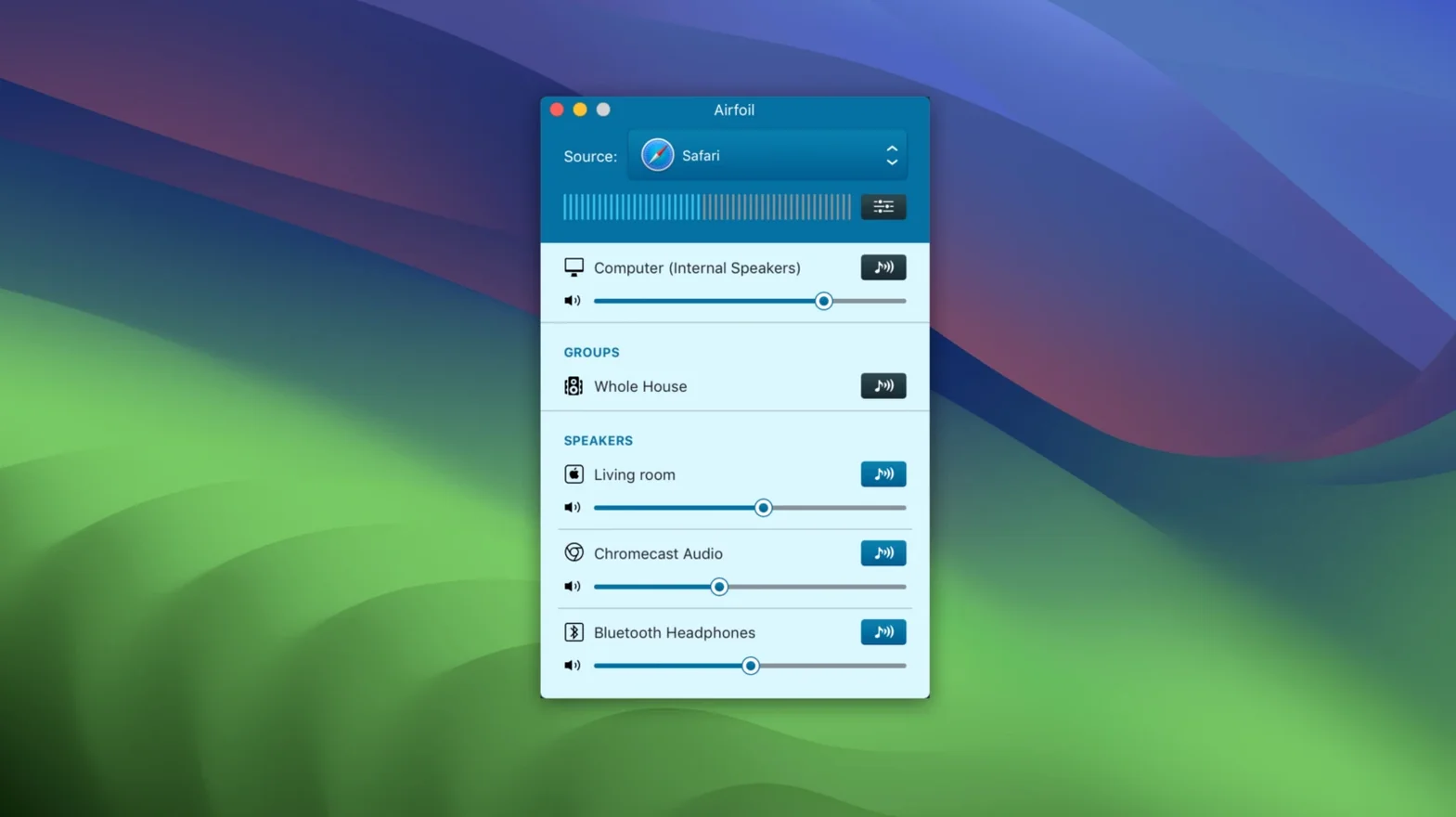
I open Airfoil after mounting the disk image and running Open Gatekeeper friendly — the Terminal step is quick, then I drag the app to Applications. First launch shows a clean window. I pick Safari as the source, because I want to stream a playlist from a web radio site. The app lists every audio-capable program running on the Mac; you just check the one you want to capture.
Next I select the output. I have an old Apple TV on the same network and a Bluetooth speaker in the kitchen. Airfoil shows both. I check them, and audio starts flowing to both simultaneously. The built-in equalizer sits in a small panel off to the side; I adjust the bass up slightly for the kitchen speaker, which tends to sound thin. The Apple TV gets the flat signal. No lag between them that I notice — the app handles sync.
While music plays, I switch to a podcast in another tab. Airfoil continues capturing from Safari, so the podcast replaces the music on both outputs. I could also capture from the system audio rather than a specific app, which is useful when I want to stream video game sound or a video call. The workflow is: pick source, pick targets, hit play. That's it.
When I close the Mac lid later, streaming stops. That's expected — Airfoil runs on the machine, so whatever the Mac does, the stream does too.
Sits between apps and speakers without replacing system audio
Airfoil sits between your apps and your speakers. It doesn't replace system audio; it intercepts it. So you can still use macOS volume keys for the local speakers while Airfoil manages remote volume separately per device. The app transmits audio encoded in Apple Lossless, which keeps quality high over the network.
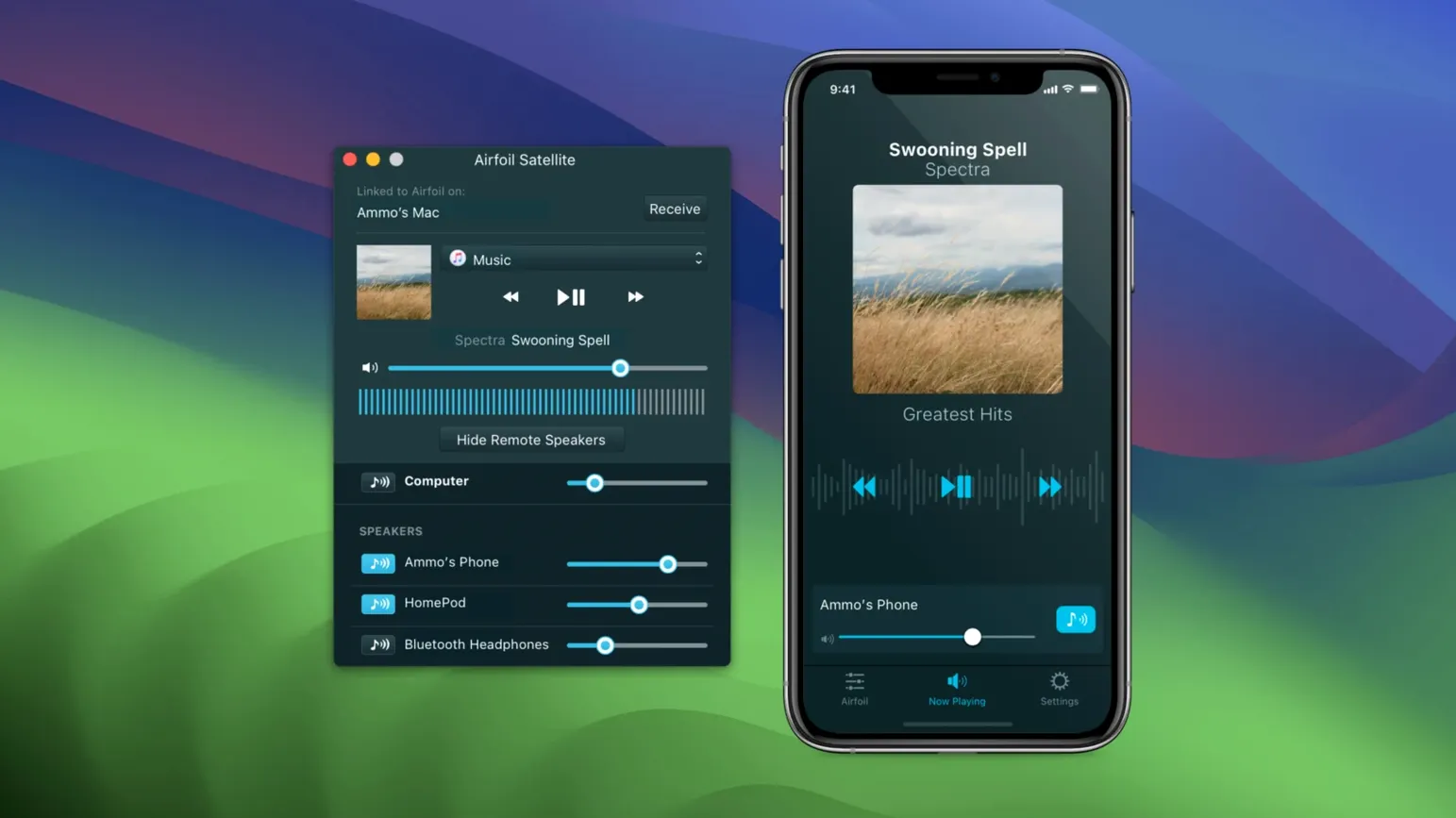
The companion app family, Airfoil Satellite, extends reach. If you have a Mac in another room running Satellite, that machine becomes a streaming target too. Same for iOS devices — you can send audio to an iPhone or iPad running the Satellite app. This makes it easy to fill a house without dedicated AirPlay speakers everywhere.
For Google Cast and Bluetooth devices, Airfoil handles the handoff transparently. I don't need to pair a Bluetooth speaker through macOS first — Airfoil finds it and connects on its own. Same for Chromecast devices on the network. The app becomes a single control point for all remote audio, which beats opening separate pairing panels or casting menus in each app.
Auto-start streaming to a chosen device on launch
- The app can automatically start streaming to a chosen device when it launches. Set it once, and every time you open Airfoil it connects without extra clicks.
- You can send audio to several devices at the same time. That's not just two — the limit is whatever your network and the devices can handle. I regularly use three without issues.
- The equalizer is per-device, not global. Adjust EQ for a Bluetooth speaker without affecting what goes to the Apple TV.
Runs on macOS 14.4 through 27 with a Gatekeeper bypass
Airfoil 5.13.0 is a 64-bit app that runs on macOS 14.4 through macOS 27, according to the support center. That covers both Apple silicon and Intel 64-bit machines. The install process involves a Gatekeeper bypass via Terminal — a common step for Rogue Amoeba software — then dragging the app to Applications. No background services to configure, no driver installs. The app itself is small; it won't clutter your system or demand administrator access after setup.
Streaming to Apple TV and HomePod works again in this version, which is the headline fix in 5.13. If you use those devices, an airfoil crack or torrent from the right source gives you a working copy without hunting for an older release. The interface stays in English, and all controls are visible from the main window — source selection, target list, volume, EQ. No hidden panels.
That's the whole loop. No complex setup, just source, targets, and play.
- Restores audio streaming to Apple TV and HomePod devices.
- macOS 14.4 or later
- Apple silicon or Intel 64-bit
- 64-bit processor
Questions from the notes
Can Airfoil send audio to multiple devices at the same time?
Yes, Airfoil can stream to several devices simultaneously, such as an Apple TV and a Bluetooth speaker at once.
Install procedure
- Mount the disk image and run Open Gatekeeper friendly.
- Press Enter in the Terminal window to bypass Gatekeeper.
- Drag the app to the Applications folder.
- Open the app when installation is complete.
Reports from players
Sign in or create a tester account to file a report.
No reports filed yet.