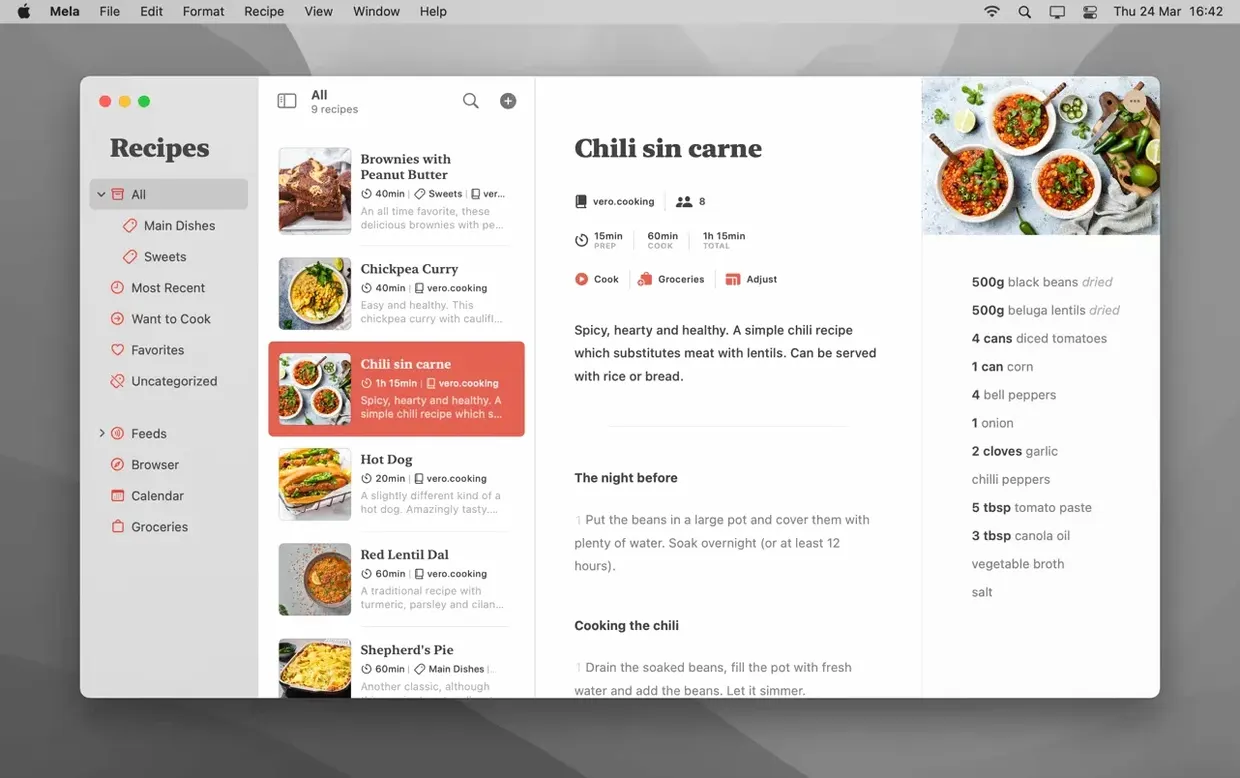
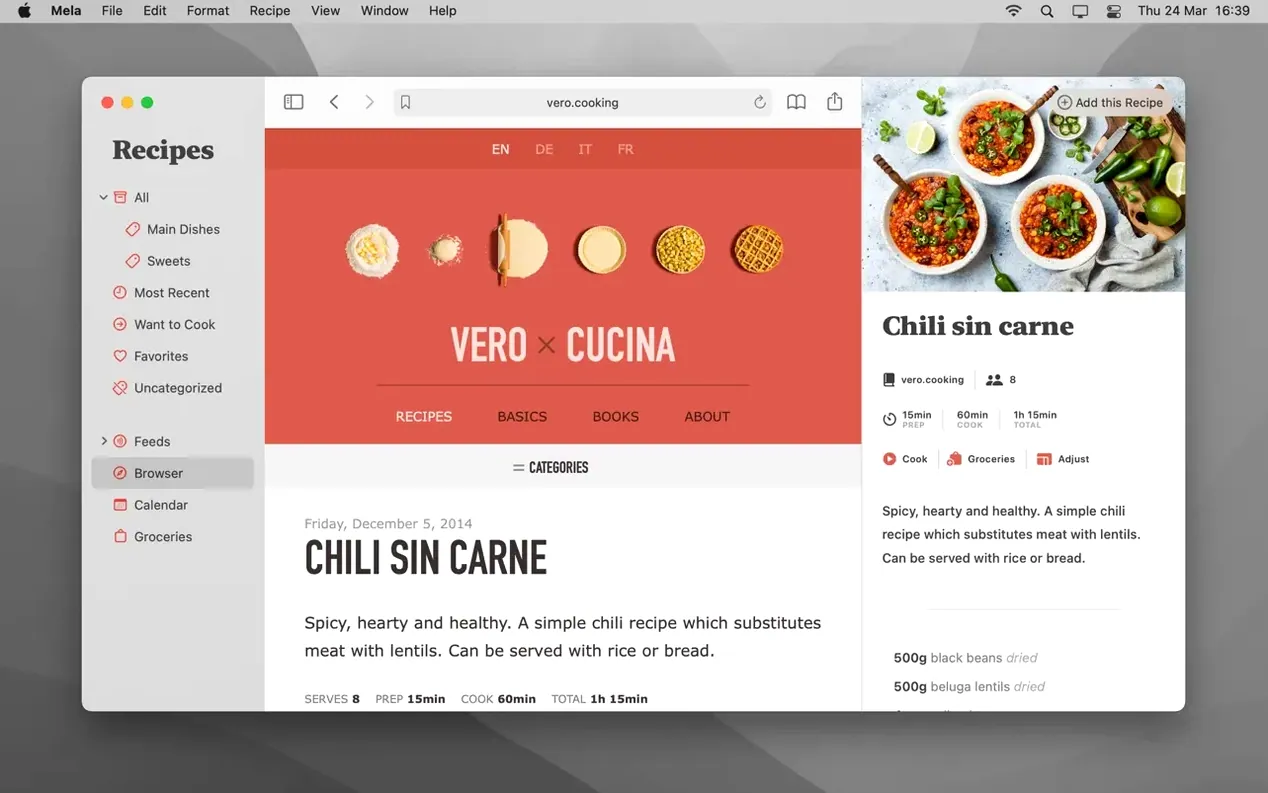
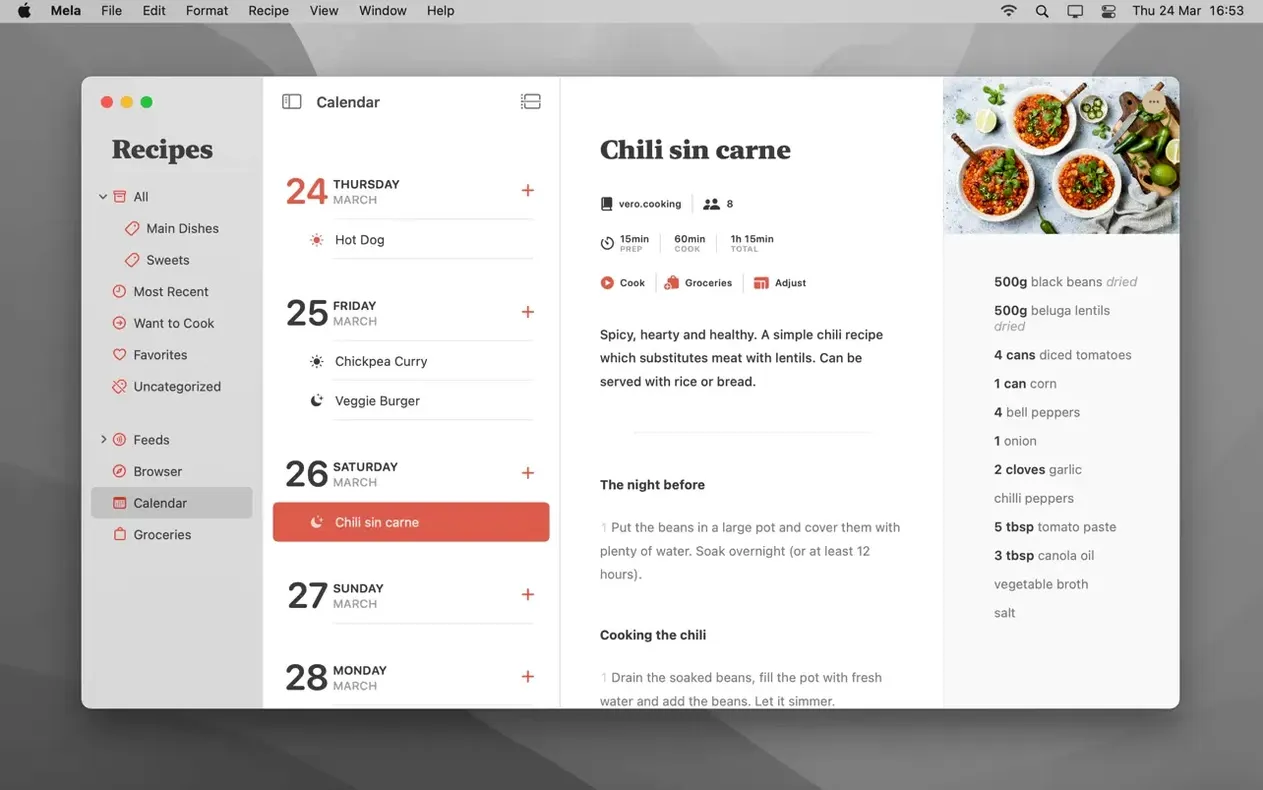
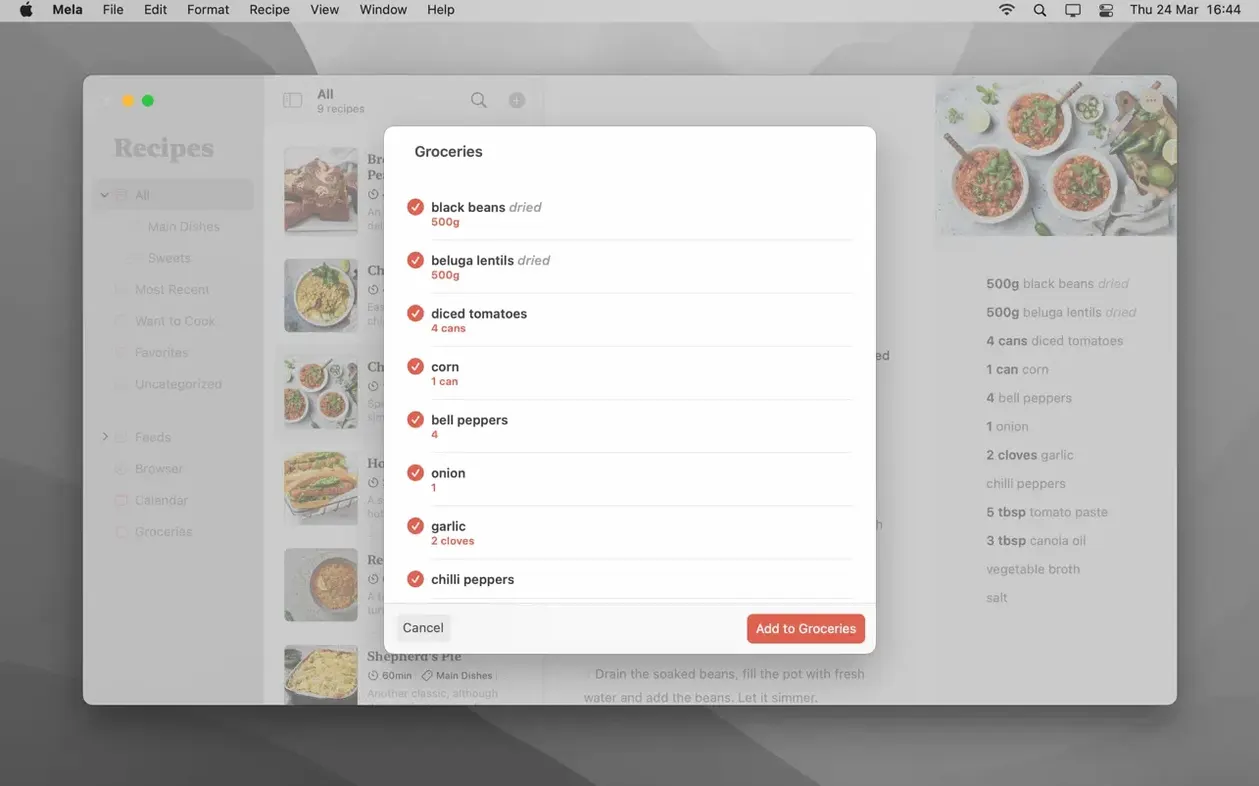
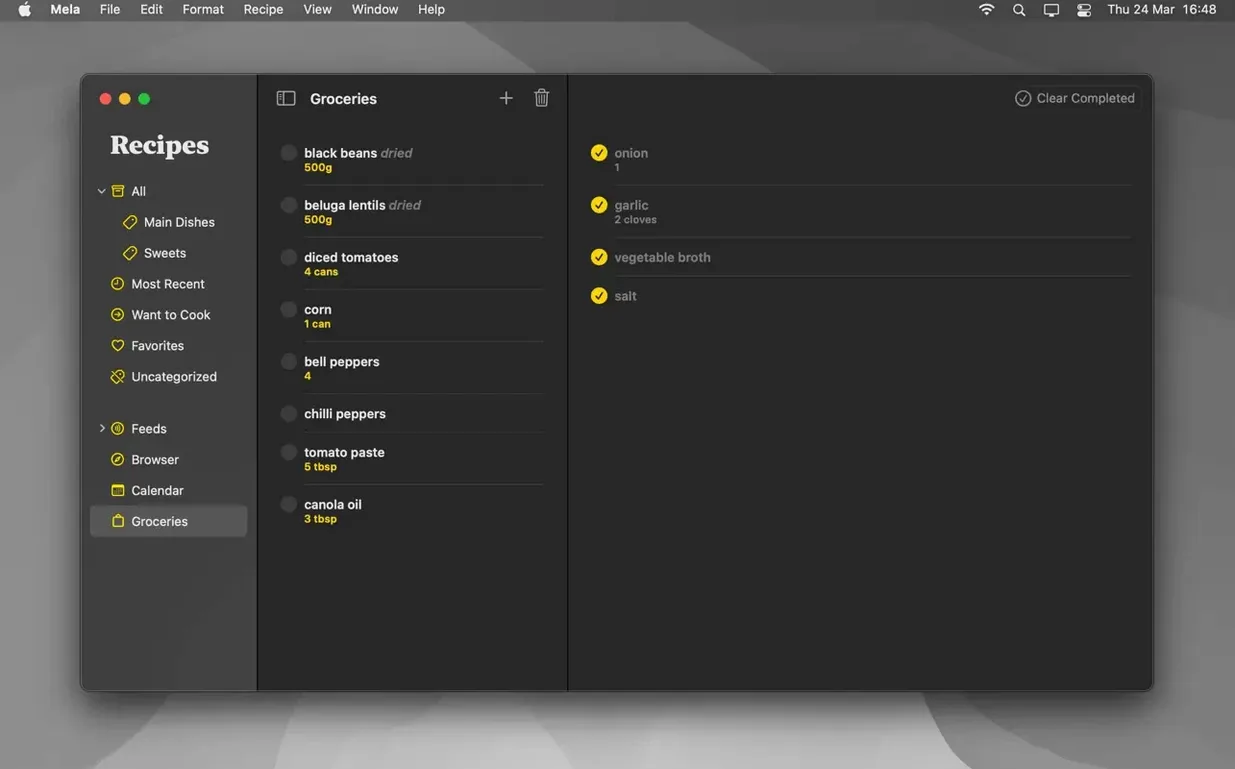
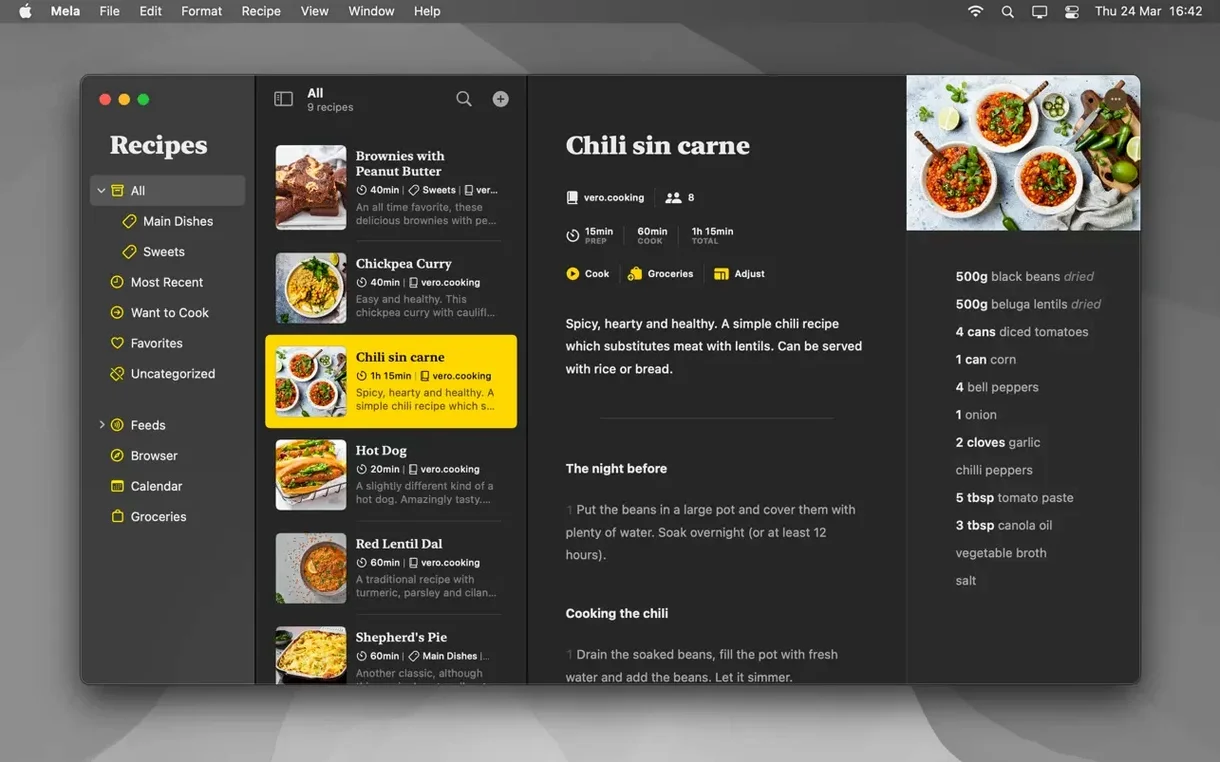
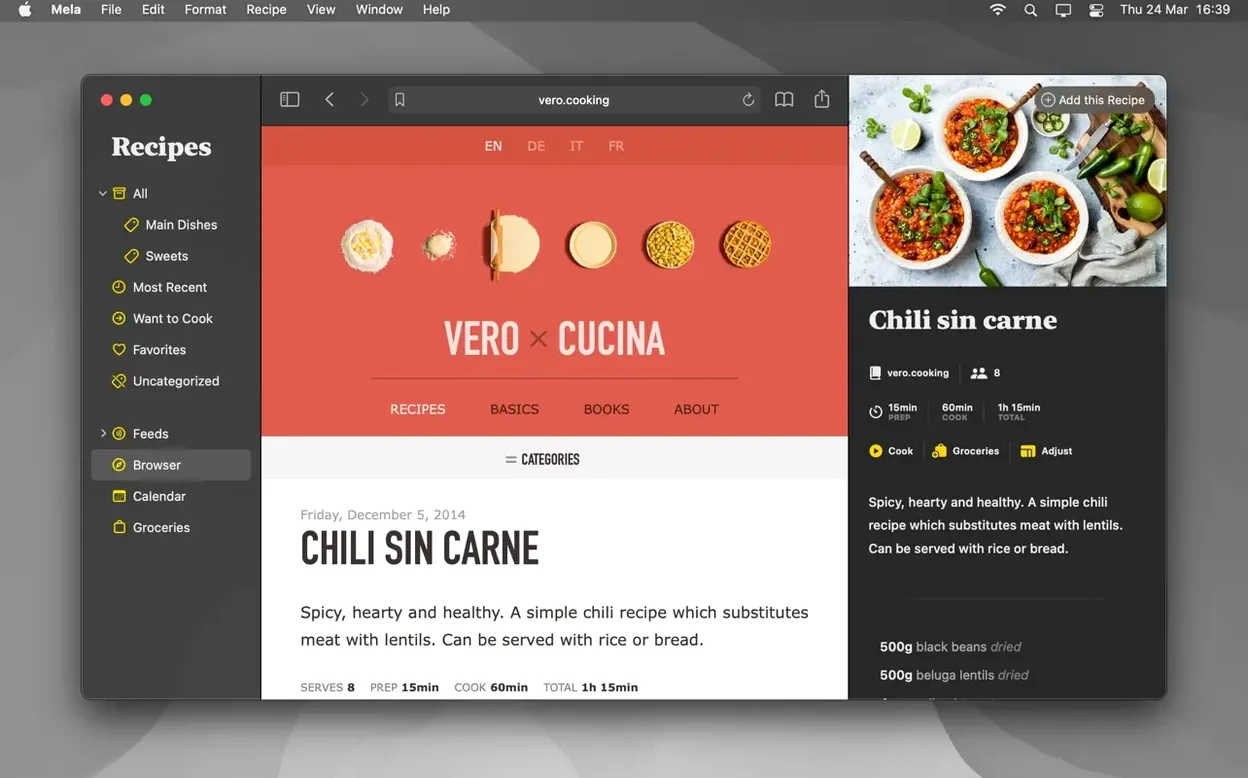
Mela runs on macOS 11 or later, on both Intel and Apple Silicon Macs. It slots into the apps you already use: it syncs through iCloud, its calendar is driven by Calendar.app, and it can save recipes as PDFs. If you run a Mac mini or a laptop as your main machine, it behaves like a native citizen of the ecosystem rather than a port.
What fits alongside your existing tools
- Private iCloud syncing by default — recipes follow your Macs without extra setup.
- Shared recipe libraries for other iCloud users, which require macOS 12 or later.
- In-app browser with live preview when you import a recipe from the web.
- PDF export for archiving or printing recipes the way you want them.
Meal planning and cooking mode
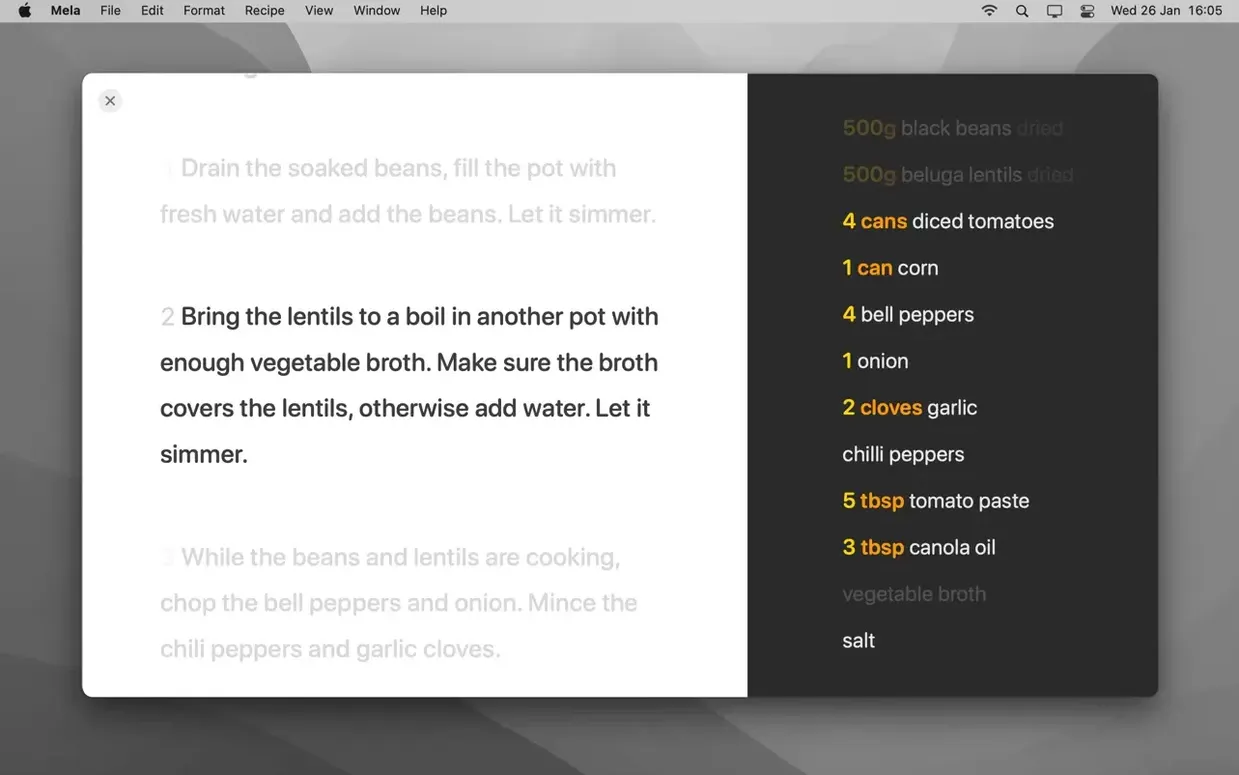
The built-in calendar, controlled by Calendar.app, handles meal planning without inventing a second schedule system. Cooking mode uses larger text and can hold multiple recipes at once, so you can keep the main dish and sides open side by side. Recipes you have not tried yet can be flagged as Want to Cook, which is useful for planning a week ahead without losing track of what caught your eye.
Treating the in-app browser like a full web browser
The most common misstep is treating the in-app browser like a full web browser. Users click around, open links, and then wonder why Mela shows a blank page or a broken recipe view. Mela's browser is meant for one thing: previewing a recipe page before you import it. Stay on the page that contains the recipe, let Mela detect it, then import. Navigating away from that page breaks the detection.
Another frequent error happens with shared recipe libraries. People enable sharing but forget that the other user needs macOS 12. If they are on macOS 11, the shared library simply never appears. The app does not throw an error message, it just stays invisible. Check the macOS version on the receiving end before you troubleshoot anything else.
Scanning a recipe from a book using text recognition sounds straightforward, but users often hold the phone or camera at an angle. If the text comes out garbled or missing half the ingredients, it is usually a lighting or angle problem. Flat surface, even light, no shadows. That fixes most scan failures.
Recipes not syncing when iCloud is full or signed out
Recipes not syncing across Macs. Mela uses iCloud syncing by default, but if iCloud itself is not logged in or has run out of space, recipes stay local. Open iCloud settings in System Preferences, confirm your account is signed in and has room. That is almost always the fix.
Calendar not showing meals. The meal planning calendar is controlled by Calendar.app. If you have deleted or disabled Calendar.app, Mela's calendar will appear empty or refuse to add entries. Re-enable Apple Calendar, and entries placed in Mela will appear there.
Mela cannot guess a new feed.
PDF export looks wrong. Some recipes with unusual ingredient formatting or non-standard characters export oddly. This is a source formatting issue, not a Mela bug. Adjust the recipe text in Mela before exporting, or save as a recipe first, tidy it up, then export to PDF.
How Mela compares with similar Mac apps
Paprika is the closest analogue. Both handle recipe import from the web, meal planning with a calendar, and have a cooking mode. Paprika syncs through Paprika Cloud (paid) or third-party services. Paprika supports more export formats and grocery lists, which Mela lacks. Mela's shared recipe library feature is something Paprika does not offer. Mela also has an in-app browser with live preview; Paprika handles import through a browser extension or copy-paste.
MealBoard focuses on meal planning and grocery lists more than recipe storage. Its calendar is separate from Apple's, and it does not sync through iCloud. Mela is stronger as a recipe manager first, planner second. MealBoard is stronger for weekly meal logistics, but its recipe import is less polished. If you already organize everything through Calendar.app, Mela fits better.
Recipe Keeper offers similar import tools and PDF export, but relies on its own cloud sync or local storage. Mela's iCloud approach means your recipes are available on any Mac logged into your Apple ID without an extra account. Recipe Keeper has a grocery list feature that Mela lacks. For users who only need recipe storage and planning, Mela is simpler because it uses infrastructure already present on the Mac.
Real-world scenario: a cook planning a dinner party
A home cook wants to host a dinner for six people. They browse a food blog in Mela's in-app browser, spot an entree and a dessert, and import both into Mela. Each recipe gets a Want to Cook flag so it stays visible during the planning week. They open the calendar in Mela, set the dinner date, and drag the two recipes onto that day. Calendar.app shows the same entries, so they can see the meal plan alongside work events without switching apps.
On cooking day, they open Mela's cooking mode, load both recipes, and start a timer for the roast. The large text makes it readable from across the counter. The second recipe stays open below it. The timer runs independently. After the meal, they save the recipes as PDFs to share with guests via iCloud. No extra accounts, no export to a separate service, just what the Mac already provides.
- No changes listed for version 2.6.1.
- macOS 11 or later
- Intel or Apple Silicon
- Interface languages: English, German, Italian, French
Questions from the notes
Does Mela require macOS 12 for all features?
No, Mela runs on macOS 11 or later. Shared recipe libraries with other iCloud users require macOS 12 or newer.
Install procedure
- Open the downloaded disk image.
- Drag the app to the Applications folder alias.
- After copying finishes, launch the app from Launchpad.
- If errors occur, follow the included instructions.
Reports from players
Sign in or create a tester account to file a report.
No reports filed yet.