RC-20 Retro Color 1.5.1 keeps things stable, with no new features or fixes to report. The plugin remains a straightforward way to add vintage-style texture and life to recordings.
Adds warmth and grit to any track or mix
- Adding warmth and grit to individual tracks or full mixes.
- Recreating the feel of old tape, vinyl, and lo-fi hardware.
- Quick presets that cover a wide range of uses, from subtle coloration to heavy distortion.
Runs natively on Apple Silicon with six effect modules
- The Mac version supports Apple Silicon natively and runs on macOS 10.13 or later, 64-bit only.
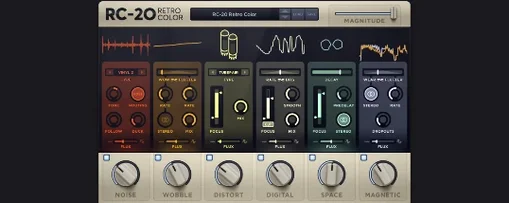
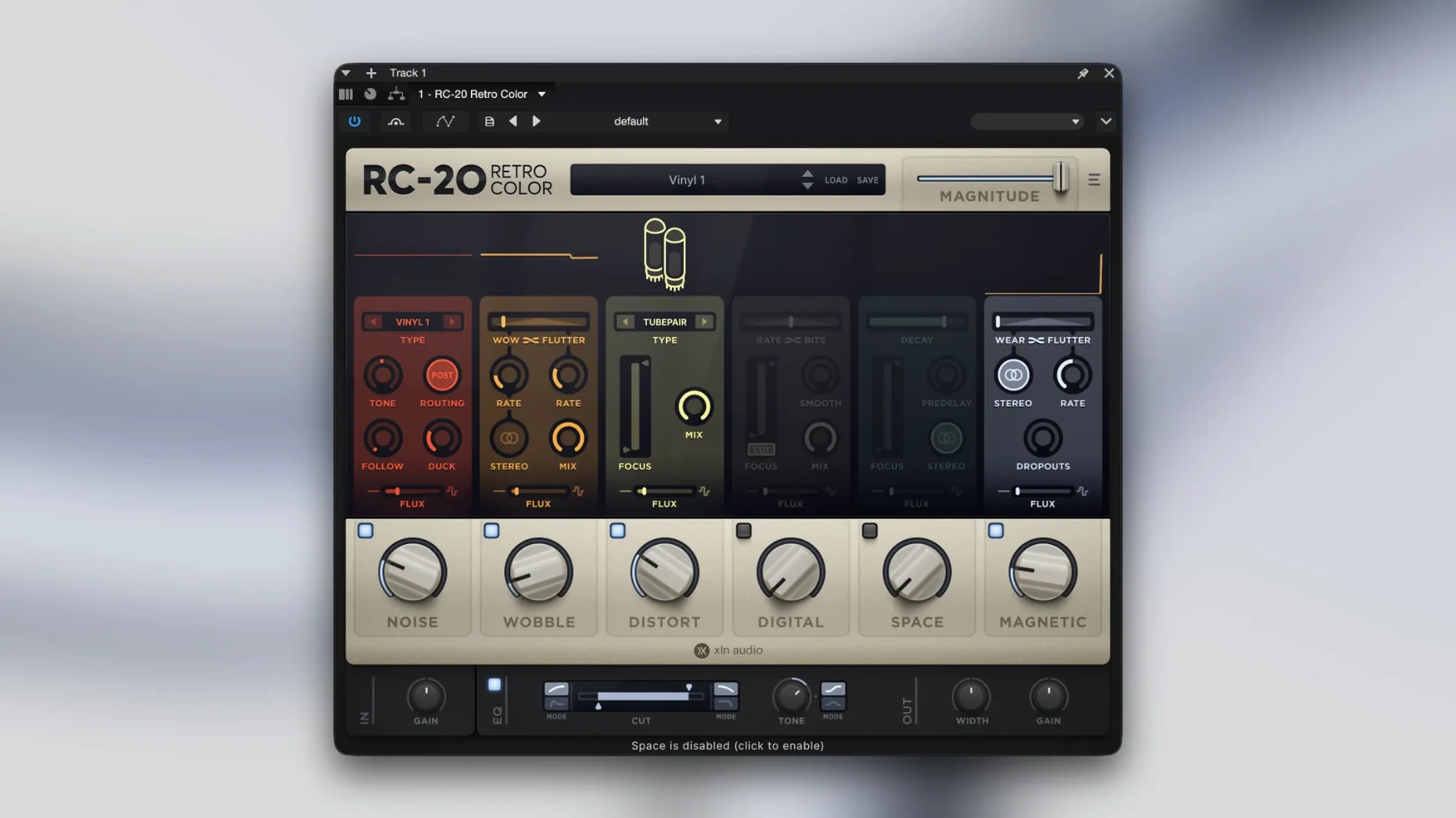
- Six effect modules handle different flavors: noise, wobble, distort, digital, space, and magnetic.
- The interface is English, and there's an in-app link to the manual.
What changed between versions
Version 1.5.1 is a maintenance release. The previous version, 1.5.0, added Apple Silicon native support and updated the plugin to 64-bit only, dropping 32-bit hosts entirely. For everyday use, that means RC-20 Retro Color loads faster on modern Macs without Rosetta translation, but it won't show up in older DAWs that still run 32-bit bridging. Users of Logic Pro, Ableton Live, or FL Studio on an M-series Mac should see the plugin appear natively in their AU or VST lists with no extra setup.
The Flux engine, introduced before 1.5.0, didn't change in this release. It still adds random drift to any module's parameters over time, which evens out the sound and keeps it from feeling static. If you used RC-20 before the Flux update, the behavior is the same — no new randomization modes or depth controls here.
Start by turning down each module's Mix knob
Opening RC-20 for the first time loads a default preset that hits all six modules at moderate levels. Most users turn down the Mix knob on individual modules before touching anything else. The global Mix control at the top of the plugin is easier to reach, but adjusting per-module mix gives finer control over how much noise, wobble, or distortion comes through.
- Noise module — set the color to brown or pink instead of white right away. White noise tends to hiss heavily on quieter parts, while darker colors blend into the background better.
- Higher settings create obvious pitch warble that works for lo-fi, but it fatigues quickly on clean sources.
- Space module — the default reverb tail is long. Shorten the decay and lower the mix if you only want a room feel rather than a cavern.
The Flux engine is off by default. Enabling it on individual modules and setting the speed to a slow value adds subtle movement that makes the effect feel less repetitive across a full track. Beginners often skip this, then wonder why the plugin sounds the same on every hit.
Works as AU, VST, or AAX in any macOS DAW
RC-20 works as a standard AU, VST, or AAX plugin, so it integrates with any macOS-compatible DAW that supports those formats. In Logic Pro, it appears under the Audio Units category. In Ableton Live, it shows up in the VST3 or VST2 browser depending on your install path. Pro Tools users on macOS can use the AAX version without additional wrappers.
The plugin respects macOS system audio routing, meaning it works with Audio Unit extensions and IAA (Inter-App Audio) in compatible hosts like GarageBand or Cubasis. It does not function as a standalone application — there is no desktop icon outside the DAW environment. You load it onto a track or bus insert and control it from there.
macOS 10.13 support means it runs on High Sierra through Ventura and later. On Apple Silicon Macs running macOS Ventura or Sonoma, RC-20 loads natively with no performance overhead. The plugin's interface stays crisp at standard Retina resolutions but does not offer a separate HiDPI scaling option — it matches the system's display scaling automatically.
For users who rely on macOS VoiceOver or accessibility features, RC-20's interface is graphical-only with no keyboard navigation for sliders or knobs. The in-app manual link opens in the default web browser, not a system help viewer, so you can keep the PDF reference alongside your DAW.
Avoid engaging all six modules at once
Applying all six modules at once. The preset library loads combinations that engage noise, wobble, distort, digital, space, and magnetic simultaneously. New users often leave them all on, which stacks processing artifacts and muddies the original signal. Start with one or two modules and bring others in only if the sound needs it.
Skipping the Flux engine. Because Flux is off by default and its controls sit separately from the main module knobs, people overlook it. Without Flux, the effect stays completely static — every note gets the same wobble cycle, the same noise burst. Turning Flux on with a low speed setting gives RC-20 its characteristic "breathing" quality.
Ignoring the global Mix knob. The Mix control at the top blends the entire plugin output with the dry signal. Beginners adjust individual module mix levels but never touch the global Mix, then wonder why the track sounds overprocessed.
Using RC-20 as an insert on the master bus too soon. The plugin adds harmonics, noise, and subtle distortion that accumulate across multiple tracks. Putting it on the master bus early in a mix tends to mask problems in individual channels. A better approach is to apply RC-20 to specific instruments or submixes first, then decide if the whole mix needs the same treatment later.
Not checking the module order. The six modules run in a fixed signal path within the plugin, but the order isn't obvious from the interface. Distort comes before Space, so distortion artifacts get fed into the reverb, which can push the sound into harshness. If you want the reverb to feed into distortion instead, you'd need to use two instances of RC-20 — one for Space, followed by another for Distort. That's not a limitation unique to RC-20, but it's easy to miss on the first few uses.
- macOS 10.13 or later
- 64-bit only
- Intel or Apple Silicon
Install procedure
- Mount the downloaded disk image.
- Run the standard installation procedure.
Reports from players
Sign in or create a tester account to file a report.
No reports filed yet.