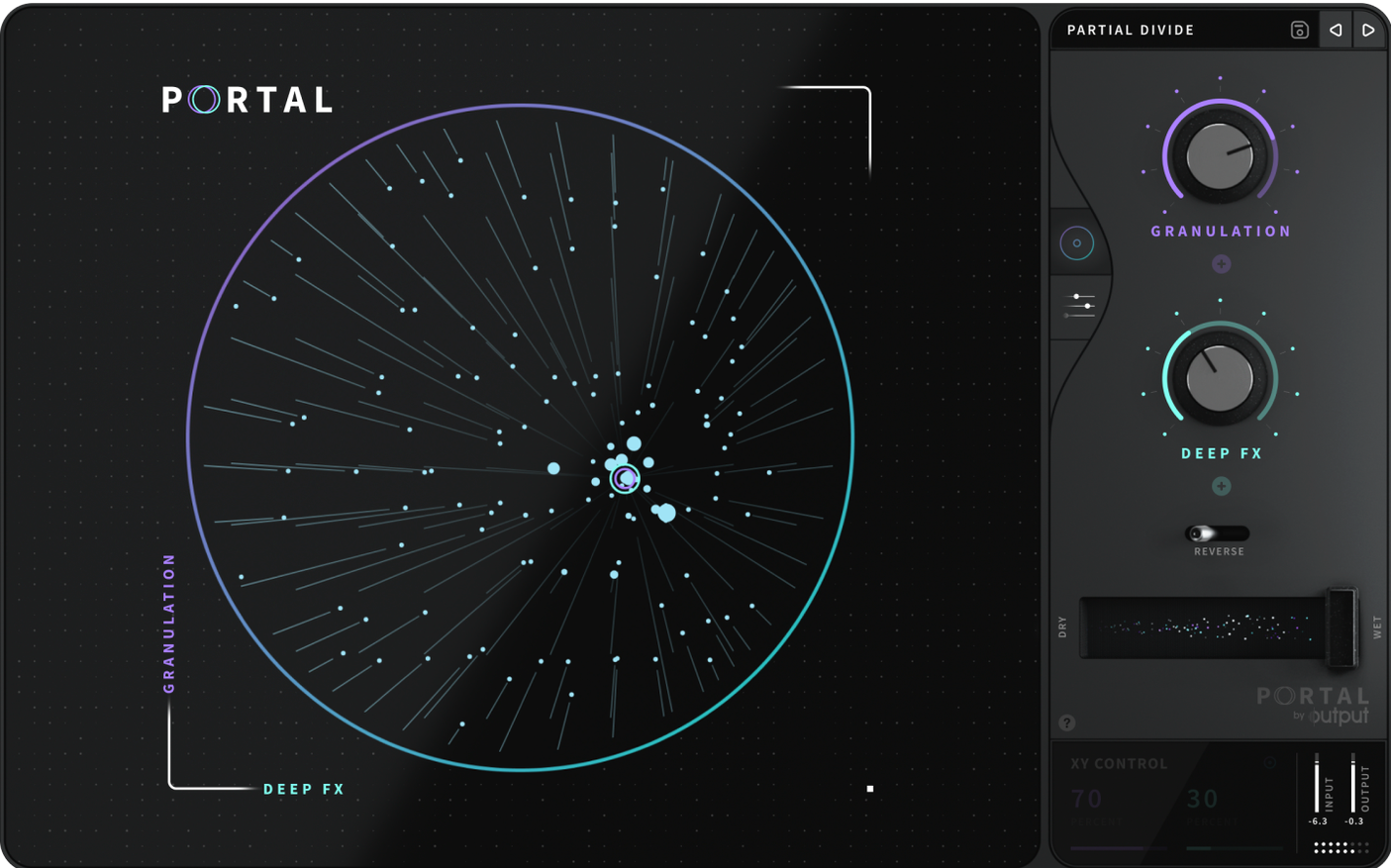
Output Portal 1.2.1 is an effects plugin, not an instrument. It works on audio tracks or buses, turning sustained notes, drum loops, or even full mixes into textured, evolving material.
Portal's granular engine can add natural variation to envelopes—so a pad doesn't stay static, a guitar strum can morph into a shimmering cloud. It can run synchronized to your project's tempo or free-running, which makes it useful for both rhythmic stutters and ambient washes.
It also locks pitch to a scale, keeping the output musical even when the grains go far from the source. That's handy on a vocal bus or a synth line where you want chaos that still fits the key.
Music producers working with sampled loops
Music producers working with sampled loops or repeated patterns get a lot from Portal. A drum loop that's been in every track starts to feel fresh when you run it through grain-based stretching and add slight envelope variation. The granular engine re-synthesizes the signal, so the result doesn't sound like a tape being warped—it keeps the character of the original material.
Sound designers who need to turn a single source into a palette of textures will find Portal useful. It can slow down and stretch sounds while keeping them musical, which is a different process from a standard time-stretch. The pitch-lock to scale means you can grab a vocal phrase or a field recording and send it through without retuning the result manually.
Mix engineers working on vocal buses or instrumental stems can use Portal as a subtle effect layer. It doesn't require a dedicated MIDI track or note input. It processes whatever audio is fed into it, so you can add grain-based movement to a backing vocal or a synth pad without changing the arrangement.
Intel and Apple Silicon Mac installation
Portal 1.2.1 is available for both Intel and Apple Silicon Macs, 64-bit architectures. The installer comes as a disk image, mounts like any other, and runs a standard installer where you choose the location. No extra steps or hidden dependencies.
The plugin itself is classified as an effects processor, not a virtual instrument. It appears in your DAW's plugin list under the effect or utility category, not among synths or samplers. It accepts audio input and outputs processed audio—no MIDI mapping or note triggering required.
Language is English only. That covers the interface and any tooltips or documentation bundled with the install.
Start with a sustained synth pad synced to tempo
Start with a simple source—a sustained synth pad or a held vocal note. Set Portal to run synchronized to your project tempo first. The granular engine will slice and re-synthesize in time, giving you a feel for how the plugin handles rhythmic material before you go into free-running mode.
Try the pitch-lock to scale on a drum loop. It sounds counterintuitive, but the combination of locked pitch and grain-based stretching can turn a standard loop into something that still hits on the beat but has a completely different tonal center. That's a quick way to hear what the plugin does differently from a regular pitch shifter.
Add natural variation to envelopes on a guitar part. Record a few chords, then run them through Portal with moderate envelope variation. The sustain morphs without losing the attack transient. If you push the variation further, the sound becomes more cloud-like, which works well for background texture.
Portal works well as a parallel effect—blend it with the dry signal until you know how the grain engine interacts with your specific source material.
A scenario: a producer working with sampled beats
A producer has a two-bar drum break they've used in three tracks already. They want it in a fourth project, but the loop sounds too familiar. They load the break onto an audio track, insert Portal on the channel, and set the plugin to stretch the material without syncing to tempo. The grains re-synthesize the break into a longer, evolving rhythm that doesn't repeat the exact same hits every bar. They keep the pitch locked to the track's key, so the low end of the kick and snare still sit in the mix correctly. After layering a dry version of the break underneath, the result is a loop that feels new without needing to find or record different samples.
That kind of workflow is where Portal fits—not as a showy effect, but as a utility that reworks existing audio into something you can use again without starting from scratch.
On Mac, it runs on both Intel and Apple Silicon, so it slots into most setups without a second thought.
- macOS: version not specified
- Architecture: Intel and Apple Silicon
- Interface language: English
Questions from the notes
Can Output Portal run in sync with my project tempo?
Yes, Portal can run synchronized to the main tempo or unsynchronized, depending on how you want the grains to behave.
Install procedure
- Mount the downloaded disk image.
- Run the standard installer.
- Choose the installation location to finish setup.
Reports from players
Sign in or create a tester account to file a report.
No reports filed yet.