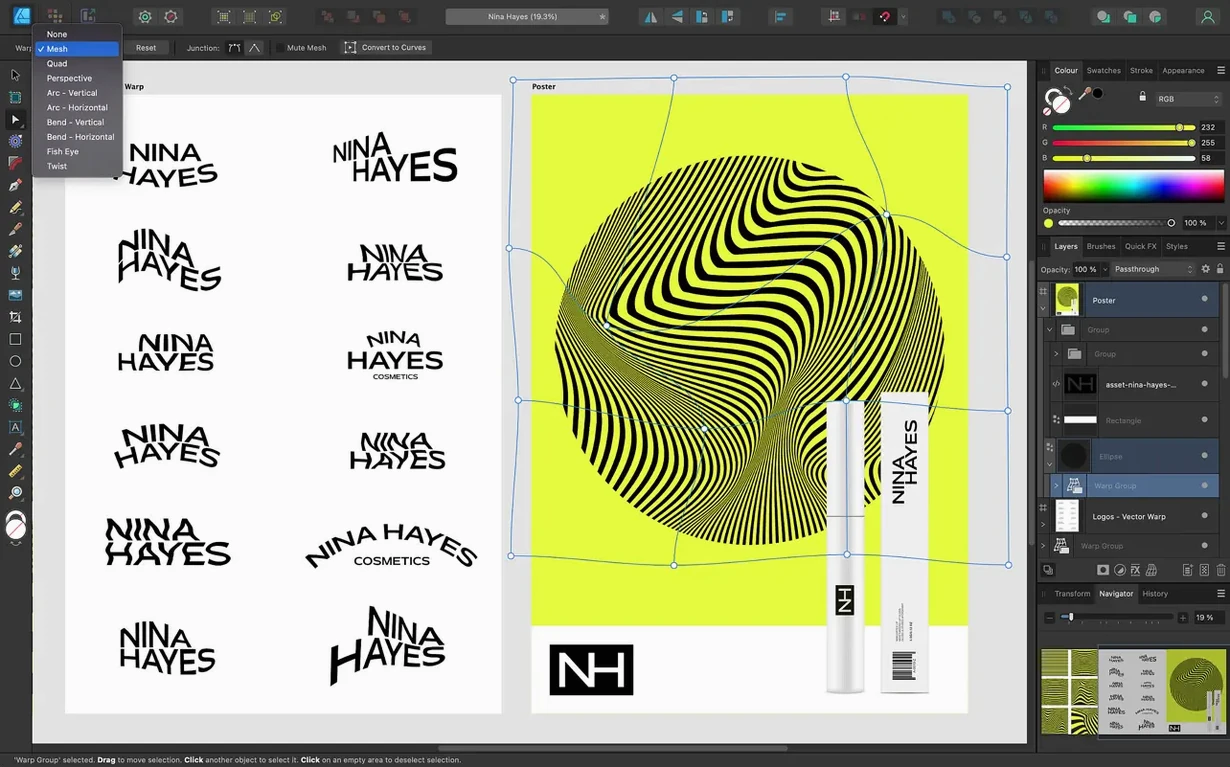
You are laying out a UI mockup and need crisp vector icons. Or you are adjusting a poster that started as vectors but needs a raster brush on one layer. Affinity Designer handles both without switching apps—it switches between vector and raster workspaces on the fly. Version 2.6.5 runs on macOS 10.15 and later, supports Metal, OpenGL, Grand Central Dispatch, and Core Graphics, and works on both ARM and 64-bit Intel Macs.
- Switch between vector and raster workspaces without leaving the document.
- Unlimited artboards for multi-page layouts or icon sets.
- OpenType text features, CMYK/LAB/RGB/grayscale color models for print-ready work.
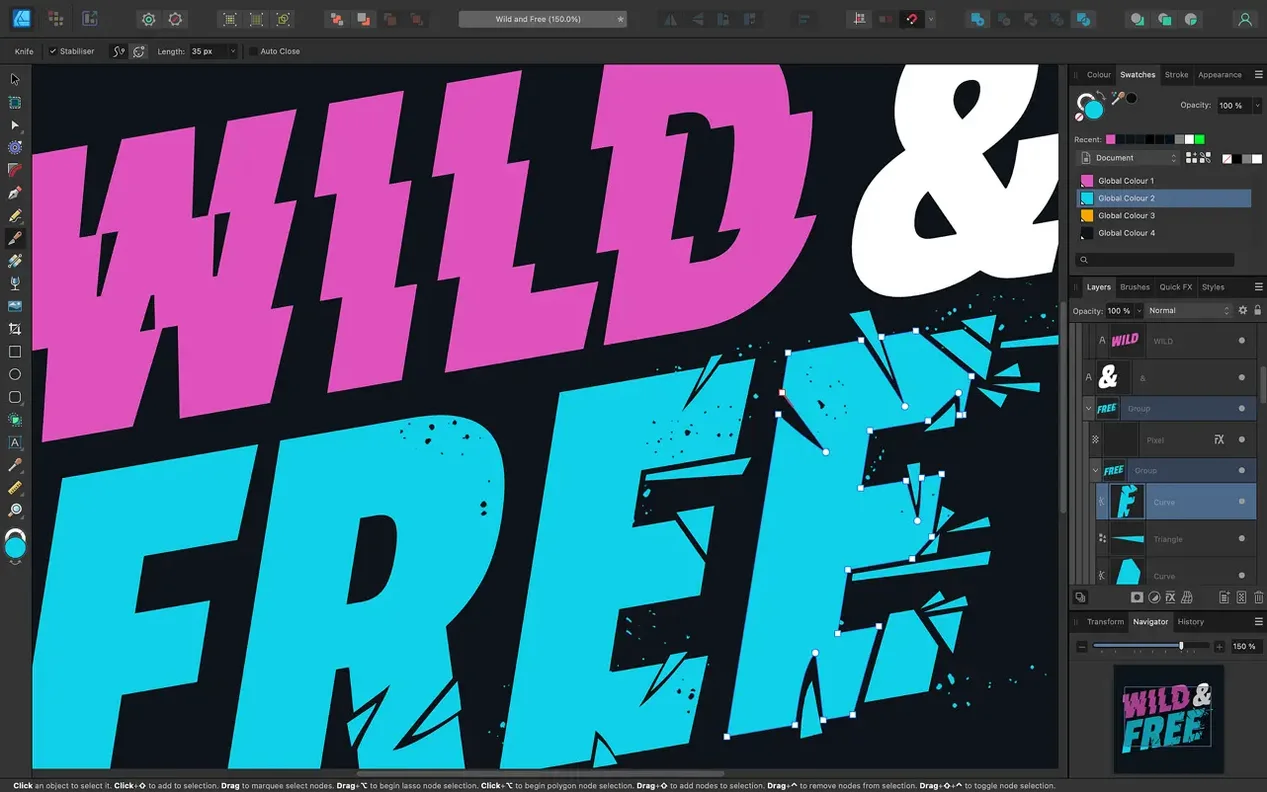
- Brush and pencil stabilization for smoother freehand curves; version 2.6 added Pencil tool improvements.
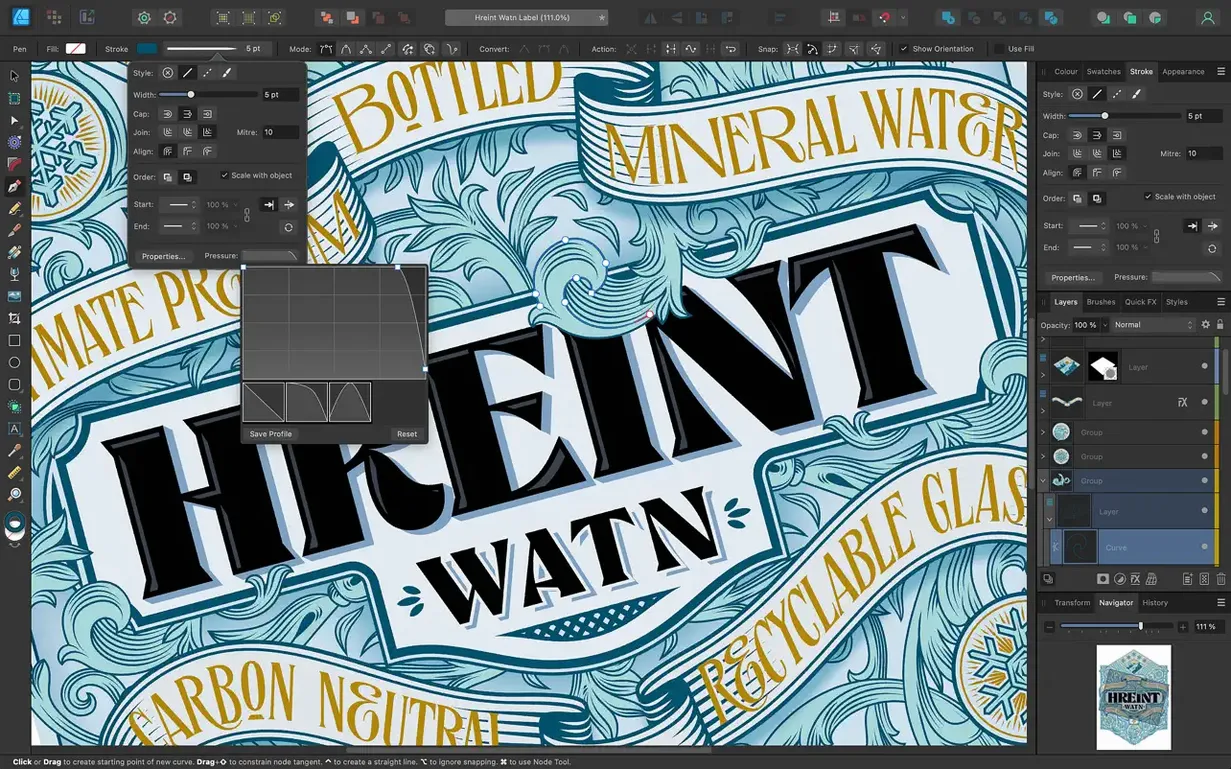
- Version 2.6 added Stroke Width Tool profiling with Reset Profile, and a Command/Ctrl toggle for marquee select intersection.
- Interface in English, German, Spanish, Italian, Simplified Chinese, Portuguese, French, Japanese.
If you already use other Affinity apps on the same Mac, the update page is shared—one download covers the suite. The app is a solid companion to a workflow that already includes pixel editing or page layout tools.
Adjust keyboard shortcuts for workspace switching first
A few defaults are worth adjusting before you start a real project. They are not hidden, but the stock configuration is aimed at general use, not at your specific workflow.
- Keyboard shortcuts for workspace switching. The default shortcut to toggle between vector and pixel workspaces is set, but you can assign a dedicated key to each. If you switch often, map them to something within reach of your left hand.
- Stabilization. The Pencil and Brush tools have a stabilization slider that defaults to zero. For freehand curves, bump it to 10–15% first. The 2.6 Pencil tool improvements make a bigger difference with stabilization turned on.
- Automatic snapping. Snapping is aggressive out of the box. Turn off the ones you do not need—object snapping, grid snapping, or guide snapping. It saves time when you are aligning shapes manually.
- Color format for new documents. The new-document dialog defaults to RGB/8. If your work targets print, set CMYK/16 as the preset. Changing it after the document is created takes extra steps.
Best for vector illustrators and logo designers on Mac
Affinity Designer fits a few distinct workflows better than others. Not every Mac user needs a vector tool, but the ones who do will find specific advantages here.
Vector illustrators and logo designers are the core audience. The Pen tool, Node tool, and curve editing are direct and fast. The unlimited artboards let you iterate variations of a mark inside one file without duplicating layers.
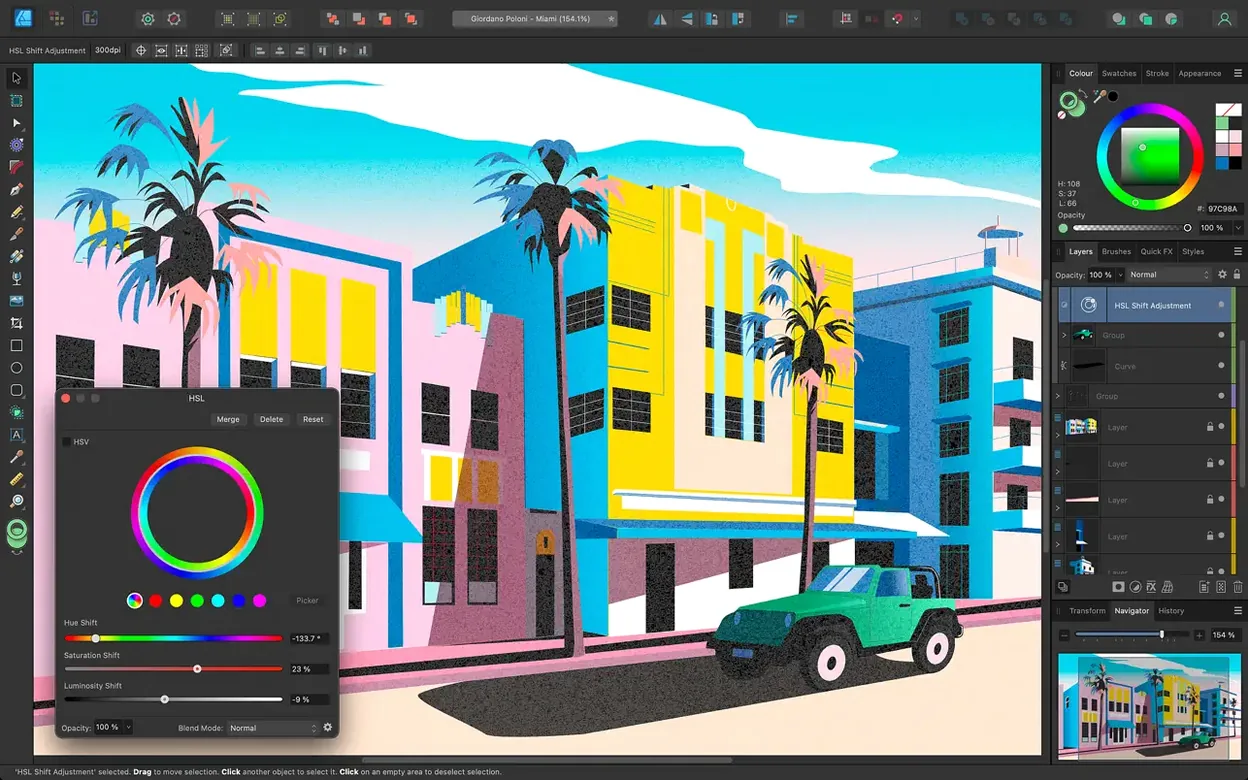
UI and icon designers benefit from the raster workspace switch. You can prototype a screen layout with vectors, then add a raster texture or shadow on a separate layer without leaving the app. The 60 fps pan and zoom make dense icon sets easier to navigate.
Print designers who work in CMYK or spot colors get the color model support they need. ICC profile management and 16-bit channel editing mean the file stays accurate from design to output. The OpenType features and text-along-path tools are useful for packaging mockups.
Users on Apple Silicon Macs get native ARM support. The app runs without emulation, and the Metal and Grand Central Dispatch optimizations apply to both architectures. If you are on a MacBook with a Force Touch trackpad, the Touch Bar support works for pressure-sensitive strokes.
Does it replace Adobe Illustrator for everyday vector work?
Does it replace Adobe Illustrator? For most everyday vector work, yes. The toolset covers the same ground—Pen, Node, shape building, gradients, effects. Some specialized features like 3D extrusion or dynamic symbols are not present, but the core drawing and typography are solid. If you depend on Illustrator's specific plug-in ecosystem, you will need to test compatibility.
Can I open .ai and .psd files? The app imports AI, PSD, PDF, EPS, SVG, JPG, TIFF, and EXR. I have opened multi-layer AI files with editable paths and PSDs with layer groups. Some Illustrator effects or Photoshop adjustment layers may rasterize, but basic vectors and text come through. For files that rely on specific Illustrator effects, expect to rebuild those.
How does it handle CMYK? Natively. You set the document color model to CMYK when you create it. ICC profiles are supported, so proofing and export match your printer's profile.
Does it work alongside Affinity Photo or Publisher? Yes. The three apps share a common file format. You can open an Affinity Designer file in Publisher for layout or in Photo for pixel-level retouching. The update page is shared, so you get one installer for the whole suite.
Uses macOS Touch Bar and Force Touch trackpad pressure sensitivity
Affinity Designer integrates with macOS at the system level more than most vector tools. The Touch Bar and Force Touch trackpad support means you can use pressure sensitivity on a MacBook's built-in trackpad without a drawing tablet. That is useful for quick sketching or brush work on the go.
Color management is handled through the OS-level ICC system. If you have custom monitor profiles or printer profiles installed, the app picks them up automatically. It does not need a separate color management panel.
The app uses the system's native file dialogs and font management. There is no separate font manager or import step. Installed OpenType, TrueType, and variable fonts appear in the text dropdown immediately.
For export workflows, you can drag finished artboards directly to Finder from the document's thumbnail panel. It bypasses the export dialog for single-image exports. Batch export still uses the standard dialog.
The shared installer between Affinity apps means if you later add Affinity Photo or Publisher, you do not need to re-download Affinity Designer. One installer handles all three. The activation is handled by the TNT team's patch, and the apps coexist without conflicting licenses.
- Bug fixes and stability improvements.
- Pencil tool improvements from the 2.6 release.
- Stroke Width Tool profiling improvements and Reset Profile from 2.6.
- Command or Ctrl toggle for marquee select intersection behaviour from 2.6.
- macOS 10.15 or later
- Apple Silicon or Intel processor
Questions from the notes
Does Affinity Designer support Intel Macs?
Yes, version 2.6.5 supports both ARM and 64-bit Intel Macs running macOS 10.15 or later.
Can I use raster brushes in Affinity Designer?
Yes, the app lets you switch between vector and raster workspaces, so you can use raster brushes on the same canvas.
What color models does Affinity Designer support?
It supports CMYK, LAB, RGB, and grayscale color models.
Install procedure
- Mount the disk image and launch Open Gatekeeper friendly.
- Press Enter in Terminal to bypass Gatekeeper.
- Drag the app into the Applications folder.
- Open the app when installation is complete.
Reports from players
Sign in or create a tester account to file a report.
No reports filed yet.