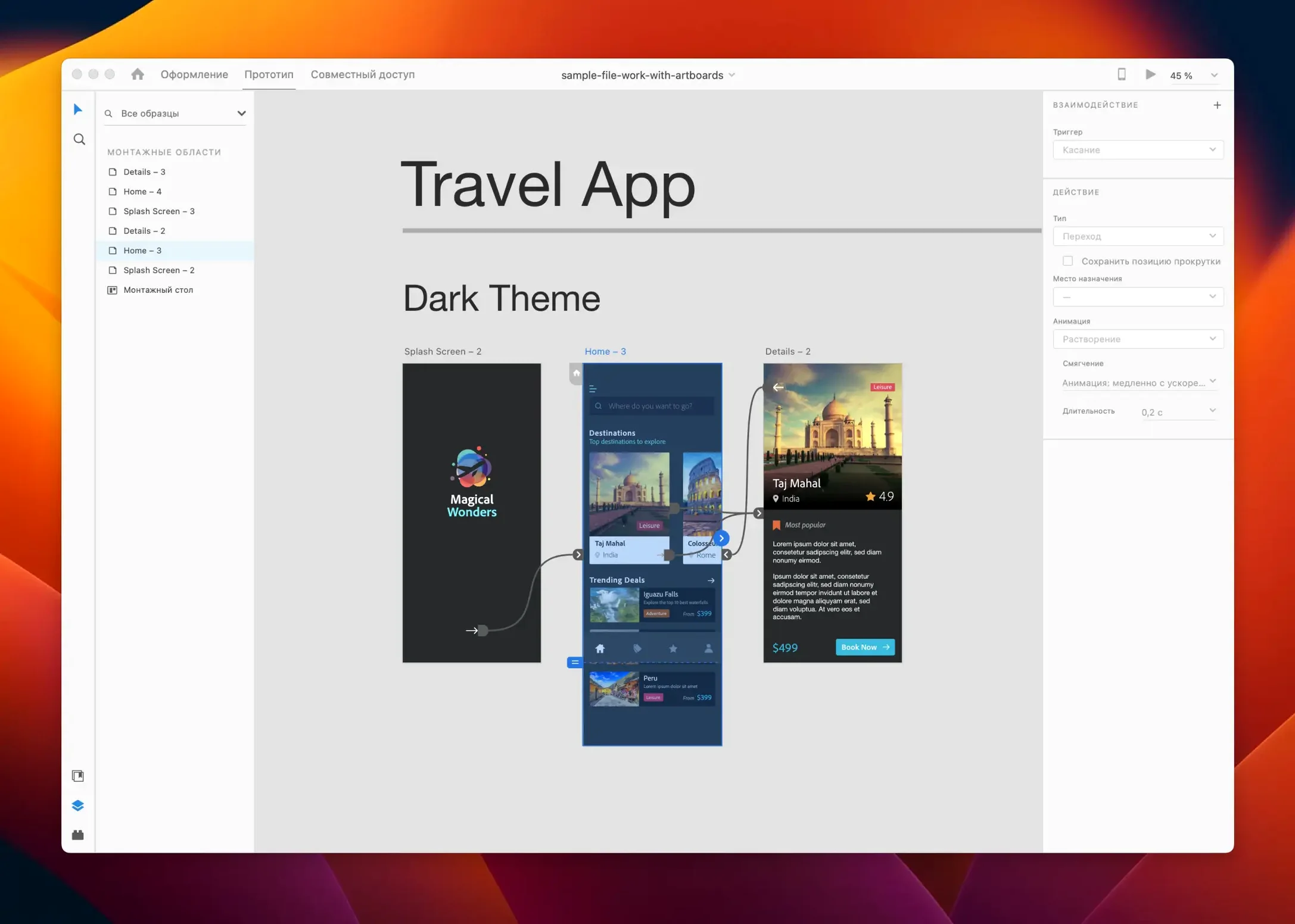
Adobe XD 59.0.12 supports repeat grid, auto-animate, responsive resize, and content-aware layout — the four tools that separate it from a drawing app. For an experienced designer, that set is where the daily work happens.
Designs websites, mobile apps, and prototypes on one canvas
- Designing websites, mobile apps, voice interfaces, game interfaces, and email templates in one project.
- Building interactive prototypes with auto-animate and previewing them on the same canvas.
- Sharing work with team members and iterating without leaving the app.
- Extending functionality with in-app or cloud plugins when the core tools run short.
Works offline solo, needs account for team collaboration
- It's a Mac and Windows tool; the Mac install covers both Intel and Apple Silicon.
- Collaboration requires an Adobe account, so solo use is fine offline.
- Voice interface design exists, but it's a niche workflow — expect a learning curve.
Getting started with Adobe XD 59.0.12 is straightforward, but a few early steps can save time.
Set up a project and try the repeat grid tool first
Open the app and set up a new project from the welcome screen. The layout is clean, so the toolbar and panels are visible immediately. Try the repeat grid tool first: select a shape or group, then drag the blue handle to duplicate it in a pattern. It's the fastest way to build a list or gallery without copy-pasting.
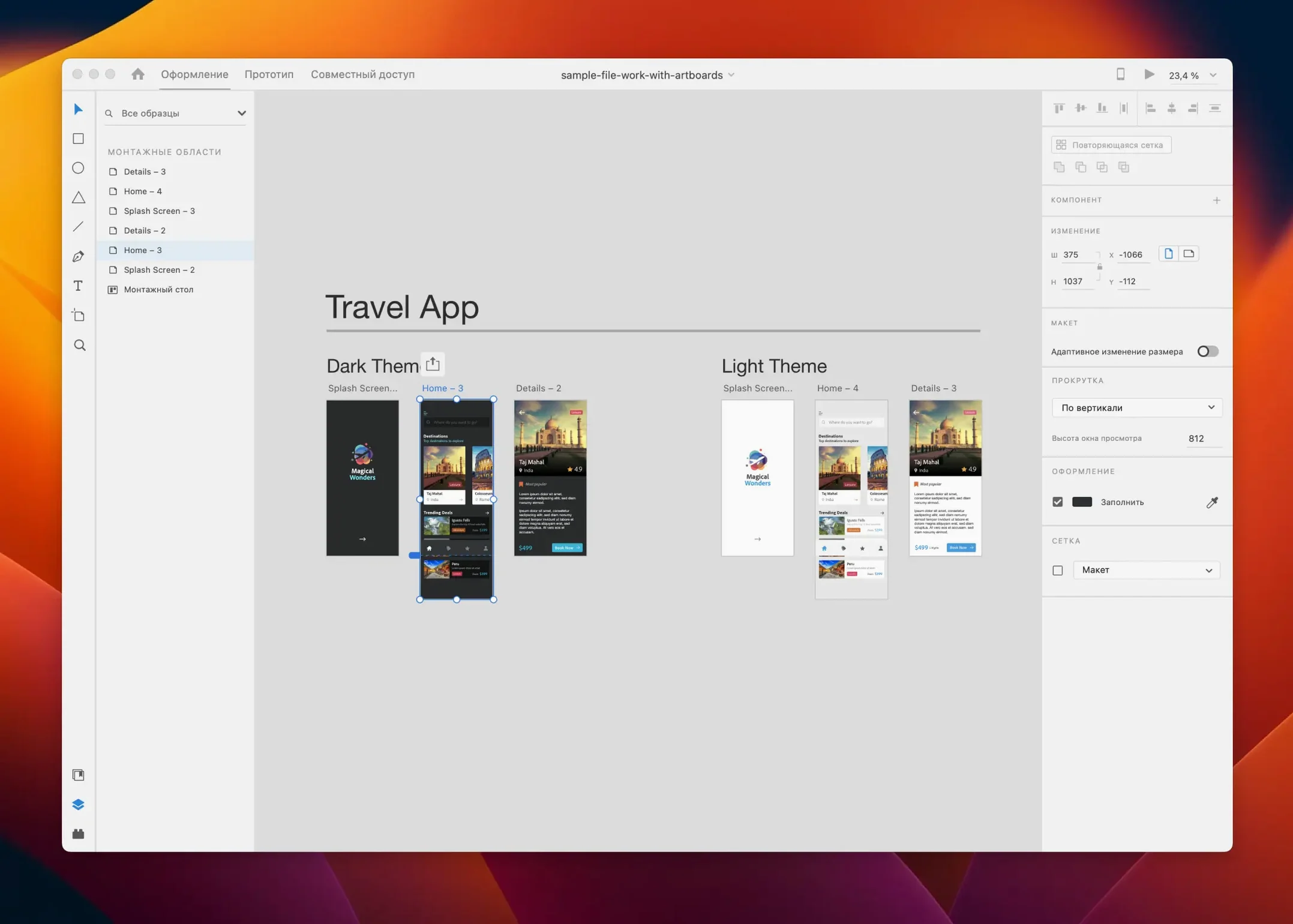
Next, open an existing design file — a simple web mockup or a mobile screen — and use responsive resize. Resize the artboard and watch the elements inside adjust automatically. This feature works best when components are aligned with the grid. If elements shift in unexpected ways, check the layout constraints in the Property Inspector.
Auto-animate is worth testing on day two. Create two artboards with similar objects in different positions, then link them with a prototype interaction and set the transition to auto-animate. The result is a smooth motion effect without writing code.
This connects colors, character styles, and graphics across apps. Without it, the library panel stays empty.
Cuts repetitive layout work for UI/UX designers
Adobe XD suits UI/UX designers who work on web or mobile projects regularly. The repeat grid and responsive resize cut repetitive layout work, so anyone building screen-heavy prototypes — for apps, dashboards, or responsive sites — will see the benefit quickly.
Product teams that iterate fast will appreciate the prototype sharing features. You can export a live link to a prototype and gather feedback without exporting static screenshots. For solo freelancers, the app works fine offline; the collaboration features are optional.
Designers who work with Adobe's ecosystem — Photoshop, Illustrator, After Effects — will find the integration natural. Assets from those apps come into XD through the same library panel.
Voice interface and game interface design are supported but less used. Those workflows exist in the tool, but the documentation and community examples are thinner than for web or mobile. If those are your primary focus, you may need to experiment more.
Runs offline for design, needs internet for sharing and plugins
Can I run Adobe XD on a Mac without an internet connection?
Yes. The app itself works offline for design and prototyping. A solo project on a plane or in a cafe is fine.
Does it work with older design files?
Adobe XD opens .xd files from previous versions. The file format hasn't changed drastically, so projects from version 58 or earlier load without conversion. That said, features added in newer releases — like responsive resize or auto-animate — won't appear in files saved by an older version until you re-save them in 59.0.12.
Is this the same as Figma or Sketch?
Adobe XD is a vector-based UI/UX tool, similar in purpose to Figma and Sketch. If you already use Adobe apps, XD fits into that workflow. If you don't, the choice comes down to which ecosystem you prefer.
Can I open Illustrator or Photoshop files in XD?
Not directly. You can copy and paste vector objects from Illustrator into XD, and the layers and paths come through. For pixel-based assets, export from Photoshop as PNG or SVG and import them into XD. There is no live link between the file formats.
What languages does the interface support?
The app is available in nine languages: Russian, English, German, Spanish, Chinese (Simplified), Korean, Portuguese, French, and Japanese. The interface and tooltips change with the language setting, but the design tools and commands work the same way regardless of locale.
Supports Intel and Apple Silicon Macs from one download
Adobe XD 59.0.12 runs on macOS 10.15 or later and supports both Intel (x86 64-bit) and Apple Silicon (ARM) architectures. The installer detects your system and places the correct binary. There is no separate download for M-series Macs.
The app is a native macOS application, not a wrapper or web tool. It uses the standard macOS menus, file dialogs, and keyboard shortcuts. Window behavior — resize, minimize, full-screen — follows macOS conventions.
Memory and disk use depend on project size. A single artboard file with a few layers is light; a multi-artboard prototype with dozens of screens and embedded images uses more. The app runs best when system resources are not shared with other heavy applications.
Adobe XD is in maintenance mode, meaning new features are not being added. The July 2025 release (59.0.12) includes bug fixes and minor workflow improvements. Existing features like repeat grid, auto-animate, responsive resize, and content-aware layout continue to work as they did before.
Drag the repeat grid handle diagonally for rows and columns
The repeat grid tool has a hidden behavior: dragging the blue handle downward creates a vertical grid, and dragging to the right creates a horizontal grid. Hold the handle and drag diagonally to create both rows and columns in one action. This is not a separate command — it's just how the handle works.
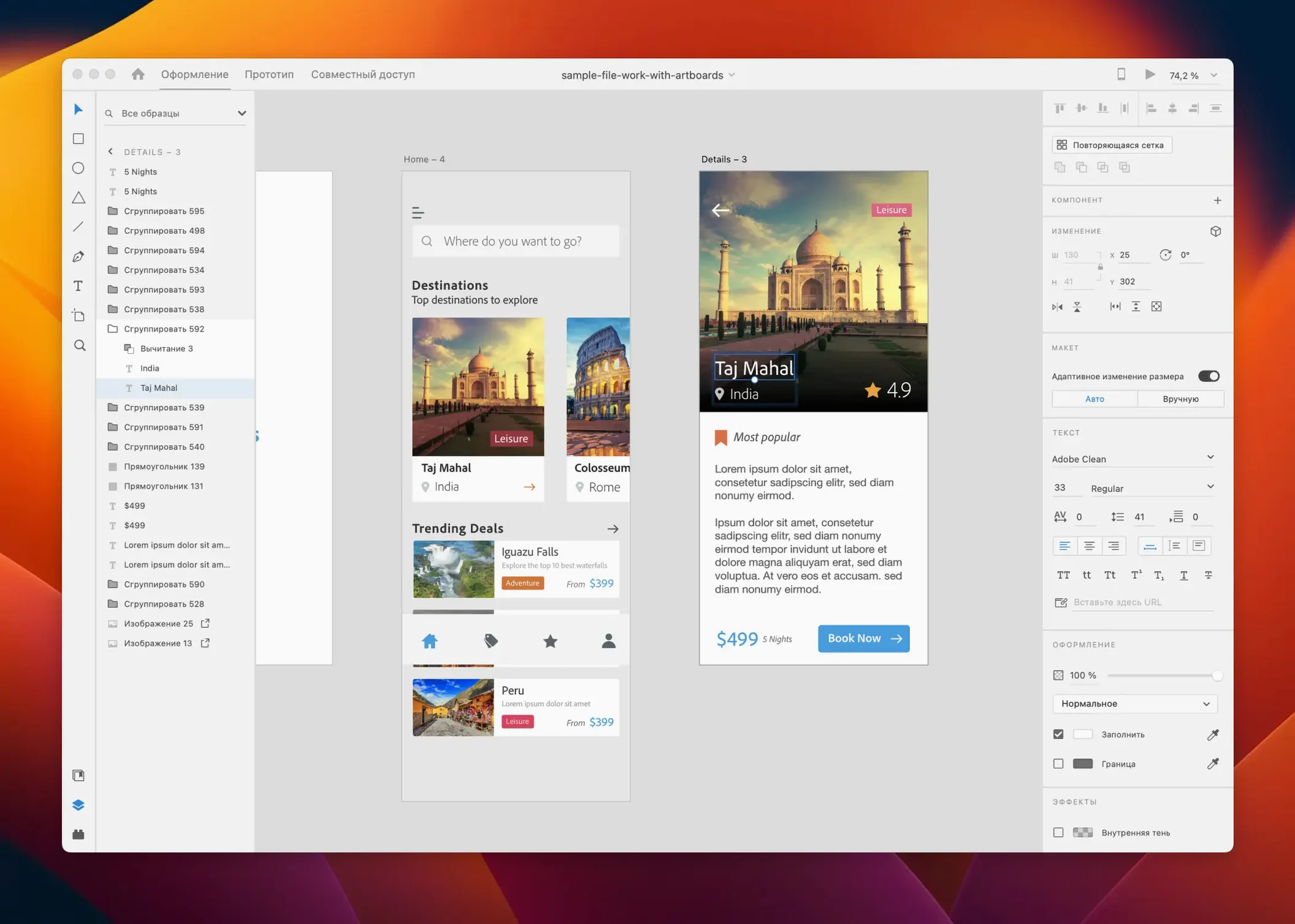
Responsive resize preserves the relative position of elements when the artboard changes size. If you size elements by percentage rather than fixed pixels, the layout adapts predictably. The Property Inspector shows both fixed and relative sizing options for selected objects.
Content-aware layout works on text and objects inside a group. When you edit a text string, the surrounding elements shift to accommodate the new length, without breaking the layout. This is useful for button labels and headlines that change during iteration.
Auto-animate matches objects between two artboards by their layer name. If you rename an element before duplicating it, the animation may break. Keep layer names consistent across artboards for reliable transitions.
The prototype preview panel supports both desktop and mobile aspect ratios. Switch between them in the preview settings to see how your design looks on different screen sizes before sharing the link.
After installation, they appear in the Plugins panel. No restart is required — they load on the next project open.
- Bug fixes and minor workflow improvements in the July 2025 release.
- macOS 10.15 or later
- Intel or Apple Silicon
Questions from the notes
Can Adobe XD run on Apple Silicon Macs?
Yes, Adobe XD supports both Intel and Apple Silicon architectures, so it runs natively on M1 and later Macs.
Does Adobe XD include team collaboration features?
Yes, Adobe XD can be used alone or with team members, allowing shared projects and feedback within the app.
Install procedure
- Install the app and follow the included activation instructions.
- For earlier versions, the setup steps are covered in YouTube guides.
Reports from players
Sign in or create a tester account to file a report.
No reports filed yet.