
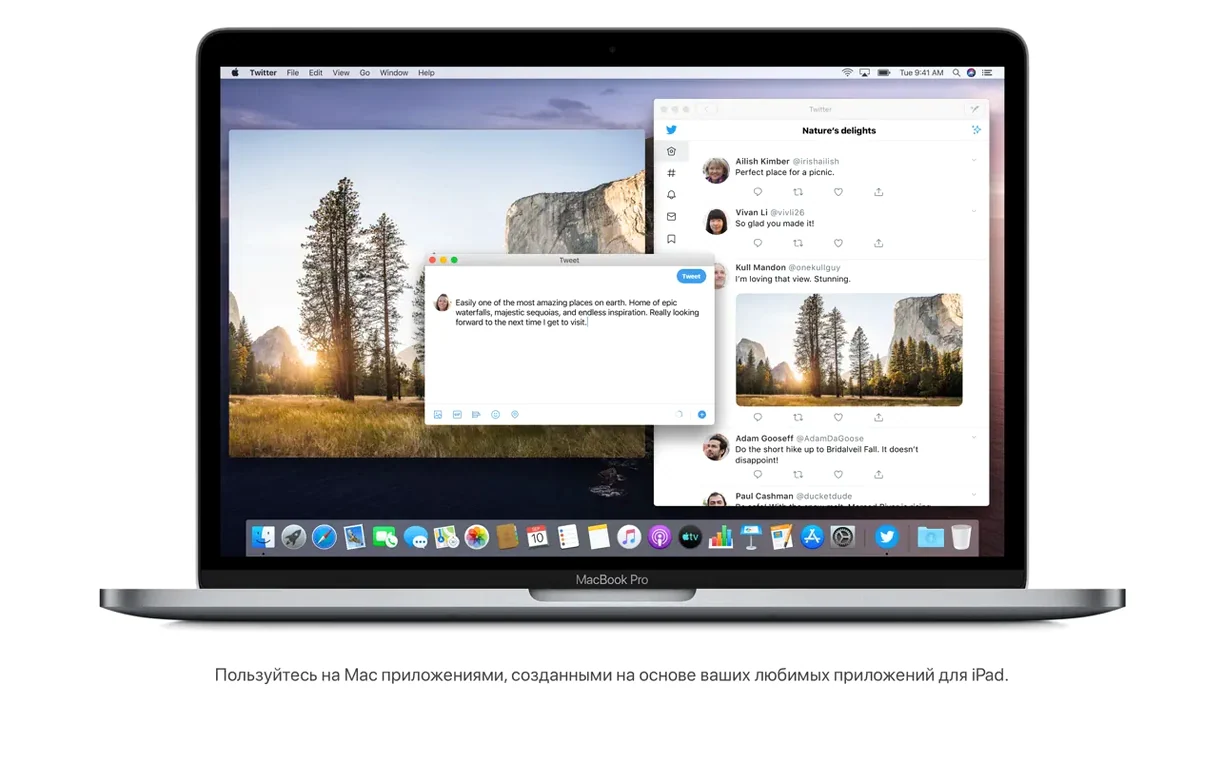
macOS Catalina 10.15.7 supports up to 4 GB of memory and runs on Intel-based Macs from 2012 or later. If you're setting up a Mac for audio work, Logic Pro on macOS Catalina is a common combination — the OS still supports 64-bit Intel audio plugins and runs the last version of Logic that doesn't require Apple Silicon. The OS drops 32-bit app support entirely, so check your plugins before upgrading.
| Version | 10.15.7 (19H15) |
|---|---|
| Architecture | Intel 64-bit |
| Release | September 2020 |
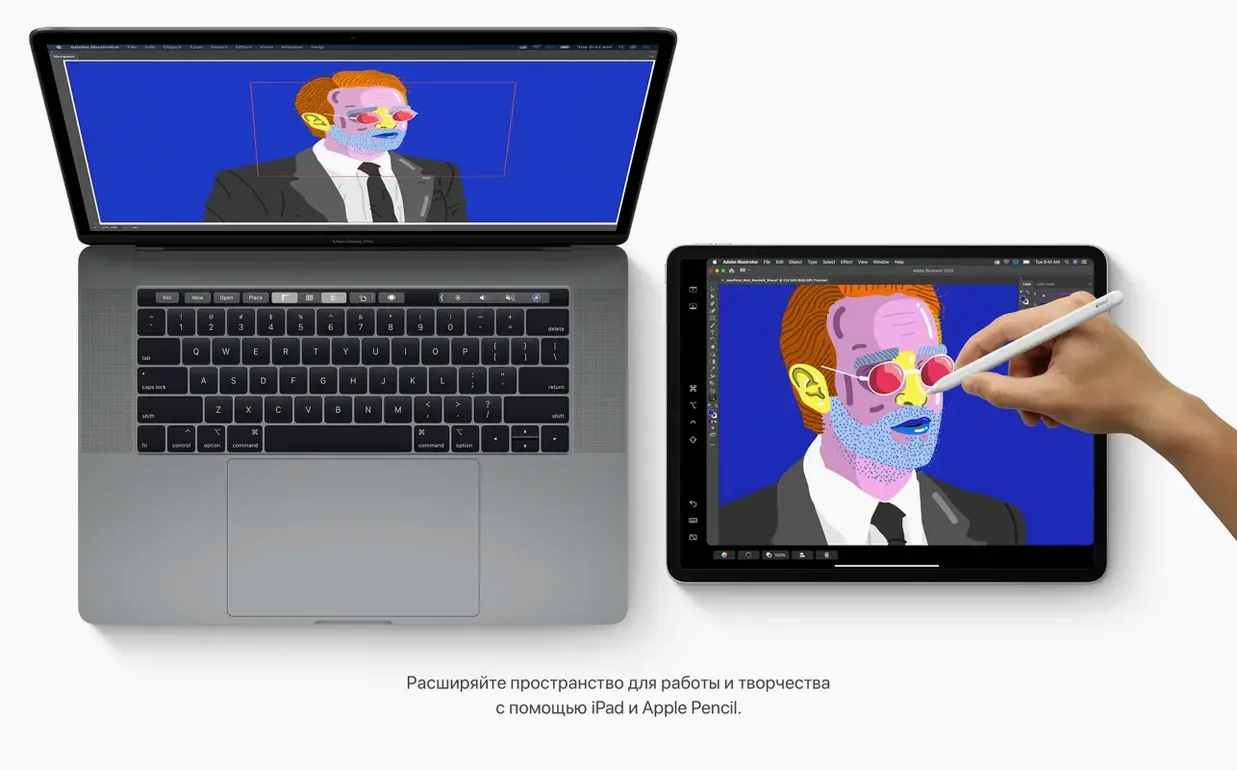
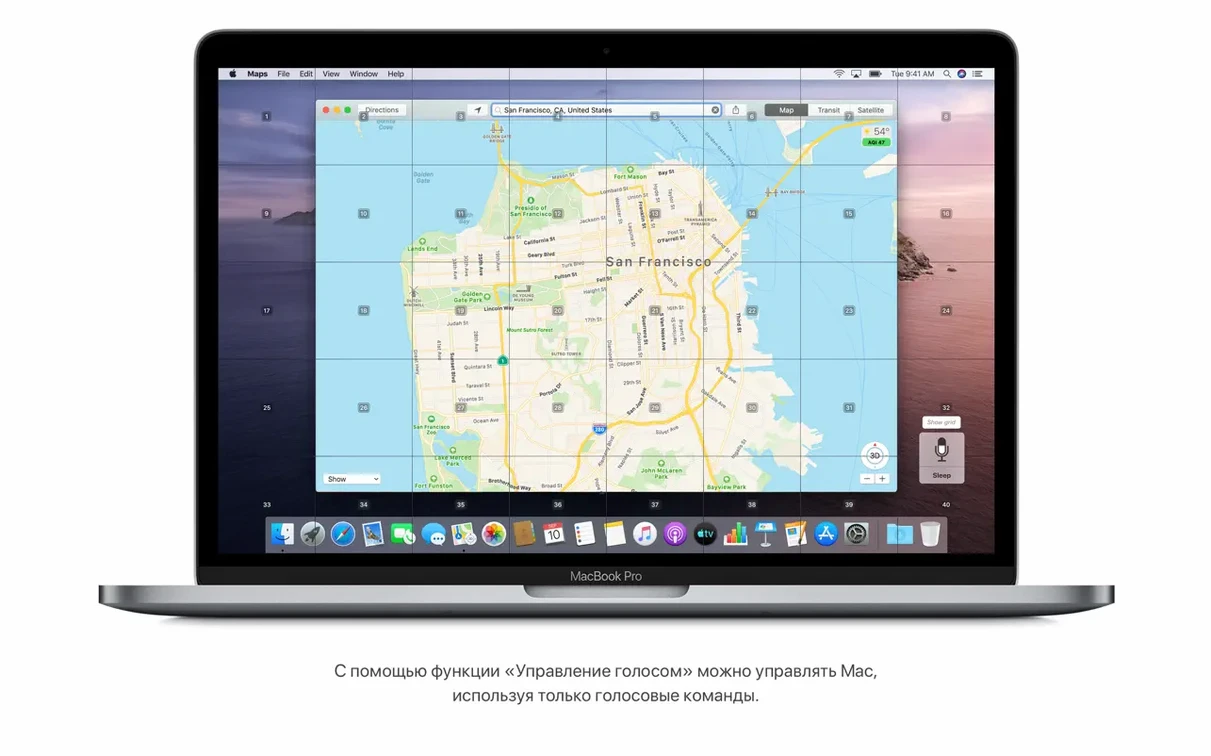
Catalina introduces Sidecar, which extends the Mac desktop to an iPad as a second display — useful for arranging plugin windows or keeping a mixer view visible. Voice Control lets you operate the Mac entirely by speech, and the new Media apps (Music, Podcasts, TV) replace iTunes. Reminders gets better editing controls for dates, locations, and attachments. Notes adds gallery view with visual thumbnails, and its search can find text in scanned documents or recognize objects in photos. The OS can also run iPad apps natively on the Mac. Version 10.15.7 includes security updates and fixes for Wi-Fi reconnection, iCloud Drive sync, and a graphics issue on the 2020 iMac with Radeon Pro 5700 XT.
Safari start page surfaces browsing history and iCloud tabs
Catalina has several built-in features that users often discover weeks after installing. The redesigned Safari start page, for example, surfaces items from browsing history, bookmarks, Reading List, iCloud Tabs, and Messages links all in one view. It replaces the old blank grid with a functional dashboard — useful if you cross-device sync with iCloud and pick up reading on a phone or iPad.
Finder now handles iPhone and iPad management directly. When you connect a device via cable, Finder shows options to sync, back up, update, or restore it. You no longer need iTunes or the dedicated sync app for basic device maintenance. For anyone managing a household of iOS devices, this simplifies the workflow into a single window.
Notes includes a gallery view that shows visual thumbnails instead of a plain text list. The same app can search inside scanned documents and recognize objects in photos — not just OCR text, but actual content detection. This means a note with a photo of a whiteboard can be found by searching for a word written on that board, as long as the image is clear enough.
Reminders gains granular editing controls. You can assign a date, a location, a flag, an attachment, and other details to each reminder without opening a separate dialog. The controls sit inline, which speeds up the entry process for project tasks or grocery lists.
Key concerns before installing Catalina
Will my 32-bit applications work?
Catalina drops support for 32-bit applications entirely. If you rely on older software — especially games, audio plugins, or utilities that never received a 64-bit update — they will not launch. Check your application list before upgrading. For users searching for solutions related to audio production tools, this often comes up in discussions about Logic Pro on mac os catalina setups.
How much free space do I need?
The installer requires 12.5 GB of available storage for an upgrade from OS X El Capitan 10.11.5 or later. After installation, the operating system itself occupies a similar amount. Factor in updates, application caches, and a swap file — 64 GB total free space is a practical minimum for comfortable daily use.
Can I use an iPad as a second monitor?
Yes. Sidecar lets an iPad extend the Mac desktop over a wired or wireless connection. It works as a secondary display, not a mirror. You can drag windows onto it, keep a reference document open, or place a mixer or timeline panel there. This is distinct from the separate "use iPad as a second display" feature, which is also supported. Both features require compatible hardware and the same Apple ID on both devices.
Is the OS still supported for software development?
Version 10.15.7 is the final Catalina release. Apple no longer issues security updates for it, but many development tools — including Homebrew, Docker, VS Code, and JetBrains IDEs — continue to work on 10.15.7 as long as they support Intel macOS. Developers who need to test applications against older macOS versions often keep a Catalina partition or a separate machine for that purpose.
Audio engineers on Intel Macs from 2012 to 2018
Users who benefit most are those running Intel Macs from 2012 through 2018 that cannot upgrade to macOS 11 or later, or who deliberately avoid the transition to Apple Silicon for compatibility reasons. Audio engineers working with 64-bit VST and AU plugins on older iMac or MacBook Pro models find Catalina stable for DAW workflows. Developers testing web applications or cross-platform tools on an Intel environment also fit here.
Another group is users who prefer the pre-iTunes separation of media apps. Catalina replaces the monolithic iTunes with dedicated Music, TV, and Podcasts apps. If you never used iCloud music sync and wanted separate apps for each media type, this version delivers that.
Multilingual users benefit from the broad language support — 35 languages, including Hindi, Vietnamese, Greek, and Thai — which makes Catalina usable out of the box for native interfaces in regions where macOS 11 later reduced language coverage.
Morning boot on a 2017 iMac with leftover tabs
Morning: You boot a 2017 iMac. The desktop loads with the new Safari start page showing the three tabs left open from last night. One is a PDF manual, one is a forum thread about a bug in the Radeon Pro 5700 XT graphics fix included in 10.15.7, and one is an iCloud tab with a shopping list synced from an iPhone. You click the PDF link and continue reading.
Midday: You connect an iPad Pro via USB-C. You click "Back Up" to create a local backup before installing a new iOS beta. While that runs, you enable Sidecar from the display settings and drag a Reference panel from Affinity Photo onto the iPad screen. The panel stays there, leaving the main display clear for editing.
Afternoon: A Reminder pops up with a date and location set from yesterday's note. You open Notes, switch to gallery view, and see a scanned receipt with text that Notes recognized. You search for "printer" and the receipt appears because the word is visible in the scanned image. You mark the Reminder complete and add an attachment — a photo of the printer model number taken with the iPhone.
Evening: You connect an old iPhone 6 to transfer photos. Finder mounts the device, you drag a folder of photos to the desktop, and the sync completes without launching any other app. While that transfers, you open Apple Podcasts to download the latest episode of a tech news show. The download happens in the background; you close the laptop and disconnect everything.
Catalina versus earlier macOS releases
macOS Mojave (10.14)
Mojave is the direct predecessor. It still supports 32-bit applications, which matters if you need legacy software. Catalina removes that support, adds Sidecar, and splits iTunes into separate apps. Mojave's Finder cannot manage iOS devices directly — you need a separate sync tool. For users on a Mac compatible with both, the choice depends almost entirely on whether you need 32-bit apps. If you don't, Catalina offers more modern app management.
macOS Big Sur (11)
Big Sur introduces Apple Silicon support and a redesigned interface. It also drops Intel-only compatibility — Rosetta 2 emulates Intel apps on M-series Macs, but some Intel-native software runs slower or not at all. Big Sur requires a newer Mac (2018 or later for Intel). Catalina supports older hardware like the 2012 MacBook Air and 2013 Mac Pro. For users on those machines, Catalina is the last supported version. For Intel Mac users who want the latest OS, Big Sur is the next step, but it brings a different visual language and higher hardware requirements.
Windows 10 (for Hackintosh or Boot Camp comparisons)
Not a macOS version, but a common alternative for Intel Mac users. Windows 10 runs naturally on most Boot Camp-compatible Macs from 2012 onward. It supports 32-bit applications, has broader game compatibility, and does not include Sidecar or native iPad management. For users who need the iPad integration and macOS-native tools like Notes, Reminders, and Voice Control, Catalina provides a tighter ecosystem integration than any version of Windows can offer.
- Provides important security updates and bug fixes.
- Resolves an issue where macOS would not automatically connect to Wi-Fi networks.
- Fixes an issue that could prevent files syncing through iCloud Drive.
- Addresses a graphic issue that may occur on iMac (Retina 5K, 27-inch, 2020) with Radeon Pro 5700 XT.
- macOS 10.9 or later
- Intel 64-bit processor
- 4 GB memory
- 12.5 GB available storage for upgrade from OS X El Capitan 10.11.5 or later
Questions from the notes
Does macOS Catalina support my Intel Mac?
It supports MacBook (Early 2015 or newer), MacBook Air (Mid 2012 or newer), MacBook Pro (Mid 2012 or newer), Mac mini (Late 2012 or newer), iMac (Late 2012 or newer), iMac Pro (2017), and Mac Pro (Late 2013 or newer).
What is Sidecar?
Sidecar extends your Mac desktop to a compatible iPad, letting you use it as a second display or a drawing tablet with Apple Pencil.
Install procedure
- Open the downloaded disk image.
- Copy the installer app to the Applications folder.
Reports from players
Sign in or create a tester account to file a report.
No reports filed yet.