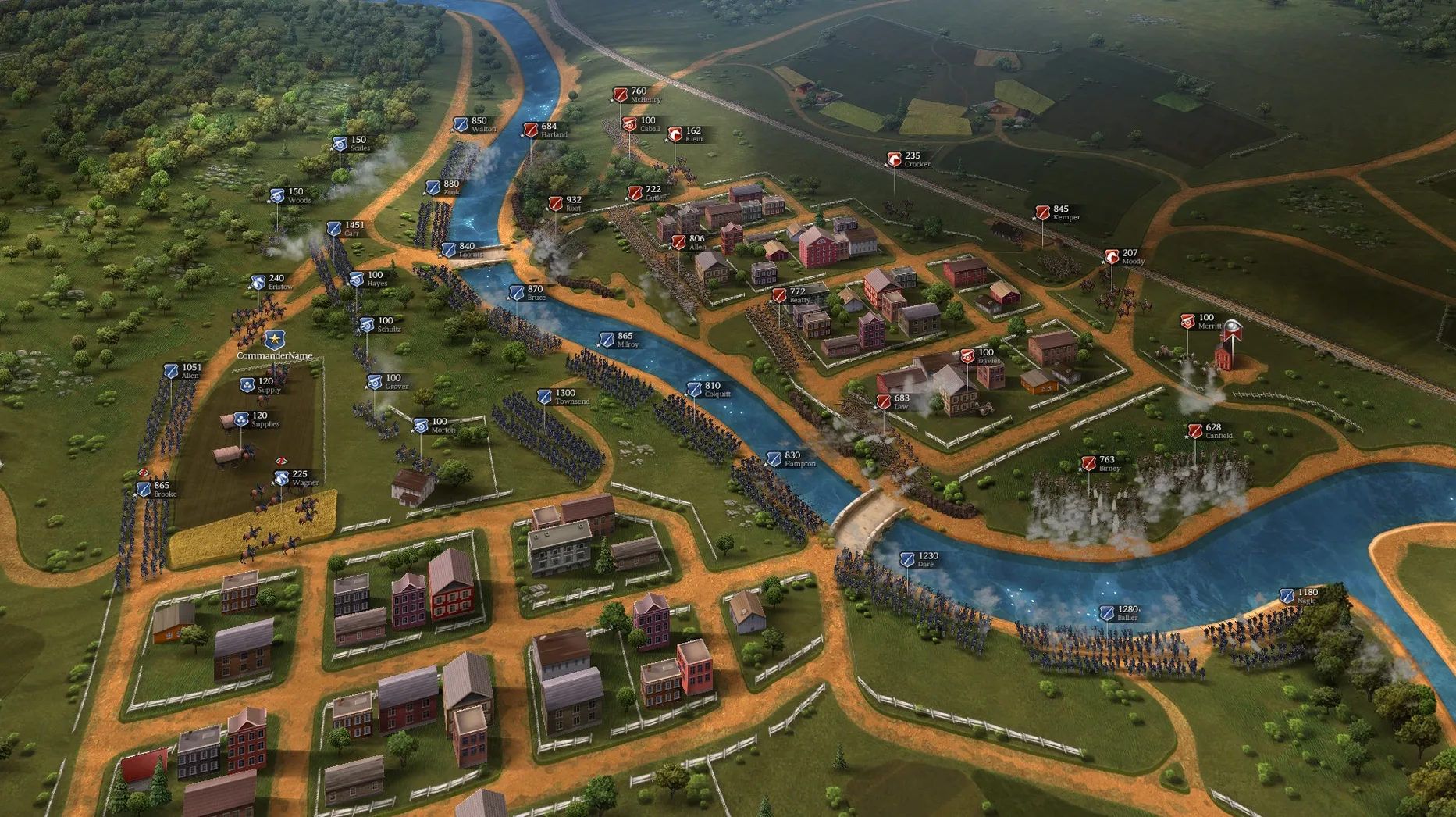
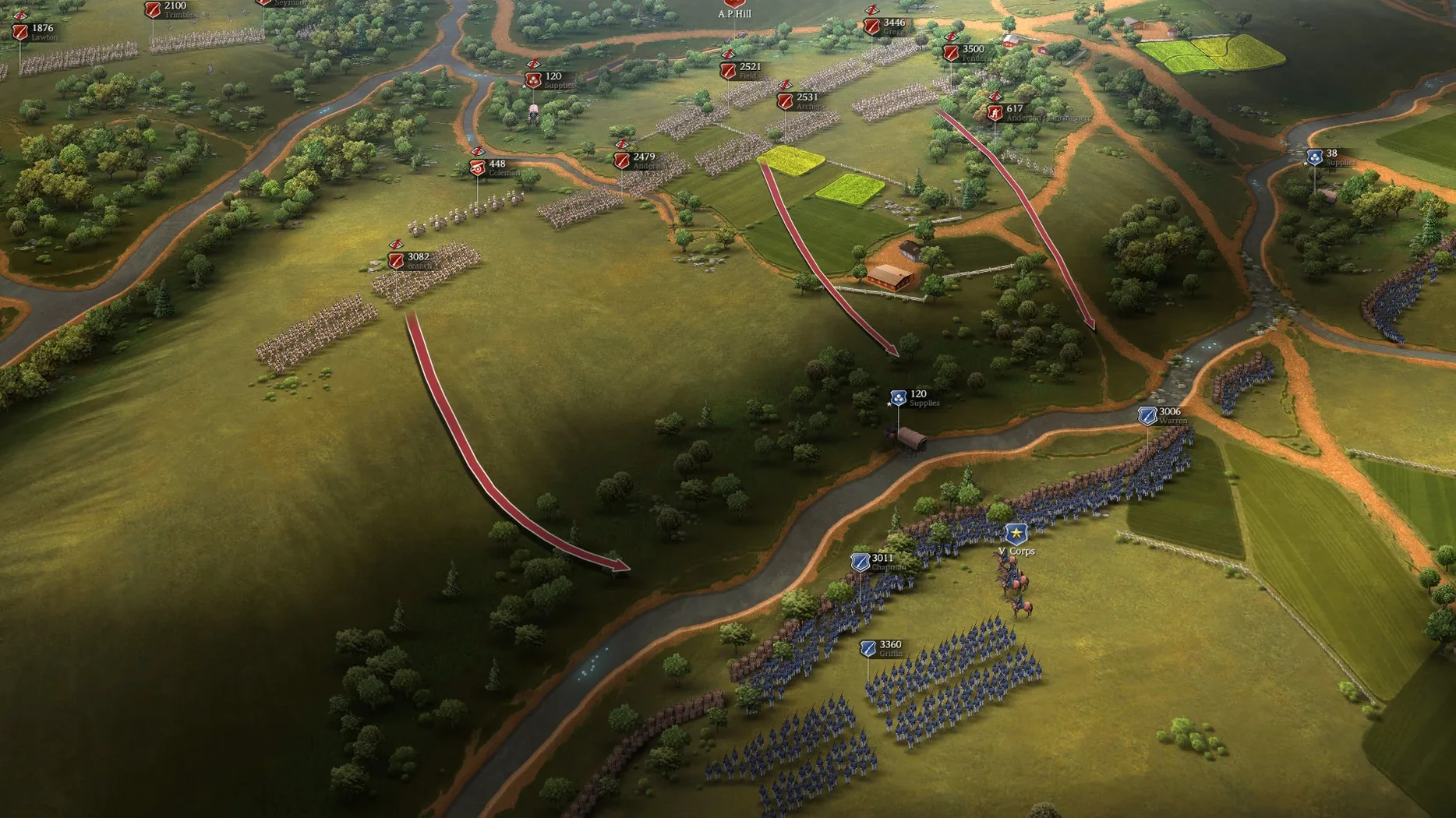
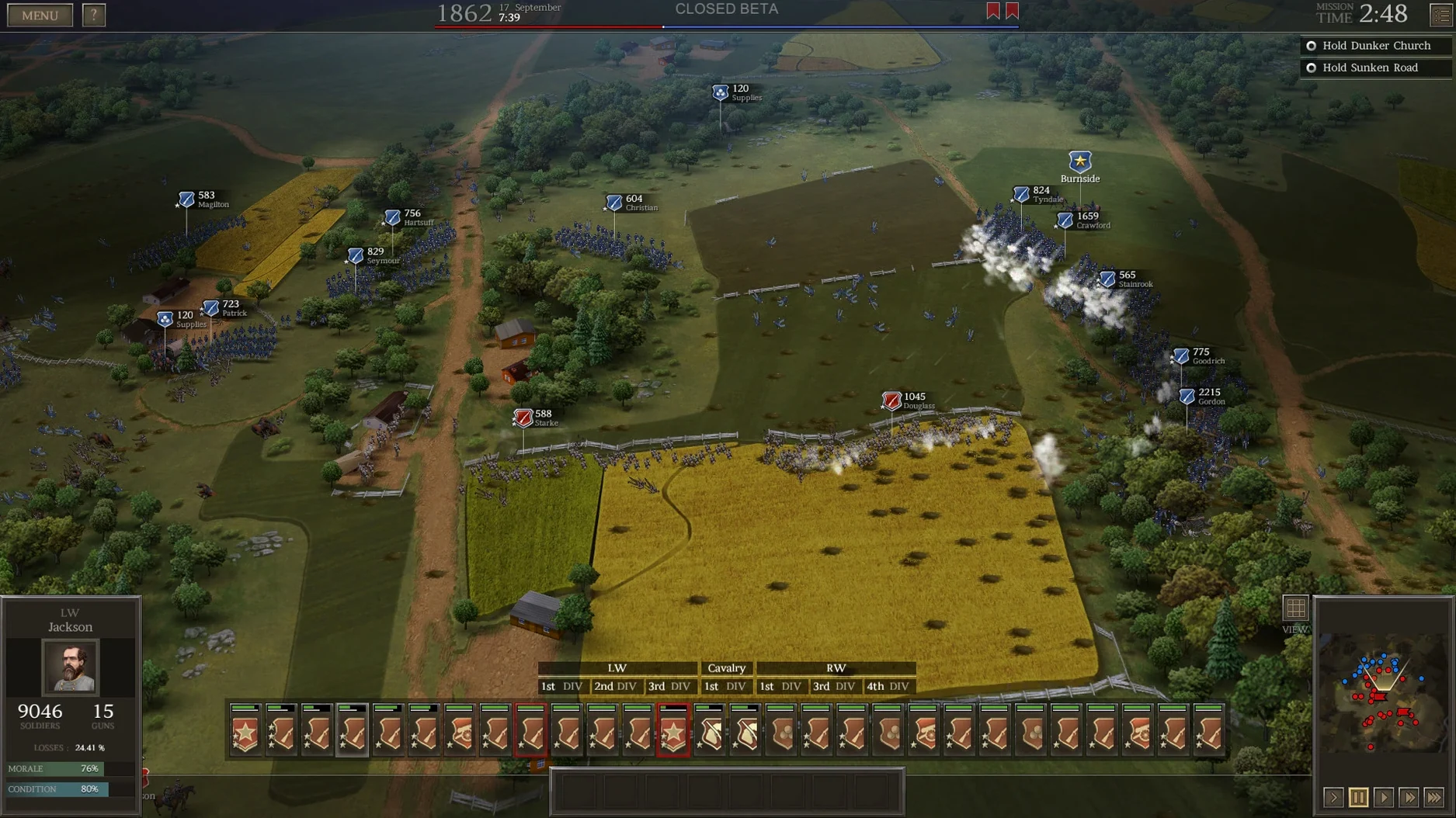
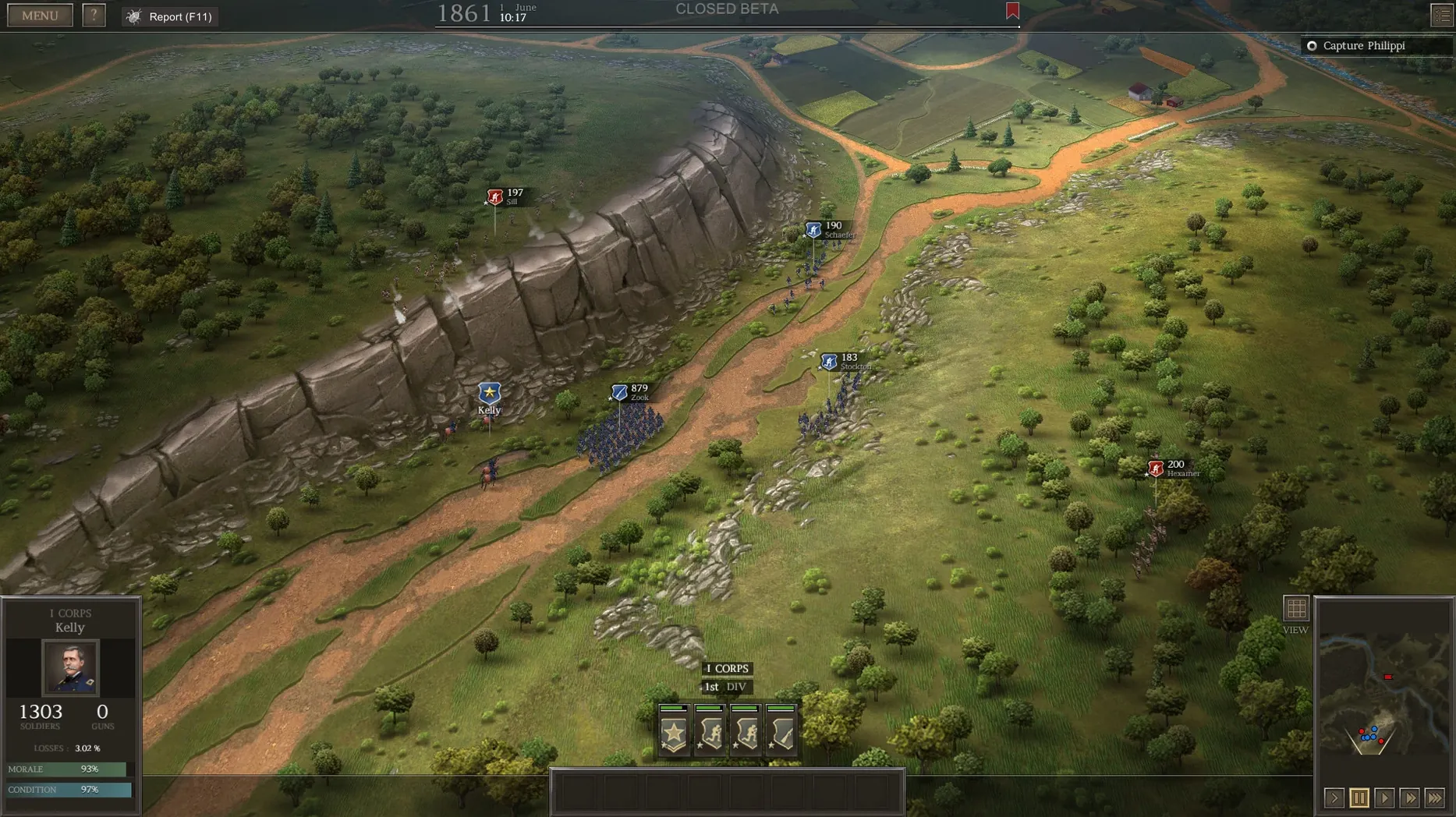
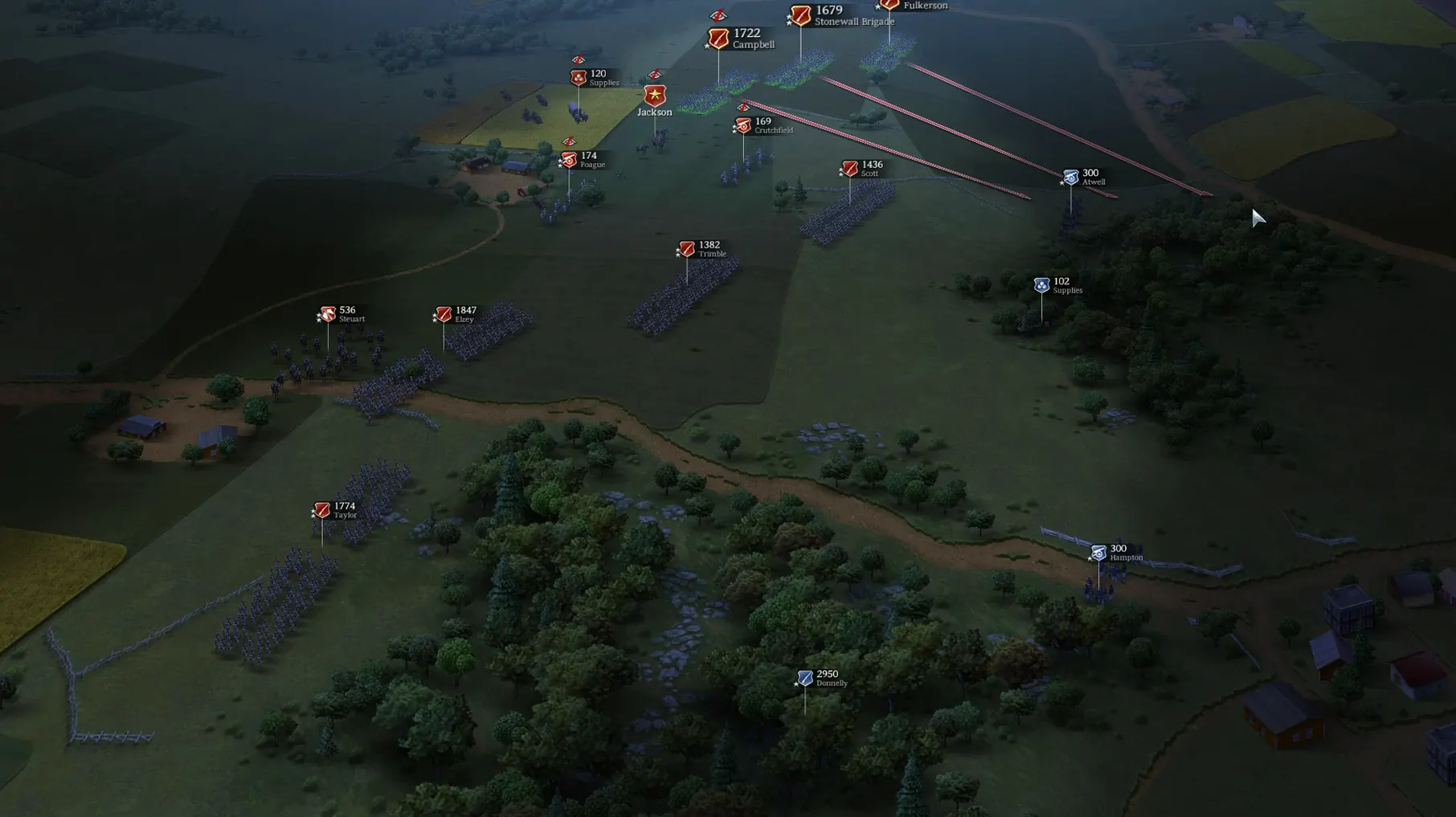
Ultimate General: Civil War is a tactical war game that puts you in command of Union or Confederate forces during the American Civil War.
System compatibility — the Mac version uses x86 64-bit architecture, so it runs on Intel Macs. It is officially supported on macOS, but there is no Apple Silicon native build.
Command scale — you choose your level of control, from giving individual soldier orders to setting broad objectives. Division commanders act on their own when left unsupervised.
Campaign — covers more than 50 battles, with officers who can be wounded or killed in action.
AI behavior — the enemy flanks, attacks weak points, cuts supply lines, and targets unguarded artillery batteries.
Weapons — includes multiple Civil War-era firearms, from mass-produced rifled muskets to rare rifles.
Supply — managing supplies affects battle outcomes, so it is not just about troop placement.
Language — English voice acting is available, with interface support for English, Russian, German, Spanish, Simplified Chinese, Korean, French, and Japanese.
Start with a historical battle before trying the campaign
Start with one of the historical battles rather than jumping into the campaign. The battle mode lets you learn the terrain, the supply system, and the command scale without the pressure of campaign-wide consequences. Pick a smaller engagement first — the hand-drawn maps are detailed enough that you will spend the first few minutes just reading the ground.
When you do start the campaign, pay attention to your army composition early. Green recruits turn into veterans over time, but only if they survive the first few fights. Keep raw units behind more experienced lines until they have seen action without being routed. Losing a unit early in the campaign means rebuilding from scratch.
Supply management is not something you can ignore after the first battle. Keep an eye on your supply lines during every engagement — the AI will cut them if you leave a flank open. Guard your artillery batteries too; the AI prioritizes unguarded guns.
Mount the disk image and run the standard installer
This version is the current release as of July 2017. It is a stable build that has been on the Mac catalog for a while, so the installer is straightforward — mount the disk image, run the standard installer, and choose your destination. Applications is the recommended folder, and the process is DRM-free.
The interface languages cover eight languages, including Korean and Japanese. English voice acting is available throughout, which is useful during the larger battles where reading text while managing units slows you down. The version supports Russian, German, Spanish, Simplified Chinese, and French as interface options as well.
Hand-drawn maps reveal real terrain features that affect combat
The hand-drawn maps deserve a closer look. They are based on satellite and historical map data, so you can sometimes identify terrain features that match real Civil War locations. Fields, fences, houses, and forests all affect combat differently, and reading the map carefully before moving troops saves casualties.
Historical officers improve as the campaign progresses, but they can also be wounded or killed. Keep a few reserve officers in mind — losing a good commander mid-battle changes how your division behaves. The game does not warn you when an officer is about to fall, so check the status screen after each fight.
The weapon variety matters more than the interface suggests. Rare rifles perform differently from mass-produced rifled muskets, and the type of weapon a unit carries affects its effective range and reload speed. Try equipping a single unit with rare rifles and see how it performs against a standard infantry unit before committing to a full weapon swap.
- Version label updated to 1.11.21829.
- macOS: not specified
- Architecture: Intel (x86 64-bit)
Questions from the notes
Does Ultimate General: Civil War run on Apple Silicon Macs?
The Mac version is x86 64-bit only, so it is not natively supported on Apple Silicon. You would need a translation layer like Rosetta 2, but the game is officially supported on Intel Macs.
How many battles are in the campaign?
The campaign covers more than 50 battles, with officers who can be wounded or killed.
What languages does the game support?
Interface languages include Russian, English, German, Spanish, Simplified Chinese, Korean, French, and Japanese. English voice language is available.
Install procedure
- Mount the downloaded disk image.
- Run the standard installer.
- Choose the installation location.
- Select Applications as the destination folder.
Reports from players
Sign in or create a tester account to file a report.
No reports filed yet.